
What Is Clip Studio Paint?
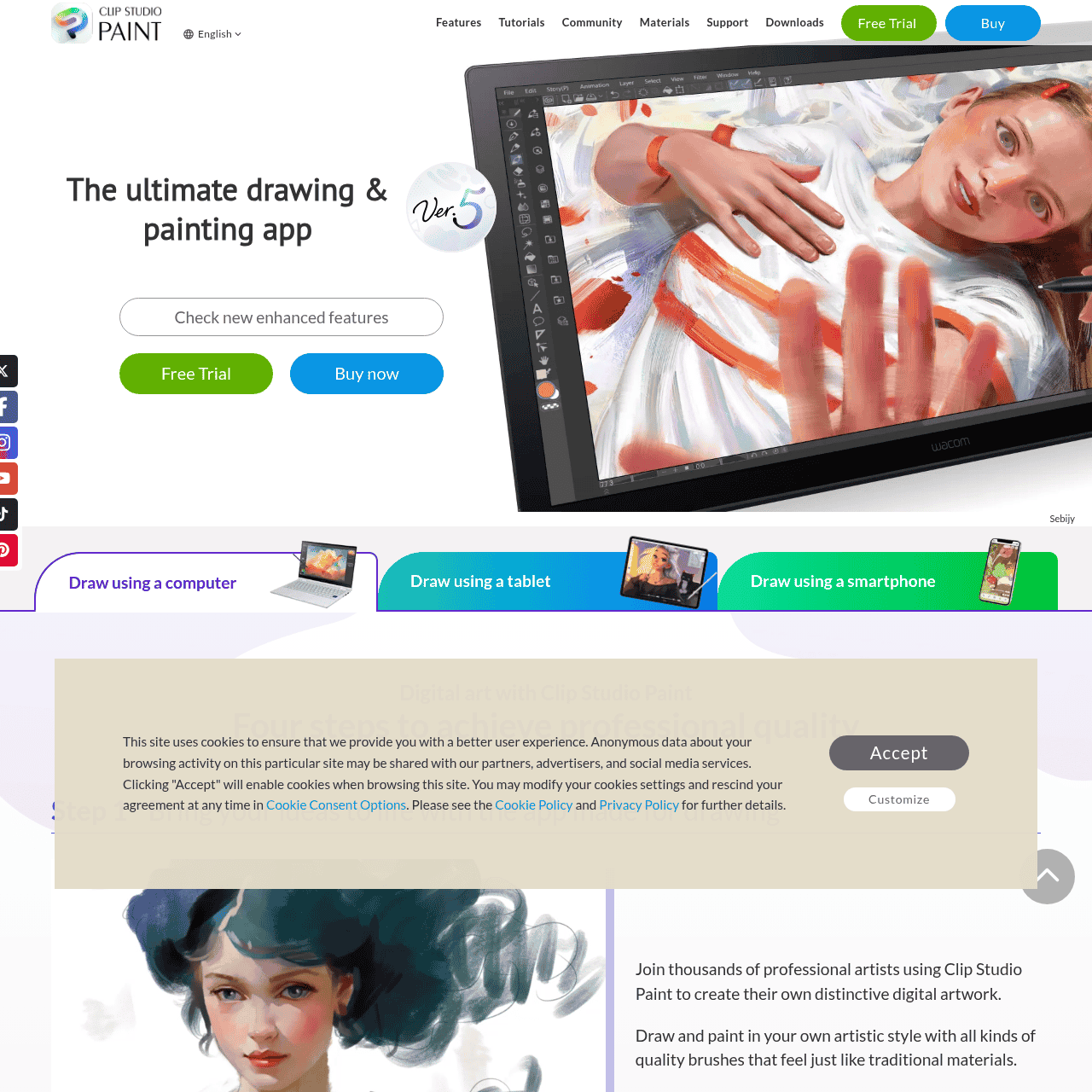
Clip Studio Paint is a professional digital illustration, painting, and comic creation software designed for artists, comic creators, and animators. It delivers a natural drawing experience with highly customizable brushes, pen and pencil tools, and line stabilization for smooth, controlled strokes.
Dedicated comic and webtoon features include page management, panels, speech balloons, perspective rulers, and vector layers to keep line art crisp at any size. Built‑in 3D models, poseable figures, and rulers help artists quickly block out anatomy, perspective, and composition.
With a large library of assets, materials, and community‑shared resources, Clip Studio Paint supports both beginners and advanced creators on desktop, tablet, and mobile.
Quick Snapshot
Clip Studio Paint unifies drawing, painting, comics, and light animation in one professional app, giving artists natural brush feel, vector precision, and 3D support. It streamlines the workflow from sketch to final artwork with specialized tools that save time and enhance quality.
- Works on
-
- Web
- Mac
- iOS
- Android
- Other
- Pricing Model
- Cannot determine the price.
- Fits on
- Affiliate Program
- We could not identify an affiliate program.
- API Availability
- We could not identify whether an API is available.
- Key Features
-
- Natural, customizable brushes with smooth line control
- Comic and webtoon tools for complete storytelling
- 3D models and vector layers for precise artwork
- Audience
-
- illustrators
- comic artists
- manga artists
- animators
- concept artists
- graphic designers
- art students
- hobbyist digital artists
Screenshot

Key Features of Clip Studio Paint
Natural drawing tools
Highly customizable brushes, pens, and pencils with stabilization provide a natural drawing and inking feel for precise line work and painting.
Vector line art
Vector layers keep line art crisp at any resolution and allow easy editing of stroke thickness, curves, and corrections without quality loss.
Comic and webtoon tools
Built-in page management, panels, speech balloons, and text tools streamline production of comics, manga, and webtoons from layout to finished pages.
3D models and rulers
Poseable 3D figures, models, and advanced rulers help artists construct accurate anatomy, perspective, and complex scenes more efficiently.
Animation capabilities
Animation timelines and frame-based tools support creating short 2D animations and animated illustrations directly within the app.
Assets and materials library
Access extensive built-in materials and a community-driven library of brushes, textures, and assets to speed up workflows and expand creative options.
Cross-device support
Works on desktop, tablet, and mobile devices, enabling artists to create and refine artwork in different contexts while staying within the same ecosystem.
Use Cases for Clip Studio Paint
Comic and manga creation
Plan and produce full comic books, manga, and webtoons using dedicated page management, panels, speech balloons, and vector line tools for clean, print-ready results.
Illustration and painting
Create detailed illustrations and digital paintings with customizable brushes, pen and pencil tools, and stabilization that mimic traditional media while staying fully digital.
Webtoon and vertical scroll
Design vertical-scrolling webtoons with layouts, panels, and text tools tailored for mobile-first storytelling and easy export for online platforms.
Concept art and storyboards
Use 3D models, perspective rulers, and poseable figures to quickly rough out compositions and scenes for concept art, storyboards, and visual development.
Light 2D animation
Produce short 2D animations or animated illustrations directly in the same environment, reducing friction between drawing, timing, and exporting sequences.
Frequently Asked Questions
What is Clip Studio Paint used for?
Clip Studio Paint is used for digital illustration, painting, comic and manga creation, webtoons, and light 2D animation, offering tools optimized for artists and storytellers.
Is Clip Studio Paint good for drawing comics and manga?
Yes, Clip Studio Paint includes dedicated features for comics and manga such as page management, panels, speech balloons, perspective rulers, and vector layers ideal for clean line art.
Does Clip Studio Paint support 3D models?
Clip Studio Paint supports built-in 3D models and poseable figures that artists can use as references for anatomy, poses, and composition.
Can I animate in Clip Studio Paint?
Clip Studio Paint provides animation tools that allow users to create short 2D animations and animated illustrations within the same drawing environment.
On which devices can I use Clip Studio Paint?
Clip Studio Paint is available on desktop, tablet, and mobile devices, so you can draw and manage projects across different platforms.
Where can I find pricing for Clip Studio Paint?
You can view current pricing, plans, and device-specific options on the official Clip Studio Paint website.
Clip Studio Paint · Our Verdict
Clip Studio Paint stands out as a creator-focused alternative to generic design suites, especially for comics, manga, and illustration. Its blend of natural brushes, vector tools, and 3D aids gives artists a complete drawing pipeline without relying on multiple apps.
Clip Studio Paint ·
-

AI Avatar
Turn one selfie into hundreds of avatars
AI Photo Editors - Free
HueBuddy
AI-powered paint mixing and colour matching for artists
Image & Design AI -
Industrial Render AI
Turn industrial sketches into stunning AI renderings
Digital Illustration & Concept Art - Free
Enterpix
Generate and explore stunning AI art instantly
AI Art Generators - Credit-Based
Nano Banana Pro
Fast, watermark-free AI image generation for creators
AI Image Generation - Your Ad Here
- Freemium
Aimage AI
Transform your ideas into stunning AI visuals
AI Art Generators - Subscription
Outcast
Record once and repurpose content everywhere.
Podcast Editing Assistants