



What changed
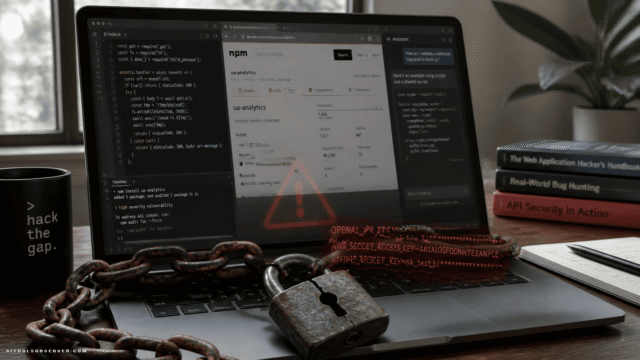
The campaign used multiple npm publisher accounts and a cluster of packages that appeared to be tied to a service called NebulaAI. Based on the available context, the packages looked like ordinary AI SDK components, but the dangerous part lived in an obfuscated install script triggered during installation.
Two details matter here:
- the package looked useful enough to pass a quick skim
- the malware executed before a developer ever meaningfully used the SDK
That is the supply-chain problem in one line.
How the attack worked
CloudSEK’s analysis suggests the visible JavaScript entry point presented itself as an AI service client. The actual payload was hidden in a preinstall hook, where users are least likely to look and automation is most likely to run without friction.
The script reportedly dropped a Windows executable into a path designed to blend in with normal system files. That payload was described as a modified KNTRAT remote-access trojan.
In plain English: install package, trigger script, quietly place RAT.
No flashy exploit chain. Just trust, packaging, and timing.
Why this one matters beyond NebulaAI
Fake packages are not new. Fake AI SDK packages are the natural next step.
Attackers appear to be following developer attention. When teams rush to test new model APIs, wrappers, agents, and productivity SDKs, package names that sound plausible get more dangerous. “AI tooling” now has enough surface area to become its own phishing language.
This is what makes the incident more useful than alarming. It shows where the pressure points are:
- early-stage SDK adoption
- unfamiliar package publishers
- install-time scripts
- Windows developer endpoints
- corporate environments where one laptop is also a network foothold
These are also the kinds of developer supply chain threats that can spread beyond a single machine.
What the malware appears capable of
According to the description, the deployed KNTRAT variant could enable remote desktop control, command execution, persistence, and access to camera and microphone functions.
That is not “annoying malware.” That is workstation compromise territory.
CloudSEK also noted the malware used techniques intended to reduce visibility to conventional security tooling, including direct system calls instead of the usual imported library patterns. The practical takeaway is less about the implementation detail and more about the implication: some defenders looking for obvious signals may miss it.
The packaging lesson developers should not ignore
Most developers review source files they plan to call. Fewer review lifecycle scripts that run during installation. Attackers know this.
A fake SDK does not need to be convincing forever. It only needs to be convincing for one npm install.
That shifts the question from “does this library look legit?” to “what executes before I even import it?”
What teams should do now
If your team touches npm packages for AI workflows, this is a good moment to tighten boring controls. Boring controls age very well.
Quick checks worth doing
- audit recent installs of unfamiliar AI-related packages
- review
preinstall,postinstall, and other lifecycle scripts before adoption - verify publisher history, package age, and maintenance patterns
- monitor Windows endpoints for suspicious binaries in user-local paths
- block known malicious packages and associated infrastructure where possible
For security teams, this is also a reminder that developer machines are production-adjacent assets. They hold tokens, code, shells, secrets, and often broad internal access. A poisoned SDK on a laptop can become a company problem fast.
What this means for the AI tools market
The AI tool ecosystem moves faster than its trust layer. New wrappers, connectors, and SDKs appear constantly, while verification habits lag behind.
That creates a weird UX tax for developers and buyers alike. The more crowded the AI tooling landscape gets, the more “looks legitimate” becomes a risky filter.
For anyone comparing AI developer tools, security posture is no longer a side note. Package provenance, install behavior, and publisher reputation deserve a spot much earlier in the evaluation process.
The useful takeaway
Treat AI SDKs like infrastructure, not snacks.
Before installing a shiny new package, check who published it, what scripts run on install, and whether the package has a believable history beyond a clever name. In the AI tools race, the fastest npm install can also be the most expensive one.









Comments (0) No comments yet
Want to join this discussion? Login or Register.
No comments yet. Be the first to share your thoughts!