
What Is CollegeHelp AI?
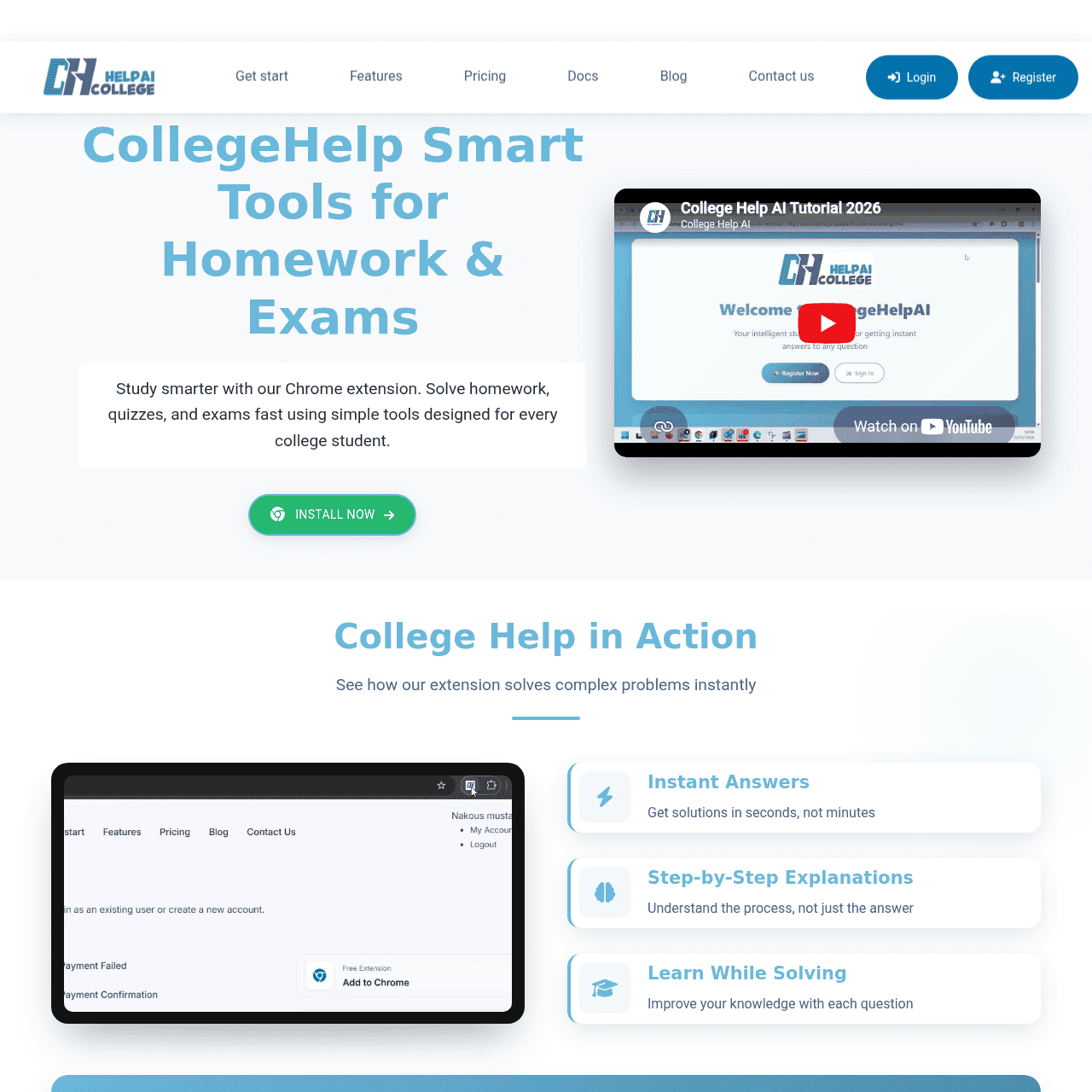
CollegeHelp AI is an AI-powered Chrome extension designed to help middle school, high school, and college students tackle homework, quizzes, and exam prep more efficiently. By scanning screenshots or highlighted text, it converts any on-screen question into a clear, structured answer with step-by-step explanations to build real understanding.
Students can ask questions via right-click, solve math and coding problems, and receive answers in multiple languages without leaving their browser. Ghost Mode provides a discreet way to use the tool, and 24/7 support ensures help is always available when studying. With a freemium model, students can start for free and upgrade to affordable monthly or annual plans for unlimited questions and priority support.
Quick Snapshot
CollegeHelp AI turns complex homework, quiz, and exam questions into clear, step-by-step explanations directly in Chrome. It saves students time, reduces stress, and supports multiple subjects and languages in one simple extension.
- Works on
-
- Web
- Chrome Extension
- Browser Extension
- AI Agent
- Pricing Model
- Freemium
Starting at $5.00/month — CollegeHelp AI uses a freemium model with a free plan that includes 10 questions per day and standard support. Paid monthly and annual subscriptions start at $5.00 for the first month and $59.99 for the first year, then renew at higher rates with unlimited questions and 24/7 priority support. - Fits on
- Affiliate Program
- We could not identify an affiliate program.
- API Availability
- We could not identify whether an API is available.
- Key Features
-
- Solve homework with instant, step-by-step explanations
- Capture on-screen questions via screenshot or text
- Multi-language support with discreet ghost mode
- Audience
-
- middle school students
- high school students
- college students
- online learners
- STEM students
- international students
Screenshot

Key Features of CollegeHelp AI
Chrome extension assistant
Runs directly inside the Chrome browser so students can get help on any webpage without switching apps or copying and pasting questions.
Screenshot and text capture
Allows users to scan screenshots or highlighted text to turn on-screen questions into structured, AI-generated answers.
Step-by-step explanations
Provides detailed, step-by-step solutions to help students understand how to solve problems, not just see the final answer.
Math and code support
Handles math problems and programming questions, offering clear breakdowns that are useful for STEM students.
Multi-language answers
Delivers explanations in multiple languages, making the tool accessible and useful for international learners.
Right-click question support
Lets students ask questions quickly via the browser right-click menu for a smoother, integrated workflow.
Ghost Mode
Offers a discreet way to use the tool so students can get help more privately while studying online.
24/7 student support
Ensures assistance is available around the clock, aligning with varied study schedules and time zones.
Use Cases for CollegeHelp AI
Daily homework help
Quickly convert tricky homework questions into clear, step-by-step explanations directly in the browser, reducing time spent stuck on individual problems.
Quiz and exam prep
Use the extension to practice with past quizzes or mock exams, getting instant worked solutions that reinforce concepts and improve understanding.
Math and coding support
Submit math equations or programming questions and receive structured solutions that show each step, helping students learn how to approach similar problems on their own.
Multilingual learning support
Access explanations in multiple languages so international students can study complex topics in the language they understand best.
Online course assistance
Capture questions from learning platforms, PDFs, or lecture slides and get immediate help without leaving the course environment.
Frequently Asked Questions
What is CollegeHelp AI and how does it work?
CollegeHelp AI is a Chrome extension that helps students solve homework, quiz, and exam questions. It scans screenshots or highlighted text from your screen and generates clear, step-by-step answers directly in the browser.
Is CollegeHelp AI free to use?
Yes, CollegeHelp AI offers a free plan that includes 10 questions per day with standard support. Students can upgrade to paid plans for unlimited questions and additional features.
Which subjects does CollegeHelp AI support?
CollegeHelp AI supports a wide range of subjects, including math and programming, and can handle both general questions and more technical problem types.
Can CollegeHelp AI explain answers step by step?
Yes, the tool is designed to provide step-by-step explanations so students can follow the reasoning process and better understand how to solve similar problems.
Does CollegeHelp AI work in multiple languages?
Yes, CollegeHelp AI can deliver explanations in multiple languages, making it especially helpful for international students and multilingual learners.
What is Ghost Mode in CollegeHelp AI?
Ghost Mode is a discreet usage mode that allows students to use CollegeHelp AI more privately while working in their browser.
What are the pricing options for CollegeHelp AI?
CollegeHelp AI offers a free plan and paid monthly and annual subscriptions. The Monthly Plan starts at $5.00 for the first month (then $9.99/month), and the Annual Plan starts at $59.99 for the first year (then $99.99/year), both with unlimited questions and 24/7 priority support.
Does CollegeHelp AI have an API or affiliate program?
CollegeHelp AI does not currently offer an API, and there is no public information indicating an affiliate program.
CollegeHelp AI · Our Verdict
CollegeHelp AI stands out as a focused study companion that lives directly in the Chrome browser, removing the friction of switching between tools while working on assignments. Its support for screenshots, math, and code, combined with step-by-step explanations and multilingual output, makes it particularly useful for diverse and international student populations. The inclusion of ghost mode and 24/7 support suggests a tool built with real student workflows and constraints in mind.
CollegeHelp AI ·
-

QUOTID
AI-powered daily German vocabulary that sticks
Language Learning Tools - Freemium Premium
PDFtoQuiz
Turn any PDF into an AI-powered quiz
Exam Prep & Study Guides -
InsightTube
Get instant AI insights from any YouTube video
Course Creation & Summarization - One-Time
InterviewPal
AI-powered interview toolkit to get hired faster
Exam Prep & Study Guides - Subscription
Oscar Stories
Create magical, personalized bedtime stories for kids
Education & Learning AI - Your Ad Here
- Subscription
Podwise
Turn every podcast into lasting, searchable knowledge
Knowledge Management - Free
SciMatch
AI dating app that sees what others miss
Industry-Specific Advisors