YouTube to Quiz with AI by MagicForm
Turn any YouTube video into a quiz in seconds

What Is YouTube to Quiz with AI by MagicForm?
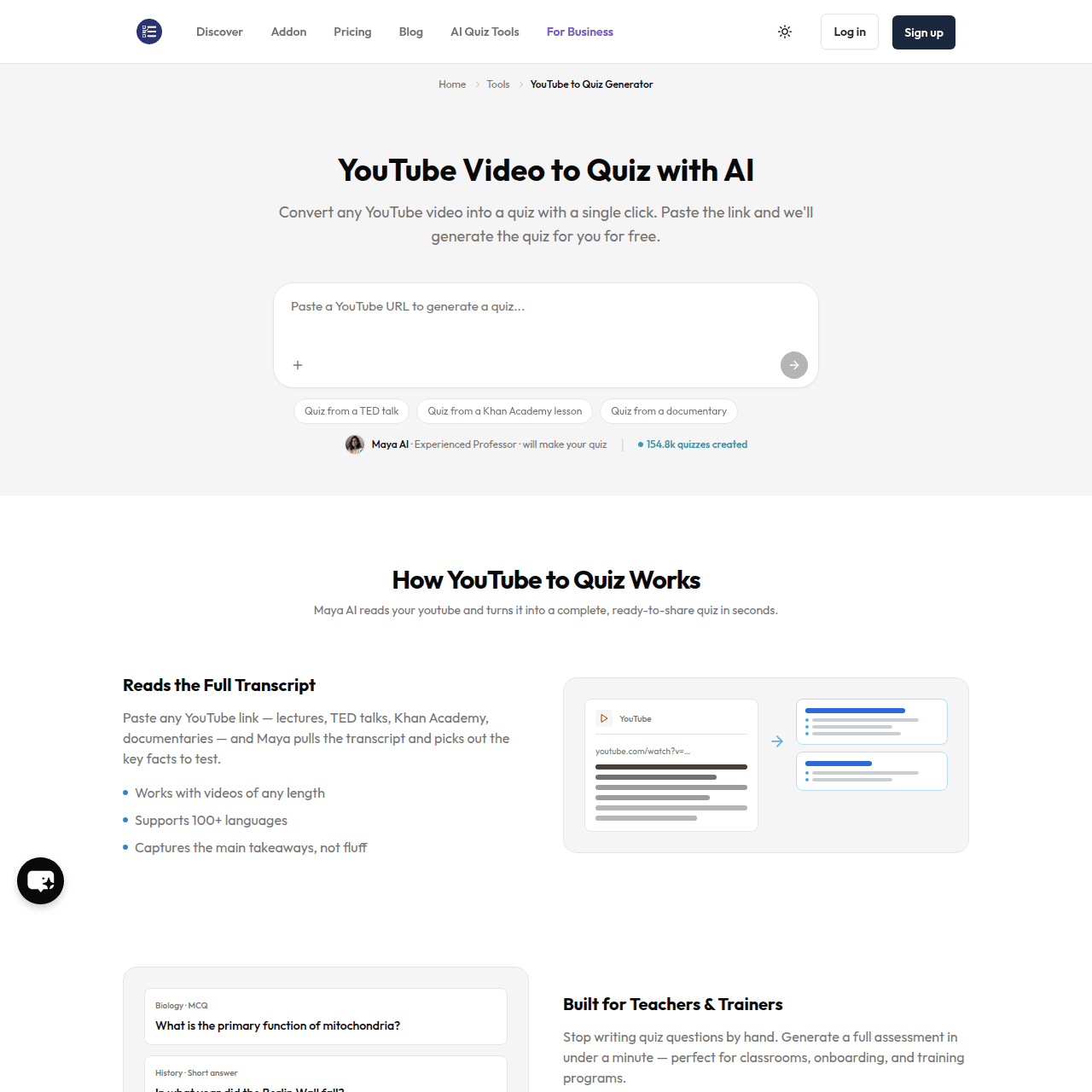
YouTube to Quiz with AI by MagicForm transforms any YouTube video into a quiz using AI‑generated questions based on the full transcript. It supports lectures, TED talks, Khan Academy lessons, documentaries, and more in over 100 languages, identifying key concepts and turning them into multiple‑choice, true/false, and short‑answer questions.
Users can edit all questions, share a single quiz link with learners, auto‑grade responses, and export quizzes to Google Forms or PDF. The tool works with videos of any length and condenses long content into focused assessments ideal for review after class, training sessions, or online courses.
Built for teachers, trainers, students, and content creators, it helps turn passive viewing into active, measurable learning with minimal effort.
Quick Snapshot
YouTube to Quiz with AI by MagicForm automatically converts video transcripts into structured quizzes, saving educators and trainers hours of manual work. It turns passive watching into active learning with editable, auto‑graded, and easily shareable assessments.
- Works on
-
- Web
- Pricing Model
- Freemium
Starting at $7.42/month — YouTube to Quiz with AI offers a free plan with up to 5 quizzes per month, 12,000 characters per input, and up to 8 questions per quiz. The Pro plan starts at $7.42/month billed yearly and adds unlimited quizzes, up to 40 questions per quiz, URL/YouTube/PDF to Quiz, custom branding, and support for 100+ languages. - Fits on
- Affiliate Program
- We could not identify an affiliate program.
- API Availability
- We could not identify whether an API is available.
- Key Features
-
- Instant quizzes from any YouTube video
- Editable, auto‑graded questions in 100+ languages
- Export assessments to Google Forms and PDF
- Audience
-
- teachers
- trainers
- corporate L&D teams
- students
- content creators
- coaches
- online course creators
Screenshot

Key Features of YouTube to Quiz with AI by MagicForm
YouTube to quiz conversion
Automatically converts any YouTube video into a quiz by analyzing the full transcript and extracting key facts and concepts.
Multiple question types
Generates multiple‑choice, true/false, and short‑answer questions to match different assessment styles and learning goals.
Full transcript analysis
Reads the complete video transcript, even for long lectures and documentaries, to build comprehensive and focused quizzes.
Multi‑language support
Supports over 100 languages, making it suitable for international classrooms, multilingual learners, and global training teams.
Quiz editing controls
Allows users to edit every generated question and answer so quizzes can be tailored to specific curricula or training objectives.
Sharing and auto‑grading
Lets you share a single quiz link with learners and automatically grade responses to save time on manual marking.
Google Forms and PDF export
Exports quizzes directly to Google Forms or as PDFs, integrating smoothly with existing classroom and corporate workflows.
Freemium access
Offers a free plan with limited quizzes and questions, plus a Pro plan with unlimited quizzes and advanced options.
Use Cases for YouTube to Quiz with AI by MagicForm
Classroom assessments
Quickly turn lecture recordings and educational YouTube videos into quizzes that check understanding and reinforce key concepts after class.
Corporate training quizzes
Convert training videos and onboarding content into structured assessments to verify employee comprehension and track progress.
Online course modules
Create end‑of‑lesson quizzes from course videos for platforms like YouTube or hosted LMS content, improving engagement and retention.
Self‑study review
Students can generate quizzes from Khan Academy lessons, TED talks, or documentaries to test themselves and focus on important ideas.
Content creator engagement
Creators and coaches can attach quizzes to their video content, offering interactive learning experiences and simple knowledge checks for their audience.
Frequently Asked Questions
What is YouTube to Quiz with AI by MagicForm?
YouTube to Quiz with AI by MagicForm is an AI tool that converts any YouTube video into a ready‑to‑use quiz by analyzing the full transcript and generating questions, answers, and exportable assessments.
How does YouTube to Quiz with AI work?
You paste a YouTube link, and the tool reads the entire transcript, identifies key concepts, and automatically creates multiple‑choice, true/false, and short‑answer questions that you can edit, share, and grade.
Is YouTube to Quiz with AI free to use?
Yes, there is a free plan that lets you create up to 5 quizzes per month with 12,000 characters per input and up to 8 questions per quiz. A Pro plan with more capacity and features is also available.
What do I get with the Pro plan?
The Pro plan, starting at $7.42/month billed yearly, includes unlimited quizzes, up to 40 questions per quiz, URL/YouTube/PDF to Quiz, custom branding, and support for over 100 languages.
Can I edit the AI‑generated quiz questions?
Yes, you can edit every generated question and answer, allowing you to refine wording, difficulty, and focus to better match your curriculum or training goals.
Does YouTube to Quiz with AI support long videos?
Yes, the tool supports videos of any length and condenses long content into focused quizzes based on the full transcript.
In which languages can I generate quizzes?
YouTube to Quiz with AI supports over 100 languages, making it suitable for multilingual classrooms and global corporate training programs.
Can I export quizzes to Google Forms or PDF?
Yes, you can export generated quizzes directly to Google Forms or as PDFs, making it easy to integrate with your existing teaching or training workflow.
YouTube to Quiz with AI by MagicForm · Our Verdict
YouTube to Quiz with AI by MagicForm is a focused, practical tool that directly tackles the time sink of manual quiz creation from video content. Its ability to read full transcripts, support 100+ languages, and export to Google Forms or PDF makes it especially useful for teachers and L&D teams working across diverse formats. For anyone already relying on YouTube as teaching or training material, this is an efficient way to add structured assessment without adding workload.
YouTube to Quiz with AI by MagicForm ·
-
 Subscription
 LoveHeart (Mana)
AI educator aide for powerful early childhood documentation
Teacher Productivity Tools -
CoWriter AI
AI writing copilot for faster academic work
Academic & Research Writing - Free
Figurative Checker
Instantly detect and refine figurative language
Text & Writing AI -
LanguageMate
Unlock spoken practice, free teachers to teach
Language Learning Tools - Subscription
AI Mind Maps Maker
Turn any content into mind maps instantly
Knowledge Management - Your Ad Here
-
BigRead
AI-powered reading tutor for every K–12 learner
AI Tutors & Learning Assistants - Subscription
Codeanywhere
AI cloud IDE for coding from anywhere
AI Developer Tools