
What Is Zoom Workplace?
Zoom Workplace is a unified collaboration platform that brings meetings, team chat, phone, whiteboard, notes, calendar, mail, and AI tools into one experience. It extends Zoom’s video conferencing with AI-powered capabilities like My Notes, which automatically captures and organizes meeting takeaways.
Teams can host secure virtual meetings, message in channels, share files, and access key workplace apps without constantly switching tools. Flexible plans—from Free to Enterprise—let organizations scale participant limits, meeting durations, and admin controls as they grow. With optional add-ons such as ZoomMate, Large Meeting, and Cloud Storage, businesses can tailor Zoom Workplace to their specific communication and collaboration needs.
Quick Snapshot
Zoom Workplace combines meetings, chat, phone, and AI productivity tools into one unified app so teams can work faster with less friction. It streamlines communication, reduces app switching, and scales secure collaboration across the entire organization.
- Works on
-
- Web
- Mac
- Linux
- iOS
- Android
- Browser Extension
- Pricing Model
- Freemium
Starting at €13.33/month — Zoom Workplace uses a freemium model with a Free plan and paid Basic, Business, and Enterprise plans starting from €13.33 per user per month. Optional add-ons like ZoomMate, Large Meeting, and Cloud Storage provide extra capacity and capabilities. - Fits on
- Affiliate Program
- We could not identify an affiliate program.
- API Availability
- We could not identify whether an API is available.
- Key Features
-
- Unify meetings, chat, phone in one app
- AI-powered notes for smarter meetings
- Scalable plans for teams and enterprises
- Audience
-
- remote teams
- small businesses
- enterprises
- educators and trainers
- sales and customer success teams
- IT and operations leaders
- URL
- https://zoom.us
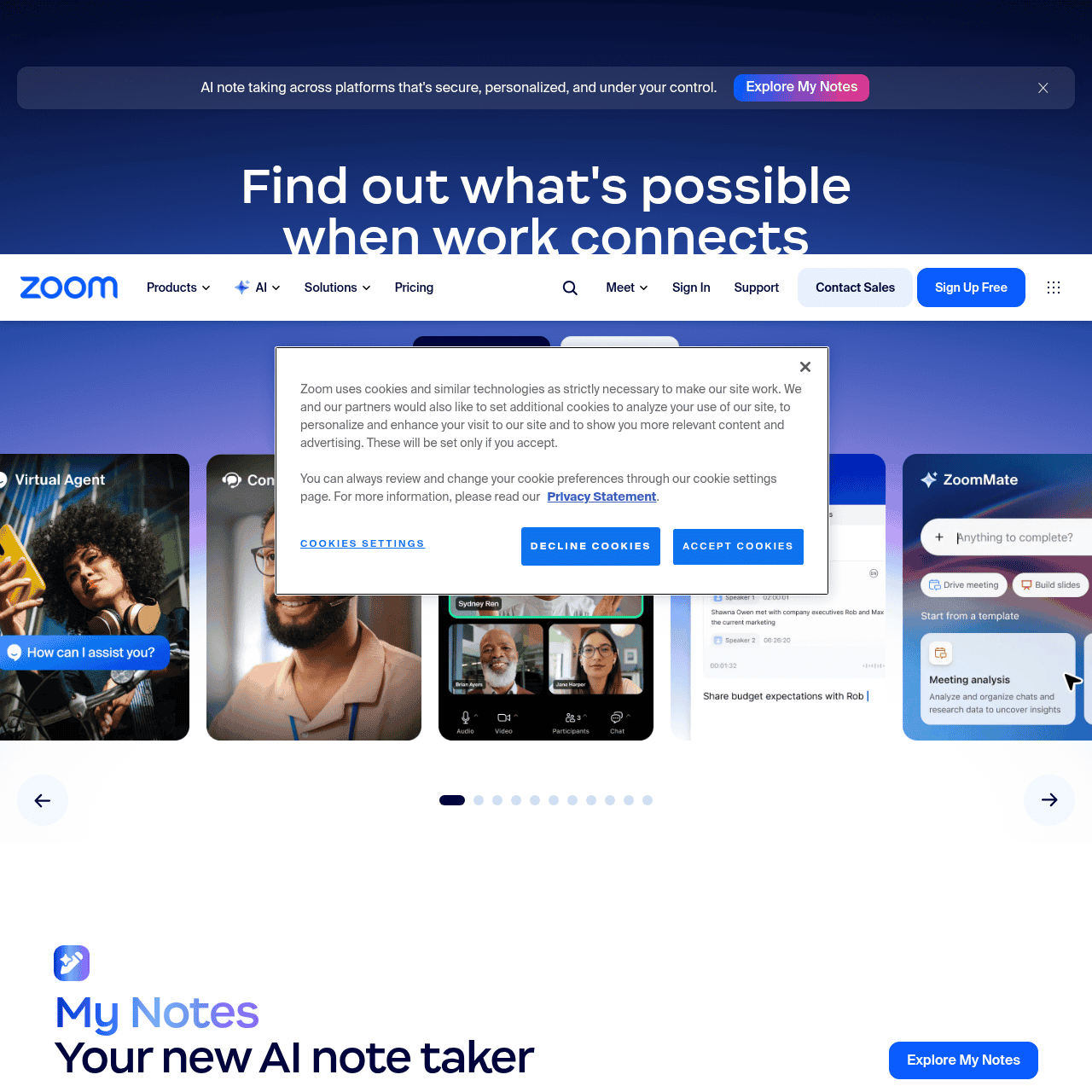
Screenshot

Key Features of Zoom Workplace
Video meetings
Host secure virtual meetings with teams, clients, and partners, leveraging Zoom’s core video conferencing capabilities within the Workplace platform.
Team chat
Use channels and direct messages to keep conversations organized, share files, and maintain ongoing communication alongside meetings.
Business phone
Make and receive calls from the same app used for meetings and chat, centralizing business communications in one place.
AI My Notes
Automatically capture and organize meeting takeaways with AI-powered notes, helping teams stay aligned on decisions and action items.
Unified workspace
Access whiteboard, notes, calendar, mail, and other workplace apps from a single interface to reduce app switching and streamline workflows.
Scalable plans
Choose from Free, Basic, Business, and Enterprise plans, with optional add-ons like ZoomMate, Large Meeting, and Cloud Storage to match organizational needs.
Use Cases for Zoom Workplace
Remote team collaboration
Keep distributed teams aligned with unified meetings, chat, and phone in one platform, reducing context switching and communication gaps.
Client and sales calls
Host reliable video and phone meetings with clients while using AI-powered notes to capture outcomes and next steps automatically.
Virtual training and classes
Deliver live online training or education sessions with integrated chat, whiteboard, and notes to keep learners engaged and organized.
Project communication hub
Organize projects with dedicated chat channels, file sharing, and meeting spaces so conversations and decisions stay in one place.
Enterprise communications
Standardize on a single collaboration platform across departments, simplifying administration, security, and user onboarding.
Frequently Asked Questions
What is Zoom Workplace?
Zoom Workplace is a unified collaboration platform that combines Zoom’s video meetings with chat, phone, notes, whiteboard, calendar, mail, and AI tools in one app to help teams work from anywhere.
How does Zoom Workplace use AI?
Zoom Workplace includes AI-powered tools such as My Notes, which automatically captures and organizes meeting takeaways so teams can focus on the conversation instead of manual note taking.
Is there a free version of Zoom Workplace?
Yes, Zoom Workplace offers a Free plan with core features, alongside paid Basic, Business, and Enterprise plans that add longer meeting durations, higher capacity, and advanced controls.
How much does Zoom Workplace cost?
Paid plans for Zoom Workplace start from €13.33 per user per month, with higher tiers and add-ons like ZoomMate, Large Meeting, and Cloud Storage available for additional capabilities.
Who is Zoom Workplace best suited for?
Zoom Workplace is designed for remote teams, small businesses, enterprises, educators, sales and customer success teams, and IT or operations leaders who want a single collaboration platform.
Can I customize Zoom Workplace for my organization?
Yes, organizations can choose between Free, Basic, Business, and Enterprise plans and add optional modules like ZoomMate, Large Meeting, and Cloud Storage to tailor the platform to their needs.
Zoom Workplace · Our Verdict
Zoom Workplace stands out as a mature, unified hub for modern collaboration, especially for teams already familiar with Zoom. Its blend of video meetings, chat, phone, and AI-driven notes meaningfully reduces app sprawl and can simplify IT management for organizations of almost any size.
Zoom Workplace ·
-

Codiga
Customizable static code analysis that follows you everywhere.
AI Developer Tools - Subscription
Outcast
Record once and repurpose content everywhere.
Podcast Editing Assistants - Freemium
Jinna.ai
AI assistant for proposals, invoices and follow-ups
Contract & Invoice Processing -
Travelities
Plan smarter trips with your AI travel assistant
Industry-Specific Advisors - Subscription
Let Me Know When
AI-powered website monitoring that tells you when it matters.
Productivity & Automation AI - Your Ad Here
-
QUOTID
AI-powered daily German vocabulary that sticks
Language Learning Tools - Free
SciMatch
AI dating app that sees what others miss
Industry-Specific Advisors