



What Changed When Google Health Replaced Fitbit

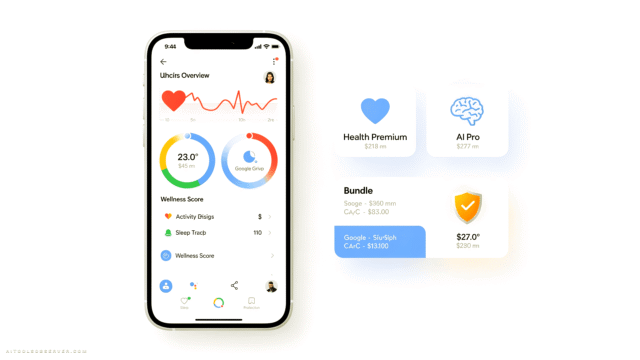
The Fitbit app is gone. In its place is Google Health — a redesigned experience built around Google’s AI health coaching feature.
The core idea is straightforward: instead of a dashboard full of stats, you get a conversational AI coach front and center. It greets you, asks about your plans, comments on your activity, and takes up a significant chunk of your home screen doing it.
The problem? Most Fitbit users didn’t ask for a chatbot. They asked for their step count.
The AI Coach: Useful Tool or Unwanted Houseguest?

The reaction to the AI coach is genuinely split — but the critics are louder.
One Reddit user put it bluntly: the home screen can only fit two large tiles, and a big portion of it is now reserved for AI updates and coaching notes. For users who relied on a quick glance at their stats, that’s a real usability hit.
Why must I now scroll through paragraphs of AI slop on every tab before I can actually see my activities and data? I don’t want or need to read platitudes about my 15 minute walk to the grocery store. I want to see my stats from my morning run.
That said, not everyone hates it. Some users have found genuine value in the coaching feature — asking it to design circuit workouts based on available gym equipment, or using the chat interface to log missed sleep sessions. For those users, it’s a helpful layer on top of their fitness data.
The divide is clear: if you want a fitness tracker, the AI feels like noise. If you’re open to a wellness companion, it might actually deliver.
What Fitbit Did Better: The UX Problem Google Created

Here’s where Google Health loses the most ground — navigation.
In the old Fitbit app, core data like exercise logs and activity stats were visible by simply scrolling down on the main Today page. In Google Health, finding the same information requires multiple taps: go to the Health tab, scroll to Fitness under Focus Areas, then find Exercise Days buried inside.
That’s not a minor inconvenience. That’s a workflow regression.
This app is a huge disappointment and a total time drain to get minimal results. How can I get back to using what worked?!
The visual design has taken hits too. One user called it something “an 8 year old would make.” Whether or not that’s fair, the sentiment reflects a real disconnect between what Google designed and what its existing user base actually wants.
The Home Screen Problem Nobody Can Fix (Yet)

One of the most consistent complaints is about the AI coach window that dominates the Today screen.
There’s currently no way to remove the Ask Coach or activity window from the home screen. You can disable the bot itself through the app’s Feature Privacy Controls, but the space it occupies doesn’t go away. For users who want a clean, data-first dashboard, that’s a frustrating limitation with no workaround.
Google’s own blog post shows a version of the Today screen with full stats and AI chat displayed together — but that layout doesn’t appear for all users. It’s inconsistent, and that inconsistency adds to the confusion.
Third-Party Wearable Support: A Gap That Hurts Right Now

Google Health does offer two additional tabs — Fitness and Sleep — but only if you have a supported wearable connected.
The catch? Third-party wearable support is still limited. Google has confirmed it’s coming, but right now, users with non-Google devices are locked out of those extra tabs. That means the app is actually less functional for a meaningful portion of its potential audience.
If you’re running a Nothing Watch, a Garmin, or another third-party device, you’re not getting the full experience. You’re getting a stripped-down version of an app that already feels stripped down compared to what it replaced.
Who Google Health Actually Works For
Despite the backlash, Google Health isn’t a complete failure. It’s just built for a different user than the one Fitbit served.
Google Health makes sense if you:
- Want an AI-assisted wellness experience, not just raw fitness data
- Use a Pixel Watch or another supported Google wearable
- Are new to fitness tracking and find the coaching prompts genuinely motivating
- Don’t mind a more conversational, less data-dense interface
Stick with alternatives if you:
- Relied on Fitbit for quick, at-a-glance fitness stats
- Track detailed workout logs and want them front and center
- Use a third-party wearable and need full app functionality
- Find AI commentary on your daily walks more annoying than helpful
Alternatives Worth Considering

If Google Health isn’t working for you, there are solid options that prioritize fitness data over AI conversation.
Apple Health remains the gold standard for iPhone users — clean, comprehensive, and deeply integrated with a wide range of wearables and apps.
Garmin Connect is the go-to for serious athletes who want granular performance data without the fluff.
Samsung Health offers a strong balance of fitness tracking and wellness features for Android users, especially those in the Samsung ecosystem.
Strava is worth considering if your primary focus is running, cycling, or endurance sports — the community and data depth are hard to beat.
The Bottom Line

Google Health isn’t a bad app. But it’s the wrong app for the people who were using Fitbit.
Google took a fitness tracker that worked and rebuilt it around an AI coaching experience that most of its existing users didn’t want. The navigation is deeper, the home screen is more cluttered, and the data that Fitbit users cared about most is now harder to reach.
The AI coach has real potential — especially for users who want guided wellness support rather than raw stats. But right now, it’s being forced on an audience that came for something else entirely.
If you’re a former Fitbit user feeling lost in Google Health, your frustration is valid. The app will likely improve over time, but right now, Google is asking its most loyal users to adapt to a product that wasn’t designed with them in mind.
That’s not an upgrade. That’s a tradeoff — and it’s up to you to decide if it’s worth it.





Comments (0) No comments yet
Want to join this discussion? Login or Register.
No comments yet. Be the first to share your thoughts!