Eddie AI
The assistant video editor built for pros.


What Is Eddie AI?
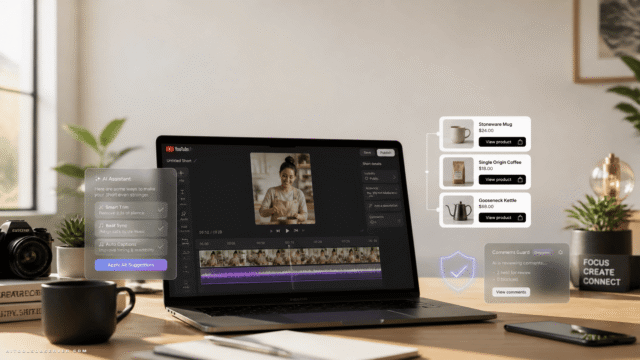
Eddie AI is a professional-grade AI assistant that helps video editors move from raw footage to polished rough cuts in a fraction of the usual time. It ingests interviews and clips, understands transcripts, and automatically assembles structured edits tailored to your project type.
Specialized modes support rough cuts, A & B‑roll logging, scripted edits, multicam timelines, and social clip creation while integrating with your preferred NLE. Eddie can also generate music, voiceover, dubbing, stock B‑roll, and animated captions and titles based on your brief or transcript.
Built for creators, agencies, and in‑house teams, it streamlines post‑production workflows so you can produce more and better video content without adding headcount.
Quick Snapshot
Eddie AI offloads repetitive editing tasks like logging, cutting, captioning, and formatting so video teams can ship more high-quality content faster. Editors keep full creative control while the AI accelerates everything from rough cuts to social deliverables.
- Works on
-
- Web
- Mac
- iOS
- API
- AI Agent
- Pricing Model
- Subscription
Starting at $10/month — Eddie AI uses subscription packs priced per connected editor, starting at $10 per month for the Lite plan. All packs include full feature access, with usage metered by credits instead of restricted feature sets. - Fits on
- Affiliate Program
- Unknown
- API Availability
- Eddie AI has an API available.
- Key Features
-
- Turn raw footage into rough cuts fast
- Automate logging, captions, and social clips
- Scale video output without adding headcount
- Audience
-
- video editors
- content creators
- marketing teams
- agencies
- production companies
- in-house creative teams
- YouTubers
- social media managers
Screenshot

Key Features of Eddie AI
AI rough cut assembly
Transforms raw footage and transcripts into structured rough cuts in minutes, tailored to different project types.
A & B-roll logging
Automatically logs A‑roll and B‑roll so editors can search, filter, and build sequences without manual tagging.
Multicam support
Provides specialized modes for multicam editing, organizing angles so they integrate cleanly into your NLE timeline.
Social clip creation
Creates short social-ready clips from longer content, including formatting and structure optimized for social platforms.
Captions and titles
Generates animated captions and titles from transcripts or briefs, reducing the time spent on motion graphics basics.
Music and voiceover
Produces music, voiceover, and dubbing based on your script or transcript to speed up audio finishing work.
Stock B-roll generation
Suggests or generates stock B‑roll to complement A‑roll interviews and narratives, filling gaps in visual coverage.
NLE integration
Designed to integrate with your preferred non-linear editor, allowing you to finalize edits where you already work.
Use Cases for Eddie AI
Interview rough cuts
Automatically assembles interview-based rough cuts from transcripts, saving editors hours of manual logging and line selection.
A/B-roll logging
Logs A and B‑roll footage so editors can quickly find relevant shots and build structured timelines without scrubbing through every clip.
Multicam projects
Supports multicam workflows by organizing and structuring multi-angle footage, reducing setup time in your preferred NLE.
Social media clips
Generates platform-ready social clips from longer edits, with captions and formatting tailored for short-form video channels.
Branded content production
Helps agencies and in-house teams produce more branded videos by automating repetitive editing tasks while maintaining brand storytelling quality.
Frequently Asked Questions
What is Eddie AI and who is it for?
Eddie AI is an assistant video editor designed for professional video editors, creators, agencies, and in-house teams who want to turn raw footage into rough cuts faster while keeping creative control.
How does Eddie AI speed up video editing?
Eddie AI automates time-consuming tasks like logging A and B‑roll, assembling rough cuts from transcripts, generating captions, and creating social clips so editors can focus on storytelling and final polish.
Does Eddie AI replace my existing NLE?
No. Eddie AI is built to complement your existing non-linear editor by handling the heavy lifting of rough cuts and organization before you finish the edit in your preferred NLE.
Can Eddie AI generate captions and titles?
Yes, Eddie AI can generate animated captions and titles from your transcript or brief, helping you quickly produce accessible and engaging videos.
What types of projects work best with Eddie AI?
Eddie AI is especially effective for interviews, talking-head content, multicam shoots, social-first campaigns, and high-volume branded content where repetitive editing tasks dominate the workflow.
How is Eddie AI priced?
Eddie AI is sold via subscription packs priced per connected editor, starting at $10 per month, with usage measured in credits rather than restricted features.
Does Eddie AI offer an API?
Yes, Eddie AI provides an API, allowing teams and platforms to integrate its video editing automation capabilities into their own workflows.
Eddie AI · Our Verdict
Eddie AI stands out as a post-production accelerator that respects professional workflows instead of trying to replace them. Its focus on rough cuts, logging, and structured edits makes it especially valuable for editors handling interview-heavy, multicam, or social-first content pipelines.
Eddie AI ·
-

Arcads
AI-generated UGC ads ready in minutes
AI Video Generation - Credit-Based
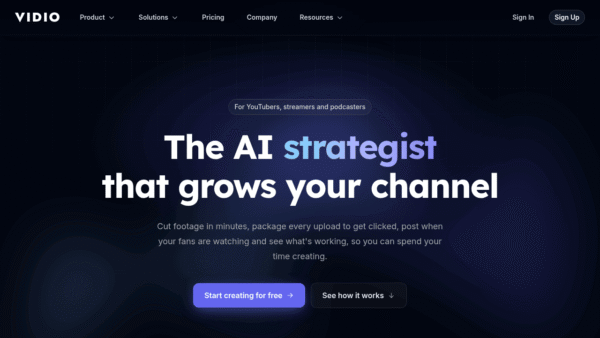
VIDIO
The AI strategist that grows your channel.
Video Editing & Post-Production - Subscription Premium
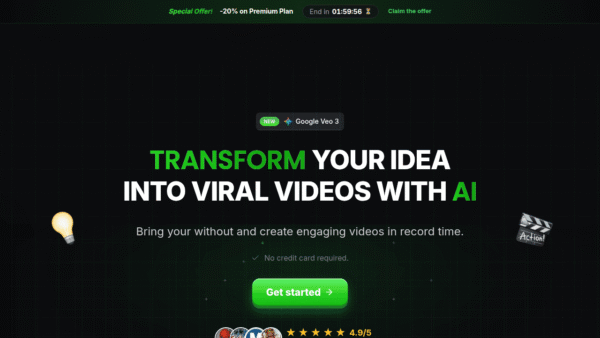
ShortMake
Turn ideas into viral shorts with AI
AI Video Generation - Subscription
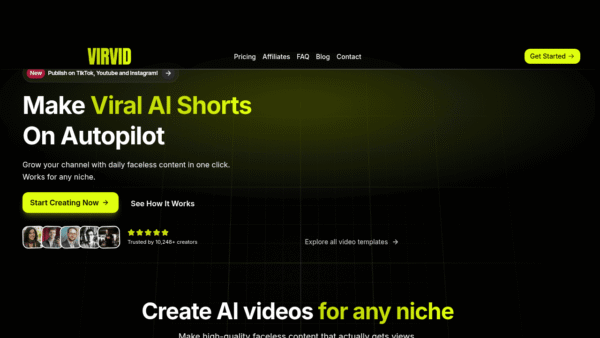
Virvid
Make viral AI shorts daily, on autopilot
Social Media Content Creation - Freemium
Adobe Express
Create standout content fast with AI
Image & Design AI - Your Ad Here
- Subscription
Outcast
Record once and repurpose content everywhere.
Podcast Editing Assistants - Subscription
MagicLight.AI
Create full-length AI story videos from any idea
AI Video Generation