
What Is Papper?
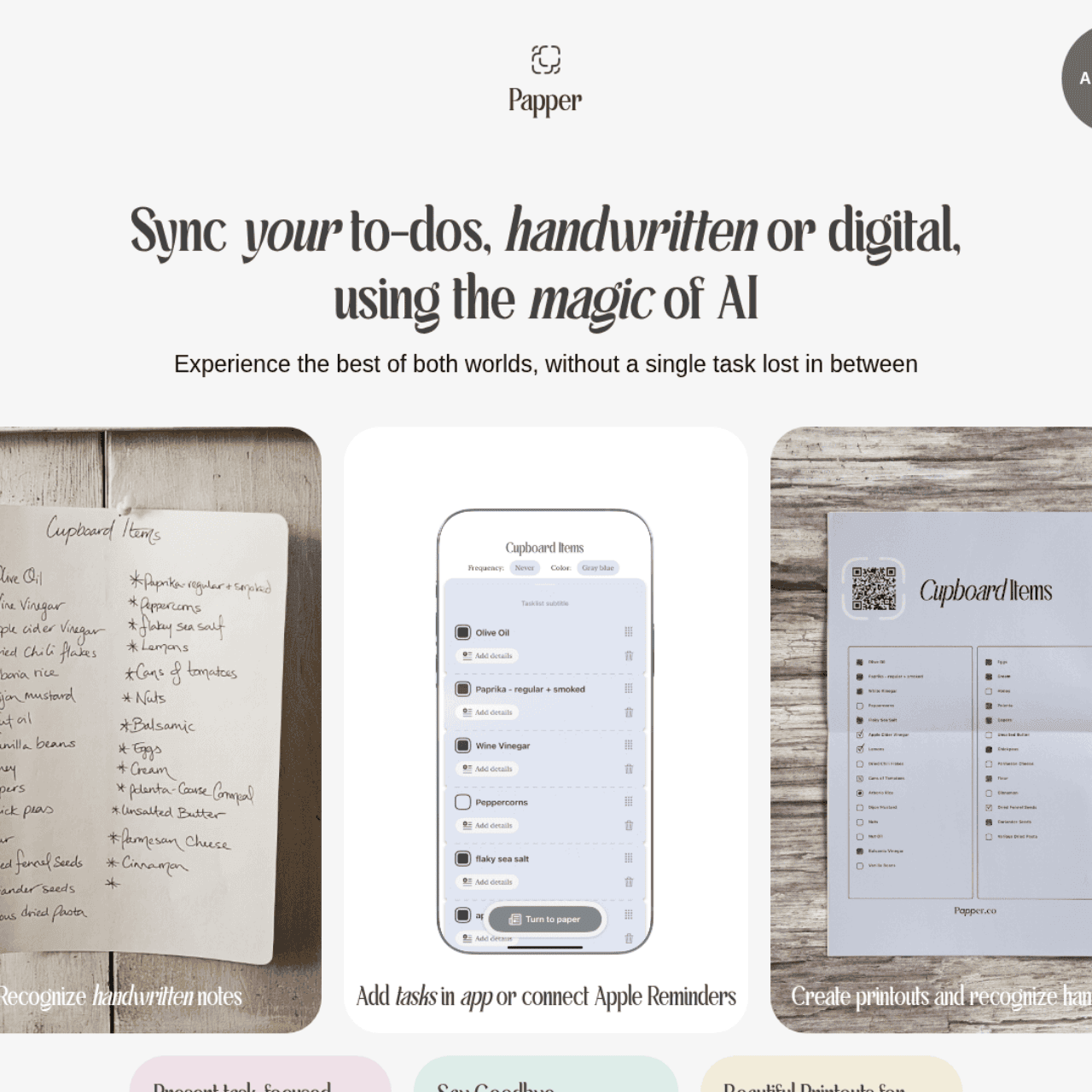
Papper is an iOS productivity app that connects the tactile world of handwritten notes with the convenience of digital task management. Using OCR and GPT technologies, it scans handwritten lists and instantly transforms them into structured digital tasks you can track, edit, and complete on your phone.
You can print QR‑coded checklists that stay in sync with the app, then mark items off either on paper or in Papper while everything updates automatically. The app supports recurring tasks, pre‑made or custom checklists, and cloud‑based scanning, with integration to Apple Reminders to keep all your tasks in one place.
It’s designed for users who love paper planners but want the reliability, searchability, and automation of a modern task manager.
Quick Snapshot
Papper bridges handwritten notes, printed checklists, and digital task lists so no task slips through the cracks. It lets you keep your paper workflow while enjoying smart, organized task management on your iPhone.
- Works on
-
- iOS
- Web
- Other
- Pricing Model
- Freemium — Papper is free to download and use, with optional in‑app purchases for premium features and content. New users who install Papper via a printed checklist QR code receive two weeks of premium features.
- Fits on
- Affiliate Program
- We could not identify an affiliate program.
- API Availability
- We could not identify whether an API is available.
- Key Features
-
- Turn handwriting into organized digital tasks
- Sync QR‑coded paper checklists with iOS
- Bridge paper planners and Apple Reminders
- Audience
-
- busy professionals
- students
- families
- productivity enthusiasts
- knowledge workers
- paper-planner users
- iPhone users
Screenshot

Key Features of Papper
AI handwriting recognition
Uses OCR and GPT technologies to scan handwritten lists and convert them into structured digital tasks inside the app.
QR-coded checklists
Lets you create and print QR‑coded checklists that stay synced with Papper, so marking items on paper or in the app updates both.
Recurring task support
Supports recurring tasks and reusable checklists to simplify routines like chores, shopping, or weekly workflows.
Digital task manager
Provides an organized task management interface on iOS where you can view, edit, and complete captured tasks.
Apple Reminders integration
Integrates with Apple Reminders so your scanned and managed tasks can align with the broader iOS reminders ecosystem.
Cloud-based scanning
Uses cloud-based processing to reliably recognize and structure content from scanned handwritten notes and lists.
Use Cases for Papper
Hybrid task management
Keep handwritten notes, printed checklists, and digital to‑dos in one unified workflow so nothing is missed across paper and phone.
Recurring household checklists
Create and print QR‑coded cleaning, shopping, or chore lists that can be reused and stay in sync with the Papper app over time.
Student study planning
Scan handwritten study plans or class to‑do lists and turn them into structured digital tasks for easier tracking on iOS.
Work and meeting notes
Capture tasks from handwritten meeting notes using OCR and GPT, then manage follow‑ups and deadlines in a digital task manager.
Paper planner digitization
Continue using your favorite paper planner while mirroring key to‑dos into Papper for reminders, search, and organization.
Frequently Asked Questions
What is Papper and how does it work?
Papper is an iOS app that scans handwritten lists and QR‑coded printed checklists using AI handwriting recognition, then converts them into digital tasks you can manage on your iPhone. It keeps paper and digital checklists in sync so you can mark tasks off in either place.
Can Papper sync my handwritten notes with digital to-do lists?
Yes. Papper uses OCR and GPT technologies to recognize your handwritten lists and transform them into structured digital to‑dos that you can organize, edit, and complete in the app.
Does Papper work with Apple Reminders?
Papper includes Apple Reminders integration, allowing tasks managed in the app to align with your existing reminders and iOS task ecosystem.
Is Papper free to use?
Papper is free to download and use, with optional in‑app purchases that unlock additional premium features and content. Users installing via a printed checklist QR code receive two weeks of premium features.
Can I keep using my paper planner with Papper?
Yes. Papper is built for paper‑planner users and lets you scan handwritten lists or use QR‑coded printed checklists so your paper workflow stays in sync with a digital task manager.
Does Papper offer an API or affiliate program?
Papper does not currently offer an API or an affiliate program, according to the available information.
Papper · Our Verdict
Papper offers a practical bridge between analog and digital task management for iPhone users who still rely on paper. Its combination of OCR, GPT, and QR‑coded checklists makes capturing and syncing handwritten tasks feel notably streamlined rather than gimmicky. For anyone juggling notebooks, printed lists, and digital reminders, it can significantly reduce friction in keeping everything aligned.
Papper ·
-
 Subscription
 PaceAI
AI copilot for fast, accurate software documentation
Productivity & Automation AI - Freemium
Carepatron
Beautiful, AI-powered practice management for clinicians
Healthcare AI - Freemium
Samepage
Your second brain for product management alignment
Task & Project Management - Subscription
Bezi
AI copilot built for real Unity games.
AI Developer Tools - Subscription
Genpire
Turn product ideas into factory-ready reality
Productivity & Automation AI - Your Ad Here
-
A Million Dollar Idea
AI-powered business ideas tailored to you
Business & Finance AI -
Codiga
Customizable static code analysis that follows you everywhere.
AI Developer Tools