



What You’re Really Comparing
Before diving in, it helps to be honest about what NotebookLM does well: it makes complex source material approachable, fast, and surprisingly fun to explore. The bar for alternatives isn’t just “can it chat with a PDF.” It’s whether the tool fits your specific workflow better than NotebookLM does.
The tools below aren’t trying to beat NotebookLM at its own game. They’re playing different ones.
Atlas.org — Built for Students, Not Just Users
Atlas.org launched in 2024 with a team of current students, recent graduates, and former educators. That background shows. The interface doesn’t ask you to figure out what you need — it already assumes you’re trying to study, do homework, or take notes, and organizes itself accordingly.
The three core sections — studying, homework, and notes — each branch into specific tools. You can generate a study guide, build a quiz, create flashcards, or pull lecture notes from recorded audio. It’s structured the way a student actually thinks, not the way a product manager imagined a student thinks.
One notable feature: everything you upload stays in your knowledge base permanently. Over time, you build a growing archive of your coursework, organized by topic. There’s also a mobile app for iOS and Android, which puts it on par with NotebookLM for on-the-go use.
The free tier exists but comes with meaningful limits. The Pro plan runs $18 per month.
Best for: Students who want a purpose-built learning tool, not a general-purpose AI assistant wearing a backpack.
Atlas Workspace — For When You Need a Knowledge Map, Not Just an Answer
Same “Atlas” name, very different product. Atlas Workspace is aimed at scientists and research analysts who need to manage large, interconnected bodies of knowledge — not just chat with a single document.
Where NotebookLM keeps sources isolated within individual notebooks, Atlas Workspace builds a collective knowledge base across everything you upload. Upload a PDF and it automatically starts constructing a knowledge map, breaking down core concepts and linking them to related material. You can also view a semantic map — a visual representation of your sources and how ideas connect across them.
This is genuinely powerful for deep research workflows. It’s also genuinely demanding. There’s a steep learning curve, and you’ll need to invest real time before the tool starts paying dividends. The Atlas Workspace blog does offer detailed comparisons with competitors, which is a useful resource if you’re still deciding.
The free tier allows 10 sources and five lifetime AI chats — tight, but enough to evaluate the tool. The $20 per month Pro plan bumps you to 1,000 sources and unlimited AI chats.
Best for: Researchers and analysts who need to map relationships across large source libraries, not just query individual documents.
OpenNotebook — Maximum Control, Maximum Setup
OpenNotebook is the closest functional match to NotebookLM on this list. You upload sources, you chat with AI about them, you get answers. The core loop is familiar.
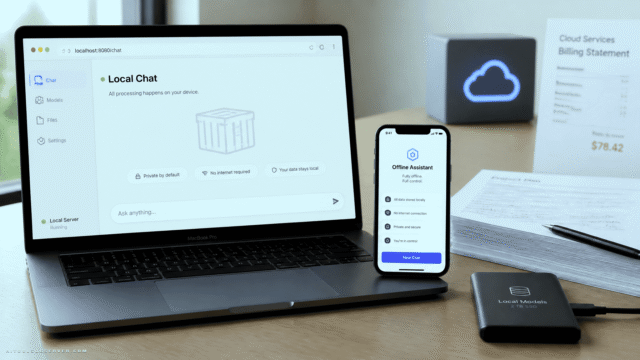
What makes it different is the architecture underneath. You choose your own AI model — including local LLMs if you want to keep everything entirely on your own machine. That flexibility is genuinely rare. It also means more setup work, and depending on the model you choose, potentially a paid API key.
The privacy story here is strong. Your data stays with you. You decide what gets shared, and with whom. For anyone who’s hesitated to feed sensitive documents into a Google product, that matters.
OpenNotebook is free and open-source.
Best for: Privacy-conscious users and technically comfortable people who want full control over their AI stack.
How to Choose
The honest answer is that most people will still be well-served by NotebookLM. It’s polished, approachable, and free. But if one of these scenarios sounds familiar, the alternatives are worth a serious look:
- You’re a student who wants structured learning tools, not a blank chat interface → Atlas.org
- You’re a researcher managing dozens of sources and need to see how ideas connect → Atlas Workspace
- You care about data privacy or want to run everything locally → OpenNotebook
The AI notebook space is maturing fast. These tools aren’t NotebookLM clones — they’re products with genuine points of view about what “working with knowledge” should look like. That’s actually a good sign for everyone.
The Bottom Line
NotebookLM is a great default. But defaults exist to be questioned. If your workflow has specific demands — academic structure, deep research mapping, or privacy-first architecture — there’s a tool here that fits better than the default does.
Observe the options. Choose the one that actually matches how you think.









Comments (0) No comments yet
Want to join this discussion? Login or Register.
No comments yet. Be the first to share your thoughts!