



What changed
Claude Cowork, described as Anthropic’s Claude Code-style agent for broader knowledge work, launched first as a desktop app. Now it is expanding to web and mobile for Max subscribers.
The practical shift is simple: tasks can start on one device, keep running in the background, and be checked from another. A user can kick something off at a desk, get updates on a phone, and return later to the finished output.
That matters because it pushes the product away from “tool you actively sit with” and closer to “assistant that works while you do something else.” Different category. Different expectation.
Anthropic also says chat and Cowork will be unified on web and desktop, with projects and artifacts living together across both. In plain English: less hopping between separate AI lanes.
Why this matters more than the app expansion itself
Web and mobile support sounds like a packaging update. It’s really a workflow update.
Desktop apps are where power users go deep. Web and mobile are where normal work leaks into the day. If a product shows up there, it’s trying to become part of routine operations rather than a special-purpose environment.
That’s the bigger signal here. Claude Cowork appears to be moving from coding-adjacent novelty toward office infrastructure.
Not glamorous infrastructure, either. The kind built for:
- prep work before meetings
- collecting scattered information
- drafting internal and external communications
- organizing recurring admin tasks
- handling follow-up work humans keep postponing
This is the “work around the work” layer Anthropic is highlighting. And honestly, that’s where a lot of AI utility lives.
From coding wars to office wars
The old AI-product framing was easy: who has the smartest chatbot, or the strongest coding assistant?
That framing is getting crowded out by a more useful question: who owns the surfaces where everyday work happens?
Anthropic’s move with Cowork suggests it wants a seat there. Not just as a chat window, but as an agent that can run in the background, move across devices, and pause when a human decision is needed.
That’s a notably different posture from a standard ask-and-answer assistant. It’s closer to an operating layer for small business processes.
The description also lines up with a broader industry pattern. Tools that began in developer-centric contexts are increasingly being used for reports, research, slide creation, spreadsheet work, and internal operations. The center of gravity is shifting from software creation to business execution.
In short: the coding agent wars are spilling into the rest of the office.
The strongest use case is not coding
Anthropic shared early Cowork usage data that points in a very specific direction.
Based on a sample of 1.2 million anonymized and aggregated Cowork sessions from more than 600,000 organizations over the last two weeks of May, the biggest category was business process operating at 33.4%. That includes tasks like pulling updates into one report, building onboarding checklists, and reconciling spreadsheets.
The next largest category was content creation and copywriting at 16.4%, covering things like drafts, slide decks, social posts, proposals, and communications work.
Software development accounted for 8.7% of usage.
That split is worth sitting with. Coding may still dominate the public narrative around AI assistants, but the usage pattern here suggests many people want help with office drift, not just technical output.
And office drift is expensive. Not always in budget terms, but in attention terms. It eats mornings, fragments afternoons, and turns “quick tasks” into recurring administrative sludge.
If Cowork is effective there, the appeal is obvious.
What Claude Cowork seems positioned to do well
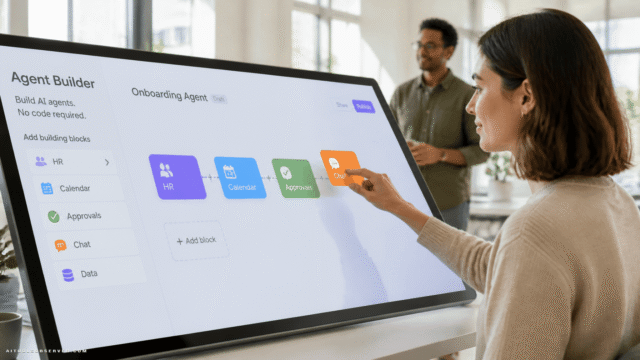
Anthropic’s example is telling: set client prep for early morning, have Claude work through email threads, transcripts, and recent news, build a briefing doc, and draft a follow-up email for review.
That is not a pure chatbot interaction. It is a multi-step operational task with a human approval gate at the end.
That pattern is likely where these agents will either become useful or annoying.
Useful when they can:
- gather inputs from messy sources
- turn them into structured outputs
- keep running without babysitting
- ask for input only when needed
- leave the final decision to the user
Annoying when they overreach, hallucinate missing context, or create polished nonsense faster than a human can catch it.
So the question is not whether the interface is on mobile now. The question is whether the agent can reliably handle semi-routine office flows without becoming another thing to supervise.
Why cross-platform matters in practice
There’s a subtle but important promise in Anthropic’s framing: the agent can continue running tasks in the background without a device online.
If that works as described, it changes the feel of the product. It becomes less “I’m using an AI app” and more “I delegated a task and I’ll check back later.”
That’s closer to how people think about coworkers than software.
Cross-platform access also removes a common adoption hurdle. Not everyone wants to install a desktop app before trying a new workflow tool. Web access lowers that friction, and mobile support keeps the loop alive when people step away from their laptop.
This matters especially for managers, operators, founders, recruiters, marketers, finance leads, and admin-heavy teams. Many of them don’t need a coding copilot. They need a persistent assistant for loosely structured work.
The Slack angle makes this look less like a one-off
Anthropic recently launched Claude Tag in Slack, positioned as an always-on AI teammate.
Put that next to Cowork’s expansion and a pattern emerges. Anthropic appears to be trying to place Claude inside the channels where work already happens, rather than forcing users into a standalone AI destination every time they need help.
That strategy has a simple logic: people don’t want another place to visit. They want fewer tabs, fewer handoffs, and fewer moments where they have to remember which AI tool does what.
The winner in this category may not be the one with the flashiest demo. It may be the one that makes itself easiest to summon during ordinary work.
Tradeoffs to watch
This shift into business operations is promising, but it comes with predictable tension.
Convenience vs. oversight
The more an agent can do in the background, the more valuable it becomes. But background work also creates distance from the source material, which can make mistakes easier to miss.
A drafted follow-up email is helpful. A drafted follow-up email based on flawed assumptions is a cleanup project.
Breadth vs. trust
General office work sounds like a huge market because it is. But broad, ambiguous tasks are harder than they look.
Writing code has rules. Reconciling a spreadsheet, summarizing a meeting, and preparing a client brief often depend on hidden context and organization-specific judgment. The tool has to earn trust one boring task at a time.
Access vs. control
Web and mobile make adoption easier. They also raise the bar for how cleanly projects, artifacts, and permissions are handled across environments.
When an AI assistant starts touching more of the daily workflow, “where is the work, who can see it, and what version is final?” stops being a minor UX question.
What this means for buyers and teams
If you’re evaluating AI productivity tools, this update is a useful reminder not to judge them only on chat quality or coding prowess.
Look at whether they can handle operational glue work. That’s where many teams feel the pain first, and where small gains add up fast.
A few smart evaluation questions:
- Can the tool run multi-step tasks without constant prompting?
- Does it work across the devices your team actually uses?
- Can users review outputs before anything is sent or finalized?
- Is it better at one-off ideation, or at repeatable work patterns?
- Does it reduce coordination work, or just create more AI-generated material to sort through?
Those questions are less exciting than benchmark bragging. They’re also more useful.
The bigger shift
For a while, AI assistants were sold like expert interns for technical tasks. Now they’re being reshaped into operational coworkers for the entire office.
That’s a bigger market, a messier problem, and probably a more durable one if the products hold up.
Anthropic bringing Claude Cowork to web and mobile is a product update on the surface. Underneath, it’s a clue about where AI work tools are heading: away from narrow specialist use cases and toward the recurring admin layer that almost everyone deals with and almost no one enjoys.
If you’re tracking AI tools, that’s the takeaway to keep: don’t just watch who builds the smartest model. Watch who makes the Monday-morning briefing, spreadsheet cleanup, and follow-up draft quietly disappear.










Comments (0) No comments yet
Want to join this discussion? Login or Register.
No comments yet. Be the first to share your thoughts!