


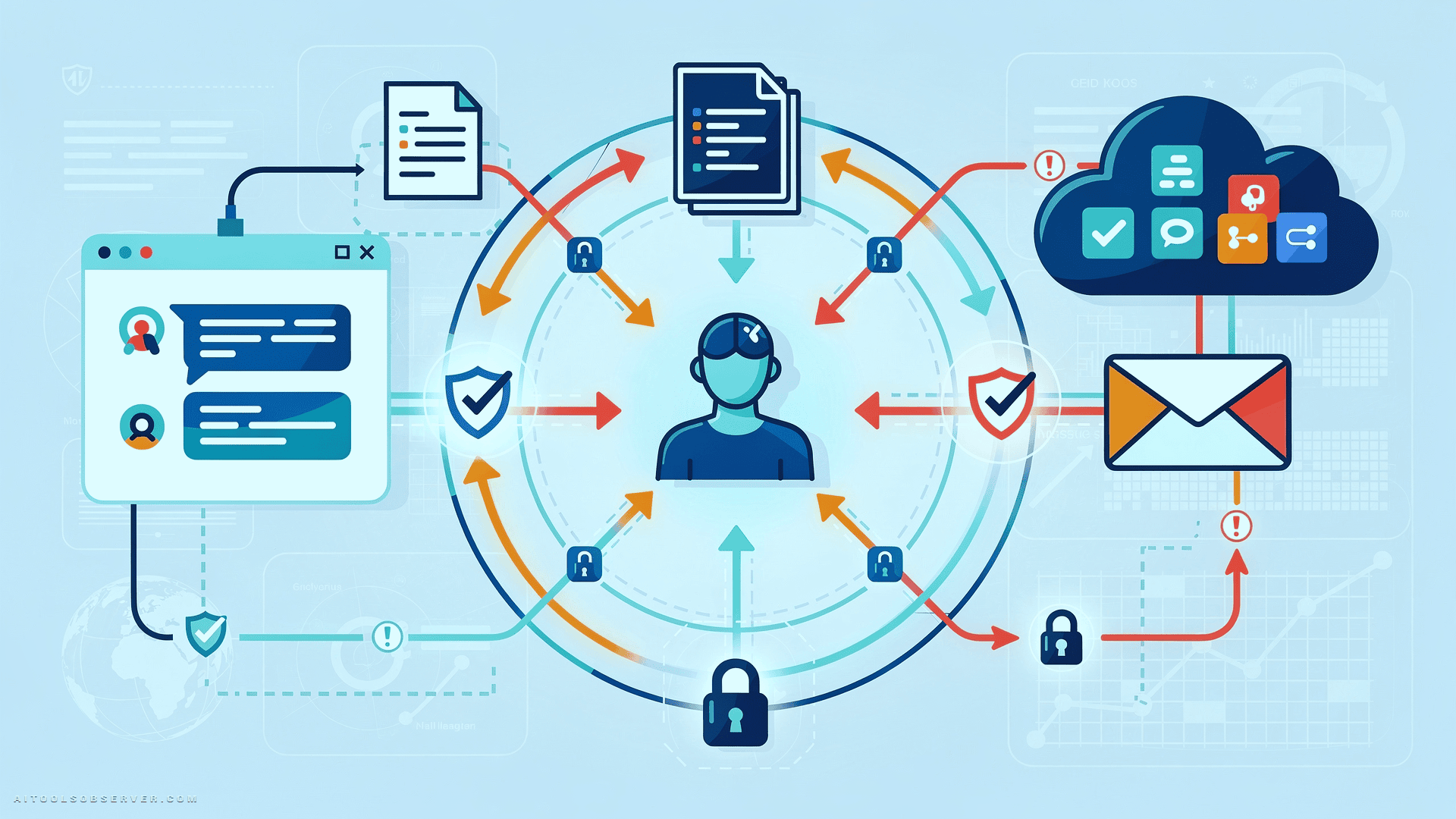
Why Enterprise AI Security Is a Different Problem

Traditional security models were built around networks, endpoints, and identities. AI tools break that model.
They don’t just process data — they absorb context, generate outputs, connect to other systems, and in agentic scenarios, act on behalf of users. That’s a fundamentally different threat profile than a SaaS app or a browser plugin.
The problem isn’t that AI tools are inherently insecure. The problem is that adoption has outpaced governance. Employees are using personal accounts, free tiers, and browser extensions to get work done faster — often without any visibility from IT or security teams.
Speed is the enemy of control here.
ChatGPT: The Convenience Trap
ChatGPT is used by 28% of U.S. employees at work. That number likely understates actual usage when you factor in personal accounts and browser-based access outside corporate controls.
The risk isn’t the tool itself — it’s the behavior it encourages. Employees chasing faster answers will paste proprietary code, legal documents, financial data, or customer PII directly into a prompt. Without enterprise-grade guardrails, that information flows into unmanaged environments or OpenAI’s consumer platform.
The absence of a sanctioned alternative makes this worse. If your organization hasn’t provided a governed ChatGPT Enterprise deployment, employees will use whatever’s available.
Microsoft Copilot: Permission Sprawl at Conversational Speed
Copilot operates inside Microsoft 365 — SharePoint, Teams, Outlook, OneDrive — and works within the permissions already granted to the authenticated user. On paper, that sounds safe. In practice, it’s a significant exposure vector.
The real risk is what those permissions already cover: years of overshared documents, broken permission inheritance, and “Anyone with the link” content that users technically have access to but never actively sought out. Copilot makes all of that latent data discoverable instantly, at conversational speed.
The blast radius of existing permission sprawl just got amplified. If your Microsoft 365 environment has sloppy access controls, Copilot will surface that problem faster than any manual audit ever would.
Google Gemini: Agentic Write Access Is a New Attack Surface

Gemini operates across Gmail, Docs, Calendar, and Drive — making broad swaths of company information available for AI-driven search, summarization, and analysis. That’s powerful. It’s also risky when write or send permissions are in play.
In a multi-step agentic scenario, a poisoned document could instruct Gemini to exfiltrate data through a legitimate output channel — an email, a shared Drive file, an automated export. The action looks normal. The intent isn’t.
Organizations need to restrict Gemini’s agentic capabilities to only what’s necessary and monitor AI-generated outputs through DLP or SASE controls. Legitimate-looking outputs are not automatically safe outputs.
Claude: The Sanctioned vs. Unsanctioned Gap
Anthropic’s Claude has seen significant growth in enterprise API and tier adoption. It’s widely used for writing, reasoning, document review, and code analysis — and it offers solid enterprise-grade controls when deployed properly.
The practical problem is the gap between sanctioned and unsanctioned use. Employees working under time pressure will use free or personal Claude accounts to get answers quickly. If they’re also using an enterprise account, sensitive information can move between the two environments without any visibility or control.
Parallel account usage is a data exposure risk that doesn’t show up in your enterprise audit logs.
Perplexity: Browser Extensions and Third-Party Data Exposure
Perplexity is increasingly used for competitive intelligence, market research, pricing analysis, and product planning. To get better answers, employees provide more context — and that context can include product roadmaps, financial strategies, and other sensitive details.
That information now lives on a third-party platform with a searchable record of it.
The browser extension adds another layer of risk. If granted page-reading permissions, it can access the content of active browser tabs — including internal dashboards or SaaS applications left open. Most employees don’t realize that page content is being transmitted to a third-party platform when they use Perplexity in context-aware mode. Audit your browser extension deployments and make sure employees understand exactly what data is shared.
How to Actually Lock Down Enterprise AI Use
Securing enterprise AI isn’t about blocking tools. It’s about building governance that matches the speed of adoption.
Treat Every AI Input as Untrusted
Your default stance should be zero trust for AI inputs. Validate, sanitize, classify, and isolate all AI interactions — prompts, documents, files, copied text, and metadata — before they enter any AI workflow.
Assume that inputs can carry malicious instructions. Prompt injection attacks are real, and they’re designed to exploit exactly the kind of trust that makes AI tools useful.
Make AI Workflows Visible in Your Monitoring Stack
Don’t limit monitoring to network traffic or endpoint activity. You need visibility into AI prompts, responses, and downstream actions — and you need to know when something looks abnormal.
If an AI agent is sending emails, modifying files, or querying databases, those actions need to be logged and reviewed like any other privileged operation.
Build a Governance Strategy Before You Need One
Start with an inventory. Map every browser-based and personal-account-based AI tool being used across the business. You can’t govern what you can’t see.
From there, create a list of approved tools, define usage policies and data-handling rules, and establish review cycles for AI integrations. Governance doesn’t have to be slow — but it does have to exist.
Apply Least Privilege to Every AI Agent
Each AI agent or workflow should receive only the permissions required for its specific task. Prefer scoped, time-limited credentials over persistent broad access.
Treat every AI-generated action as a potential privilege-escalation vector. Require explicit human approval before agents execute irreversible operations — sending messages, modifying databases, exporting data. Once an action is taken, reversing it is often impossible.
Strengthen Identity Verification Across AI-Assisted Channels
AI makes impersonation easy to scale, personalized, and hard to detect. A convincing email, a realistic voice clone, a fabricated document — these are no longer edge cases.
The answer is layered identity verification, document validation, and anomaly detection. If a sensitive request arrives through one channel, confirm it through a separate one. Don’t let AI-generated fluency substitute for verified identity.
The Governance Gap Is the Real Vulnerability
Enterprise AI tools are already inside your organization’s workflows — whether your security team knows it or not. The question isn’t whether to allow AI adoption. That ship has sailed.
The question is whether you’re governing it with the same rigor you apply to identity, data, cloud, and application security.
Every tool covered here — ChatGPT, Copilot, Gemini, Claude, Perplexity — offers real business value. They also introduce real risk when deployed without visibility, access controls, or usage policies. The organizations that get this right won’t be the ones that block AI. They’ll be the ones that built governance fast enough to keep up with adoption.
Observe the tools your teams are actually using. Then choose smarter controls before the exposure becomes a headline.












Comments (0) No comments yet
Want to join this discussion? Login or Register.
No comments yet. Be the first to share your thoughts!