


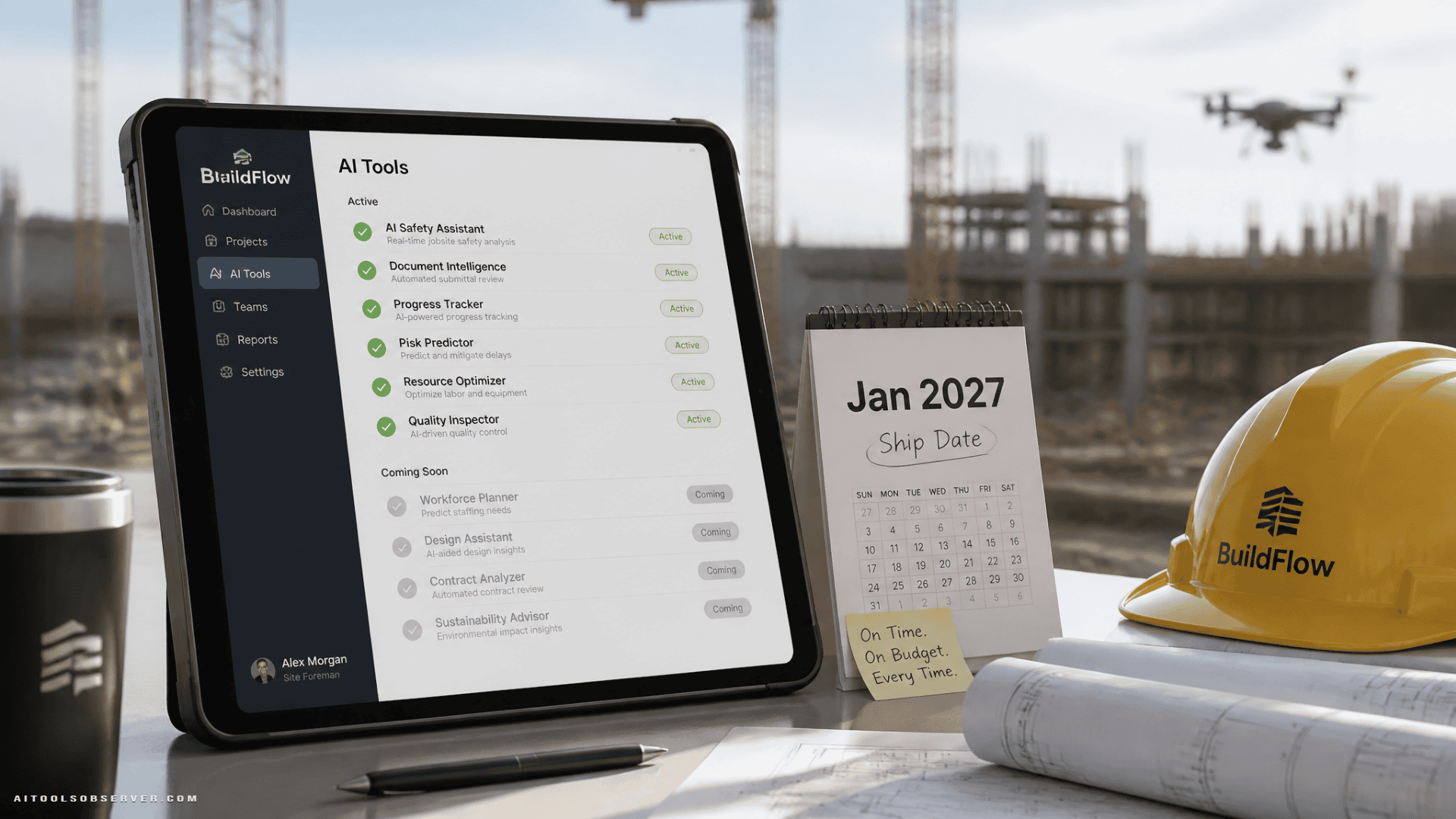
The simple breakdown: what’s live, what’s not
Here’s the practical view of the Trimble Connect AI stack as described.
Available now
- Automated Structural Modeling
- One-Click AI Indoor Classification
- 360 Reality Capture
- AI Punch Walk
- AI Procurement and Invoice Matching
- Trimble Connect Scheduling
Available to select customers
- AI Diagnostics for Field Hardware
Still in development
- Design File Verification
- Contract Risk Analysis and Change Order Automation
Early engagement through Trimble Labs
- Generative Design
The headline is straightforward: six tools are ready for real-world pilots now. The more margin-sensitive workflow many contractors will care about most, contract-risk analysis tied to change order drafting, is not.
Why availability matters more than the demo list
Construction teams don’t buy software to admire the roadmap. They buy it to remove delays, reduce admin work, tighten billing controls, and protect margin on active jobs.
When multiple AI features are announced together, it’s easy to assume they’re all equally ready. They aren’t. A scheduling assistant that can be tested on an active project next month belongs in a very different conversation than ERP-connected change order automation that is still being developed.
That distinction changes how you plan:
- Pilot live tools against today’s bottlenecks
- Put in-development tools into vendor review and roadmap tracking
- Ask technical and commercial questions early for the next wave
The 6 Trimble AI tools contractors can use now
The live tools span field execution, finance, and coordination. Some will matter more to general contractors, others to self-perform teams or civil contractors, but several target common pain points.
For a related example of AI moving into construction workflows, see AI Accelerates MEP Estimating in Trimble Accubid.
1. Trimble Connect Scheduling
This appears positioned as an agentic scheduling layer tied to live project conditions. The description suggests it connects a master CPM schedule with inputs such as field look-aheads, RFIs, submittals, and weather so teams can spot schedule risk sooner.
That’s useful because schedule slippage rarely starts as a dramatic event. It starts as a handful of small misses that stack up. A scheduling AI is only valuable if it helps project teams intervene before those misses become cost growth.
Best fit for:
- General contractors managing complex sequences
- Project controls teams
- Superintendents who need earlier schedule signals
Good pilot question:
- Does it produce recommendations the field team will actually trust and act on?
2. AI Procurement and Invoice Matching
This one goes after a very practical accounting problem: matching supplier invoices to purchase orders and field delivery receipts. In construction terms, that’s close to a three-way match, but with the field record brought into the process.
That matters because AP delays often have nothing to do with finance alone. The invoice is waiting on proof from the jobsite. If the system can flag discrepancies early and reduce chasing, it can shorten admin cycles and limit overbilling risk.
Best fit for:
- AP teams
- Procurement leads
- Contractors with high material volume or fragmented receiving workflows
Good pilot question:
- How clean and complete are your field delivery records today?
3. AI Punch Walk
A voice-driven punch workflow sounds simple, but it targets one of the most repetitive handoff tasks on a project. Walking a site, capturing issues, assigning follow-up, and keeping records current can still be messy even on well-run jobs.
If AI Punch Walk reduces friction in documentation, it can help teams move faster at the end of a phase without relying on scattered notes and delayed updates.
Best fit for:
- Field teams
- Closeout-heavy commercial projects
- Owners’ reps and quality managers
Good pilot question:
- Will this save time on issue capture, or just shift time into cleanup later?
4. 360 Reality Capture
Reality capture is already useful without AI marketing around it. The practical value comes from giving teams a visual record of site conditions they can reference during coordination, verification, or dispute review.
In the Trimble Connect context, the benefit appears to be tighter connection between captured reality and the rest of the project data environment. That can be more useful than standalone capture if your team already works in Connect. For adjacent document-heavy workflows, see AI for Construction Documents.
Best fit for:
- Coordination teams
- QA/QC workflows
- Jobs where documentation gaps create risk
Good pilot question:
- Does your team revisit captured data often enough to justify making it part of a standard workflow?
5. Automated Structural Modeling
This capability appears aimed at speeding up structural model creation or related modeling tasks. For firms dealing with repetitive modeling effort, that can reduce manual production time and potentially improve consistency.
The catch is always verification. Automation can accelerate modeling, but teams still need review standards, especially where downstream fabrication or coordination depends on accuracy. For a related workflow, see AI for Structural Engineering with CivilBot.
Best fit for:
- VDC teams
- Structural workflows with repeatable patterns
- Firms trying to reduce modeling bottlenecks
Good pilot question:
- Where does human checking stay in the process?
6. One-Click AI Indoor Classification
The description suggests a classification workflow for indoor spatial or scan-related data. For contractors handling existing conditions, interiors, or asset documentation, classification speed can matter a lot.
This is likely more specialized than scheduling or invoice matching. But for the teams that need it, cutting setup and tagging effort can improve turnaround on coordination or handover tasks.
Best fit for:
- Building documentation teams
- Reality capture users
- Facility-related workflows
Good pilot question:
- Does this fit a recurring use case, or is it too niche for broad rollout?
The tool many contractors will want most is still not ready
The most commercially interesting item in the lineup is Contract Risk Analysis and Change Order Automation. It is also still in development.
That matters because this is the feature closest to direct margin protection. Based on the available context, the workflow is designed to scan contract documents and drawings for risk, identify conditions that may justify a change, and draft a potential change order synced to an ERP system with labor, material, and markup lines prefilled.
If that works well, the saved time is in assembly and documentation. The project manager still makes the judgment call. That’s the right framing, because change order quality depends on context, negotiation strategy, contract interpretation, and timing, not just text generation.
Why this feature deserves attention now anyway
Even though it’s not available today, this is one of the Trimble AI capabilities worth tracking most closely.
Why?
- It touches contractual risk, not just task speed
- It connects field conditions to financial recovery
- It depends on ERP sync, which makes system compatibility important
- It may be the clearest sign of how the Document Crunch acquisition gets operationalized inside Trimble
If your team spends too many hours turning project conditions into priced potential change orders, this should stay on your shortlist. Just treat it as a roadmap item, not a current pilot.
What to ask Trimble before it ships
If this is the workflow you care about, the right next step is not waiting passively. It’s asking better questions now.
Focus on:
- Which ERP systems will be supported
- How draft change orders are reviewed and approved
- Whether contract-risk findings are explainable to users
- How existing document review workflows carry over
- What implementation looks like for teams already using related tools
WorksManager Drone is promising, but it’s not available yet
WorksManager Drone got a lot of attention because it brings cloud drone processing into Trimble’s civil workflow environment. Based on the available description, users can process drone flights in the cloud and overlay outputs with design, machine, and as-built data inside WorksManager.
That has obvious appeal for civil teams. Instead of exporting surfaces and moving files between systems, the processed data sits closer to where field execution already happens.
But there are two practical catches.
First, it is not available now for broad use. The context indicates dealer availability is expected in January 2027.
Second, integration does not remove measurement responsibility. A cleaner workflow does not automatically mean every derived quantity is suitable for acceptance, payment, or formal progress reporting.
Where WorksManager Drone could be useful
For contractors already committed to WorksManager, the strongest value seems to be consolidation. If supervisors already review current design files there, adding drone outputs in the same environment may reduce handoff friction.
Likely strong-fit users:
- Civil contractors already using WorksManager
- Earthwork teams tracking progress against design
- Operations groups that want faster visual comparison between field conditions and plan intent
Lower-priority users:
- Contractors already satisfied with a separate drone processing stack
- Teams without established drone QA processes
- Firms that don’t need drone outputs tightly tied to field distribution workflows
What “select customers” and “early engagement” really mean
Two other categories matter because they affect planning.
AI Diagnostics for Field Hardware
This is available only to select customers, which usually means limited rollout. It may be useful, but it should not be treated as generally deployable unless your team has confirmed access.
Generative Design
This sits in a Trimble Labs early engagement bucket. That means exploration, not standard operations. If you want near-term ROI, this is not where to start.
Both categories can still be strategically important. They just belong in innovation conversations, not immediate adoption targets.
How to prioritize Trimble Connect AI pilots by ship date
If you’re building a construction AI rollout plan, don’t treat all 10 capabilities the same. Split them into three buckets.
Pilot now
These are the most practical near-term tests:
- Trimble Connect Scheduling
- AI Procurement and Invoice Matching
- AI Punch Walk
- 360 Reality Capture
These solve visible workflow pain without requiring you to wait on roadmap promises.
Track closely
These deserve active vendor conversations:
- Contract Risk Analysis and Change Order Automation
- WorksManager Drone
- Design File Verification
You’re not piloting them broadly yet, but they may become important quickly depending on your workflows.
Watch but don’t prioritize
These are interesting, but not first-wave choices for most contractors:
- AI Diagnostics for Field Hardware
- Generative Design
- More specialized modeling or classification workflows, unless they align directly with your current bottleneck
A practical rollout sequence for contractors
If you want to avoid AI sprawl, start with the workflows where success is easiest to measure.
A clean sequence could look like this:
Phase 1: Remove admin friction
Start with invoice matching and punch workflows. These are easier to scope, easier to compare against a baseline, and less politically sensitive than contract automation.
Phase 2: Improve project control
Move into scheduling once you’re confident teams will use the signals. This requires more operational buy-in because recommendations are only useful if PMs and supers act on them.
Phase 3: Prepare for margin automation
Use the waiting period on change order automation to map your current process:
- Where field issues are captured
- How pricing gets assembled
- Which ERP fields matter
- Who approves what
- Where the cycle slows down
That way, when the feature ships, you’re not starting from zero.
The real takeaway for construction teams
Trimble’s AI story is not one product. It’s a staggered release calendar.
That makes the smart move pretty simple: pilot the live tools that attack current schedule, field, and AP pain; push hard on roadmap questions for contract-risk and ERP-connected change order workflows; and treat WorksManager Drone as a 2027 planning item if you already live in the Trimble civil stack.
If you only remember one thing, remember this: in construction AI, ship date is strategy.









Comments (0) No comments yet
Want to join this discussion? Login or Register.
No comments yet. Be the first to share your thoughts!