


What It Actually Does

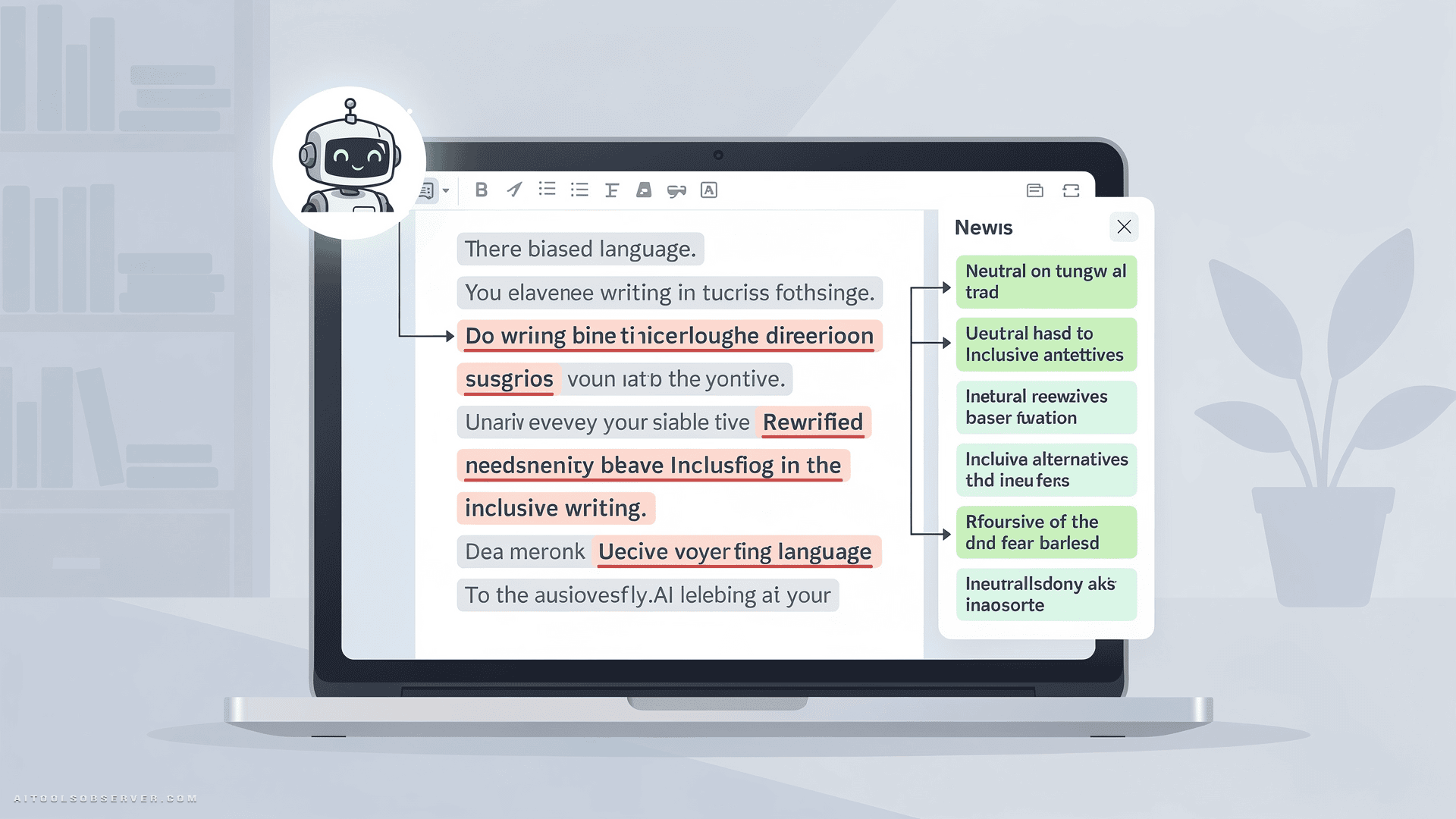
UnBias-Plus analyzes written text across four bias dimensions: race, gender, age, and political framing. It doesn’t just hand you a cleaned-up version and call it a day. It shows you why something was flagged — which is the part that actually builds understanding over time.
The workflow is straightforward: paste text → get bias analysis → read the explanation → receive a rewritten version. Rinse, repeat, get smarter about language.
It comes in two formats:
- Browser-based tool — supports up to 750 words, no setup required, available at unbias-plus.vectorinstitute.ai
- Developer installer (Python package) — for teams integrating bias detection directly into apps, pipelines, or AI workflows, available via PyPI
Why This One Matters
Bias in training data isn’t a theoretical concern. Studies have measured it at rates between 3.4% and 38.5% — and even safety-tuned LLMs carry implicit racial and gender bias. When biased text gets used to train models, the bias doesn’t disappear. It gets learned, replicated, and deployed at scale.
UnBias-Plus targets the problem at two layers: the document someone writes today, and the dataset a model learns from tomorrow.
That dual focus — human communication and AI training data — is what separates this from a basic grammar checker with a conscience.
Who It’s Built For
The tool is deliberately aimed at sectors where biased language carries real-world consequences.
Editorial and Media
Editors can run copy through UnBias-Plus before publication to catch framing issues that might otherwise slip through deadline pressure. Faster review, more consistent standards.
HR, EDI, and Workplace Teams
Job descriptions, performance reviews, promotion write-ups — all fertile ground for gendered or racialized language that creates invisible barriers. UnBias-Plus gives HR teams a practical first pass before documents go live.
Healthcare Communications

This is where the stakes get visceral. A clinical note that reads “noncompliant patient refused medication” follows a patient into every future appointment, coloring how providers see them. UnBias-Plus would flag that phrasing and suggest “patient declined medication” — factual, not judgmental. Small edit. Significant difference.
Insurance
Benefits letters and eligibility notices often carry unconscious assumptions about who deserves coverage. Teams can screen communications to ensure language reflects policy and fact — nothing more.
AI Developers and Data Scientists
This is arguably the highest-leverage use case. Developers can run annotations, prompts, and source text through UnBias-Plus before training or fine-tuning models. They can also audit model outputs after the fact. Catching bias at the data layer is exponentially cheaper than fixing it post-deployment.
The Open-Source Angle Is Deliberate
Vector Institute is an independent, not-for-profit. Making UnBias-Plus free and open-source isn’t a marketing move — it’s a mission statement.
As VP AI Engineering Kathryn Hume put it:
“Research on how bias operates in AI and language affects all of society and the tools that come from it should be too.”
Transparent methodology. Public access. No licensing friction. For organizations evaluating responsible AI tooling, that combination is genuinely rare.
What It Doesn’t Do (Worth Knowing)
UnBias-Plus currently supports English-language text only. It won’t verify factual accuracy, detect misinformation, or identify AI-generated content. It’s a bias detection and rewriting tool — scoped tightly, which is actually a feature. Focused tools tend to work better than sprawling ones.
Multilingual support, audio and video bias detection, and misinformation tools are on the roadmap as part of Vector’s broader Safe AI suite.
The Bottom Line
UnBias-Plus is the kind of tool that should have existed years ago. Free, open-source, practical, and built by researchers who clearly thought hard about where bias actually lives — not just in obvious places, but buried in the data pipelines that shape AI at scale.
If you work with language professionally, train models, or just want to write more carefully, there’s no reason not to try it. The browser version takes thirty seconds to load.
The invisible just got a lot easier to see.






Comments (0) No comments yet
Want to join this discussion? Login or Register.
No comments yet. Be the first to share your thoughts!