
What Is GetMimic?
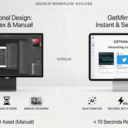
GetMimic is a browser-based tool that lets you design ultra‑realistic fake chat conversations and social media mockups for storytelling, marketing, and memes. You can choose from different layouts including chats, social posts, stories, and email, then fully customize the text, visuals, and appearance.
All images are generated locally in your browser, so your photos, messages, and screenshots never leave your device. Because it runs efficiently on the client side, its core features are completely free with no account, paywalls, or forced branding.
GetMimic is ideal for:
- Viral memes and humorous fake chats.
- Narrative screenshots for stories, comics, or scripts.
- Social campaigns and realistic marketing creatives.
This combination of high visual realism, ease of use, and privacy-first design makes it a powerful companion for modern content creators.
Quick Snapshot
GetMimic gives creators and marketers a fast, watermark‑free way to design lifelike chat and social media mockups directly in the browser. Everything runs locally on your device, so you keep full control of your content and privacy.
- Works on
-
- Web
- Pricing Model
- Free — GetMimic’s core features are completely free to use with no account, paywalls, or watermarks required. Any additional paid options beyond the core experience are currently Unknown.
- Affiliate Program
- We could not identify an affiliate program.
- API Availability
- We could not identify whether an API is available.
- Key Features
-
- Create lifelike chats and social posts fast
- Keep all mockup generation 100% private
- Export watermark-free visuals for campaigns
- Audience
-
- content creators
- social media marketers
- storytellers
- meme creators
- advertisers
- designers
- influencers
- startup marketing teams
Screenshot

Key Features of GetMimic
Multiple mockup types
Choose from chat, social posts, stories, and email mockups to match different content formats and platforms.
Fully browser-based
Runs entirely in your browser with no software installation, account signup, or server-side processing required.
Local image generation
Processes all images on your device so photos, messages, and screenshots are never uploaded to external servers.
Watermark-free output
Export realistic mockups without forced branding or watermarks, ready to use in content and campaigns.
Free core features
Access the main editing and generation capabilities at no cost and without encountering paywalls.
Use Cases for GetMimic
Social media campaigns
Design realistic social posts and feeds to preview or promote campaigns without needing live accounts or risking public mistakes.
Meme creation
Quickly build authentic-looking fake chat and social screenshots that enhance comedic impact and shareability.
Storytelling & narratives
Create lifelike conversation screenshots and story panels to support comics, scripts, and narrative content.
Marketing creatives
Produce convincing social mockups for pitch decks, ads, and client presentations while keeping all assets private on your device.
Design prototyping
Mock up chat or feed-style interfaces in minutes to visualize concepts without building full UI prototypes.
Frequently Asked Questions
What is GetMimic and what does it do?
GetMimic is a browser-based tool that lets you create ultra‑realistic fake chat, social media, story, and email mockups. It helps you design lifelike screenshots for memes, storytelling, and marketing campaigns.
Is GetMimic really free to use?
Yes, GetMimic’s core features are completely free to use with no account, paywalls, or watermarks required for generating mockups.
Does GetMimic store or upload my images?
No. GetMimic uses a privacy-first architecture where all image processing happens locally in your browser, so your photos and messages are never uploaded to a server.
Do the mockups include a watermark or branding?
No. Mockups generated with GetMimic do not include forced watermarks or branding, so you can use them directly in your content and campaigns.
Do I need to install software or create an account to use GetMimic?
You do not need to install anything or create an account. GetMimic runs directly in your browser and is ready to use immediately.
Who is GetMimic best suited for?
GetMimic is ideal for content creators, social media marketers, storytellers, meme creators, designers, influencers, and startup marketing teams that need realistic mockups quickly and privately.
GetMimic · Our Verdict
GetMimic stands out by combining realistic social and chat mockups with a genuinely privacy-first, browser-only workflow. The lack of watermarks, logins, or uploads makes it unusually creator-friendly for a free tool.
For anyone producing memes, narrative screenshots, or social campaigns, it offers a clean, low-friction way to get polished results quickly.
GetMimic ·
-
 Freemium
 Magic Studio AI Image Generator
Create stunning AI images from text
AI Image Generation -
Arcads
AI-generated UGC ads ready in minutes
AI Video Generation -
X Bio Generator
Generate the perfect X bio in seconds
Social Media Content Creation - Subscription
TextFlip.ai
AI rewriter for fast, human-sounding content
AI Copywriting Tools - Subscription
Virvid
Make viral AI shorts daily, on autopilot
Social Media Content Creation - Your Ad Here
- Free Featured
Redesign by Nodewave
Turn your codebase into on‑brand social posts
Social Media Content Creation - Subscription
MagicLight.AI
Create full-length AI story videos from any idea
AI Video Generation