


The problem: agents love tools, enterprises love control
An AI agent is only as useful as the systems it can reach. In a large company, that usually means internal APIs, service meshes, access policies, schema changes, third-party apps, and a lot of teams with strong opinions.
Uber appears to have faced this at scale. It has more than 800 MCP servers and 5,000 tools, spread across a large internal microservices environment. That creates three immediate problems:
- how agents discover the right tools
- how teams approve and govern tool access
- how responses stay useful without dumping unnecessary data into model context
If you skip those problems, agents become either weak or reckless. Neither option is fun in production.
What Uber built: a gateway, not a tool free-for-all
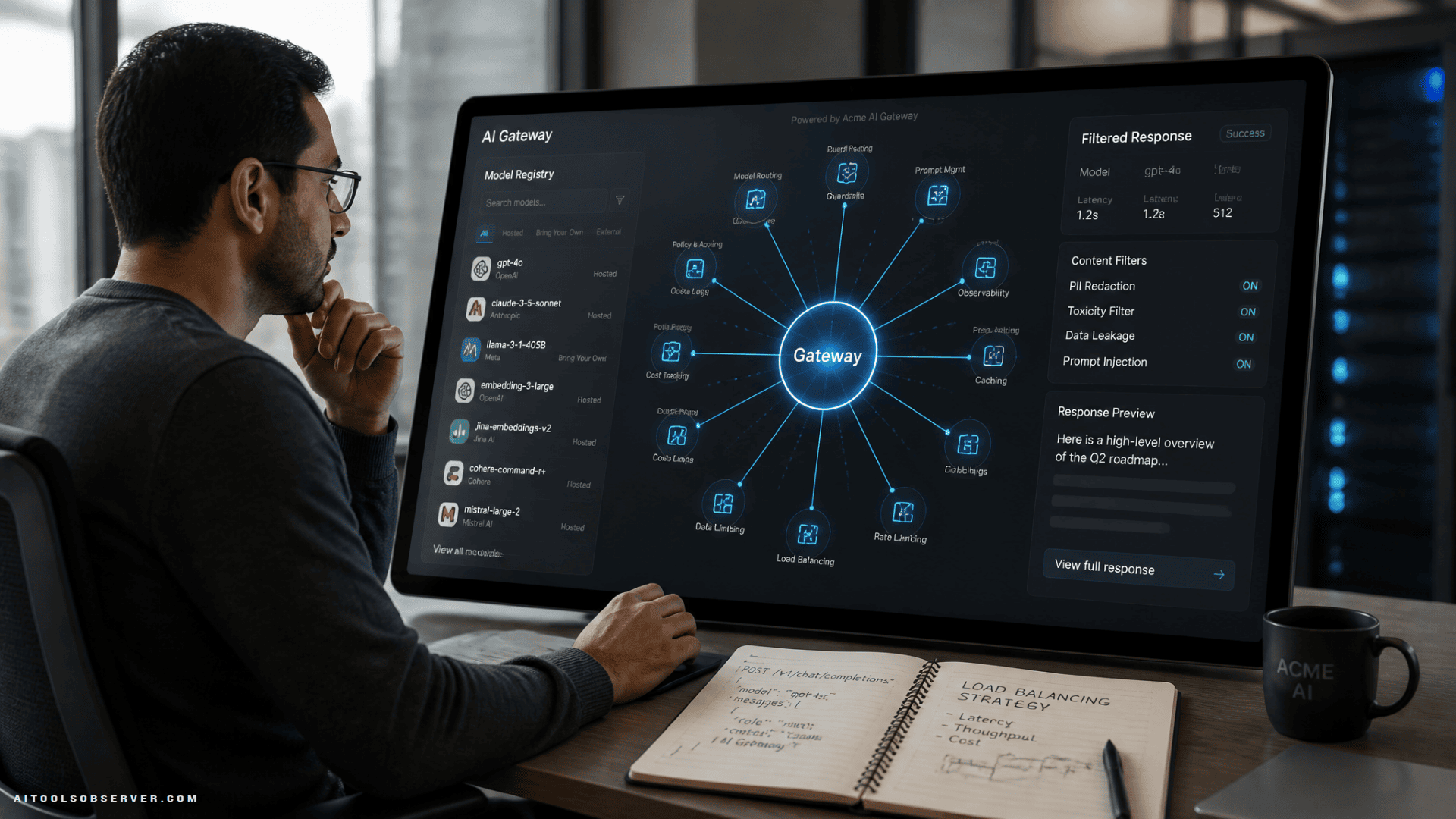
Uber’s MCP Gateway is positioned as the layer between AI agents and internal or external services. It has two main parts:
- MCP Registry for control and cataloging
- Proxy Gateway for execution and translation
That split matters.
The registry acts like the system of record. It tracks tool definitions, ownership, and approval status. The proxy does the runtime work, taking agent requests and forwarding them to the right backend in the right protocol.
So instead of forcing every service team to rebuild their APIs as standalone MCP servers, the gateway lets existing APIs become MCP-compatible tools. Much less reinvention. Much less “please migrate everything by Friday.”
Why this matters as an AI use case
This is not just infrastructure for infrastructure’s sake. It solves a practical workflow problem: how to let AI agents use existing business systems safely.
Think about common enterprise agent tasks:
- checking shipment or trip data
- pulling internal documentation
- querying operational systems
- creating or updating tickets in third-party tools
- assisting developers from a terminal
In each case, the value comes from connecting the agent to real systems. The friction comes from doing that without custom wiring for every service.
Uber’s approach suggests a repeatable pattern for large organizations: centralize discovery and enforcement, while leaving the underlying services mostly intact.
How existing APIs become agent tools
A big design choice here is translation.
The Proxy Gateway receives MCP requests, then converts them into backend calls such as HTTP, gRPC, or TChannel. It serializes data using formats already common in Uber’s stack, then routes traffic through its existing service mesh sidecar.
That means service owners do not need to rewrite everything just to make it agent-accessible. Existing APIs can be exposed as tools through a common interface.
In plain English: the gateway teaches agents how to speak to old systems, instead of forcing old systems to speak agent from birth.
That is a strong enterprise pattern because most companies do not have a greenfield stack. They have layers. Many, many layers.
Two kinds of tools: translated APIs and native MCP services
Uber appears to support both:
- API-backed tools, where the gateway translates requests to existing services
- Native MCP servers, built directly for MCP using Uber’s MCPFx framework
This hybrid model is practical.
Some tools are best created directly for agent workflows. Others already exist as stable internal APIs and just need safe exposure. A good platform should support both, and this one appears to.
Auto-discovery, with brakes installed
Uber also built an automated discovery layer called AutoCrawler.
Based on the available description, AutoCrawler scans interface definitions and schema changes, extracts method names and request-response structures, converts them into MCP-compatible schemas, and uses a language model to generate tool descriptions. It can also discover native MCP servers through heartbeat signals and register their tools.
That sounds efficient. It also sounds like the exact place where things could go sideways without guardrails.
Uber’s documented answer is straightforward: newly discovered tools are disabled by default. Service owners must review and approve them before agents can use them.
That is the right instinct.
In enterprise AI, discovery should not equal exposure. Just because a service exists does not mean an agent should touch it.
Access control: useful agents, smaller blast radius
The gateway integrates with Uber’s existing access control system and appears to enforce authorization based on caller identity.
That includes distinctions between:
- human users
- internal services
- AI agents
Permissions can be set at the MCP server level, with further restrictions for individual tools.
This matters because “agent access” is not one thing. A coding agent, a support assistant, and an internal analytics bot should not share the same privileges just because they are all technically agents.
The principle here is familiar and still frequently ignored: least privilege. Give the agent enough access to do the job, not enough access to become an incident report.
Security controls: where MCP gets real
Uber’s design lines up with several concerns that security guidance around MCP has highlighted, especially around poisoned tool definitions, excessive permissions, and unauthorized changes.
A few controls stand out:
- new tools remain disabled until approved
- tool description changes also require approval
- configuration differences are tracked
- previous versions can be rolled back
- sensitive data can be redacted from responses
Those controls do not eliminate risk, but they reduce the chances of silent drift and accidental exposure.
One especially relevant threat is the idea that a tool’s description, schema, or response could influence agent behavior in unsafe ways. If the metadata around a tool can steer the model, then metadata becomes part of your attack surface.
That is a weird sentence, but here we are.
Response Projection: less output, less mess
One of the most practical features in Uber’s setup is Response Projection.
It lets the agent specify exactly which parts of a tool response it wants, using nested paths. The gateway then filters the response at runtime and returns only those fields.
This solves two common problems at once:
- agents often do not need the full payload
- full payloads consume context and may include sensitive or irrelevant data
Imagine a service returns a large object, but the agent only needs a status field, one ID, and a timestamp. Response Projection keeps the exchange lean.
For AI workflow design, this is a strong pattern. The best tool response is often not “everything available.” It is “just enough to finish the task.”
Third-party tools without third-party chaos
Uber’s gateway also extends to external services such as Jira and Google-related systems through a third-party MCP service.
Based on the description, the flow works like this: the gateway forwards the caller’s internal user token, a separate service exchanges it for the right external authentication token, and the request is then sent onward.
That preserves central controls such as:
- authorization
- rate limiting
- sensitive-data redaction
This is useful because third-party integrations are often where governance gets patchy. A central gateway can keep external tool usage closer to internal standards.
Code Mode: a terminal-friendly path for coding agents
Uber has also introduced Code Mode for coding agents working in shell environments, using a CLI called aifx.
The commands are simple:
- list available servers
- search for tools
- call a tool
That sounds almost boring, which is a compliment.
For coding agents, the shell is often the real workspace. Giving agents a direct command-line path to discover and invoke tools means they do not need every MCP server locally installed or manually configured.
It also fits the broader pattern in Uber’s design: discover only what you need, call only what you’re allowed, pull only the fields required.
What teams can learn from this approach
You do not need 5,000 tools to borrow the architecture lessons.
If your company is starting to connect AI agents to internal systems, Uber’s setup suggests a practical checklist:
1. Separate control from execution
Keep one layer for registration, approval, ownership, and policy. Use another for runtime request handling.
That makes governance less tangled and operations less fragile.
2. Reuse existing APIs before building agent-only interfaces
A translation layer can expose stable services to agents without forcing every team to rebuild.
This is usually the cheaper path and often the only realistic one.
3. Treat discovery as a first-class feature
Agents should not ingest the entire tool catalog upfront. Let them search, inspect, and fetch schema details incrementally.
This improves both cost and precision.
4. Default to disabled
Auto-discovered tools should not become instantly available. Review gates matter, especially when descriptions and schemas can shape model behavior.
Convenience is nice. Approval is nicer.
5. Filter outputs aggressively
Do not hand the model full payloads if it only needs three fields. Smaller responses reduce noise, cost, and exposure.
6. Keep identity and permissions explicit
An agent is not a magic user type. Scope permissions by task, server, and tool wherever possible.
The tradeoff: centralization helps, but it becomes a critical layer
A gateway model simplifies management, but it also creates a very important control point.
That is good when the control point is well governed. It is less good if it becomes opaque, overloaded, or poorly monitored. Uber has pointed to centralized observability as part of the design, though detailed metrics were not disclosed in the available description.
The broader takeaway is that platform convenience should not come at the cost of visibility. If one layer brokers all agent access, that layer needs strong monitoring and operational discipline.
Where this fits in the AI tools landscape
For readers comparing AI tool strategies, Uber’s MCP Gateway is less about a single product and more about a deployment model.
It shows what enterprise AI looks like when the challenge is not “which model should we use?” but “how do we safely expose hundreds of systems to agents without blowing up context, access control, or service ownership?”
That is a very real use case for founders and platform teams building internal AI tooling:
- central registry
- proxy execution layer
- incremental tool discovery
- approval-based exposure
- response filtering
- CLI access for developer agents
In other words, less magic wand, more circuit breaker.
The useful takeaway
If you are wiring AI agents into real business systems, do not start by asking how many tools the agent can use. Start by asking how it finds them, who approves them, what data comes back, and what happens when something changes.
Uber’s MCP Gateway suggests that enterprise-scale agent tooling works best when discovery is searchable, access is scoped, outputs are filtered, and service owners stay in control.
That may not be flashy. It is, however, how things keep working on Monday.













Comments (0) No comments yet
Want to join this discussion? Login or Register.
No comments yet. Be the first to share your thoughts!