
What Is ONERECOVERY Video Repair?
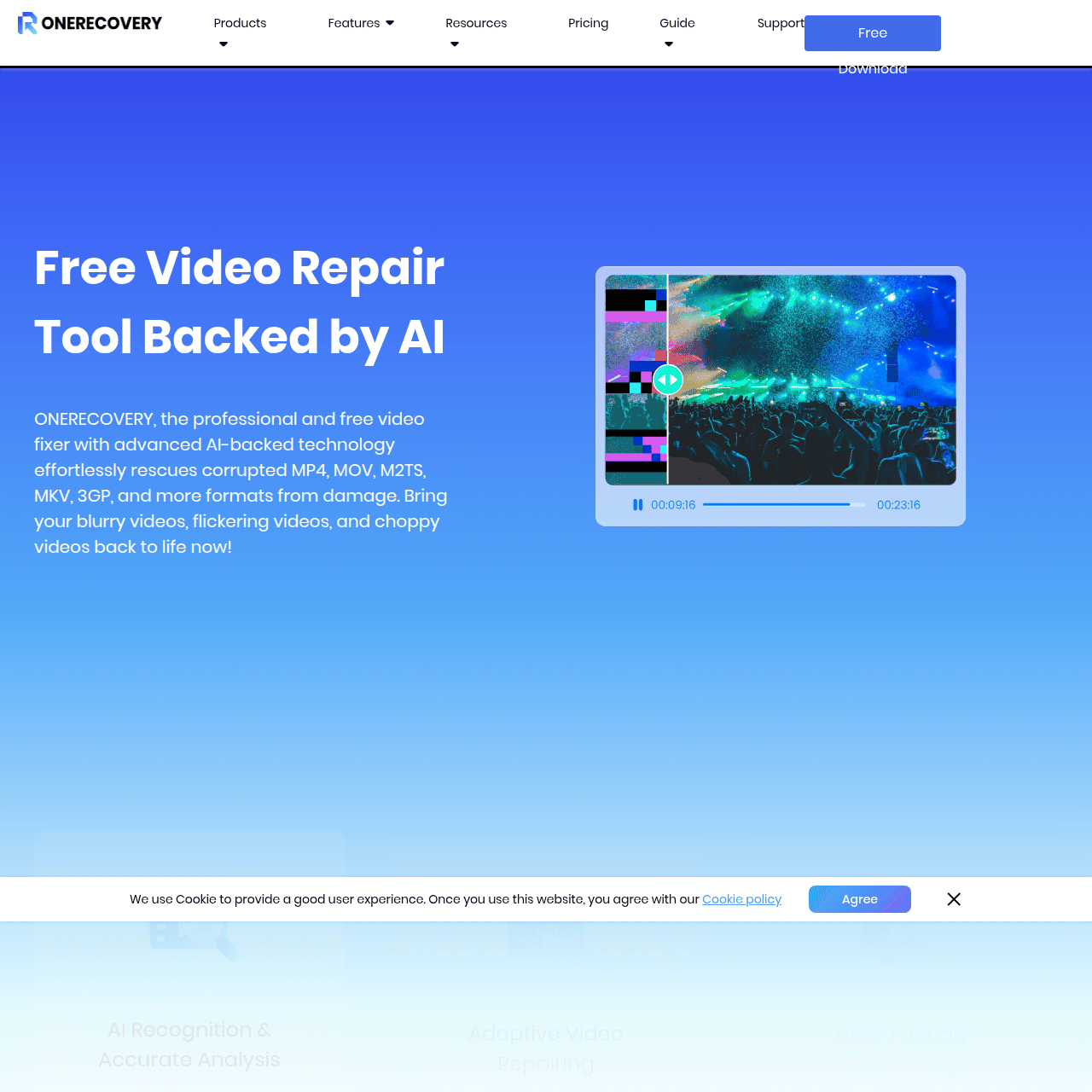
ONERECOVERY Video Repair is an AI-driven web tool that repairs corrupted, damaged, or low-quality video files in just a few clicks. Users can upload broken footage in formats like MP4, MOV, M2TS, MKV, 3GP, and more, and the platform analyzes and fixes issues such as blurriness, flickering, black screens, and choppy playback.
It supports videos from cameras, drones, dash cams, surveillance systems, smartphones, and other common devices, making it suitable for both personal and professional use. The service is designed to preserve valuable memories and mission-critical footage by restoring visual clarity and playability.
With high-success repair rates, support for HD/4K/8K content, and browser-based, cross-platform access, ONERECOVERY offers a streamlined, accessible solution to video corruption problems.
Quick Snapshot
ONERECOVERY Video Repair lets you quickly fix corrupted, unplayable, or blurry videos without technical skills. Its AI engine restores footage from almost any device so you can recover important memories and critical recordings.
- Works on
-
- Web
- Pricing Model
- Freemium — ONERECOVERY Video Repair is offered as a freemium online service, with core video repair functionality available for free. Details on paid upgrades or advanced features are not publicly specified.
- Fits on
- Affiliate Program
- We could not identify an affiliate program.
- API Availability
- We could not identify whether an API is available.
- Key Features
-
- AI-powered repair for corrupted video files
- Supports multi-format HD, 4K, and 8K footage
- Browser-based tool with free core features
- Audience
-
- content creators
- videographers
- photographers
- social media managers
- drone operators
- surveillance and security teams
- everyday consumers
- video editors
Screenshot

Key Features of ONERECOVERY Video Repair
AI-powered video repair
Uses artificial intelligence to analyze corrupted or damaged video files and automatically correct issues that prevent proper playback.
Multi-format support
Supports common formats such as MP4, MOV, M2TS, MKV, and 3GP, allowing users to repair videos from a wide range of sources.
Fixes visual issues
Targets problems like blurriness, flickering, black screens, and choppy playback to restore clearer and more stable video output.
Device-agnostic compatibility
Works with videos from cameras, drones, dash cams, surveillance systems, smartphones, and other popular recording devices.
Supports HD/4K/8K
Handles high-resolution video, including HD, 4K, and 8K footage, making it suitable for modern professional and consumer workflows.
Online, cross-platform access
Runs in the browser as a web-based tool, so users can repair videos without installing software and access it from different platforms.
Free core repair tool
Offers core video repair functionality for free, providing an accessible option for users who need to fix broken footage quickly.
Use Cases for ONERECOVERY Video Repair
Recover personal memories
Repair corrupted or unplayable videos from smartphones, cameras, or camcorders so you can preserve irreplaceable family events, travel footage, and everyday moments.
Social media content rescue
Fix glitchy, blurry, or damaged clips before posting, helping creators and social media managers maintain content quality without re-shooting.
Professional video shoots
Support videographers and photographers by salvaging critical footage from cameras, drones, or cards that became corrupted during recording or transfer.
Security and surveillance footage
Restore corrupted or choppy surveillance, dash cam, or security videos so teams can review important incidents with clearer, playable footage.
Drone and action footage
Repair high-resolution 4K or 8K drone and action camera videos affected by flickering, black screens, or playback issues after risky shoots.
Frequently Asked Questions
What is ONERECOVERY Video Repair and how does it work?
ONERECOVERY Video Repair is an AI-powered online tool that fixes corrupted, damaged, or blurry videos. You upload your broken file, the AI analyzes issues like glitches or playback errors, and then generates a repaired version you can download.
Which video formats does ONERECOVERY Video Repair support?
ONERECOVERY Video Repair supports multiple formats including MP4, MOV, M2TS, MKV, 3GP, and other common video file types used by cameras, phones, and recording devices.
Can ONERECOVERY Video Repair fix blurry or flickering videos?
Yes. The tool is designed to address visual issues such as blurriness, flickering, black screens, and choppy playback, improving overall clarity and stability where possible.
Is ONERECOVERY Video Repair free to use?
The core video repair functionality is promoted as a free online tool. Some advanced features may require payment, but specific pricing details are not clearly disclosed.
Does ONERECOVERY Video Repair work with 4K or 8K footage?
Yes. ONERECOVERY Video Repair supports HD, 4K, and 8K videos, making it suitable for high-resolution footage from modern cameras, drones, and action devices.
Do I need to install any software to use ONERECOVERY Video Repair?
No installation is required. ONERECOVERY Video Repair is a web-based tool that runs in your browser, so you can upload and repair videos online.
What types of devices can my videos come from?
You can repair videos recorded on digital cameras, smartphones, drones, dash cams, surveillance systems, and other common video-capturing devices.
ONERECOVERY Video Repair · Our Verdict
ONERECOVERY Video Repair stands out as a practical, no-frills way to salvage broken footage directly in the browser. Its focus on common real-world issues—like corruption, blurriness, and playback glitches across many formats and devices—makes it a useful safety net for both casual users and professionals who need a quick rescue option.
The freemium model and AI-driven workflow lower the barrier for anyone who needs video repair without diving into complex desktop software.
ONERECOVERY Video Repair ·
-
 Subscription
 Outcast
Record once and repurpose content everywhere.
Podcast Editing Assistants - Subscription
We Are Learning
Create immersive 3D learning in minutes
AI Video Generation -
FantasyGF
Create, chat, and connect with your perfect AI girlfriend
AI Assistants & Chatbots -
DryVocal
AI-powered clean vocals from any audio
Audio Cleanup & Enhancement Tools - Credit-Based
AIShowX
All-in-one AI studio for visual and audio content
Video & Animation AI - Your Ad Here
- Subscription
Viddyoze
Create stunning business videos in minutes
AI Video Generation -
Codiga
Customizable static code analysis that follows you everywhere.
AI Developer Tools