
UniDeck
One unified dashboard for all your SaaS tools
What Is UniDeck?
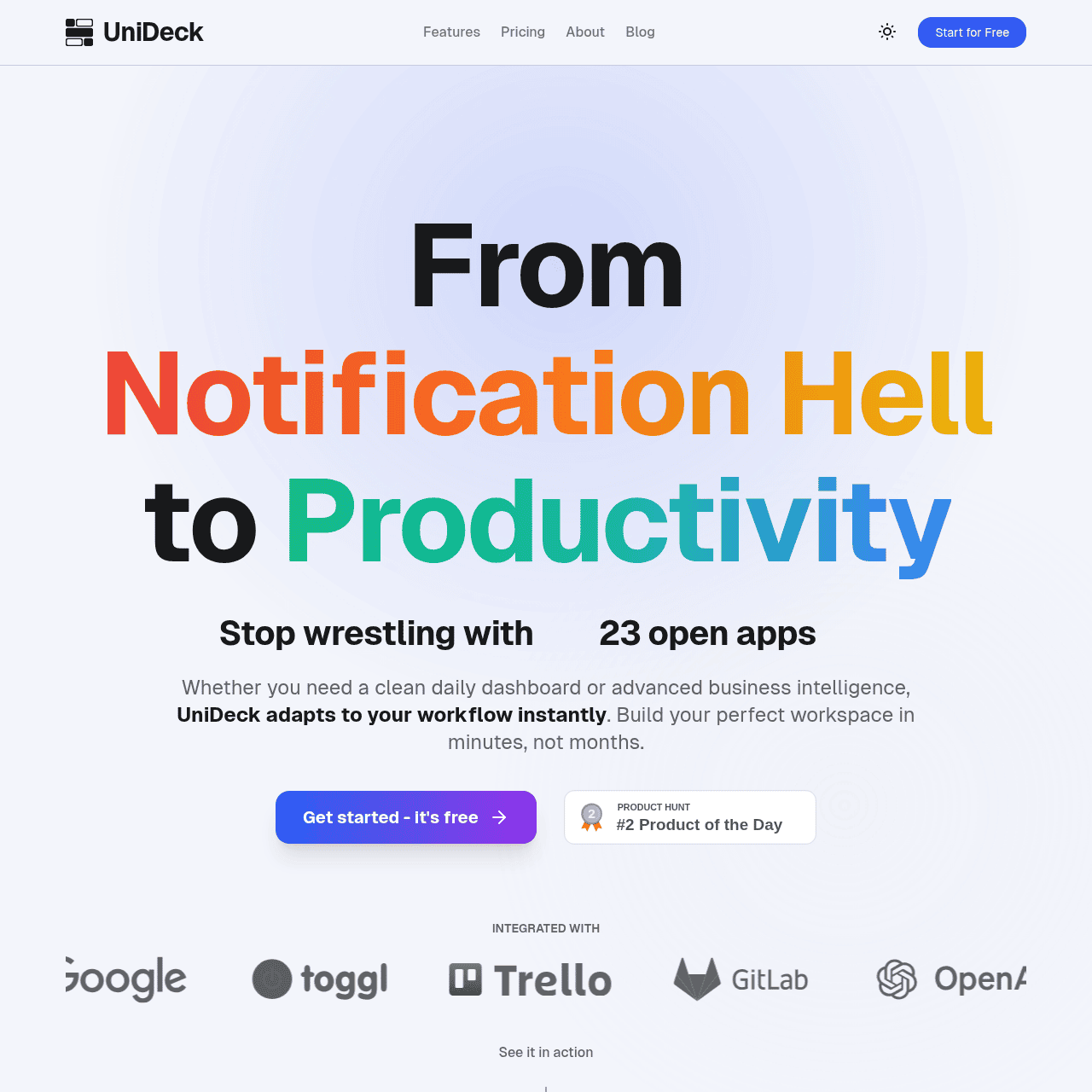
UniDeck is a no-code dashboard layer that sits on top of the SaaS tools your team already uses, like Google Workspace, GitHub, Slack, Stripe, Jira, Linear, and more. It connects via OAuth to read live data and turns each integration into configurable widgets you can drag and drop onto personalized dashboards.
Teams can quickly build workspaces using internal tools and built-in widgets such as calendars, timers, charts, and task lists. On higher tiers, UniDeck adds AI-powered insights through UniDeck AI, ChatGPT, Gemini, and more, turning raw data into actionable recommendations.
With team collaboration, secure link sharing, and enterprise-ready security options, UniDeck replaces scattered tabs and notification overload with a single, reliable source of truth.
Quick Snapshot
UniDeck unifies data, notifications, and workflows from your existing SaaS stack into one no-code, customizable dashboard. It cuts context-switching, reduces notification chaos, and gives teams a shared live view of work without engineering effort.
- Works on
-
- Web
- Chrome Extension
- API
- Pricing Model
- Freemium
Starting at €5.00/month — UniDeck offers a free plan with customizable dashboards and core integrations, with Plus and Teams plans starting from €5.00/month and €8.33/month for advanced widgets, AI insights, and collaboration. Enterprise plans add custom widgets, in-house AI models, SSO, and a dedicated account manager on a custom-quote basis. - Fits on
- Affiliate Program
- We could not identify an affiliate program.
- API Availability
- UniDeck has an API available.
- Key Features
-
- Unify all your SaaS tools in one view
- Build dashboards fast with no-code widgets
- Turn live data into AI-powered insights
- Audience
-
- remote teams
- product managers
- engineering teams
- operations managers
- startup founders
- consulting agencies
- business analysts
Screenshot

Key Features of UniDeck
Unified SaaS dashboard
Connects to tools like Google Workspace, GitHub, Slack, Stripe, Jira, and Linear, centralizing data and notifications in one dashboard so teams avoid constant app-switching.
No-code drag-and-drop
Lets users design personalized workspaces in minutes using drag-and-drop components, without needing engineering support or custom development.
Configurable widgets
Turns each integration into widgets and offers built-in elements like calendars, timers, charts, and task lists that can be placed on any dashboard.
AI-powered insights
On higher tiers, uses UniDeck AI, ChatGPT, Gemini, and more to turn raw data from connected tools into actionable guidance and smart suggestions.
Team collaboration
Supports collaborative dashboards and secure link sharing so teams and stakeholders can access a shared, live view of work and KPIs.
Enterprise-ready security
Provides enterprise-focused capabilities such as SSO and support for custom, in-house AI models on Enterprise plans, helping larger organizations meet security requirements.
Use Cases for UniDeck
Remote team hub
Create a single shared dashboard where remote teams can follow tasks, incidents, commits, and key updates from tools like Slack, Jira, and GitHub without juggling multiple tabs.
Product & engineering ops
Unify issue trackers, roadmaps, and deployment status from tools such as Jira, Linear, and GitHub into one live view to improve prioritization and coordination.
Startup founder overview
Combine metrics from Stripe, project tools, and communication platforms into one executive dashboard, giving founders real-time visibility into revenue, product delivery, and team activity.
Client-facing dashboards
Consulting agencies can build secure, shareable dashboards that surface live data and progress from multiple SaaS tools, giving clients a clear view without granting tool-by-tool access.
Operations monitoring
Operations managers can monitor workflows, KPIs, and alerts across the SaaS stack from a single workspace, reducing missed notifications and manual reporting.
Frequently Asked Questions
What is UniDeck and how does it work?
UniDeck is a no-code unified dashboard that connects to your existing SaaS tools via OAuth, pulls in live data, and turns those integrations into configurable widgets you can arrange on custom dashboards.
Which tools can I connect to UniDeck?
UniDeck supports popular SaaS tools such as Google Workspace, GitHub, Slack, Stripe, Jira, Linear, and others, allowing you to centralize data and notifications from across your stack.
Does UniDeck offer AI-powered features?
Yes, on higher-tier plans UniDeck includes AI-powered insights via UniDeck AI, ChatGPT, Gemini, and more to transform raw data from your tools into actionable recommendations.
Is UniDeck suitable for non-technical teams?
Yes, UniDeck is built as a no-code platform with a drag-and-drop interface, so non-technical users can create and customize dashboards without engineering help.
How much does UniDeck cost?
UniDeck has a free plan with core integrations and customizable dashboards, while paid Plus and Teams plans start from €5.00/month and €8.33/month, with custom-priced Enterprise options.
Can I share dashboards with my team or clients?
Yes, UniDeck supports team collaboration and secure link sharing, making it easy to give teammates or clients controlled access to live dashboards.
UniDeck · Our Verdict
UniDeck stands out as a practical way to tame SaaS sprawl by layering a flexible dashboard over tools teams already rely on. Its combination of drag-and-drop widgets, rich integrations, and optional AI insights makes it especially compelling for remote and cross-functional teams that need a single live view of work.
For organizations battling notification overload and tab chaos, it offers a focused, no-code path to a shared source of truth.
UniDeck ·
-
 Subscription
CreateUpon
AI-native course authoring to capture expertise fast
Course Creation & Summarization - Subscription
Skej
AI scheduling assistants for every busy team
Scheduling & Task Bots - Subscription
Sadako
AI assistant for content, chatbots, and growth
AI Assistants & Chatbots -
ParrotPrep
Your whole job search in one workspace
Personal Productivity Assistants - Subscription
Comfy
The open standard for production-grade visual AI
AI Workflow Builders - Your Ad Here
-
OnRanko
AI-powered agents for SEO, marketing, and data
Marketing & Sales AI -
Playlist Name AI
AI-powered playlist names that match your vibes