VMEG Clips to Videos
Turn raw clips into ready-to-publish marketing videos

What Is VMEG Clips to Videos?
VMEG Clips to Videos is an online video creation tool within the VMEG AI localization and dubbing platform. It helps creators, marketers, and businesses turn raw clips or images into cohesive, professional short videos for social media, ads, and product marketing.
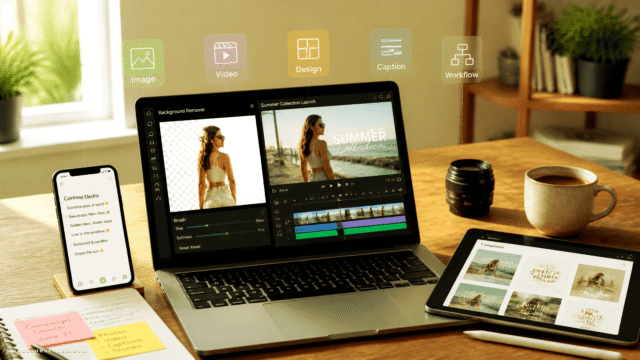
The tool automates core editing steps such as merging clips, arranging scenes, adding subtitles, and applying background audio in a simple web workflow. Because it ties into VMEG’s AI-powered dubbing, translation, and localization features, users can easily adapt content for multilingual audiences.
This makes it especially valuable for e‑commerce brands, social media managers, agencies, and influencers who need to produce consistent, on-brand video content at scale.
Quick Snapshot
VMEG Clips to Videos automates clip compilation, trimming, subtitles, and audio so you can produce professional short-form videos in minutes. Focus on your message while the platform handles the heavy editing for social media and marketing campaigns.
- Works on
-
- Web
- API
- Pricing Model
- Subscription
Starting at $10/month — VMEG offers subscription plans starting from $10 per month, with higher tiers unlocking more credits and advanced features. A free trial with limited credits is available so you can test the platform before upgrading. - Fits on
- Affiliate Program
- Up to 30% commission
- API Availability
- VMEG Clips to Videos has an API available.
- Key Features
-
- Automate clip compilation into cohesive videos
- Add subtitles and audio in your browser
- Create multilingual marketing videos at scale
- Audience
-
- marketers
- e-commerce sellers
- social media managers
- content creators
- influencers
- small businesses
- agencies
Screenshot

Key Features of VMEG Clips to Videos
Clip and photo compilation
Merge multiple video clips and images into a single, cohesive short-form video tailored for marketing and social media formats.
Scene arrangement
Arrange and reorder scenes in a simple web-based workflow to shape the narrative and pacing of your final video.
Automatic trimming
Streamline editing by letting the tool handle basic trimming, reducing the time spent manually cutting footage.
Subtitles support
Add subtitles to your videos to improve accessibility and engagement, especially on sound-off social feeds.
Background audio
Apply background audio tracks to give your marketing videos a more polished and professional feel.
Localization integration
Leverage VMEG’s broader AI dubbing, translation, and localization capabilities to adapt videos for multilingual audiences.
Browser-based workflow
Create and edit videos directly in your browser without installing desktop software, enabling collaboration across teams.
API availability
Use the available API to integrate VMEG’s video creation capabilities into your own products or automated workflows.
Use Cases for VMEG Clips to Videos
Social media videos
Quickly turn batches of clips and photos into polished short videos optimized for platforms like TikTok, Instagram, and YouTube Shorts, without manual heavy editing.
Product marketing
Create cohesive product demos, feature highlights, and promo videos from raw footage, complete with subtitles and background audio for higher engagement in ads and landing pages.
E-commerce listings
Transform product images and clips into short, professional videos that showcase items in action, helping boost conversion rates on marketplaces and online stores.
Multilingual campaigns
Combine Clips to Videos with VMEG’s localization and dubbing features to repurpose video creatives for different languages and regions while keeping a consistent visual style.
Agency content production
Agencies can standardize and speed up video production for multiple clients by automating clip compilation, subtitles, and audio, improving throughput without expanding editing teams.
Frequently Asked Questions
What is VMEG Clips to Videos used for?
VMEG Clips to Videos is used to convert multiple clips and photos into cohesive, marketing-ready short videos. It is ideal for social media content, ads, and product marketing where fast, repeatable video production is needed.
Do I need video editing experience to use VMEG Clips to Videos?
No, you do not need advanced editing skills. The tool automates core steps such as compilation, trimming, subtitles, and background audio, so you can create professional videos through a simple web interface.
Can VMEG Clips to Videos create content for social media platforms?
Yes. VMEG Clips to Videos is designed for short-form, marketing-ready outputs well-suited to platforms like TikTok, Instagram, Facebook, and YouTube Shorts.
Does VMEG Clips to Videos support multilingual or localized videos?
Yes. As part of the VMEG localization and dubbing platform, it can be combined with AI-powered translation and dubbing tools to create multilingual video content for different markets.
Is there a free version of VMEG Clips to Videos?
Yes. VMEG provides a free trial with limited credits so you can test Clips to Videos and other platform features before committing to a paid subscription.
How much does VMEG Clips to Videos cost?
Paid plans for VMEG start from $10 per month, with higher tiers offering more credits and advanced functionality. Pricing scales with usage and feature needs.
Does VMEG Clips to Videos offer an API?
Yes. VMEG offers an API that allows you to integrate its video creation and AI capabilities into your own products or automated workflows.
Is there an affiliate program for VMEG Clips to Videos?
Yes. VMEG runs an affiliate program that offers up to 30% commission on referrals, subject to their program terms.
VMEG Clips to Videos · Our Verdict
VMEG Clips to Videos stands out as a practical option for teams that need fast, repeatable short-form video production without deep editing skills. Its tight integration with VMEG’s localization and dubbing tools makes it particularly compelling for brands targeting multilingual audiences and global social channels.
VMEG Clips to Videos ·
-
 Subscription
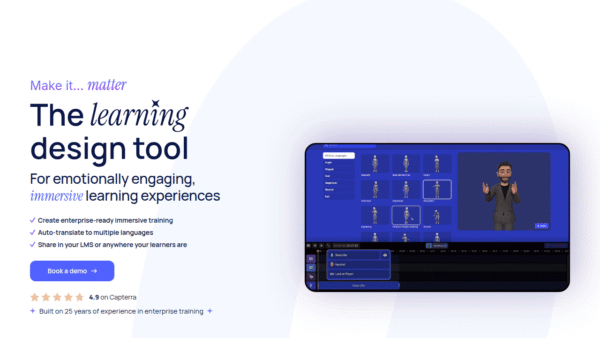
 We Are Learning
Create immersive 3D learning in minutes
AI Video Generation - Featured
FantasyGF
Create, chat, and connect with your perfect AI girlfriend
AI Assistants & Chatbots - Credit-Based
AIShowX
All-in-one AI studio for visual and audio content
Video & Animation AI - Subscription
Viddyoze
Create stunning business videos in minutes
AI Video Generation - Credit-Based
JoyFun AI
Instant AI video creation without subscriptions
AI Video Generation - Your Ad Here
-
VideoVerse
AI-powered video intelligence for sports and news
Video & Animation AI - Free
Redesign by Nodewave
Turn your codebase into on‑brand social posts
Social Media Content Creation