


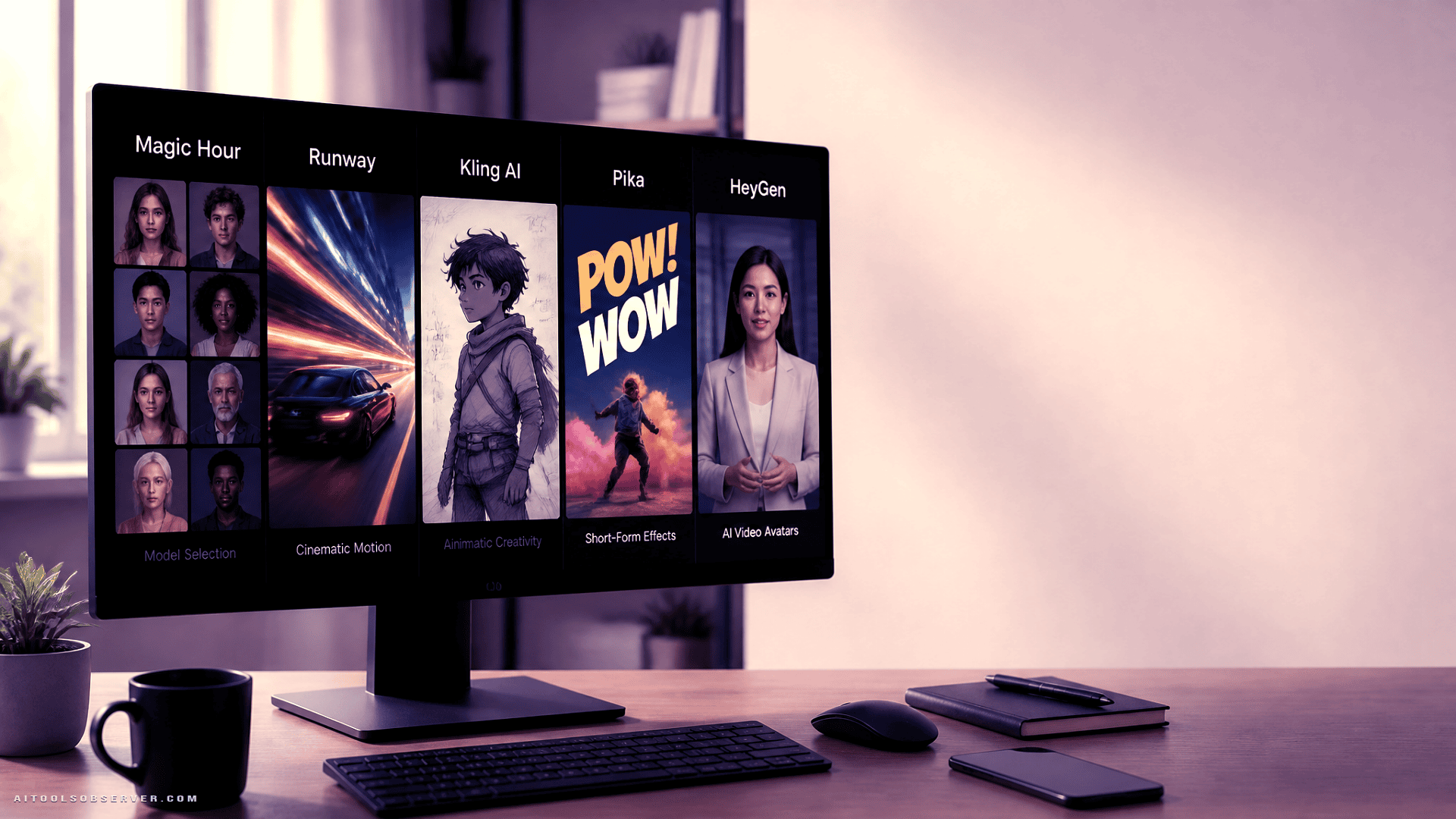
How to Read This Comparison
This comparison evaluates each tool across six practical dimensions:
- Output type — text-to-video, image-to-video, avatars, or effects
- Creative control — prompting depth, model choice, format options
- Workflow fit — who it is actually built for
- Pricing structure — free tiers, credits, and real production cost
- Strengths and limitations — honest tradeoffs, not feature lists
- Real-world use case — a concrete scenario where the tool earns its place
Tools at a Glance
For a broader look at similar tools, see Top 5 AI Video Generators in 2026 Compared.
| Tool | Best For | Key Strength | Starting Price |
|---|---|---|---|
| Magic Hour | Creators and marketing teams | Multiple models and video workflows | Free; Creator $19/mo |
| Runway | Creative professionals | Generative video and production tools | From ~$15/mo |
| Kling AI | Cinematic and motion-based clips | Visual storytelling and movement | Paid plans available |
| Pika | Social media creators | Effects and short-form video | Free; paid from $10/mo |
| HeyGen | Business and presenter video | Avatars, voice, and localization | Free; Creator $29/mo |
Magic Hour
Best for: Creators and marketing teams who want access to multiple AI video models and workflows in one place.
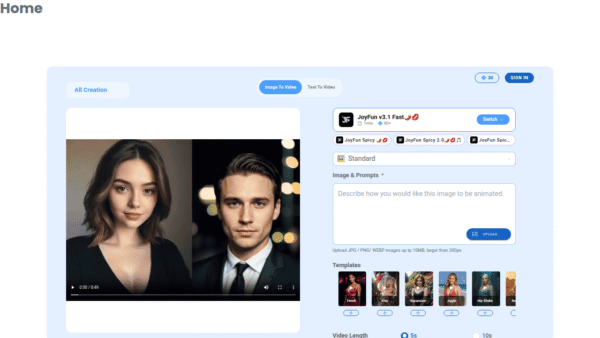
Magic Hour is positioned as a multi-model AI creation platform. Rather than locking users into a single generation engine, it provides access to a library of video models alongside image-to-video and text-to-video workflows. For creators who want to test different models against the same source material—or run several generations simultaneously—this structure offers practical flexibility.
An API is also available, which makes the platform relevant beyond individual creators. Development teams building AI generation into applications or production pipelines can integrate it directly.
Strengths:
- Multiple AI video models under one platform
- Both text-to-video and image-to-video workflows
- API access for developers and production systems
- Watermark-free exports and commercial-use rights on paid plans
- Simultaneous generation support
Limitations:
- Credit consumption varies by model and workflow, which can make cost estimation less predictable
- The range of options may require an initial orientation period for new users
Practical scenario: A marketing producer starts with a static product image, generates several short video variations across different models, and selects the strongest clips for use across social ads, landing pages, and paid campaigns—all within a single platform.
Pricing: Free tier available. Creator plan at $19/month ($12/month billed annually). Pro plan at $39/month.
Runway
Best for: Creative professionals working on visual storytelling, advertising concepts, and production-level generative video.
Runway is oriented toward creators who need more than a quick clip. Its focus is on generative video within a broader creative production context—concept development, scene exploration, and iterative visual work. It is a reasonable fit for advertising teams, directors, and visual artists who treat AI generation as part of a larger production process rather than a standalone output.
Strengths:
- Professional-grade creative workflow
- Strong generative video capabilities
- Well-suited to advertising concepting and visual narrative work
- Supports iterative scene development
Limitations:
- Frequent high-volume generation can consume credits quickly
- Some advanced features are gated behind higher-tier plans
- Users new to production-oriented tools may need time to orient themselves
Practical scenario: A creative team generates multiple variations of a commercial scene before committing to a direction in traditional production, using Runway to pressure-test concepts without full shoot costs.
Kling AI
Best for: Motion-focused and character-driven video content.
Kling AI concentrates on generative video with a particular emphasis on movement and visual motion quality. It appears well-suited to creators working on concept trailers, character scenes, and visual storytelling where the quality and coherence of motion carries significant weight. Image-based generation is part of its workflow, allowing creators to animate existing visual material rather than starting purely from text.
Strengths:
- Strong focus on motion quality and cinematic output
- Supports character-driven and narrative content
- Image-to-video generation options available
Limitations:
- Credit requirements vary across generation types
- Output quality is closely tied to prompt quality and source material
- More intensive usage may carry higher costs
Practical scenario: A filmmaker uses a storyboard illustration as a source image, generates a motion sequence with Kling to visualize a scene, and uses the output to communicate the concept to collaborators before committing to production.
Pika
Best for: Social media creators focused on short-form content, effects, and quick visual experimentation.
Pika is designed for accessibility and speed. Its emphasis on visual effects and transformations makes it a practical choice for creators producing content for Instagram, TikTok, or YouTube Shorts, where unusual motion and stylized animation can drive engagement. The availability of a free plan lowers the barrier to entry for creators who want to experiment before committing to a subscription.
Strengths:
- Accessible interface suited to beginners
- Strong emphasis on artistic effects and transformations
- Image-to-video capabilities
- Free plan available for initial experimentation
Limitations:
- Better suited to short-form and experimental content than sustained professional workflows
- Credit consumption depends on generation type
- More demanding use cases may require paid plans
Practical scenario: A social creator takes a still photograph, applies an animated effect through Pika, and publishes the resulting short clip across multiple short-form platforms within the same session.
HeyGen
Best for: Business communication, presenter videos, and multilingual content production.
HeyGen occupies a distinct position in this comparison. It is not a cinematic video generator. Its core workflow centers on AI avatars, presenter-style video, voice synthesis, and language localization. For companies producing product explainers, training materials, onboarding content, or marketing videos that need to reach audiences in multiple languages, HeyGen addresses a specific and practical need.
Strengths:
- Robust avatar and AI presenter workflow
- Multilingual video and voice localization capabilities
- Suited to business communication and tutorial content
- Free plan available
Limitations:
- Not designed for cinematic scene generation or abstract visual storytelling
- Higher-tier plans may be costly for frequent high-volume production
- avatars-based workflows are not relevant to all creative projects
Practical scenario: A software company produces a product walkthrough video with an AI presenter, then uses HeyGen’s localization features to adapt the same content for audiences in three additional languages—without re-recording.
Choosing the Right Tool
The decision comes down to workflow type before it comes down to price.
If you need multiple models and flexible video workflows — Magic Hour’s multi-model structure and API access make it a practical hub for creators and marketing teams who do not want to be locked into a single generation approach.
If you are working on visual production or advertising concepting — Runway’s production-oriented environment is better suited to iterative creative work than to quick single-clip generation.
If motion quality and cinematic character work matter — Kling AI’s emphasis on movement makes it a reasonable choice for narrative and character-driven content.
If you produce short-form social content and want fast, accessible experimentation — Pika’s effects-focused approach and free entry point make it a low-friction starting place.
If your use case is presenter video, business communication, or multilingual content — HeyGen is purpose-built for that workflow in a way that the other four tools are not.
A Note on Real Production Cost
A low monthly subscription price does not always translate to low production cost. Credit systems, resolution tiers, simultaneous generation limits, commercial licensing terms, and export quality all affect what a tool actually costs at the volume a creator or team genuinely requires. It is worth estimating monthly generation volume before selecting a plan, not after.
Final Takeaway
The most useful question to ask before choosing an AI video generator is not “which one produces the best output in a demo?” It is: “Which one fits the inputs I have, the outputs I need, the volume I generate, and the budget I can sustain?”
Each of these five tools answers that question differently. Magic Hour offers breadth across models and workflows. Runway serves creative production. Kling AI prioritizes motion. Pika targets social experimentation. HeyGen handles avatar-driven business video. Matching the tool to the actual project requirement—rather than to the most impressive showcase clip—is where the real decision lives.










Comments (0) No comments yet
Want to join this discussion? Login or Register.
No comments yet. Be the first to share your thoughts!