



What Atrophy CLI Actually Does
At its core, Atrophy CLI is a skill-rot detector. It doesn’t teach you to code or optimize your workflow with AI. Instead, it measures how well you can still write code without assistance, then tracks that ability over time using a rating system inspired by chess Elo.
The tool works with Python and JavaScript, two of the most AI-saturated language ecosystems right now. Through a series of timed drills in five distinct skill areas, Atrophy CLI builds individual ratings and shows whether you’re holding steady or drifting toward over-reliance on AI tools.
How the Rating System Works
Atrophy CLI separates the five skill areas—things like syntax recall, logic, and code generation—into independent scales. Each starts at 1200, but that number moves based on drill performance. The formula is Elo-style: early exercises shift your rating more aggressively, while later results tighten around your established level. There’s no floor or ceiling, so a rating can sink well below 1200 if your skills are truly degrading.
The system also distinguishes between inactivity and actual skill decline. If you go a while without drilling, Atrophy CLI reduces its confidence in your rating, but it won’t arbitrarily drop the number. Real decay shows up only when you start failing against exercises you once handled cleanly.
The Drill Workflow
New users begin with a baseline exam—one exercise per skill area, totaling about 25 minutes. This sets your initial ratings and gives you a snapshot of current ability. After that, Atrophy CLI recommends short drills (five to ten minutes) two or three times a week. The tool automatically picks the skill you’ve ignored the longest, sets a soft time limit, and generates fresh exercise variants via seeded randomness to avoid memorization.
If you blow past the time limit, you can still pass, but you’ll earn fewer rating points. That soft cap keeps the focus on usable speed, not just correctness. The goal isn’t perfection; it’s to see whether your unassisted skills remain functional when you need them.
Once a month, Atrophy CLI suggests an AI-assisted drill. These sessions are scored separately, creating a second data series that contrasts what you can do with an AI copilot against what you can do on your own. Over time, a widening gap signals growing dependency—even if your AI-augmented output looks impressive on the surface.
Why Developers Are Paying Attention
The creator, Chris Rath, built Atrophy CLI after noticing his own skills felt softer after months of heavy AI use. “I built it to measure the gap between what I can do with AI and what I can still do on my own, because that skill can quietly rust without warning,” he explained.
Anecdotal anxiety around “vibe coding” decay is starting to get empirical backing. A 2025 MIT study found that students who used AI writing assistants showed reduced brain activity during composition and had poorer factual recall afterward. The researchers called it “shallow encoding”—a form of learning that doesn’t stick when the AI crutch is removed. If writing skills degrade that way, coding skills likely follow a similar pattern.
For developers, the risk isn’t theoretical. It becomes visible the moment you’re in a technical interview with no autocomplete, debugging an outage on a locked-down server, or coding during a flight without connectivity. Atrophy CLI puts those scenarios into a repeatable, measurable format before reality does.
How It Compares to Other Tools
Atrophy CLI isn’t a coding challenge platform like LeetCode or Codewars. Those sites test problem-solving against curated puzzles and often reward optimized solutions under time pressure. Atrophy CLI’s angle is different: it’s not about ranking against other developers or climbing a leaderboard. It’s about tracking your own baseline against your own AI-assisted self.
Similarly, it’s not a replacement for deliberate practice tools like Exercism. Atrophy CLI doesn’t teach concepts or provide feedback on code quality. Its entire job is to quantify whether your independent skills are holding, improving, or slipping. That makes it complementary to more pedagogical platforms, not a competitor.
One notable limitation: Atrophy CLI requires manual discipline. There’s no built-in scheduler, no push notification, no forced cadence. You have to remember to run the drills. That’s partly by design—it’s a tool for developers who already suspect a problem and want to track it. But it does mean the insights are only as good as the consistency you bring.
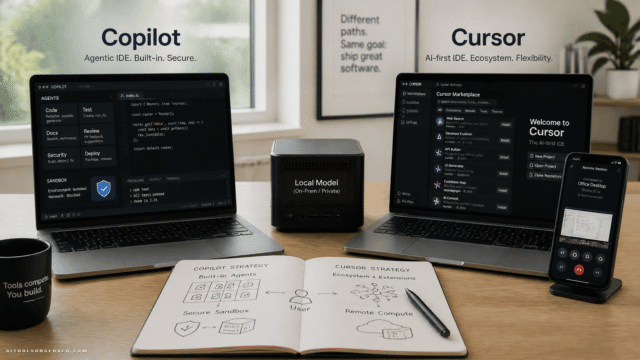
In a market shaped by tools discussed in Claude Code vs Copilot vs Gemini, Atrophy CLI stands apart by measuring dependence rather than boosting output.
Practical Value and the Bigger Picture
The real payoff is the trend line. A single low rating on a Friday afternoon might not mean much. But three months of declining unassisted scores paired with stable or rising AI-assisted scores paints a clear picture of where your real capability sits. Atrophy CLI surfaces that information before it becomes a professional liability.
It’s also not anti-AI. The tool isn’t a protest against LLMs or a push to abandon Copilot. It’s a measurement device. Knowing the gap size helps you make informed decisions: maybe you reduce AI use in certain areas, schedule more unassisted practice, or simply go into a critical meeting aware of your current limits.
Atrophy CLI is available as an open-source CLI tool on GitHub. Installation, setup, and the first baseline exam can be completed in under an hour. The minimal interface stays out of your way, which fits the tool’s philosophy—it’s meant to run in the background of your workflow, not become a new obsession.
If your job depends on the ability to write code without a neural safety net, ignoring the question of skill erosion costs more than confronting it. Atrophy CLI gives you the numbers, so you can skip the guesswork and see whether your coding muscles are still there when you reach for them.
As agentic coding expands and integrations like a Claude Code plugin become more common, that measurement layer becomes more relevant.












Comments (0) No comments yet
Want to join this discussion? Login or Register.
No comments yet. Be the first to share your thoughts!