



What it does
SearchByVideo is positioned as a simple video search tool: describe the moment you want, and it jumps to the matching point in the footage.
The pitch is straightforward. Rather than needing the right timestamp, transcript keyword, or editing workflow, users can search with descriptions like:
- a person laughing
- a slide with a chart
- a red car on a highway
- a goal celebration
- a close-up of hands
Based on the available description, the tool can search for visual elements such as actions, scenes, objects, on-screen text, and composition. It also appears intended to work across many languages, which matters when the video itself isn’t neatly searchable through spoken English alone.
Why this is useful
Video is still a terrible format for retrieval.
That sounds harsh, but anyone who works with recordings knows the problem. A two-hour lecture may contain one five-minute explanation you need. A webinar might hide the one chart worth saving. A meeting recording often contains exactly one decision, buried between greetings and screen-share glitches.
SearchByVideo is built around that gap: video captures a lot, but finding one moment later is usually manual, slow, and oddly primitive.
Who this seems built for
CLOOMS is not pitching this as a tool for developers or editing-suite power users. The product is framed more like a low-friction utility for people who just need answers fast.
That likely makes it most relevant for:
- Students searching recorded lectures for a specific explanation
- Researchers revisiting interviews or webinar recordings
- Professionals locating one discussion point in a meeting
- Creators pulling a highlight, reaction, or visual moment from raw footage
In other words: people with video-heavy workflows, but not necessarily video-production workflows.
That may also overlap with users already working from recorded lectures and other long-form material.
The product angle: less platform, more task
One of the more interesting parts of this launch is the restraint.
CLOOMS appears to be positioning SearchByVideo as a single-purpose tool rather than a sprawling AI workspace. Open the site, upload or point to a video, describe the moment, get the result. No editing software. No API requirement. No account setup just to understand the basic value.
That kind of narrow focus can be a strength. Plenty of AI tools try to solve seven adjacent problems and end up becoming a dashboard with identity issues. SearchByVideo seems more interested in doing one job cleanly.
What differentiates it
The most notable distinction in the description is that SearchByVideo is built to search visual content, not just transcript text.
That matters because many “video search” experiences are really transcript search in nicer packaging. Useful, yes. But limited. If nobody said “the slide with the bar chart” out loud, transcript search won’t help much.
SearchByVideo is positioned to handle queries tied to:
- visual scenes
- actions and emotions
- on-screen text
- sports moments
- framing and shot style
That makes it potentially more useful for silent footage, screen recordings, or clips where the important signal is visual rather than spoken.
Friction check
The launch messaging leans hard on ease of use, and rightly so.
A tool like this only works if the path from “I need that moment” to “there it is” is short. The described workflow is refreshingly plain:
- Open the site
- Upload or point to the video
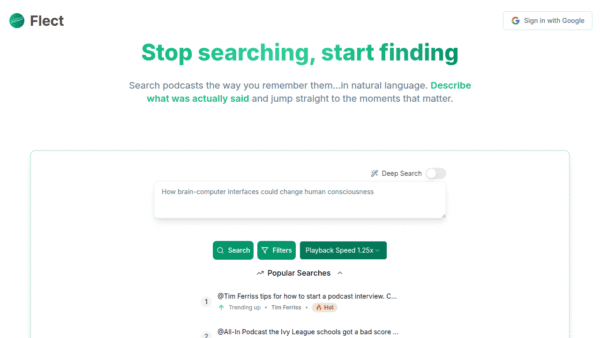
- Type what you’re looking for
- Jump to the moment
That’s a better story than “set up an indexing pipeline and connect your workflow stack.”
Tradeoffs to keep in mind
The promise is clear, but the real test for tools like this is query accuracy. Natural-language search sounds effortless until users phrase things vaguely, remember details incorrectly, or expect the model to read their mind.
There’s also a practical difference between finding broad moments and finding truly exact ones. “Goal celebration” is one thing. “The moment the presenter compares two pricing models on a slide with a blue header” is another.
Still, even partial success can be useful here. If the tool gets users into the right neighborhood of a long recording, it already beats blind scrubbing.
Where it fits in the current AI tool landscape
SearchByVideo lands in a growing category of AI products trying to make unstructured media more navigable. But unlike broad knowledge tools, meeting copilots, or editing platforms, this one is narrowly about retrieval.
That’s a smart place to compete. Search is often more valuable than summary when the user already knows what they want and just can’t find it.
And for long-form video, that problem is common enough to be boring. Which is usually a good sign for a product.
Our take
SearchByVideo doesn’t need to be everything. It just needs to save people from dragging a timeline for ten minutes to find ten seconds.
That makes the product easy to understand and easy to judge. If you work with lectures, webinars, meetings, interviews, or raw footage, the core question is simple: does it get you to the right moment faster than your current workaround? If yes, that’s a very practical win.









Comments (0) No comments yet
Want to join this discussion? Login or Register.
No comments yet. Be the first to share your thoughts!