


What GoEnhance AI Is Actually Offering
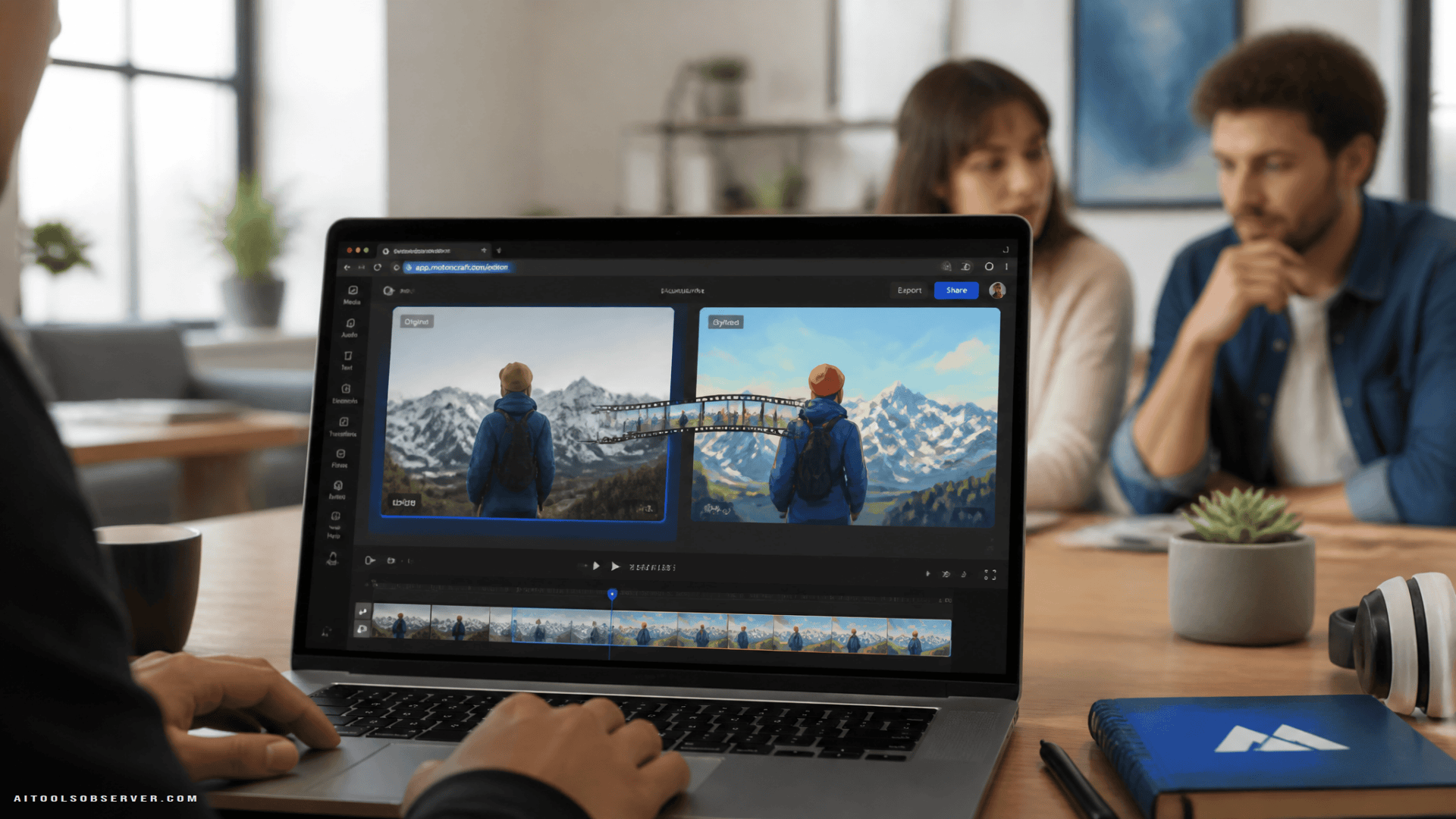
GoEnhance AI is a browser-based platform for generating, editing, and transforming images and videos using AI. Its core idea is straightforward — the original clip provides motion, timing, and composition, while the AI applies a new visual interpretation on top of it.
The expanded toolset appears to include:
- Video-to-animation conversion — turning live-action footage into anime, illustrated, or hand-drawn styles
- Video style transfer — applying treatments like comic, painterly, cinematic, sketch, or futuristic looks
- Video-to-video generation — producing multiple visual variations from the same source clip
These aren’t filters. The source footage shapes the final output in meaningful ways — subject movement, framing, expressions, and scene timing all carry through into the transformed result.
Why This Matters for Small Teams and Solo Creators
For a solo creator or small marketing team, the math on video production is often brutal. Separate shoots for each campaign variation, manual animation for every style test, and full post-production pipelines for what might be a 30-second social clip — it adds up fast.
Video restyling changes that equation. One product recording can become an illustrated explainer for a landing page and a comic-style version for a promotional post. A presenter video recorded once can appear in a consistent illustrated format across an entire course. A musician can test painted, graphic, or cinematic treatments on a single performance without staging a new shoot.
The value isn’t that every output is immediately publishable. The value is that you can see an idea sooner and make a better-informed decision about what to do next.
Practical Use Cases Worth Knowing
The obvious use case is social content, but the applications extend further than that.
Marketing teams can test visual treatments during preproduction rather than after a polished video is already finished. Early style tests can influence wardrobe, lighting, and camera choices before filming even starts.
Educators can give lesson segments a consistent illustrated identity even when source footage was recorded at different times or locations.
Designers and agencies can use short transformed clips as motion concept studies — showing clients how a visual direction actually behaves when someone moves, rather than relying on static mood boards.
Small businesses can develop campaign assets without commissioning separate shoots or full animation projects.
Source Quality Still Drives Output Quality
One thing the platform’s description makes clear: this isn’t a magic fix for bad footage. The source clip shapes almost everything in the final result.
Steady footage with a clearly visible subject tends to transform more cleanly than clips with rapid cuts, heavy motion blur, or crowded backgrounds. Short test clips are more useful than immediately processing a full video — they let you compare a few style directions before committing to a longer render.
Prompt quality also matters. A focused direction like “soft hand-drawn animation with warm colors and a simplified background” gives the system a clearer target than a vague request for multiple simultaneous changes. Specifying what shouldn’t change — the subject’s face, the product’s shape, the camera position — is often just as important as describing the desired style.
Human Review Isn’t Optional
AI-generated video needs to be reviewed as video, not as a collection of still frames. A single frame can look clean while the full sequence contains flickering, unstable details, or shifting elements that only become visible during playback.
The review standard should match the content’s purpose. A casual personal clip can tolerate imperfections that would be unacceptable in a product demonstration or branded campaign. For any footage featuring identifiable people, creators should use material they own or have permission to use — and should not make someone appear to endorse something without authorization.
AI speeds up experimentation. It doesn’t transfer responsibility away from the person publishing the result.
The Bigger Picture
GoEnhance AI’s expansion is a useful signal about where browser-based creative tools are heading. The gap between “I have an idea” and “I can see what that idea looks like in motion” is getting shorter — and that’s genuinely useful for the kinds of teams that can’t afford to treat every concept as a full production.
The strongest use of these tools isn’t chasing the most dramatic transformation. It’s using them to make smarter decisions earlier — testing a visual direction before investing in a full shoot, repurposing footage that still has value, or giving a small team the ability to develop multiple campaign assets from a single recording.
If you’re already sitting on a library of unused footage, that’s probably the right place to start.








Comments (0) No comments yet
Want to join this discussion? Login or Register.
No comments yet. Be the first to share your thoughts!