


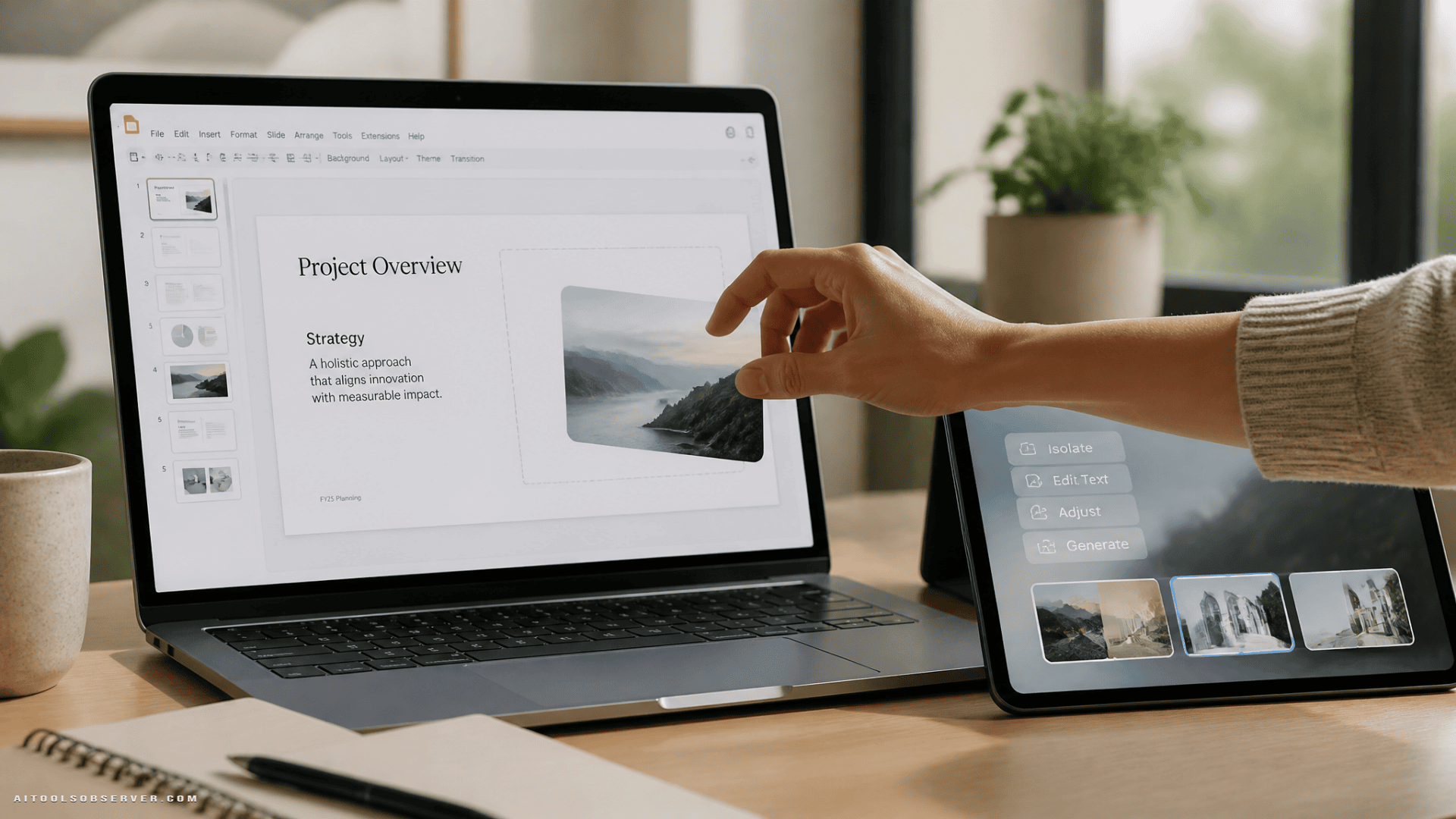
What Google Pics Actually Does
The tool is prompt-based, meaning you describe what you want and the model generates or edits it. That’s a meaningful distinction from something like Adobe Express, where you’re designing from scratch with assets and templates.
Key capabilities based on the available context:
- Object isolation — transform a specific element in an image without touching the rest
- Targeted text comments — annotate specific areas to request localized edits
- Simultaneous edits — run multiple changes at once rather than one at a time
- In-image text editing — modify or translate text inside an image while preserving the font and layout
That last one is particularly useful for teams working across languages or updating templated marketing materials at scale.
It also places Google Pics within the broader category of image generation tools.
Who It’s For
Google Pics appears positioned for the everyday business user—someone building a slide deck, drafting a social post, or updating a product one-pager—not a creative professional with a refined design workflow.
It’s rolling out to Google AI Pro and Ultra subscribers and most Workspace business customers. If your team is already paying for a Workspace business tier, there’s a reasonable chance this lands in your account without an additional purchase.
How It Compares to Canva and Adobe Express
The TechCrunch framing is useful here: Google Pics sits in a different lane than both of its obvious comparisons.
- vs. Canva — Canva has a marketplace where creators can publish and earn royalties. Google Pics generates from AI prompts, not a library of human-made assets. That’s a fundamentally different creative model.
- vs. Adobe Express — Adobe Express is a design tool where you build something. Google Pics is a generation tool where you describe something. The workflow and skill floor are different.
Neither comparison is a perfect substitute. Google Pics is faster to start, lower friction, and deeply embedded in the tools most business teams already use daily.
The Workflow Integration Angle
The integration into Slides, Docs, and Drive is the real story here. Switching between apps to find or create an image adds friction. When image generation lives inside the document you’re already editing, the barrier to using it drops significantly.
This is consistent with a broader pattern in enterprise AI: the tools that get adopted aren’t always the most powerful ones—they’re the ones that show up where the work is already happening.
What to Watch
There’s an ongoing conversation about AI image models being trained on artists’ work without direct compensation. Google Pics, built on Nano Banana, is part of that broader debate. For enterprise buyers with brand or legal considerations, it’s worth understanding what usage rights and content policies apply to generated outputs.
Adoption data also suggests that workplace AI users deepen their reliance over time—moving toward dedicated platforms and using AI for more complex tasks the longer they use it. Google Pics is betting that getting into the workflow early creates that kind of stickiness.
The Practical Takeaway
If your team uses Google Workspace and regularly needs quick visuals for presentations, docs, or social content, Google Pics is worth testing as soon as it hits your account. It won’t replace a designer or a full creative suite—but for prompt-based, in-context image creation, it removes a real step from the average business workflow.
Watch for it in your Workspace apps over the coming weeks.






Comments (0) No comments yet
Want to join this discussion? Login or Register.
No comments yet. Be the first to share your thoughts!