


What These Glasses Actually Are

Android XR glasses represent the second generation of Google’s wearable AI strategy. The first generation — audio-only frames developed in partnership with Warby Parker, Gentle Monster, and Samsung — will begin shipping this fall. The display version tested at I/O sits beyond that, on a longer development timeline.
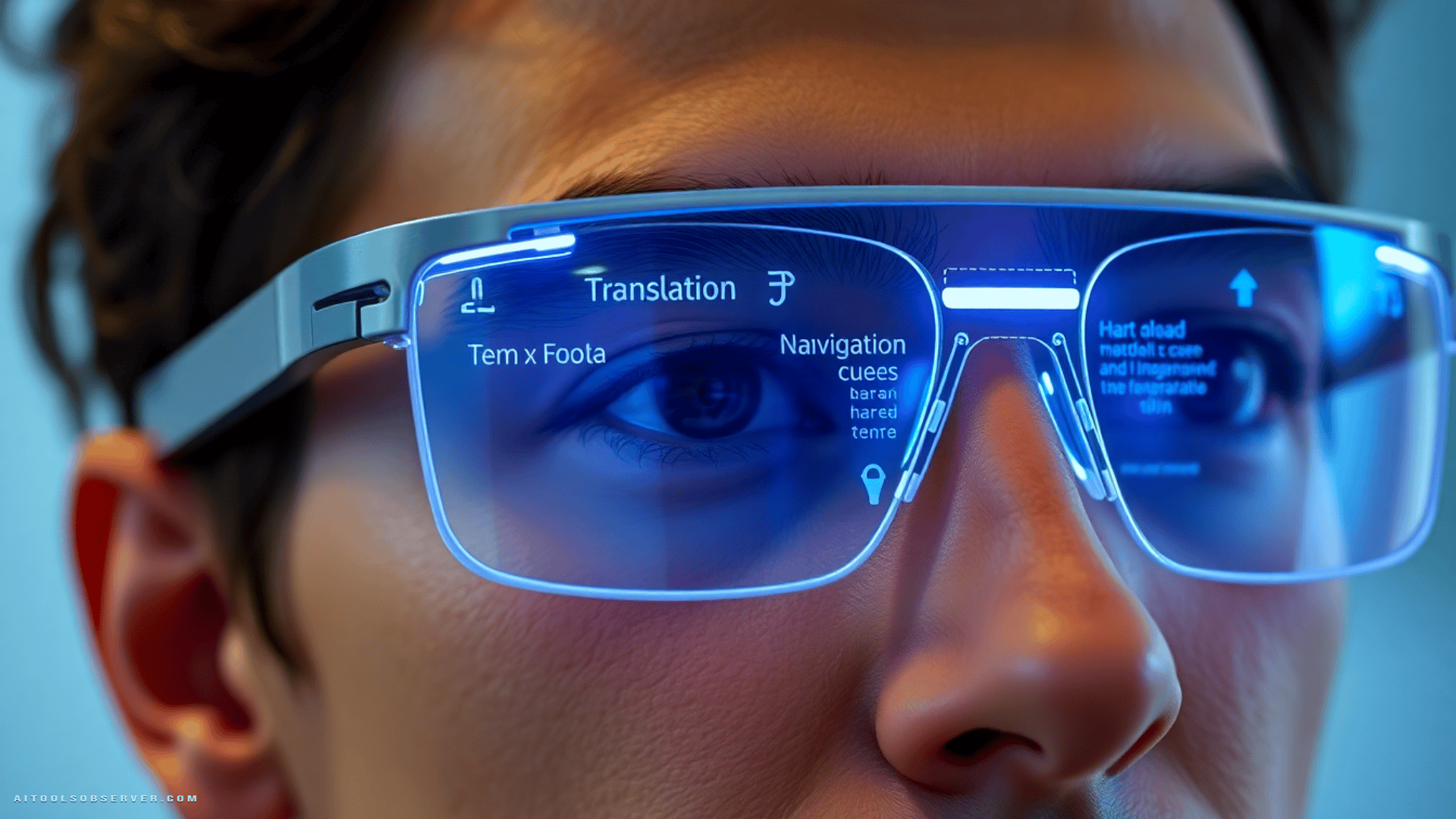
The prototype features a single in-lens display positioned over the right eye. It overlays contextual information directly onto the wearer’s field of view: weather widgets, navigation cues, translation text, countdown timers, and custom launchers for apps like Google Maps or Translate. The platform supports both single and dual display configurations, as well as audio-only operation.
Critically, the glasses pair with both iOS and Android phones. This cross-platform compatibility is a deliberate positioning move — Google is not restricting the ecosystem to Android users, which meaningfully expands the addressable market.
Activating Gemini: The Interaction Model
Gemini is activated with a two-second press on the right side of the frame. An audible startup chime confirms that the assistant is listening. In the prototype, activating Gemini simultaneously activates the camera — a default that the shipping version will allow users to configure independently.
This activation model is clean and deliberate. There is no accidental trigger risk from a brief touch, and the audio confirmation removes ambiguity about whether the assistant is active. The interaction pattern feels closer to a considered design decision than a placeholder.
Tapping once on the temple area pauses or stops audio playback. Photo capture is handled via a dedicated button, with video capture — triggered by a long press — not yet available in the prototype build.
Live Translation: The Standout Feature

The language translation demo was the most immediately compelling use case tested. A demonstrator spoke rapid Spanish; the glasses automatically detected the language, displayed an English transcription on the in-lens display, and simultaneously delivered spoken English translation through the frame speakers.
The experience was fluid enough that one could genuinely imagine frequent travelers purchasing these glasses for this feature alone. The translation pipeline runs through the Google Translate app on the paired phone, which means it benefits from Google’s existing translation infrastructure rather than requiring a separate model on-device.
It is worth noting that translation also works on the audio-only glasses — without the text overlay, but with real-time spoken output and phone-side transcription. The display version simply adds a layer of visual confirmation that reduces cognitive load in noisy or fast-moving environments.
AR Navigation: Maps as a Heads-Up Display

The Google Maps integration demonstrated a genuinely useful navigation paradigm. Asking Gemini to navigate to a destination — including vague queries like “the nearest coffee shop” — triggers Maps on the phone, which then pushes turn-by-turn directions to the glasses display.
The spatial interaction model is well-considered. Looking forward shows the next turn instruction. Looking down at the ground surfaces the familiar blue-dot map view for spatial orientation. Turning left or right rotates the map perspective accordingly. Looking back up returns to the clean directional overlay without the map cluttering the field of view.
Because the experience is anchored to the user’s existing Google Maps account, saved locations like “home” and “work” are immediately available without additional setup. This is a meaningful detail — it means the glasses slot into an existing workflow rather than requiring a parallel configuration effort.
AI Vision and Camera Features

The camera-driven AI features produced mixed results in testing. Asking Gemini to identify a replica Monet painting on a nearby shelf initially failed — not because of a model limitation, but because the prototype camera had not been re-enabled after a prior session. Once active, it still required several attempts and closer positioning before Gemini correctly identified the painting style.
Plant identification and recipe-related queries from a book performed more smoothly. Gemini responded accurately and quickly to both. These are capabilities that Google Lens already handles well on a phone, and the glasses version does not dramatically exceed that baseline — yet. The value proposition here is frictionless access: no phone to pull out, no screen to unlock, just a question spoken aloud.
The AI photo manipulation feature — asking Gemini to take a photo and transform the subject into an anime character, for example — worked as described, though the round-trip processing time at the Wi-Fi-strained I/O venue ran approximately 45 seconds. Under normal network conditions, this would presumably be significantly faster.
Display Quality and Comfort

The in-lens display produced a noticeably fuzzy image during testing. The reviewer’s monovision contact lens prescription likely contributed to this, and closing one eye brought the image into sharper focus. However, the immediate consequence was eye strain above the right eye — a meaningful concern for extended daily use.
Display clarity will be a critical factor in the shipping version. A heads-up display that requires visual effort to read defeats much of its own purpose. Google will need to address both optical calibration and prescription accommodation before this becomes a broadly comfortable daily-wear device.
The prototype also lacks the wear-detection feature planned for the shipping version — the ability to sense when the glasses are put on or removed and adjust behavior accordingly. This is a small but telling detail about how much refinement remains between the current prototype and a consumer-ready product.
Competitive Context: Meta, Snap, and the Race for the Frame

Google is entering a market where Meta’s Ray-Ban smart glasses have already established consumer traction, and Snap has been iterating on AR eyewear for years. The audio-only glasses shipping this fall are a direct response to Meta’s current position — a pragmatic acknowledgment that display technology is not yet ready for mass-market deployment.
The display glasses, when they arrive, will need to compete on more than feature parity. Design partnerships with Warby Parker, Gentle Monster, and Samsung signal that Google understands the wearable market’s sensitivity to aesthetics. Technology that people will not wear is technology that does not matter.
Who Should Pay Attention
Frequent international travelers will find the live translation feature alone worth tracking closely. The combination of real-time audio translation and on-lens text display addresses a genuine friction point that no current consumer device handles as elegantly.
Urban commuters and pedestrians who rely heavily on Google Maps will see immediate utility in the navigation HUD — particularly the spatial interaction model that keeps the map out of the way when not needed.
Developers and early adopters interested in the Android XR platform should note that Google is expanding its trusted tester program later this year. The ability to build custom widgets using AI adds a meaningful extensibility layer that could accelerate third-party use case development.
Enterprise and productivity users should watch the third-party app integration roadmap. The ability to tell Gemini to extract ingredients from a recipe and add them to a shopping list is a small example of a much larger ambient computing pattern.
Verdict

Google’s Gemini-powered XR glasses are not a finished product — and Google is not pretending otherwise. What the prototype demonstrates is a coherent platform vision: ambient AI access, contextual display overlays, and deep integration with Google’s existing services, all delivered through a form factor that keeps your hands free and your phone in your pocket.
The live translation experience is the clearest proof of concept. The navigation HUD is genuinely well-designed. The AI vision features are promising but not yet differentiated from what a phone already offers. Display clarity and eye comfort remain open questions that the shipping version must resolve.
The more important signal is strategic. Google is building a layered wearable ecosystem — audio first, display second — with cross-platform compatibility and designer partnerships that suggest a serious long-term commitment. Whether the execution matches the ambition will become clearer when the trusted tester program expands later this year.
Observe the platform, not just the prototype. The direction is credible. The details still need work.









Comments (0) No comments yet
Want to join this discussion? Login or Register.
No comments yet. Be the first to share your thoughts!