


What Interactive Brokers actually launched
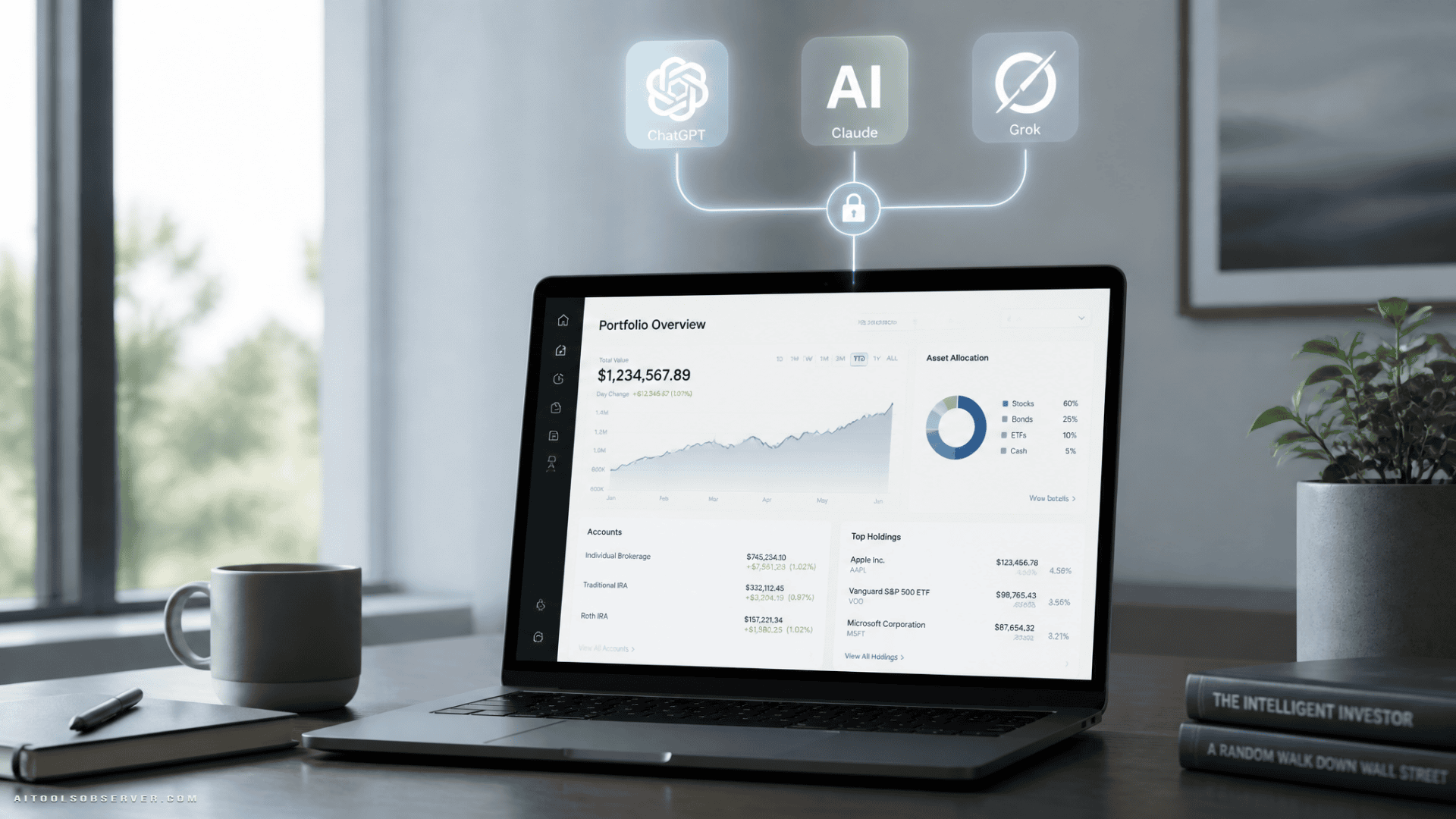
Interactive Brokers has introduced an AI integration built on the Model Context Protocol, or MCP. In simple terms, that gives supported AI tools a structured way to access account-related tools and data with user authorization.
The integration lets clients connect supported AI assistants to their IBKR accounts and ask portfolio-specific questions instead of relying on generic market commentary. Based on the available details, the workflow is designed to keep the client in control of what the AI can access and what happens next.
This is available now for:
Support for Gemini is said to be coming soon.
Why this launch matters
There is a big difference between asking an AI, “What happens if rates rise?” and asking, “What happens to my portfolio if rates rise?” The second question requires real holdings, real exposure data, and a secure way to work with account context.
That is the core value here. Interactive Brokers is not just adding another AI chatbot feature inside a brokerage app. It is opening a connector layer so clients can use the AI tool they already prefer while still working against their actual brokerage account.
For investors and active traders, that matters because the work often starts outside the broker interface. Research might happen in ChatGPT, workflow notes in Claude, and quick idea testing in Grok. MCP support makes those environments more useful if they can safely access portfolio-aware tools.
What users can do with it
The clearest use case is portfolio analysis in natural language. Clients can ask questions tied to their holdings and receive responses grounded in their own account data.
Examples from the launch include prompts like:
- How would my portfolio be affected if interest rates rise, and which holdings are most sensitive?
- Which holdings look most volatile right now based on implied volatility and 52-week range?
- What is the currency impact if the U.S. dollar weakens against major foreign exposures?
- If the S&P 500 drops 10 percent, how might the portfolio react, and what strategies could help manage risk?
That is more useful than broad market AI because it turns abstract macro questions into account-level analysis.
The second major use case is trade instruction drafting. The AI can analyze the portfolio and draft instructions in natural language, but the client still has to review them and convert them into an order on an Interactive Brokers platform before submission.
That review step is important. It creates distance between AI suggestions and actual execution.
The security and control angle is the real story
When brokers talk about AI, the details that matter most are usually not the headline features. They are the controls.
Interactive Brokers says clients control what the AI can access. The connection also uses a secure authorization flow through Interactive Brokers rather than a loose copy-paste data export model.
That setup does not eliminate risk, but it does show a more careful design than the “let an AI trade for you” narrative that often creates more concern than value. Here, the AI appears positioned as an assistant for analysis and drafting, not an autonomous trading agent.
For many users, that is the right middle ground:
- AI can help interpret portfolio data faster
- AI can surface risks and exposures you may miss manually
- AI can draft actions
- The client still reviews and submits the final order
How the connection works
Interactive Brokers says clients using ChatGPT, Claude, or Grok can link their accounts through each platform’s certified connector marketplace.
For other MCP-compatible tools, the process appears straightforward:
- Open the tool’s MCP server or custom connector setting
- Add the Interactive Brokers connector URL
- Log in through Interactive Brokers’ secure screen
- Authorize access for a single account
That matters because MCP is becoming a practical standard for connecting AI models to external tools and data sources. By supporting it, Interactive Brokers is making the integration less about one assistant and more about a broader AI workflow layer.
Who this is best for
This launch will likely be most useful for people who already use AI as part of their research process and want it tied to live portfolio context.
Strong fit:
- Self-directed investors managing diversified portfolios
- Active traders monitoring exposure and volatility
- Global investors with currency sensitivity
- IBKR users already working across multiple tools and platforms
Less compelling fit:
- Users who want fully automated AI trading
- Casual investors who do not need account-level scenario analysis
- People uncomfortable granting any external AI tool access, even with controls
That distinction matters. This is not really a beginner “pick stocks for me” feature. It is better understood as a portfolio intelligence and workflow tool.
Interactive Brokers is building on an existing AI stack
This launch does not stand alone. It complements a broader set of AI-powered features already available inside IBKR platforms.
Interactive Brokers highlights tools including:
- AI Screeners for natural-language stock discovery
- Investment Themes for exploring sectors and trends
- Connections for mapping related companies, ETFs, derivatives, and thematic data
- Ask IBKR for portfolio questions grounded in account data
- AI News Summaries filtered to portfolio and watchlist relevance
That broader context is useful. It suggests the company is not treating AI as a single flashy feature. Instead, it appears to be extending AI across screening, research, portfolio analysis, and trading workflows.
Cross-platform support makes it more practical
The integration works across Interactive Brokers platforms, including:
- Client Portal
- IBKR Desktop
- IBKR GlobalTrader
- IBKR Mobile
- Trader Workstation
That may sound like a small implementation detail, but it matters in real use. Investors often research in one place, monitor in another, and place trades somewhere else. Cross-platform compatibility reduces friction and makes the AI layer more usable day to day.
The bigger signal for AI in brokerage
The most interesting part of this launch is not that AI can answer investing questions. Plenty of tools already try that.
The bigger signal is that brokers are moving toward secure, permissioned AI connectivity instead of isolated chatbot experiences. If that model spreads, the market could shift from generic AI commentary to account-aware AI workflows that actually support decision-making.
That does not mean investors should outsource judgment to a model. It does mean the line between brokerage platform, research environment, and AI assistant is getting thinner.
This also fits a broader shift toward autonomous finance.
What to watch next
There are a few practical things worth watching as this rolls out:
Connector quality
The user experience will depend heavily on how well each AI platform handles MCP connections, permissions, and tool calls.
Depth of portfolio analysis
The launch examples focus on rates, volatility, currency exposure, and downside scenarios. The real value will come from how consistently those analyses work across more complex portfolios.
User trust
Even with review controls, investors will want clarity on what data is shared, what the AI can do, and how instructions are generated.
Expansion beyond current assistants
Gemini support is reportedly on the way, and broader MCP compatibility could make this relevant beyond the biggest consumer AI brands.
Bottom line
Interactive Brokers is making a practical bet: investors do not just want AI answers, they want AI answers tied to their own accounts. By connecting ChatGPT, Claude, and Grok to portfolio analysis, risk monitoring, research, and trade instruction drafting through MCP, IBKR is pushing AI from generic market talk toward usable brokerage workflow.
The useful takeaway is simple: if you already use AI for investing research, this kind of integration is where the real productivity gains start. Not in handing control to a model, but in getting faster, account-aware analysis while keeping the final decision in your hands.










Comments (0) No comments yet
Want to join this discussion? Login or Register.
No comments yet. Be the first to share your thoughts!