



The Question Has Changed
For an individual, the right question is: which tool gives me the best answer?
For a finance team, the better question is: where should AI sit in the way we work?
That shift matters because the major AI tools are no longer sitting in a separate browser tab waiting to be asked something. They are being embedded into documents, meetings, spreadsheets, email, and workflow systems. The assistant has moved from answering work to participating in work. That changes the risk profile considerably.
Before comparing tools, every finance leader should be able to answer three practical questions:
- Where does it sit? Is it inside the tools your team already uses, or somewhere separate that people have to remember to open?
- What can it reach? Which systems, files, and data sources can it access — and whose permissions control that?
- How far does it run? Does it draft and wait, or does it take a goal, complete multiple steps, and return with finished work?
A tool that drafts a paragraph and waits is one thing. A tool that can access files, email a client, update a spreadsheet, and trigger a workflow is something else entirely. If it introduces errors, the first may embarrass you. The second compounds that at scale.
—
ChatGPT: A Flexible Workbench With Growing Reach
ChatGPT has evolved well beyond a chat interface. For finance teams, its appeal is flexibility — it can help draft policies, explain spreadsheet logic, summarise research, prepare training material, and work with connected files and applications where enabled.
In practice, that might mean taking a rough month-end commentary, a list of budget variances, and three anxious emails from operations, then producing a revised draft coherent enough for a manager to refine.
What it can do in a finance context
- Plugins and connected apps package reusable agent skills with approved applications that can search workplace sources and take permitted actions across connected services
- Financial data integrations bring trusted market and company data from providers like FactSet, Dow Jones Factiva, LSEG, and S&P Global into research and modelling workflows
- Agent-style multistep tasks allow you to hand over an outcome in eligible plans, let the assistant work across approved applications and files, and review the resulting documents or reports
- Custom GPTs shared across the team let you create an IFRS, US GAAP, tax, or policy assistant once so colleagues use the same instructions and knowledge consistently
- Model Context Protocol connects approved internal data and tools through governed applications, with administrators controlling permissions and permitted actions
Governance point
Define what data may be uploaded, which connectors are approved, who may create shared agents, and what review is required before outputs are circulated externally. Without those rules, you don’t have an AI strategy — you have a very enthusiastic experiment.
—
Claude: Built for Long Documents and Polished Deliverables
Claude’s organisational appeal lies in its handling of lengthy material and its ability to produce polished outputs. In finance terms, think policy reviews, board papers, management commentary, control narratives, and contract summaries — documents where the first draft often takes longer than the analysis itself.
It’s particularly useful when the raw material isn’t one neat file but a pile of minutes, draft papers, prior-year reports, and comments from people who all believe their paragraph is the important one.
What it can do in a finance context
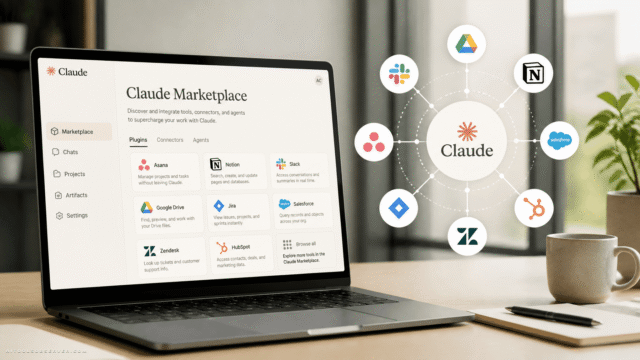
- Approved collaboration integrations bring Claude into collaboration channels with shared context and connected tools, returning work for human review
- Agent-style multistep work allows handing over a broader objective across approved files and applications in eligible plans
- Model Context Protocol connectors give Claude governed access to approved business systems without relying on stale exports
- Microsoft 365 integrations allow reading from or writing to Microsoft 365 files in supported environments, carrying context between applications
- Skills for recurring work package instructions and reference material so Claude follows the same method for repeatable tasks across the team
- Word review workflow supports revising selected text with tracked changes so colleagues can accept or reject edits
Governance point
Be clear about which files Claude may access, which outputs it may edit directly, and whether tracked changes or approval workflows are required. If the tool is helping rewrite client-facing or board-facing documents, you need version control and clear accountability.
—
Google Gemini: Strongest Inside Google Workspace
Gemini makes the most sense where the organisation already works in Google Workspace. In that setting, it can sit inside Gmail, Docs, Sheets, Slides, and Drive — helping with email drafting, document summaries, spreadsheet explanations, and source-grounded research.
For a finance team that keeps forecasts in Sheets, commentary in Docs, and supporting evidence in Drive, the convenience is obvious. The caveat is equally obvious: convenience is not the same as control.
What it can do in a finance context
- Workspace context brings together context from Gmail, Chat, Drive, and Workspace applications where enabled
- Enterprise connectors allow searching or taking permitted actions across approved third-party systems in supported Gemini Enterprise environments
- Gems and workflow automation support recurring work inside approved automated processes that can review context, generate content, and route next steps
- Gemini Notebook for source-grounded work lets you load contracts, prior-year files, or regulatory guidance and ask questions grounded in those sources
- Custom and third-party connections support approved connection standards including the Model Context Protocol
Governance point
Distinguish clearly between consumer and business features. A personal AI subscription should not become the shadow system for sensitive work. If Gemini is used in an organisation, it needs administrator controls, approved data sources, and clear rules about what may be connected.
—
Microsoft Copilot: Strongest Where Microsoft 365 Is the Work Operating System
Copilot’s organisational advantage is straightforward: most finance teams already live in Microsoft 365. Word, Excel, PowerPoint, Outlook, Teams, OneDrive, and SharePoint are not optional extras — they are where the work happens.
Copilot’s value is that it sits inside those applications and uses permission-aware organisational context. In a practical finance workflow, that could mean moving from a Teams discussion to an Excel variance analysis, then into a Word commentary, and finally a PowerPoint board slide — without treating each step as a separate island.
Critically, it is designed not to surface content a user doesn’t already have permission to access. That matters enormously in a finance context.
What it can do in a finance context
- Work IQ as organisational context helps Copilot understand working context by drawing on relevant emails, meetings, files, chats, and connected business systems the user is already permitted to access
- Delegated work features plan and execute longer-running tasks across Microsoft 365 in eligible environments, with checkpoints before actions like sending emails or making significant updates
- Copilot Studio for custom agents builds agents that retrieve live information, carry out actions, and run specialised workflows across Microsoft 365 and connected systems
- Power Platform continuity reuses existing Power Automate flows, Power Apps, and Dataverse connectors as parts of agent-led processes
- Agent governance tools observe, secure, and govern agents across the organisation in supported Microsoft environments
- Enterprise data protection by default keeps organisational data within Microsoft 365 controls in eligible plans and does not use prompts or responses to train foundation models
Governance point
Copilot inherits the strengths and weaknesses of your Microsoft 365 environment. If permissions, sensitivity labels, and file hygiene are poor, Copilot may expose the mess rather than create it. That’s not an argument against Copilot — it’s an argument for cleaning the cupboard before installing a spotlight.
—
The Real Battleground: Access, Action, and Accountability
Across all four platforms, the marketing names will keep changing. Three more important shifts are underway.
Model Context Protocol is becoming a common connection standard. Anthropic introduced it, and other major AI providers have announced support or integration plans. Internal connections are becoming more portable and less dependent on a single vendor.
Your productivity suite no longer fully determines your AI assistant. Claude has Microsoft 365 integrations. ChatGPT supports business connectors where enabled. Microsoft 365 Copilot supports model choice in eligible environments. The suite and the assistant are increasingly separate decisions.
Reach and governance create the real differences. Copilot is strongest when permission-aware Microsoft 365 context matters. Claude may work deeply with the files and applications placed in front of it. Neither approach is inherently better — the right one depends on the control your organisation needs.
—
How Finance Teams Should Actually Choose
Don’t start with model rankings. Start with the workflow.
Pick one painful, repetitive, well-understood process and test AI there. Month-end close, board reporting, management commentary, reconciliations, client onboarding, cash flow forecasting, and variance analysis are all obvious candidates. Don’t begin with “transform the finance function.” That phrase has caused enough PowerPoint damage already.
Ask these questions before committing to a tool:
- Where does the work actually happen? Choose a tool that meets the team inside the applications they already use rather than adding another destination.
- What does it need to access, and whose permissions should it inherit? Broader context makes an assistant more useful but increases the importance of access controls.
- How far should it run without supervision? Drafting and waiting carries a different risk from executing a workflow. The approval process must match the level of autonomy.
- Who can monitor what the agents are doing? Decide how agents are approved, supervised, and reviewed before colleagues start building their own.
- What happens if you change direction? Wider cross-platform support is reducing switching costs. Avoid treating today’s choice as permanent.
—
A Practical Test Worth Running
A useful pilot is deliberately unglamorous. Take last month’s management accounts. Ask the tool to identify the five largest budget variances, draft commentary for each one, and list the evidence it relied upon. Then compare its work with the finance team’s final pack.
Where did it save time? Where did it invent causality? Where did it miss the obvious because the obvious was buried in an email thread?
That is a better test than asking it to write a strategy paper.
—
The Governance Framework in Plain Terms
Once you’ve selected a workflow, document the controls before you expand.
| Question | What good looks like | Common governance trap |
|---|---|---|
| Where does AI sit? | Inside tools people already use | An assistant outside the workflow that gets quietly ignored |
| What can it reach? | Approved files and systems using existing permissions | Stale uploads, poor permissions, personal accounts as shadow systems |
| How far should it run? | Drafts and prepares work; human approves before external action | Automation outrunning accountability because the demo looked impressive |
| Who owns the output? | A named human reviews, approves, and remains accountable | “The AI did it” — which is not an answer |
| How will it be monitored? | Prompts, outputs, and agent activity can be reviewed when needed | No audit trail, no retained rationale, no way to explain the decision later |
—
The Bottom Line
Start small. Choose a real workflow. Connect the tool carefully. Review everything. Expand only once you understand what it does well and where it fails.
Accountability cannot be outsourced to software. When the tool is wrong — and it will be — a named human needs to own that. Building that expectation into your process from day one is not a limitation on AI adoption. It’s what makes AI adoption sustainable.
The finance teams that get this right won’t be the ones with the most impressive demos. They’ll be the ones who made work measurably better without making risk invisible.




Comments (0) No comments yet
Want to join this discussion? Login or Register.
No comments yet. Be the first to share your thoughts!