

What Is Dot?
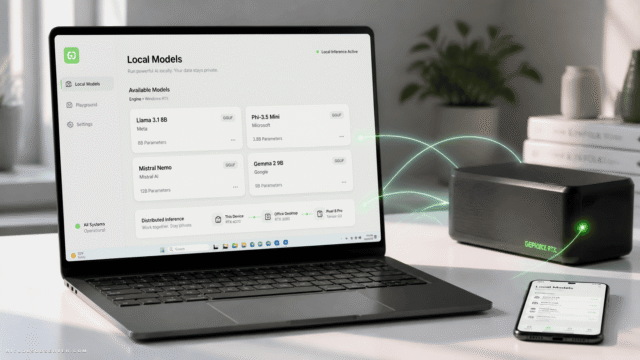
Dot is a standalone, privacy‑focused AI assistant that runs completely on your own computer. Powered by the Mistral 7B language model, it allows you to upload documents, search within them, and ask natural‑language questions, with all processing handled locally.
You can also switch to Big Dot for general conversations that are not limited to specific files, while still leveraging the same on‑device AI capabilities. Because nothing is sent to external servers, Dot is well‑suited for sensitive or confidential material where privacy and data control are critical.
It is currently available as a free beta download via the project’s website and GitHub, giving individuals and teams an offline alternative to cloud‑based AI tools.
Quick Snapshot
Dot lets you chat with and query your own documents entirely on your device, with no data sent to external servers. It combines ChatGPT‑style interactions with local processing so privacy‑conscious users can stay in full control of their information.
- Works on
-
- Mac
- Linux
- Pricing Model
- Free
Starting at Free — Dot is currently offered as a free standalone application in beta, available to download and use at no cost. - Fits on
- Affiliate Program
- We could not identify an affiliate program.
- API Availability
- We could not identify whether an API is available.
- Key Features
-
- Chat privately with your own documents
- Run Mistral 7B entirely on-device
- Keep all sensitive data fully offline
- Audience
-
- privacy conscious users
- researchers
- students
- knowledge workers
- lawyers and legal teams
- consultants
- developers
- small businesses
Screenshot

Key Features of Dot
Local Mistral 7B model
Runs the Mistral 7B large language model directly on your computer so all AI processing stays on‑device.
Document chat
Upload documents and chat with them using natural language to ask questions, summarize sections, or find specific information.
Offline processing
Keeps all data and computation offline, ensuring nothing is transmitted to external servers or third‑party APIs.
Big Dot general chat
Switch to Big Dot mode for more open‑ended conversations that are not tied to any particular document while still running locally.
Free beta access
Available as a free beta download from the project’s website and GitHub, making it easy to trial in privacy‑sensitive environments.
Use Cases for Dot
Confidential document review
Review and question sensitive contracts, reports, or internal documents locally so no content is sent to external servers, maintaining strict confidentiality.
Research and knowledge work
Upload research papers, notes, and references, then use Dot to search, summarize, and cross‑reference material directly on your device.
Legal and compliance analysis
Allow legal teams to query case files, policies, and regulations with natural‑language questions while keeping all client data on‑premise.
Student study assistant
Students can load lecture notes, textbooks, and PDFs into Dot to get explanations and summaries without relying on cloud‑based AI tools.
Consulting and client work
Consultants can analyze client documentation and generate insights on their own machines, reducing data‑sharing risks and compliance concerns.
Frequently Asked Questions
What is Dot and how does it work?
Dot is a local AI assistant that runs the Mistral 7B model on your computer, allowing you to upload documents and chat with them. All processing happens on your device, with no data sent to external servers.
Is Dot really private and offline?
Yes. Dot is designed as a privacy‑focused, local AI tool, so your documents and queries are processed entirely on your machine and are not transmitted to the cloud.
Can I use Dot to chat with any type of document?
Dot is built for chatting with and querying your own documents. While specific supported formats may depend on the implementation, its core purpose is document‑centric search and question‑answering on your files.
What AI model does Dot use?
Dot uses the Mistral 7B large language model, running locally on your device to power document chat and general conversations.
How much does Dot cost?
Dot is currently available as a free standalone application in beta, so you can download and use it at no cost.
Does Dot offer an API or cloud integration?
No. Dot does not provide an external API and is designed to run as a local application without cloud integration, in line with its privacy‑first approach.
Dot · Our Verdict
Dot stands out as a genuinely privacy‑first alternative to cloud AI assistants by keeping all document processing on the user’s machine. For researchers, legal teams, and privacy‑conscious professionals, its local Mistral 7B setup offers a practical balance between capability and data control, especially while it remains free in beta.
Dot ·
-
 Free
Free Redesign by Nodewave
Turn your codebase into on‑brand social posts
Social Media Content Creation - Freemium
Agentset
The retrieval layer for reliable AI answers
AI Developer Tools -
Grok 2
Self-host the Grok 2 xAI model on GPUs
Open Source AI Models - Subscription
Memori
Agent-native memory for production AI agents
AI Developer Tools - Freemium
SendStock AI
AI metadata and upload workflow for stock pros
AI Image Search & Tagging - Your Ad Here
- Freemium
WOZCODE
Cut your Claude Code costs in half, locally.
AI Developer Tools -
Keevo
Stop losing traffic to stale content with AI
SEO Writing & Optimization