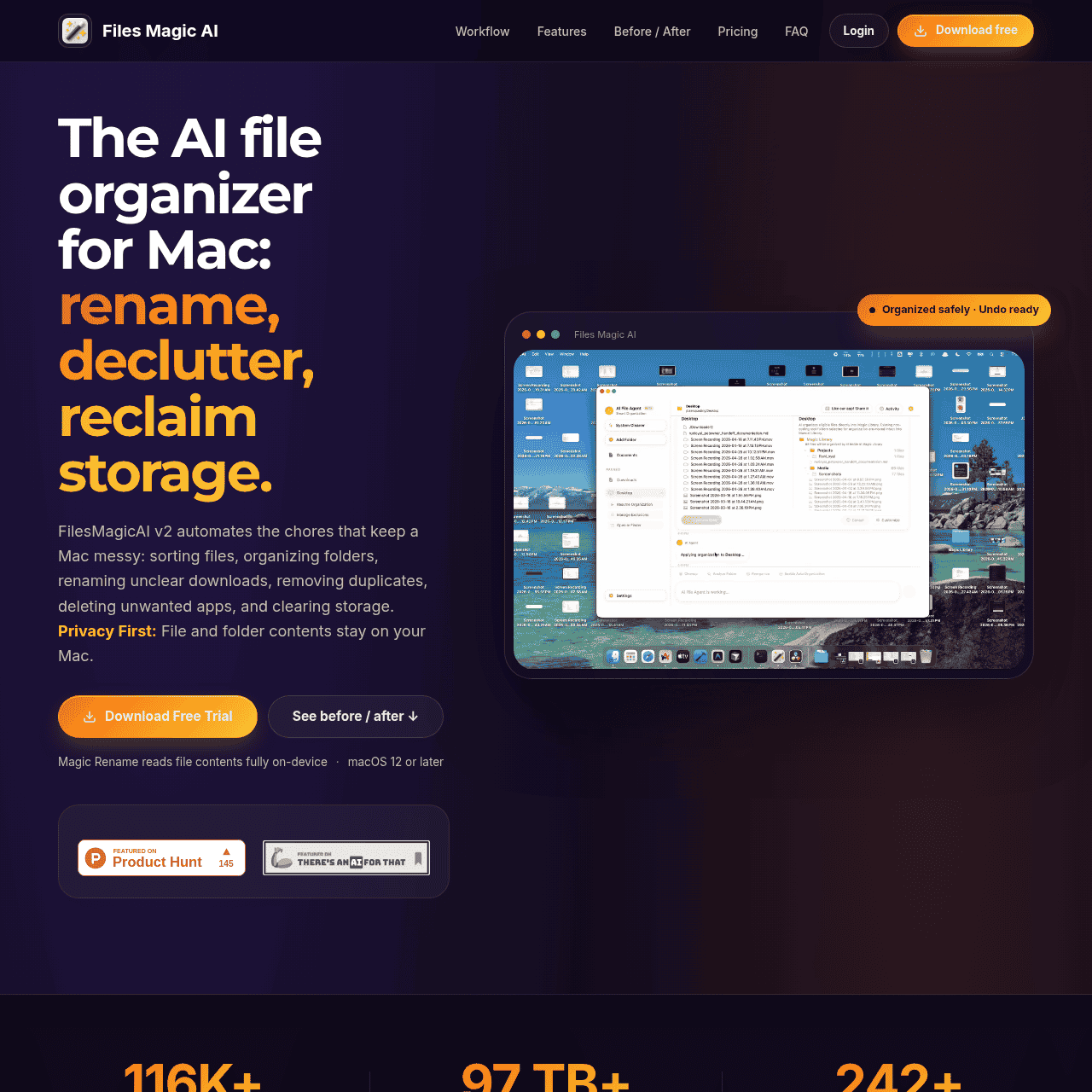

What Is Files Magic AI?
Files Magic AI is an AI-powered file organizer and renamer for macOS that turns a cluttered Mac into a clean, auto-organized workspace. It scans your folders, analyzes filenames locally using Apple Intelligence, and suggests smart categories, folder structures, and standardized file names.
With one click, you can apply bulk organization rules, run Magic Rename, remove duplicates, and clean unused apps to free up storage. All file analysis happens directly on your Mac, so file contents never leave your device and sensitive data stays private.
Clear previews, undo options, and exclusions keep you in control while the app automates repetitive file management tasks across your desktop, Downloads, and project folders.
Quick Snapshot
Files Magic AI automatically organizes, renames, and declutters your Mac so you reclaim time and storage without manual file cleanup. All analysis happens on-device, keeping your documents and sensitive data off external servers.
- Works on
-
- Mac
- Pricing Model
- Subscription
Starting at $4.99/month — Files Magic AI is a paid macOS app with subscription plans starting at $4.99/month, plus annual and lifetime options. Pricing varies by number of Macs and advanced features, with all payments handled via Paddle. - Fits on
- Affiliate Program
- We could not identify an affiliate program.
- API Availability
- We could not identify whether an API is available.
- Key Features
-
- Automate Mac file cleanup with on-device AI
- Standardize filenames and folder structures instantly
- Reclaim storage by removing duplicates safely
- Audience
-
- macOS users
- knowledge workers
- creatives
- students
- freelancers
- small business owners
- productivity enthusiasts
Screenshot

Key Features of Files Magic AI
On-device AI organization
Analyzes and categorizes your files locally using Apple Intelligence, keeping contents on your Mac and off external servers.
Magic Rename
Bulk-renames files with consistent, meaningful naming conventions so your folders are easier to search and navigate.
Automatic folder structuring
Suggests and applies smart folder structures to clean up messy desktops, Downloads, and project directories with one click.
Duplicate file removal
Finds and helps you remove duplicate files to reclaim storage while giving you control over what gets deleted.
Unused app cleanup
Identifies unused apps so you can uninstall them and free additional space on your Mac.
Previews and undo control
Offers clear previews, exclusions, and undo options so you can safely review and reverse any changes made.
Use Cases for Files Magic AI
Decluttering Downloads folder
Automatically sort and rename files in your Downloads folder so you no longer waste time sifting through random filenames and outdated documents.
Organizing project files
Group and rename project assets into clear folder structures, making it easier to find the right version of documents, images, and resources when you need them.
Cleaning up Mac desktop
Turn a chaotic desktop into an organized workspace by auto-categorizing and moving files into logical folders while preserving full control with previews and undo.
Freeing up storage space
Identify duplicate files and unused apps so you can safely remove them and reclaim valuable disk space on your Mac.
Standardizing file naming
Use Magic Rename to apply consistent, descriptive filenames across documents and assets, improving searchability and collaboration.
Frequently Asked Questions
What is Files Magic AI and how does it work?
Files Magic AI is a macOS app that uses on-device AI to scan your folders, suggest smarter categories, folder structures, and filenames, and then applies those changes in bulk to organize and declutter your files.
Does Files Magic AI upload my files to the cloud?
No. All file analysis is done locally on your Mac using on-device AI, so file contents never leave your device and are not uploaded to external servers.
Can I undo changes made by Files Magic AI?
Yes. The app provides clear previews before applying changes and includes undo options so you can safely reverse actions if needed.
Which folders can Files Magic AI organize?
Files Magic AI can organize common cluttered locations such as your Desktop, Downloads, and project folders, as well as other folders you choose on your Mac.
What platforms does Files Magic AI support?
Files Magic AI is designed for macOS and runs as a native Mac app.
How is Files Magic AI priced?
Files Magic AI uses a subscription model with plans starting at $4.99 per month, along with annual and lifetime purchase options managed via Paddle.
Files Magic AI · Our Verdict
Files Magic AI stands out for combining real automation with a strong privacy stance by keeping all file analysis on-device. It is especially compelling for macOS users whose desktops, Downloads folders, and project directories are constantly overflowing but who are cautious about sending files to the cloud. For users who live in Finder all day, this tool can quietly remove a major source of friction.
Files Magic AI ·
-
 Free
Free ONEIMG
All-in-one free AI photo editor online
AI Photo Editors - Subscription
AiVOOV
Create realistic AI voiceovers from text in seconds
AI Voice Generators (Text-to-Speech) - Subscription
Hermit
Turn your ChatGPT history into portable AI memory.
Knowledge Management - Subscription
TextFlip.ai
AI rewriter for fast, human-sounding content
AI Copywriting Tools -
QualGent
The closed-loop AI QA agent for mobile.
AI Developer Tools - Your Ad Here
- Subscription
Kick
Self-driving bookkeeping for modern businesses
Bookkeeping & Expense Tracking - Subscription
Comfy
The open standard for production-grade visual AI
AI Workflow Builders