What Is MaskMyPrompt?
MaskMyPrompt is a lightweight, browser-based tool that anonymizes your prompts before you share them with ChatGPT or other AI assistants. You enter your original text, including real names, companies, or locations, and the tool generates an anonymized version that preserves context while replacing sensitive details with made-up ones.
All processing happens locally in your browser, and the site states that prompts are never stored or sent to a server, emphasizing privacy and control. This makes MaskMyPrompt especially useful for professionals who need to discuss confidential projects, clients, or internal data with AI while remaining compliant and discreet. It helps developers, product teams, legal professionals, consultants, researchers, and privacy officers safely leverage AI on real-world information.
Quick Snapshot
MaskMyPrompt automatically hides sensitive names, organizations, and locations before your text reaches ChatGPT, so you can use AI on real scenarios without exposing confidential details. Everything runs in the browser, keeping you in control of your data.
- Works on
-
- Web
- Pricing Model
- Cannot determine the price.
- Fits on
- Affiliate Program
- We could not identify an affiliate program.
- API Availability
- We could not identify whether an API is available.
- Key Features
-
- Automatically anonymize sensitive entities in prompts
- Keep all prompt processing inside your browser
- Preserve context for high-quality AI responses
- Audience
-
- developers
- product managers
- legal professionals
- consultants
- researchers
- data privacy officers
- enterprises handling sensitive data
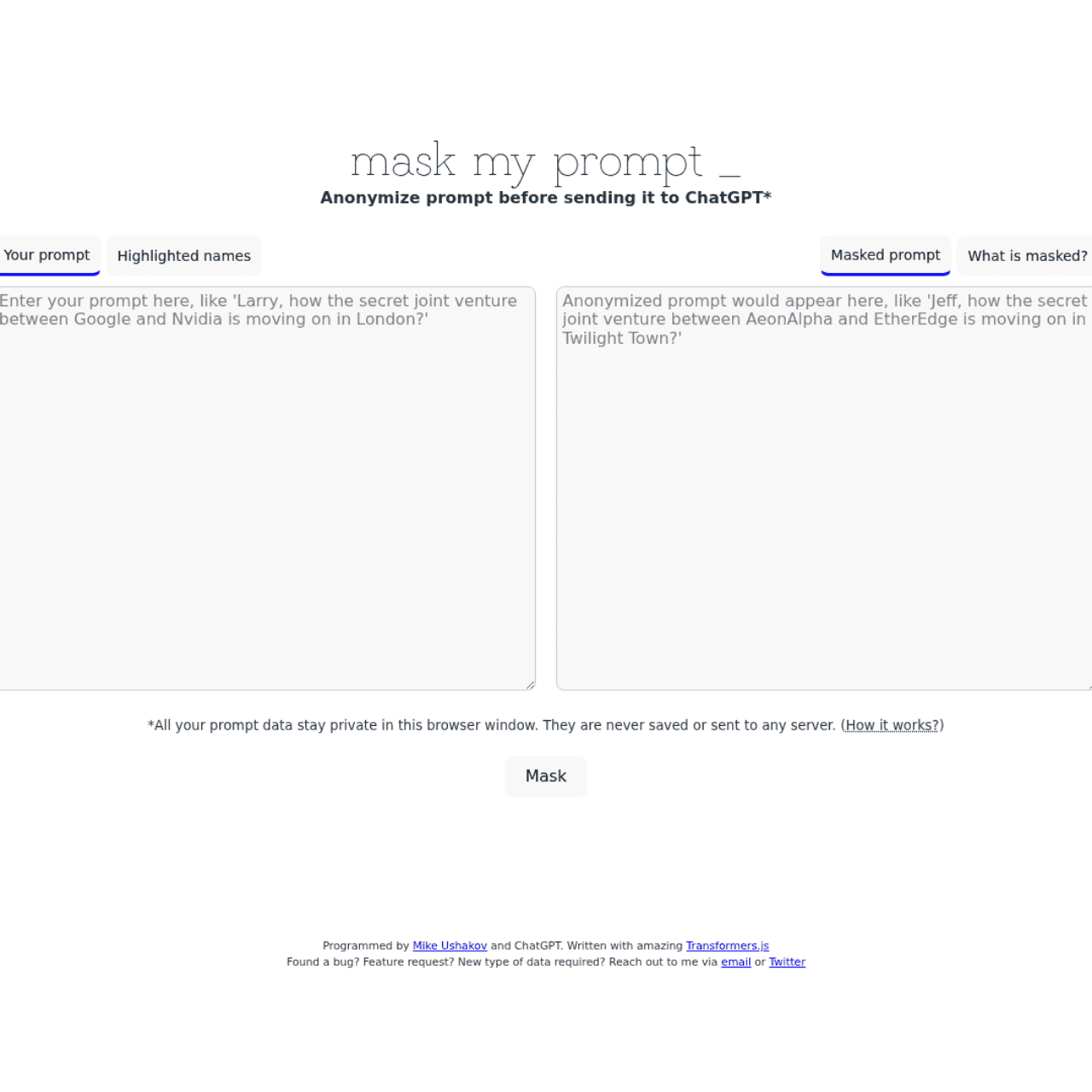
Screenshot

Key Features of MaskMyPrompt
Automatic entity masking
Automatically replaces sensitive names, organizations, and locations in your prompts with made-up alternatives while maintaining overall context.
In-browser processing
Performs all anonymization locally in your browser, with the site stating that prompts are never stored or sent to any server.
Context-preserving anonymization
Keeps the structure and meaning of your prompt intact so ChatGPT can still generate relevant responses despite anonymized entities.
Simple web interface
Provides a two-pane layout where you enter the original prompt on one side and receive the anonymized version on the other for quick copying.
Use Cases for MaskMyPrompt
Confidential client work
Discuss client scenarios with ChatGPT while masking names, organizations, and locations so you can get AI assistance without exposing confidential client details.
Internal project discussions
Anonymize company names and project identifiers in prompts, enabling teams to explore ideas with AI without leaking sensitive internal information.
Legal and compliance reviews
Protect parties’ identities and locations in legal or compliance-related prompts while still preserving enough context for useful AI analysis.
Research with protected data
Mask personally identifiable information in research-related prompts so you can query AI systems without directly sharing sensitive subject details.
Frequently Asked Questions
What is MaskMyPrompt and how does it work?
MaskMyPrompt is a web tool that anonymizes ChatGPT prompts by masking sensitive names, organizations, and locations. You paste your original text into the tool, which then generates an anonymized version you can safely use with AI systems.
Does MaskMyPrompt store or send my prompts to a server?
According to the tool’s description, all processing happens in your browser window and prompts are never saved or sent to any server, emphasizing local privacy.
Can I use MaskMyPrompt with AI tools other than ChatGPT?
Yes. While it is designed with ChatGPT in mind, the anonymized text it generates can be copied and used with any AI system that accepts text prompts.
What types of information does MaskMyPrompt anonymize?
MaskMyPrompt focuses on masking sensitive entities such as personal names, organization names, and locations, replacing them with fictional equivalents while preserving context.
Is MaskMyPrompt suitable for professional and enterprise use?
MaskMyPrompt is especially useful for professionals and organizations that handle confidential data, helping them leverage AI tools while keeping identifying details private.
MaskMyPrompt · Our Verdict
MaskMyPrompt offers a focused, practical solution to one of the biggest barriers to using AI at work: handling sensitive information safely. Its in-browser processing and clear emphasis on not storing prompts make it a pragmatic companion for professionals who need privacy without complex setup.
MaskMyPrompt ·
-
 Freemium
 Carepatron
Beautiful, AI-powered practice management for clinicians
Healthcare AI - Subscription
Bemi
Automatic, secure audit trails for PostgreSQL.
Regulatory Compliance Monitoring - Subscription
Narrot
24/7 human-quality support via API
Customer Service Bots - Freemium
Papermark AI
AI data room copilot for secure dealmaking
Business & Finance AI -
MODV – My Own Document Vault
Secure, AI-powered document vault with intelligent search
Privacy & Data Protection - Your Ad Here
-
FurtherAI
AI workspace to automate modern insurance operations
Industry-Specific Advisors - Freemium
SendStock AI
AI metadata and upload workflow for stock pros
AI Image Search & Tagging