
What Is MeshPilot?
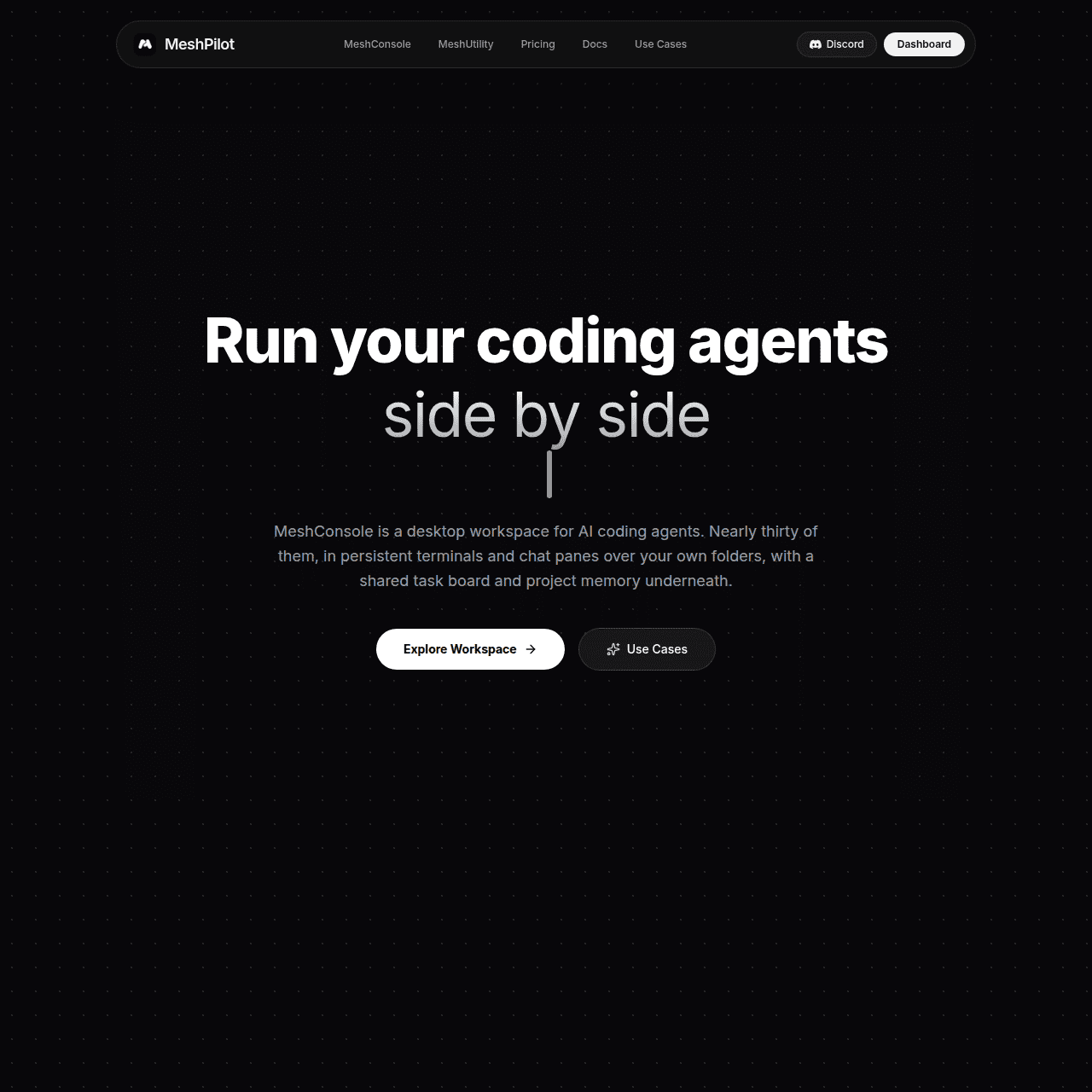
MeshPilot is an agentic development platform designed for developers who want to work with coding agents as first-class tools, not just chat widgets. Its MeshConsole desktop app brings together persistent terminals, a registry of CLI agents, a shared task board, project memory, and an in-app assistant that can operate the console itself.
Developers can wire agents together, pass context between them, and execute real commands against real folders and terminals while keeping all code, buffers, and secrets local. MeshUtility extends this workflow with a free, open-source widget for voice dictation and prompt rewriting that works in any text field on your system.
With explicit security controls, bounded agent authority, and a local-first design, MeshPilot enables an agent-first development workflow without giving up control or privacy. It’s built for software developers, AI builders, indie hackers, and engineering teams who want a single, secure cockpit for their agent-powered projects.
Quick Snapshot
MeshPilot unifies coding agents, terminals, memory, and orchestration in a single local-first desktop workspace so developers can build and operate agent-powered software faster and with more control. By keeping code, buffers, and secrets on your own machine, it enables powerful agent workflows without sacrificing security or privacy.
- Works on
-
- Web
- Other
- Pricing Model
- Subscription
Starting at $2/month — MeshPilot offers a Starter plan at $2/month for solo developers and a Plus plan at $7/month with higher limits, remote task execution, MeshMemory Cortex, and priority support. Additional usage can be added via flexible credit-based add-ons. - Fits on
- Affiliate Program
- We could not identify an affiliate program.
- API Availability
- We could not identify whether an API is available.
- Key Features
-
- Unify coding agents and terminals locally
- Secure, local-first agentic development cockpit
- Voice dictation and prompt rewriting anywhere
- Audience
-
- software developers
- AI developers
- indie hackers
- engineering teams
- DevOps engineers
- open source developers
Screenshot

Key Features of MeshPilot
MeshConsole desktop app
A dedicated desktop console that treats coding agents as first-class processes, combining persistent terminals, agent management, tasks, and project memory in one place.
Persistent terminals
Run and manage multiple terminals that stay attached to your projects, enabling agents to execute real commands and workflows against your local environment.
CLI agent registry
Register and manage your AI-powered CLI agents in a central registry so they can be launched, orchestrated, and combined from a single workspace.
Shared task board
Coordinate work between agents and humans with a shared task board that tracks tasks, context, and progress across your projects.
Project memory
Maintain project-level memory that agents can use for context, helping them stay aware of your codebase, decisions, and ongoing tasks.
In-app assistant control
An assistant that can operate the MeshConsole itself, helping automate repetitive orchestration steps and workspace management.
MeshUtility widget
A free, open-source widget for voice dictation and prompt rewriting that works in any text field on your system to streamline how you talk to agents.
Local-first security model
Designed with explicit security controls and bounded agent authority so your code, buffers, and secrets stay on your machine and under your control.
Use Cases for MeshPilot
Agentic development workspace
Run multiple coding agents, terminals, and tasks together in one desktop cockpit so you can build and operate agent-powered software without juggling separate tools and windows.
Secure local-first automation
Execute real commands against local folders and terminals while keeping code, buffers, and secrets on your own machine, maintaining tighter control over sensitive assets.
Multi-agent orchestration
Wire agents together, pass context between them, and coordinate their work using a shared task board and project memory to handle more complex development workflows.
Voice-driven prompting
Use MeshUtility’s voice dictation and prompt rewriting widget in any text field to quickly craft better prompts for your agents without leaving your normal workflow.
Team-ready agent workflows
Give engineering teams a structured way to adopt coding agents with explicit security controls and bounded agent authority, reducing the risk of uncontrolled automation.
Frequently Asked Questions
What is MeshPilot and who is it for?
MeshPilot is a local-first desktop workspace for running and orchestrating coding agents, built for software developers, AI developers, indie hackers, engineering teams, DevOps engineers, and open source contributors.
How does MeshPilot improve working with coding agents?
MeshPilot replaces fragile editor chat boxes and copy-paste workflows with a dedicated cockpit where agents, terminals, tasks, and memory live side by side, making agent-powered development more coherent and productive.
Is MeshPilot local-first and secure?
Yes. MeshPilot is designed as a local-first platform with explicit security controls and bounded agent authority so your code, buffers, and secrets remain on your own machine.
What is the difference between MeshConsole and MeshUtility?
MeshConsole is the main desktop app for managing agents, terminals, tasks, and memory, while MeshUtility is a free, open-source widget that adds voice dictation and prompt rewriting to any text field on your system.
How much does MeshPilot cost?
MeshPilot offers a Starter plan at $2/month for solo developers and a Plus plan at $7/month with additional limits and features such as remote task execution, MeshMemory Cortex, and priority support.
Does MeshPilot offer an API?
No, MeshPilot does not currently offer a public API; it focuses on a desktop-first, agentic development experience.
MeshPilot · Our Verdict
MeshPilot stands out by treating coding agents as real processes rather than chat add-ons, giving developers a coherent cockpit for agentic workflows. Its local-first approach and explicit security controls are particularly compelling for teams that care about privacy and controlled automation on their own machines.
MeshPilot ·
-
 Freemium
 Bugster
AI QA engineer that tests every pull request
AI Developer Tools -
Otty
A native, beautiful terminal for modern workflows
AI Developer Tools -
Agor
The command center for AI teammates
Multi-Agent Workflows -
LM Studio Bionic
Agentic AI for work, code, and knowledge
Ai Agents - Freemium
Devv AI
Ship full‑stack AI products from idea to launch fast.
Coding Agents - Your Ad Here
- Freemium
Runtime
Cloud coding agents with security leaders trust
Coding Agents - Freemium
Carepatron
Beautiful, AI-powered practice management for clinicians
Healthcare AI