
What Is PhotoRestore AI?
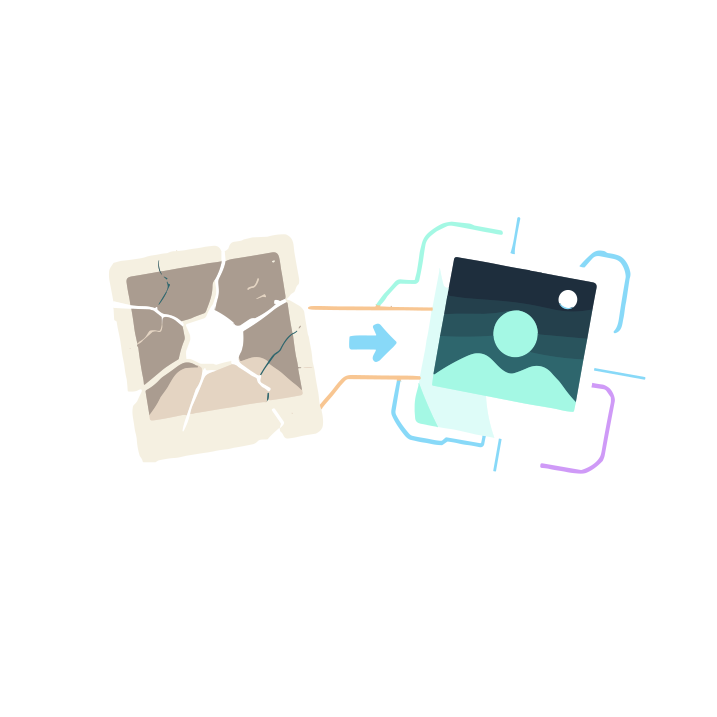
PhotoRestore AI is a web-based AI photo restoration service designed to revive vintage, faded, or damaged photographs. Using advanced machine learning, it automatically removes scratches, noise, tears, and blemishes while sharpening details and improving overall clarity. The tool can colorize black-and-white images, correct exposure issues, and enhance low-resolution photos into sharper, more vibrant versions. Its guided workflow is accessible to everyday users yet powerful enough for professionals handling archives or client projects. Whether you are preserving family memories, restoring historical collections, or preparing visuals for creative work, PhotoRestore AI offers a streamlined way to bring old photos back to life.
Quick Snapshot
PhotoRestore AI automates professional-grade photo restoration so anyone can repair, enhance, and colorize old or damaged images without specialized software or editing skills. It turns faded, low-quality photos into sharp, vibrant keepsakes in just a few steps.
- Works on
-
- Web
- Pricing Model
- Subscription
Starting at $19.99 — PhotoRestore AI offers three paid tiers—Starter, Advanced, and Professional—starting from $19.99 USD. Each plan includes different restoration capabilities and usage limits tailored to casual users, enthusiasts, and professional workflows. - Affiliate Program
- We could not identify an affiliate program.
- API Availability
- We could not identify whether an API is available.
- Key Features
-
- Automatically repair and clean damaged photos
- Enhance clarity and resolution with AI
- Colorize black-and-white images in seconds
- Audience
-
- families and individuals preserving memories
- photography enthusiasts
- history and archive professionals
- genealogists
- content creators
- small businesses and studios
Screenshot

Key Features of PhotoRestore AI
AI photo restoration
Automatically repairs scratches, tears, noise, and blemishes in old or damaged photos using advanced AI models.
Photo enhancement
Sharpens details, improves clarity, and corrects exposure issues to make low-quality or faded images look cleaner and more defined.
Colorization
Transforms black-and-white photos into color images, adding realistic tones to vintage and historical pictures.
Resolution improvement
Enhances low-resolution images to create sharper, higher-quality outputs suitable for printing or digital use.
Web-based workflow
Runs entirely in the browser with a guided process, eliminating the need for complex desktop software or advanced editing skills.
Use Cases for PhotoRestore AI
Family photo restoration
Restore faded, scratched, or damaged family photos into clearer, more vibrant images, preserving personal memories for future generations.
Historical archive repair
Enhance and repair historical photographs for museums, libraries, and archives, improving legibility and visual quality for research and exhibitions.
Genealogy projects
Revive old portraits and documents tied to family trees, making ancestral photos easier to view, share, and include in genealogy records.
Creative content enhancement
Upgrade vintage or low-resolution photos for blogs, social media, and video projects, delivering sharper and more engaging visuals.
Studio and client services
Offer fast, AI-assisted restoration as an added service in photography studios or small businesses, increasing value without extra manual retouching time.
Frequently Asked Questions
What is PhotoRestore AI and how does it work?
PhotoRestore AI is a web-based tool that uses artificial intelligence to restore, enhance, and colorize old or damaged photos. You upload an image, select the desired restoration options, and the AI automatically processes and improves the photo.
Do I need photo editing experience to use PhotoRestore AI?
No, PhotoRestore AI is designed for non-experts and professionals alike. Its guided workflow automates complex restoration tasks, so you can get high-quality results without advanced photo editing skills.
Can PhotoRestore AI colorize black-and-white photos?
Yes, PhotoRestore AI can automatically colorize black-and-white images, adding lifelike colors while also improving clarity and correcting exposure issues.
Is PhotoRestore AI suitable for professional archive or studio work?
Yes, PhotoRestore AI is suitable for history and archive professionals, genealogists, and small studios that need efficient, consistent photo restoration for collections or client projects.
Does PhotoRestore AI offer a free version?
No, based on the available information, PhotoRestore AI does not offer a free version and access is provided via paid plans.
What are the pricing options for PhotoRestore AI?
Pricing is offered in three tiers—Starter, Advanced, and Professional—starting from $19.99 USD, with each tier including different restoration capabilities and usage levels.
PhotoRestore AI · Our Verdict
PhotoRestore AI stands out by packaging several advanced restoration capabilities—repair, enhancement, and colorization—into a simple, web-based workflow. It meaningfully lowers the barrier for families, enthusiasts, and professionals who need reliable photo restoration without mastering complex editing software.
PhotoRestore AI ·
-
 Free Featured
ONEIMG
All-in-one free AI photo editor online
AI Photo Editors - Freemium
Photodot AI
AI photo editing for polished visuals at scale
AI Photo Editors - Credit-Based
WePhoto FaceSwap AI
AI face swaps in your browser, instantly
AI Photo Editors - Freemium
Adobe Express
Create standout content fast with AI
Image & Design AI - Credit-Based Premium
ImageTranslate.AI
Translate any image, keep the design intact
Image & Design AI - Your Ad Here
-
AI Avatar
Turn one selfie into hundreds of avatars
AI Photo Editors - Subscription
Skej
AI scheduling assistants for every busy team
Scheduling & Task Bots