Radiant Photo
Perfect, natural-looking photos in seconds.

What Is Radiant Photo?
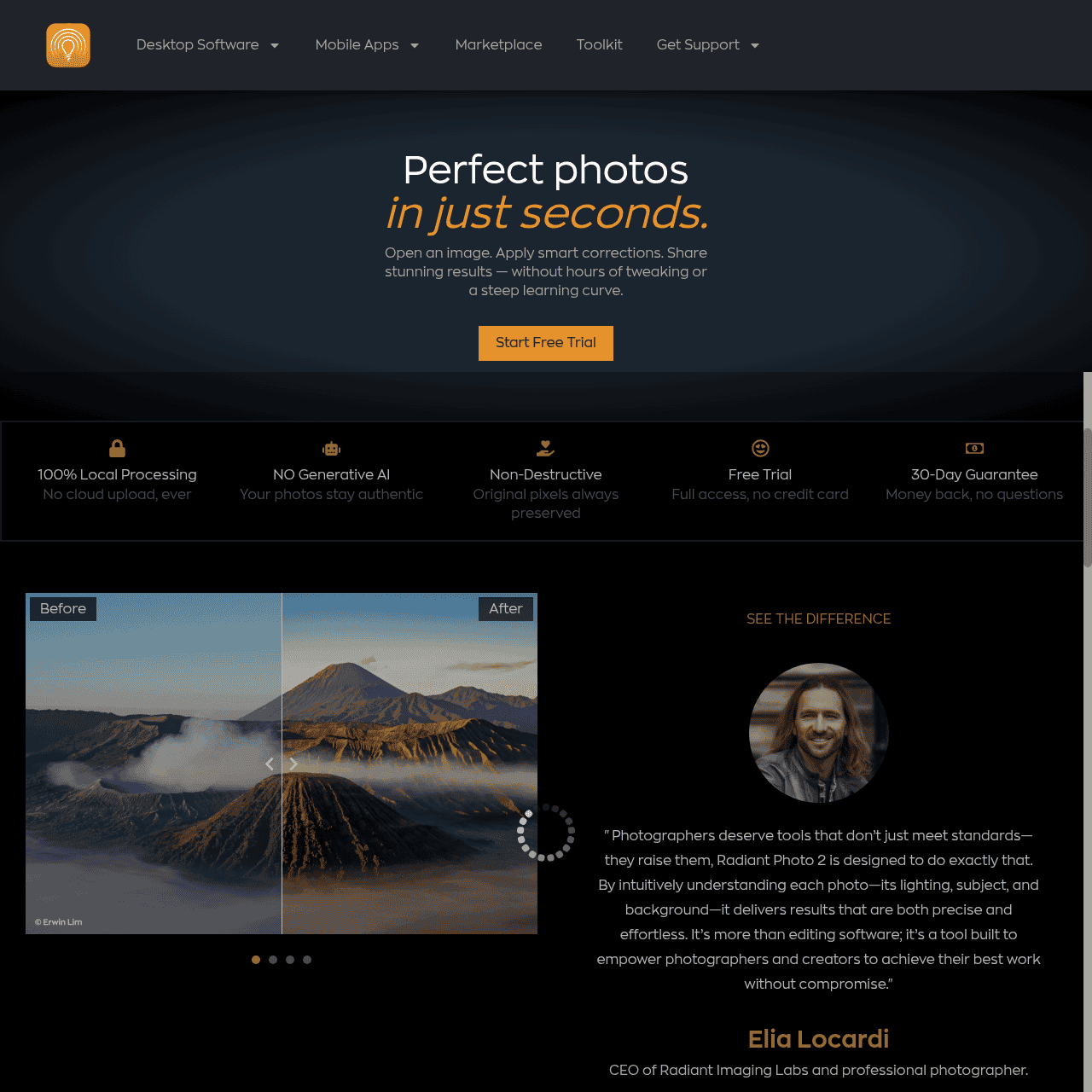
Radiant Photo by Radiant Imaging Labs is an intelligent, AI-driven photo editing solution built to deliver natural, professional-looking images quickly. It analyzes what’s in your frame—such as portraits, landscapes, birds, and pets—and automatically applies scene-specific tone, color, and detail corrections.
The interface is clean and fast, with smart presets and workflows tailored to different photography styles, so you can finish edits with minimal manual adjustments. While it offers advanced control over exposure, color, and detail, its focus is on preserving a realistic, non–over-processed look.
Radiant Photo integrates into your existing workflow as a standalone application or as plug‑ins for Adobe Photoshop, Lightroom Classic, and other compatible hosts. It’s designed for photographers and creators who need consistent results on single images or large shoots without spending hours in post-production.
Quick Snapshot
Radiant Photo automatically analyzes each scene and applies intelligent, natural‑looking corrections so photographers get consistent, pro‑quality results in a fraction of the time. It fits neatly into existing workflows as a standalone app or plug‑in, reducing manual tweaking and repetitive editing.
- Works on
-
- Mac
- Pricing Model
- Subscription — Radiant Photo offers a free 30‑day trial with no payment details required. Ongoing access is available on a paid subscription, with pricing shown after trial signup or purchase.
- Affiliate Program
- Unknown
- API Availability
- We could not identify whether an API is available.
- Key Features
-
- AI scene-aware enhancements for every photo
- Natural, realistic results with minimal tweaking
- Seamless standalone and plug‑in workflow integration
- Audience
-
- photographers
- photo editors
- content creators
- social media creators
- wedding photographers
- portrait photographers
- landscape photographers
- photo enthusiasts
Screenshot

Key Features of Radiant Photo
Scene-aware AI corrections
Analyzes the contents of each image—portraits, landscapes, birds, pets, and more—to apply tailored tone, color, and detail enhancements automatically.
Natural look focus
Optimizes photos to appear realistic and true-to-life, avoiding the over-processed or artificial appearance common with some automated effects.
Smart presets and workflows
Provides presets and guided workflows designed around different photography styles, helping users get great results quickly with minimal manual tweaking.
Advanced adjustment controls
Offers granular control over tone, color, and detail so users can refine AI results or build their own looks while keeping edits efficient.
Standalone and plug‑in support
Works as a standalone desktop application or as plug‑ins for Adobe Photoshop, Lightroom Classic, and other compatible hosts to fit into existing workflows.
Batch-friendly editing
Designed to handle editing for single images or entire shoots, making it suitable for photographers who regularly process large numbers of photos.
Use Cases for Radiant Photo
Wedding photography edits
Quickly apply consistent, natural-looking corrections across entire wedding galleries, saving hours of manual retouching while keeping skin tones and ambiance realistic.
Portrait retouching
Enhance portraits with scene-aware tone and color adjustments that preserve a natural look, reducing the need for complex manual masking and layer work.
Landscape enhancement
Automatically optimize skies, foliage, and overall contrast in landscape shots, giving images more depth and clarity without over-saturated or artificial results.
Social media visuals
Create polished, professional images for social channels in seconds using smart presets and AI corrections, ideal for creators who need a fast turnaround.
High-volume shoots
Streamline editing for large sets of images—such as events or travel shoots—by using consistent, scene-aware adjustments that reduce repetitive editing steps.
Frequently Asked Questions
What is Radiant Photo and who is it for?
Radiant Photo is an AI-powered photo editor that applies scene-aware, natural-looking enhancements to images. It’s built for photographers, photo editors, and creators who want professional results with less manual editing.
Does Radiant Photo work with Photoshop and Lightroom Classic?
Yes, Radiant Photo can run as a plug‑in for Adobe Photoshop, Lightroom Classic, and other compatible hosts, as well as a standalone desktop application.
Can Radiant Photo be used as a standalone application?
Yes, Radiant Photo is available as a full standalone photo editor, so you can import, edit, and export images without relying on other software.
Is there a free trial for Radiant Photo?
Radiant Photo offers a free 30‑day trial with no payment details required, allowing you to test the software before committing to a subscription.
What types of photos does Radiant Photo handle best?
Radiant Photo is designed to recognize and optimize various scenes, including portraits, landscapes, birds, pets, and more, applying specific corrections suited to each.
Does Radiant Photo over-edit or create unrealistic effects?
Radiant Photo is built to preserve a natural, realistic look, focusing on balanced tone, color, and detail rather than heavy, stylized effects.
Radiant Photo · Our Verdict
Radiant Photo stands out by focusing on scene-aware, natural-looking corrections rather than flashy, over-processed effects. Its combination of intelligent automation and deeper manual controls makes it a strong fit for photographers who want to speed up editing without sacrificing consistency or quality.
Radiant Photo ·
-

AI Avatar
Turn one selfie into hundreds of avatars
AI Photo Editors -
Perfectly Clear by EyeQ
AI photo correction built to scale for business
AI Photo Editors - Credit-Based
AIShowX
All-in-one AI studio for visual and audio content
Video & Animation AI - Credit-Based
CrayonAI
All‑in‑one AI photo editor and generator
Image & Design AI - Credit-Based
SnapFusion
Every AI image tool, in one place.
Image & Design AI - Your Ad Here
- Freemium
UnWatermark AI
AI watermark remover for clean, pro visuals
AI Photo Editors -
Codiga
Customizable static code analysis that follows you everywhere.
AI Developer Tools