

What Is Word.Studio?
Word.Studio is an AI-powered platform built around more than 150 specialized tools and templates for writing, brainstorming, rephrasing, wordplay, image generation, and other creative tasks. Instead of a blank chat box, each tool gives you a focused form with fields such as topic, audience, tone, length, key points, and style notes, so you can provide the AI with the right context for strong first drafts.
Behind each template are detailed, pre-built prompts matched with leading AI models chosen for that specific task, producing clearer and more complete results than generic AI chats. The platform emphasizes privacy, not saving your inputs or outputs for AI training, and is designed as a clutter-free creative workspace rather than long-term document storage.
Typical use cases range from marketing copy, business communication, and education to job search materials, content creation, and visual storytelling.
Quick Snapshot
Word.Studio replaces open-ended prompting with focused, task-specific forms that help you get high-quality drafts and visuals in minutes. It’s built for professionals who want reliable results without learning prompt engineering or giving up privacy.
- Works on
-
- Web
- Pricing Model
- Subscription
Starting at $7/month — Word.Studio offers a Starter plan at $7 per month with 150+ writing and brainstorming tools and 15,000 words refreshed daily, and a Pro plan at $16 per month that adds image tools, higher word limits, and writing assistants. Plans are monthly subscriptions with no long-term contracts and can be canceled anytime. - Fits on
- Affiliate Program
- We could not identify an affiliate program.
- API Availability
- We could not identify whether an API is available.
- Key Features
-
- Skip prompt engineering with guided AI forms
- Access 150+ specialized writing and visual tools
- Create fast drafts with privacy-focused AI design
- Audience
-
- marketers
- business professionals
- students
- job seekers
- content creators
- copywriters
- educators
- small business owners
Screenshot

Key Features of Word.Studio
150+ guided tools
Access a large library of specialized tools for writing, brainstorming, rephrasing, wordplay, and image generation, each tuned for a specific task.
Structured input forms
Replace blank chat boxes with focused forms that capture topic, audience, tone, length, and key points to guide the AI toward better drafts.
Pre-built AI prompts
Use detailed, pre-designed prompts paired with leading AI models so you don’t have to learn prompt engineering to get strong results.
Task-matched AI models
Each tool is connected to the model best suited for that job, helping produce clearer, more complete outputs than generic AI chats.
Privacy-focused design
Inputs and outputs are not saved for AI training, and the workspace is built for fast creation rather than long-term document storage.
Writing and image support
Create both text and visual content in one place, from marketing copy and business documents to educational materials and creative images.
Use Cases for Word.Studio
Marketing Copywriting
Quickly generate targeted headlines, product descriptions, emails, and social posts using guided forms that capture your audience, tone, and key selling points.
Business Communication
Draft clear reports, proposals, and internal messages by filling structured fields instead of crafting prompts from scratch, saving time on everyday writing.
Education & Learning
Students and educators can brainstorm topics, summarize material, and rephrase explanations with dedicated tools that keep outputs focused and easy to adapt.
Job Search Materials
Create tailored resumes, cover letters, and LinkedIn profiles by entering role details, achievements, and target employers into specialized job search templates.
Content & Creators
Bloggers, YouTubers, and social creators can outline content, generate scripts, and explore wordplay or hooks using tools tuned for creative workflows.
Visual Content Ideas
Leverage image tools to turn structured descriptions into AI-generated visuals that support campaigns, lessons, or storytelling without manual prompt engineering.
Frequently Asked Questions
What is Word.Studio used for?
Word.Studio is used to create AI-assisted writing and visuals through more than 150 guided tools, covering tasks like marketing copy, business writing, education, job search materials, and image generation.
How is Word.Studio different from a regular AI chat?
Unlike open-ended AI chats, Word.Studio uses structured forms and pre-built prompts for each task, so you simply fill in fields like topic, audience, and tone rather than crafting prompts from scratch.
Do I need prompt engineering skills to use Word.Studio?
No. Word.Studio is designed so you can get strong first drafts by completing guided form fields, with the prompt engineering already built into each tool.
Does Word.Studio store my content for AI training?
Word.Studio emphasizes privacy and states that it does not save your inputs or outputs for AI training, focusing instead on being a clutter-free creative workspace.
What pricing plans does Word.Studio offer?
Word.Studio offers a Starter plan at $7 per month with 150+ tools and 15,000 words refreshed daily, and a Pro plan at $16 per month that includes image tools, higher word limits, and writing assistants.
Is there a free version of Word.Studio?
Yes, Word.Studio has a free version, allowing you to try its guided AI tools before upgrading to a paid subscription for higher limits and additional features.
Does Word.Studio provide an API?
No. Word.Studio does not currently offer an API and is focused on its web-based workspace experience.
Word.Studio · Our Verdict
Word.Studio stands out by replacing generic chat interfaces with structured, task-specific forms that consistently guide the AI toward stronger first drafts. The combination of 150+ specialized tools and a clear privacy stance makes it particularly compelling for professionals who care about both speed and control over their content.
Word.Studio ·
-

NamingMagic
AI-powered startup naming in seconds
Brand Strategy & Positioning - One-Time
SpeechPulse
Offline voice typing for every desktop app
Speech-to-Text Transcription - Subscription
Duet Mail
Your AI chief of staff for email
Email & Inbox Automation -
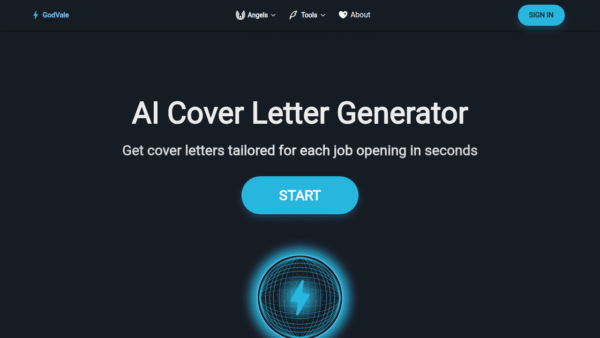
PowerDreamer AI Cover Letter Generator
Tailored AI cover letters for every job
Resume & Career Writing -
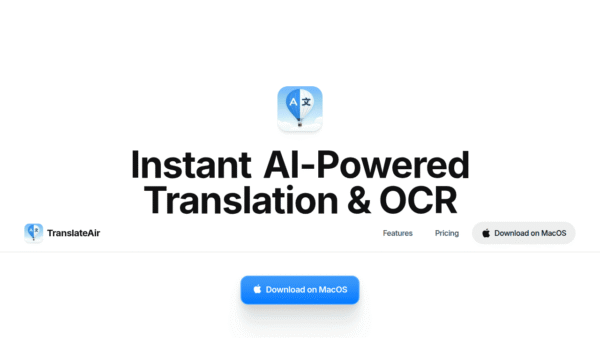
TranslateAir
Instant AI translation and OCR on your Mac
Translation & Localization - Your Ad Here
- Freemium
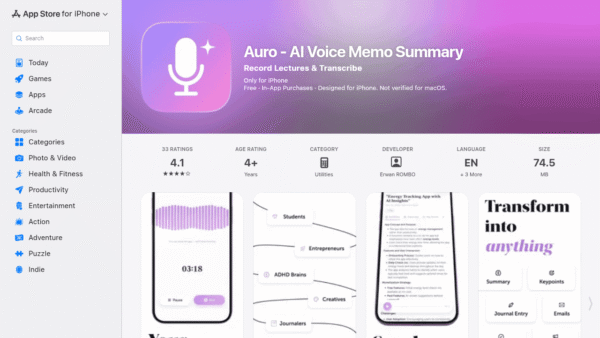
Auro – AI Voice Memo Summary
Speak your mind, get instant AI notes
Meeting Summarizers & Note-Takers - Free
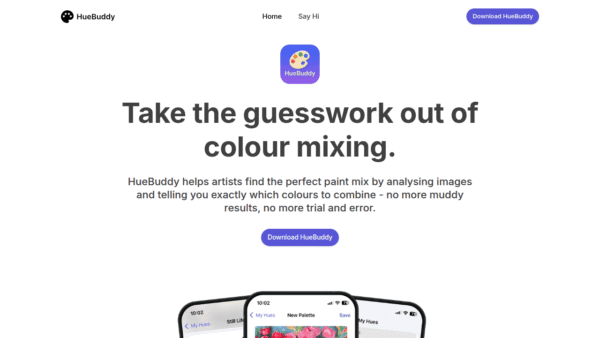
HueBuddy
AI-powered paint mixing and colour matching for artists
Image & Design AI