


Quick Comparison: Top 10 Free AI Image Generators at a Glance

| Tool | Free Limit | Model | Watermark |
|---|---|---|---|
| Copilot Designer | ~15 boosts/day | DALL-E 3 | None |
| Google Gemini | ~15 images/day | Imagen 3 | None |
| Leonardo AI | 150 tokens/day (~15–35 images) | Phoenix, Flux, + more | Occasional |
| Tensor.art | ~100 generations/day | SDXL, Flux, custom | None (model-dependent) |
| Stable Diffusion | Unlimited (self-hosted) | SD XL / FLUX.2 | None |
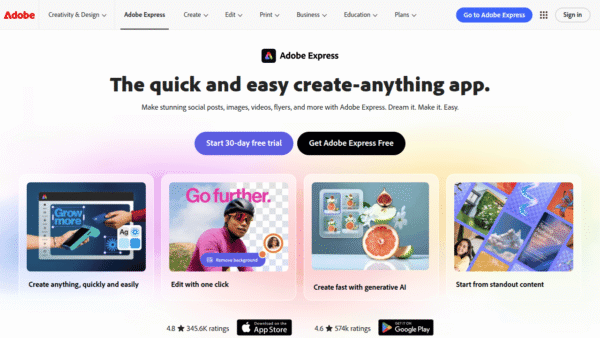
| Adobe Firefly | 25 credits/month | Firefly (licensed data) | Metadata only |
| Canva AI (Magic Media) | 50 generations | SD variant | None |
| Freepik AI | ~10/day | Firefly + Flux | Limited on free tier |
| Craiyon | Unlimited (slow) | DALL-E mini variant | Yes |
| Perchance | Unlimited, no login | SD variants | Check per generator |
The right tool depends entirely on what you’re making, how often, and whether you need to hand it to a client without a legal headache. Let’s get into it.
1. Microsoft Copilot Designer — Best for Text Rendering

DALL-E 3, completely free. That’s the pitch, and it’s a good one.
Copilot Designer is the easiest way to access OpenAI’s most capable image model without paying for ChatGPT Plus. All it costs is a Microsoft account and mild tolerance for Bing’s existence.
Free tier: ~15 boosted generations per day; unlimited slow-queue after that.
The standout feature here is text-in-image rendering. If you’ve ever watched other AI tools mangle a simple word into abstract hieroglyphics, Copilot Designer feels like a revelation. Product mockups with readable labels, presentation slides with actual legible headings, social graphics that say what you need them to say — it handles all of it cleanly.
Best for: Product mockups, social media graphics, presentations, any prompt where readable text matters.
Pros
- DALL-E 3 quality at zero cost
- No watermarks, commercial use permitted
- Best text-in-image rendering on this list
Cons
- Strict content filters (don’t push it)
- Slower without boosts
- Can trend toward a generic aesthetic on open-ended prompts
2. Google Gemini (Imagen 3) — Best for Photorealism

If you want an image that looks like a photograph, Google Gemini is your first call.
Imagen 3 produces some of the most photorealistic outputs available on any free tier in 2026. Prompt it with “a vintage Polaroid photo of a café in Paris at golden hour” and it returns natural lighting, realistic textures, and the kind of depth that makes you double-check whether it’s AI-generated. Roughly 15 images per day, no watermark, no credit card.
Free tier: ~15 images/day via the Gemini app.
It also integrates natively with Google Search, which is quietly useful for research-adjacent creative work. The tradeoff is that it leans conservative on content filters and doesn’t excel at stylized or fantasy aesthetics — it wants to be a camera, not a paintbrush.
Best for: Photorealistic scenes, lifestyle product shots, prompts requiring close real-world accuracy.
Pros
- Best-in-class photorealism on a free tier
- No watermark, fast generation
- Deep Google ecosystem integration
Cons
- Conservative content filters
- Weaker for stylized, illustrated, or fantasy art
- Limited daily volume for heavy users
3. Leonardo AI — Best for Creative Control

Most free AI image generators give you one model and a prayer. Leonardo gives you a whole wardrobe.
Leonardo AI is the most model-diverse free option on this list. Switch between engines optimized for photorealism, anime, concept art, fantasy illustration, and product photography — all within one platform. The free tier delivers 150 daily tokens, which translates to roughly 15–35 images depending on your settings and chosen model.
Free tier: 150 tokens/day (~15–35 images depending on model and resolution).
The community is active, the output quality is genuinely impressive across styles, and there’s no mandatory watermark. The catch: commercial use terms are more nuanced than Copilot or Firefly. If you’re handing outputs to a paying client, read the fine print first.
Best for: Style-consistent creative series, concept art, projects requiring a specific aesthetic that one-model tools can’t deliver.
Pros
- Multiple models in one platform
- Generous daily token allowance
- Strong community and style library
Cons
- Commercial terms require careful reading
- Token system can feel opaque at first
- Free outputs may queue during peak hours
4. Tensor.art — Best for Uncensored and Niche Styles

Tensor.art is where the open-source AI art community actually lives.
It’s a platform hosting thousands of community-trained models built on Flux, SDXL, and custom architectures — many with significantly fewer content restrictions than anything in the mainstream stack. If you’re looking for a specific niche aesthetic, an unusual art style, or a model trained on a very particular visual vocabulary, there’s a reasonable chance someone on Tensor.art already built it.
Free tier: ~100 generations/day on many models; no watermark on most.
The learning curve is real. Output quality varies dramatically by model, and some require prompt engineering knowledge to get consistent results. But for experienced users who know what they want, the ceiling here is higher than most tools on this list.
Best for: Niche art styles, uncensored creative projects, exploring community-trained models beyond mainstream options.
Pros
- Massive model library
- High daily generation limit
- Flexible content filters by model
Cons
- Quality varies significantly across models
- Steeper learning curve
- Some models demand technical prompt knowledge
5. Stable Diffusion (Self-Hosted) — Best for Open-Source Enthusiasts

No limits. No watermarks. No filters. No subscription. No one watching.
Stable Diffusion is the backbone of the open-source AI art ecosystem, and self-hosting it remains the only truly unlimited free option on this list. Run it locally and you control everything: the model, the output resolution, the content, the volume. FLUX.2 support brings outputs up to 4MP, which is competitive with paid tools.
Free tier: Unlimited when self-hosted; cloud demos available via Hugging Face Spaces at no cost.
The honest caveat: this isn’t a tool you open and immediately use. You need a capable GPU, some patience with setup, and comfort navigating a technical environment. For privacy-sensitive projects or high-volume generation workflows, that investment pays off quickly. For casual users who just need a quick image, it’s overkill.
Best for: Full creative control, privacy-sensitive projects, high-volume generation, NSFW without platform restrictions.
Pros
- Truly unlimited, no watermarks, no censorship
- Commercial use allowed
- Enormous community model library
Cons
- Requires technical setup and a capable GPU
- No customer support
- Not beginner-friendly
6. Adobe Firefly — Best for Commercial Safety

The only tool on this list where you can hand the output to a client and sleep soundly.
Adobe Firefly is trained exclusively on licensed images — Adobe Stock, openly licensed content, and public domain material. That’s not a marketing claim; it’s a structural decision that makes Firefly the safest choice for commercial work where copyright indemnity actually matters. There’s no visible watermark, just Content Credentials metadata embedded in the file.
Free tier: 25 generative credits/month.
Twenty-five credits a month is genuinely low. For heavy users or anyone running multiple campaigns, you’ll hit the ceiling fast. But for occasional client deliverables, agency work, or anything that ends up in a paid ad, the peace of mind is worth the constraint.
Best for: Client work, commercial campaigns, any project where copyright indemnity is non-negotiable.
Pros
- Full commercial safety, no visible watermark
- Deep Photoshop integration
- Strong brand trust and enterprise credibility
Cons
- 25 credits/month is very restrictive
- Weaker for stylized or illustrative art
- Requires an Adobe account
7. Canva AI (Magic Media) — Best for Beginners

The best AI image generator is the one that fits inside the workflow you already use.
For anyone who lives in Canva — and a lot of marketers and small business owners do — Magic Media is the path of least resistance. Generate an image and drop it directly into your social post, presentation, or marketing template without switching tabs. The output quality won’t win awards, but it’s clean, usable, and watermark-free.
Free tier: 50 AI image generations on the free plan.
The 50-generation cap is a real limitation for power users. And if you want granular creative control over style, composition, or model behavior, you’ll quickly feel the ceiling. But for beginners who want to go from “I need an image” to “image is in my design” in under two minutes, nothing on this list is faster.
Best for: Social media content, presentations, marketing collateral, anyone already using Canva.
Pros
- Seamless design integration
- No watermark, beginner-friendly
- Commercial use permitted within Canva terms
Cons
- Limited to 50 generations on free plan
- Less creative control than dedicated generators
- Output quality is functional, not exceptional
8. Freepik AI — Best for Stock Photos and Vector Assets

Freepik has quietly built one of the more interesting free AI image tools for designers who need stock-adjacent output.
Powered by a combination of Firefly and Flux models, it’s oriented toward the kind of clean, professional imagery that stock libraries specialize in — product shots, lifestyle images, business visuals. The free tier is limited to around 10 generations per day, and some outputs carry restrictions, so check the terms before using commercially.
Free tier: ~10 images/day; watermark limitations apply on free tier.
Best for: Stock-style photography, vector assets, designers who need professional-looking output fast.
9. Craiyon — Best for Zero-Friction Experimentation
Craiyon (formerly DALL-E mini) is the tool you use when you want to generate something immediately, without an account, without a credit system, and without caring too much about the result.
The output quality reflects that positioning. Images are rough, generations are slow, and there’s a watermark. But the limit is genuinely unlimited, and there’s something useful about a tool that lets you iterate freely without burning through a daily quota.
Free tier: Unlimited (slow); watermarked outputs.
Best for: Quick ideation, prompt experimentation, casual use where quality isn’t the priority.
10. Perchance — Best for No-Login Unlimited Generation
Perchance is an unusual one: a collection of community-built generators running Stable Diffusion variants, accessible with no account and no login required.
Quality and content policies vary by individual generator, so it’s worth checking the specific tool you’re using. But for users who want to generate freely without handing over an email address, it’s a genuinely useful option.
Free tier: Unlimited, no login required; watermark policy varies by generator.
Best for: Privacy-conscious users, quick anonymous generation, exploring niche SD-based generators.
Types of AI Image Generators

Not all free AI image generators are built the same. Understanding the underlying architecture helps you pick the right tool faster.
Closed commercial models (DALL-E 3, Imagen 3, Firefly) are trained on curated or licensed datasets, tend to have stronger content filters, and are generally safer for commercial use. They’re polished, consistent, and opinionated.
Open-source models (Stable Diffusion, Flux) are community-driven, highly customizable, and available without restrictions when self-hosted. The ceiling is higher; the floor requires more work to find.
Platform aggregators (Leonardo AI, Tensor.art) sit in between — they host multiple models, often including both commercial and open-source options, giving you flexibility without requiring you to manage infrastructure.
Knowing which category a tool belongs to tells you a lot about what it can and can’t do before you even open it.
Best AI Image Generator for Different Scenarios
You need readable text in your image → Copilot Designer
You need photorealistic output → Google Gemini
You need style variety and creative control → Leonardo AI
You need commercial safety for client work → Adobe Firefly
You need unlimited, unrestricted generation → Stable Diffusion (self-hosted)
You’re a beginner who just needs something that works → Canva AI
You want to explore niche or uncensored styles → Tensor.art
You want zero friction, no account, no limits → Perchance
Important Considerations: Copyright, Watermarks & Censorship

Three things worth understanding before you ship AI-generated images into the world.
Copyright is still unsettled territory. Most tools grant you usage rights to outputs, but the underlying training data question remains legally unresolved in many jurisdictions. Adobe Firefly is the only tool on this list explicitly designed to address this — its licensed training data makes it the safest bet for commercial work where IP risk matters.
Watermarks come in two forms: visible (Craiyon, some Freepik outputs) and metadata-based (Adobe’s Content Credentials). Visible watermarks limit commercial usability. Metadata watermarks are invisible but traceable — relevant if you’re working in contexts where AI disclosure is expected or required.
Censorship and content filters vary dramatically across tools. Copilot Designer and Gemini are conservative. Stable Diffusion self-hosted has no filters at all. Tensor.art sits somewhere in between depending on the model. Know your tool’s limits before you spend time crafting a prompt it won’t fulfill.
Final Thoughts

The free tier of AI image generation in 2026 is genuinely impressive. A year ago, “free” meant low quality, heavy watermarks, and a three-image daily limit. Today it means DALL-E 3 quality, photorealistic Imagen outputs, and unlimited open-source generation — all without spending a dollar.
The right tool isn’t the most powerful one. It’s the one that fits your workflow, respects your use case, and doesn’t create problems downstream. Use Copilot for text-heavy visuals. Use Gemini when realism matters. Use Firefly when the client asks about copyright. Use Stable Diffusion when you want to own the entire stack.
And if you’re building out a broader creative toolkit, pair your image generator with the best free AI video generators, the best AI for writing, and the best AI music generators. The creative stack is free now. The only remaining cost is knowing what to build with it.
FAQs
Which free AI image generator has no watermark?
Copilot Designer, Google Gemini, Leonardo AI, Stable Diffusion (self-hosted), and Canva AI all offer watermark-free outputs on their free tiers. Adobe Firefly adds metadata watermarks but no visible ones.
Can I use free AI-generated images commercially?
It depends on the tool. Copilot Designer and Adobe Firefly explicitly permit commercial use. Leonardo AI’s terms are more nuanced. Always check the specific platform’s terms of service before using outputs in paid client work or advertising.
What’s the best free AI image generator for beginners?
Canva AI (Magic Media) for anyone already using Canva. Copilot Designer for everyone else — it’s the simplest path to high-quality output with no learning curve.
Is Stable Diffusion really free?
Yes, when self-hosted. The software is open-source and free. The cost is hardware (a capable GPU) and setup time. Cloud demos via Hugging Face Spaces are also free with no registration required.
Which free AI image generator is best for photorealism?
Google Gemini’s Imagen 3 model leads the free tier for photorealistic output in 2026. Copilot Designer (DALL-E 3) is a close second.






Comments (0) No comments yet
Want to join this discussion? Login or Register.
No comments yet. Be the first to share your thoughts!