



Why this workflow works
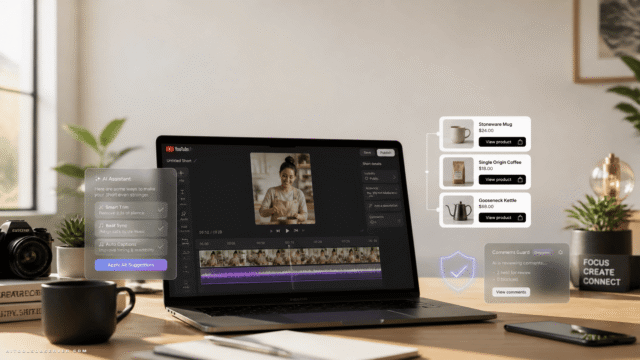
TikTok Shop has become a serious sales channel, and low-friction creator-style videos are a big reason why. YouTube is also making shopping content more accessible, which means more creators and sellers can test product videos without a full production setup.
The useful shift here is not just AI image generation. It is the combination of:
- a clean product reference
- a realistic virtual model
- a short direct-response script
- a video model that can follow timing and spoken dialogue
- a lightweight editor for trimming and captions
That gives you a repeatable ad system instead of a one-off experiment.
What you need
You can build this workflow with:
- ChatGPT with GPT Image 2 for product-on-model images
- ChatGPT again for the ad script
- Google Flow with Gemini Omni for the talking video
- CapCut for trimming, subtitles, and final polish
The description suggests this can be done for roughly a dollar of compute or less per finished ad in many cases. Exact cost will vary by usage and plan, but the main point is simple: this is cheap enough to test multiple hooks, products, and formats.
The finished output you’re aiming for
A typical result is:
- 10 seconds long
- vertical for TikTok, Reels, and Shorts, or horizontal for YouTube
- one person talking directly to camera
- product visible and consistent with the original image
- a hook in the first two seconds
- one clear benefit
- one clear CTA
That is usually enough to test whether a product, angle, or audience deserves more spend.
Step 1: Start with a clean product image
Everything depends on the source image. If the product reference is messy, the AI will guess. That is where product details drift.
Use a photo where:
- the product is clearly visible
- the background is minimal or removed
- there are no watermarks
- no person is blocking key details
- the product color, shape, and texture are easy to see
If you are selling apparel, crop tightly around the garment. If you are promoting a gadget, show the full device clearly. Think of this image as the source of truth that every later step must respect.
A bad crop leads to bad ads. If the AI cannot clearly see stitching, edges, logos, or proportions, it may invent them.
Step 2: Create a realistic product-on-model image
For clothing, accessories, beauty, and lifestyle products, showing the item on a person usually makes the ad feel more native to TikTok and Shorts. This is where GPT Image 2 is useful.
Upload the cropped product image to ChatGPT and ask it to generate a realistic lifestyle photo with the exact product preserved.
A practical prompt structure looks like this:
What to include in your image prompt
- format: vertical 9:16 for TikTok and Shorts
- subject: age range, style, and demographic fit for your audience
- setting: apartment, gym, street, café, desk setup, car, etc.
- framing: casual smartphone photo or selfie-style image
- preservation language: tell it to keep the product exactly as shown
Example phrasing:
Generate a vertical 9:16 photo of a woman in her late 20s wearing this exact garment in a bright apartment, styled like a casual smartphone photo. Preserve every characteristic of the product exactly as shown in the reference image, including shape, color, proportions, texture, stitching, and fit. Do not redesign or alter the product.
For non-wearable products, replace “wearing” with “holding” or “using.”
If you want the scene to match a brand style, upload a second reference image of the location and ask the model to place the subject into that environment. This can help when you want a product to feel more premium, more cozy, or more fitness-oriented without rewriting the entire concept.
Step 3: Match the creative to the platform
This is one of the easiest places to improve results.
A TikTok Shop ad should not sound like a YouTube pre-roll. A Shorts affiliate clip should not use a TikTok-specific CTA unless that is where the product lives.
Adjust three things for each platform:
- opening hook
- social context
- call to action
For example:
- TikTok Shop: “I keep seeing tops like this on my TikTok feed… tap the shopping cart below.”
- YouTube Shopping or affiliate content: “I didn’t expect this to be so useful… check the pinned comment.”
- Instagram-style creative: “I’ve been wearing this nonstop… link in bio.”
Small wording changes make the ad feel native instead of copied.
Step 4: Generate a 10-second UGC ad script
Now turn the image into a talking-head sales script. Do not ask for a generic paragraph. Ask for a timed direct-response script with clear on-screen actions.
The key here is structure. A video model follows a timeline better than a loose block of copy.
What your script should include
- a hook in the first two seconds
- one or two product benefits
- a natural spoken tone
- exact dialogue
- timeline by second
- camera behavior
- gestures or product interaction
- CTA at the end
A strong prompt is:
Act as a senior direct-response marketer. Write a 10-second script in English for a UGC-style product video where the woman in the attached image talks directly to camera and sells the attached product. The copy must sound natural and spoken, hook the viewer in the first two seconds, mention the price if relevant, and close with a platform-specific call to action. Output the result in a structured timeline formatted for Google Flow, including what happens on screen, camera behavior, and exact dialogue for each segment.
Keep the script tight
Ten seconds disappears fast. If you try to cram in too much, the voiceover will sound rushed or robotic.
A simple structure works best:
- 0–2 sec: hook
- 2–6 sec: benefit or use case
- 6–8 sec: proof, feeling, or price
- 8–10 sec: CTA
If the output feels over-scripted, shorten it. UGC ads work because they feel like something a real person would actually say.
Step 5: Build the video in Google Flow with Gemini Omni
This is where the image becomes a talking product ad.
In Google Flow, choose Gemini Omni and upload:
- the generated model image
- the original cropped product image
Then paste in the structured script and select the right format:
- 9:16 for TikTok, Shorts, Reels
- 16:9 for standard YouTube placements
The reason to include both images is simple. One gives the model the person and overall scene. The other reinforces the exact product details you want preserved.
What to watch for
Video models can be unusually literal. If your script timeline ends early, the model may repeat gestures or drag a movement to fill the remaining seconds.
Before generating, check that:
- the timeline covers the full duration
- dialogue length matches the time available
- the CTA lands near the end
- the product remains visible enough to matter
If the first result looks close but not clean, tweak the timing before changing everything else. Usually the issue is pacing, not concept.
Step 6: Trim and caption in CapCut
Once the clip is generated, move it into CapCut for final cleanup.
This is where you:
- trim awkward frames at the beginning or end
- add auto-captions
- highlight key words
- add a light zoom or punch-in if needed
- insert a product close-up or static end card
- export in the right ratio and quality
Do not over-edit. The whole point of UGC-style content is that it feels lightweight and native. Too many motion graphics can make it feel less believable.
A simple ad formula that tends to work
If you are unsure what to say, start with this:
- Hook: call out a problem, surprise, or pattern
- Benefit: explain what the product actually helps with
- Specific detail: mention fit, feel, setup, convenience, or price
- CTA: tell viewers exactly what to do next
Examples:
- “I didn’t think this top would look this flattering for the price.”
- “This is the one thing I started carrying every day.”
- “If you keep seeing these and wondering if they’re worth it, yes.”
The point is not clever copy. It is friction-free clarity.
TikTok vs YouTube: how to adapt the same ad
One of the biggest advantages of this workflow is reuse. You can take the same core asset and adapt it for multiple channels.
For TikTok Shop
Prioritize:
- faster hooks
- vertical framing
- stronger visual product presence
- direct CTA tied to the shopping cart
TikTok content can feel more casual and slightly more reactive. A “just found this” vibe often works better than a polished testimonial tone.
For YouTube Shopping or affiliate content
Prioritize:
- slightly clearer explanation
- cleaner audio feel
- horizontal option for standard YouTube placements
- CTA like pinned comment or product shelf depending on format
YouTube viewers may tolerate a touch more detail, especially if the video is embedded into broader shopping or review content.
Common mistakes that make AI product ads look fake
Most weak AI ads fail for boring reasons, not technical ones.
Watch out for:
- low-quality source product images
- vague prompts that let the model redesign the product
- scripts that are too long for 10 seconds
- unnatural dialogue no real person would say
- too much editing that removes the UGC feel
- using the same CTA on every platform
- forgetting to verify product details after generation
If your ad feels off, the fix is usually one of three things: better product crop, more precise preservation language, or shorter dialogue.
How to batch this into a repeatable workflow
Once you have one good ad, turn it into a system.
For each product, create:
- 1 clean product image
- 3 model variations
- 3 hooks
- 2 CTAs
- 1 TikTok version
- 1 YouTube version
That gives you multiple combinations without rebuilding from scratch every time.
A practical testing setup might look like this:
- same product
- different opening line
- different model or setting
- same core benefit
- different CTA by platform
This is how you learn what actually converts instead of guessing based on one version.
When this workflow is a strong fit
This approach is especially useful for:
- TikTok Shop sellers
- YouTube Shopping affiliates
- DTC brands testing new creatives fast
- solo marketers without filming resources
- agencies producing low-cost ad variations
It is less useful if your product depends on highly technical demos, exact compliance language, or physical proof that a generated talking-head clip cannot show clearly.
The tradeoff to understand
Cheap AI ads are fast to produce, but they still need human judgment.
You still need to decide:
- which product angle matters
- what audience the creative is targeting
- whether the product looks accurate
- whether the script sounds believable
- whether the platform CTA makes sense
The tools can generate the asset. They cannot decide the marketing strategy for you.
A practical starting point
If you want to test this today, do not start with five products. Start with one product and make three versions:
- one curiosity-based hook
- one problem-solution hook
- one price-driven hook
Keep the product image constant. Keep the video length at 10 seconds. Change only one variable at a time.
That will teach you more than endlessly polishing one script.
Final takeaway
The fastest path to AI product ads is not “make a video.” It is: clean product image, realistic model image, structured short script, generated talking clip, quick caption edit.
If you keep the product accurate and the script natural, you can produce TikTok- and YouTube-ready UGC-style ads cheaply enough to test angles at scale. That is the real advantage here: not perfect videos, but faster decisions.







Comments (0) No comments yet
Want to join this discussion? Login or Register.
No comments yet. Be the first to share your thoughts!