


What changed with Google Photos Video Remix
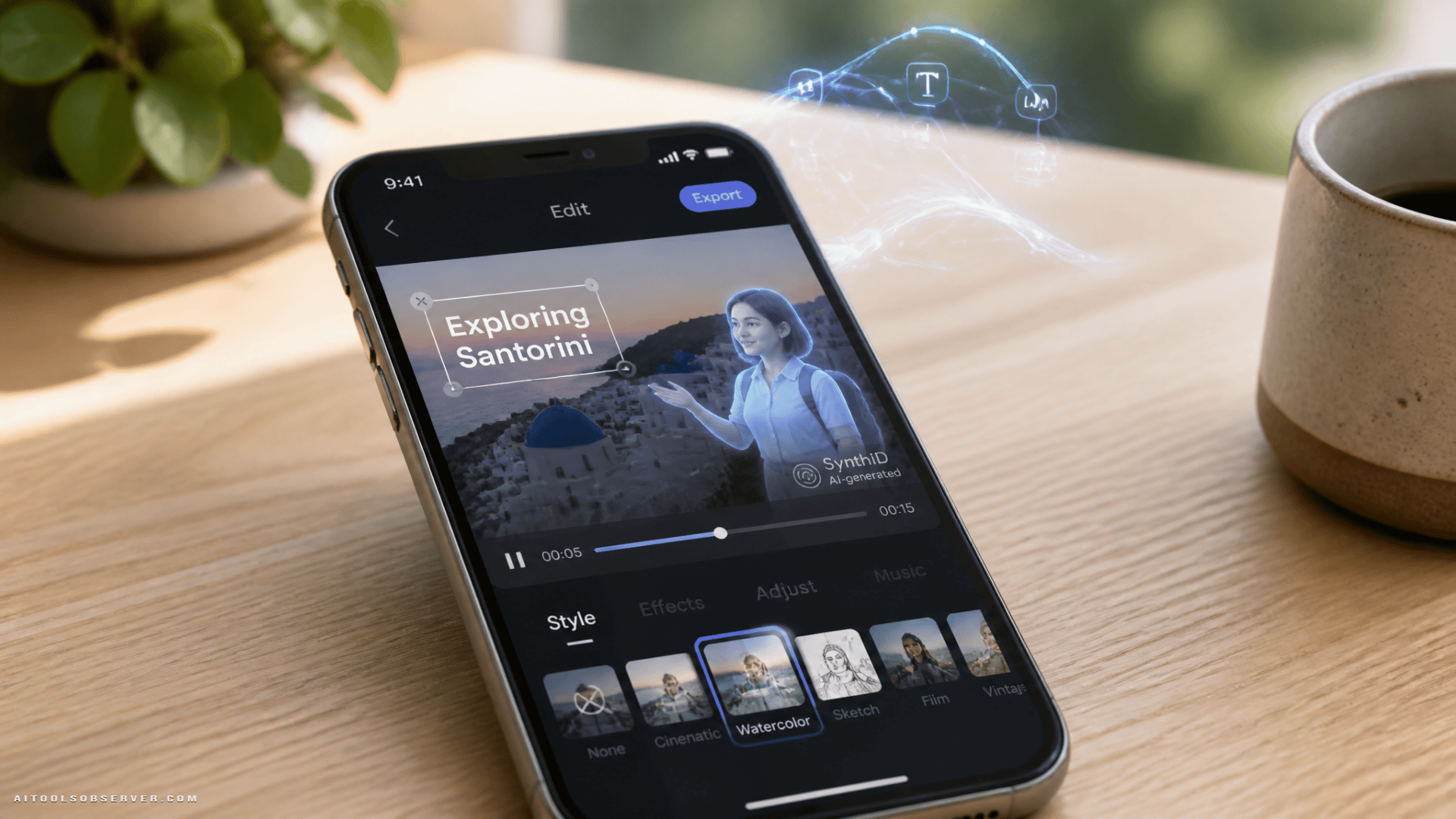
Google Photos Video Remix is positioned as an AI-powered editing feature for saved videos inside the Google Photos Create tab. It uses Gemini Omni to transform existing footage based on text prompts rather than traditional manual editing controls.
That means a user can ask for changes like a watercolor treatment, different lighting, or other stylized adjustments. The system then generates a revised version in seconds, turning a passive media library into something closer to a lightweight creative studio.
This matters because the feature focuses on editing footage people already have. It is not only about generating synthetic clips from scratch. It is about making everyday videos easier to remix, restyle, and repurpose.
Why Gemini Omni matters here
A basic image filter is one thing. Video editing is harder because the system has to understand motion, visual continuity, and how changes should carry across frames.
The description suggests Gemini Omni brings multimodal understanding to that process. In plain terms, it appears designed to interpret language, visuals, and movement together so edits feel more coherent instead of looking like disconnected frame-by-frame effects.
That is an important distinction. Good AI video editing is not just about adding a style. It is about preserving the logic of the original scene while changing how it looks.
The real shift: prompt-based editing becomes mainstream
Prompt-based editing has been building for a while, but it often lived in specialist tools or experimental products. Google Photos changes the context.
When text-driven edits show up inside a mainstream consumer photo app, the user expectation changes. People start to assume video editing should work more like this:
- Describe the result you want
- Let the system handle the technical work
- Save or share the new version quickly
For creators, marketers, and casual users, that lowers the skill barrier. It also changes what “editing” means. Instead of manually constructing every visual adjustment, users increasingly become directors of intent.
What this means for everyday creators
The practical appeal is easy to see. A casual creator with old travel footage, family clips, or social content can refresh material without opening complex editing software.
A few likely use cases stand out:
- Restyling archived clips for social posts
- Giving older footage a different mood or aesthetic
- Creating variations of one video for different audiences
- Testing visual concepts before investing in deeper editing
This is especially useful for people who already create often but do not want a heavy production workflow every time. The convenience is part of the product value.
Digital avatars add another layer
The rollout also points to support for digital avatars generated through Gemini Omni. That expands the scope beyond simple visual edits.
Once consumer media tools combine editing, generation, and avatar-based content, the line between organizing media and producing new media gets thinner. A photo library app starts behaving more like a creation platform.
That creates new options for creators, but it also raises new questions around authenticity, audience expectations, and how synthetic elements are disclosed.
Why SynthID watermarking matters
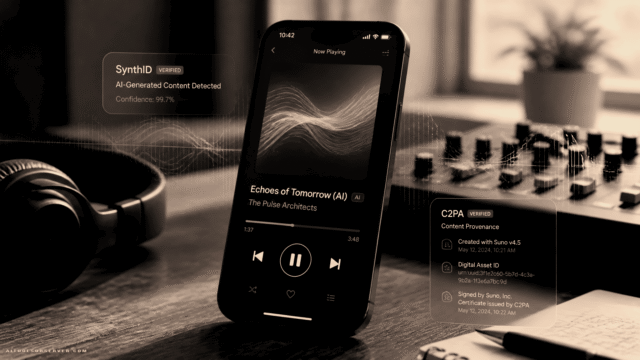
This is where Google’s SynthID watermarking becomes important. AI-generated content identification is no longer a side issue. It is becoming part of the infrastructure around consumer AI media.
As more tools let users alter real footage or add synthetic elements, provenance becomes more valuable. Viewers, platforms, and publishers increasingly need signals that help distinguish edited or AI-generated content from untouched originals.
Watermarking does not solve every trust problem. But it points to a broader pattern: powerful AI creation tools now need trust layers built in, not added later.
The bigger trend in AI video editing tools
Google Photos Video Remix fits into a larger move across AI video editing tools: the simplification of advanced production tasks into natural-language workflows.
Three trends are converging here:
1. Existing footage becomes editable by prompt
Instead of requiring users to generate net-new videos, tools are increasingly focused on transforming assets people already own. That is a better fit for creators with large content libraries.
2. Consumer apps are becoming creation hubs
Photo and video platforms are no longer just storage or sharing products. They are becoming subscription-supported creative environments with AI features layered directly into familiar workflows.
3. Trust features are becoming product features
Watermarking, provenance, and content labeling are moving closer to the center of the user experience. That is a practical response to the rise of synthetic media, not just a compliance checkbox.
The tradeoffs users should watch
There is clear upside in making editing easier, but there are also tradeoffs.
First, convenience can reduce precision. Prompt-based tools are fast, but users may have less granular control than they would in dedicated editing software.
Second, style-driven edits can flatten originality if everyone uses similar presets or prompt patterns. The easier visual transformation becomes, the more creators may need to work to keep their output distinctive.
Third, AI editing inside consumer apps can shift expectations around subscriptions. As these features become premium differentiators, users may need to weigh whether lightweight AI edits are enough to replace more specialized tools.
Why this matters for AI tool buyers and observers
For anyone tracking AI creative software, this rollout is a useful signal. It shows where consumer AI is heading: not toward standalone novelty, but toward embedded creation features inside apps people already use.
That changes competition across several categories at once:
- AI video editing tools
- Consumer photo and media apps
- Creator software
- AI avatar and synthetic media platforms
- AI content provenance solutions
If you are comparing tools, the key question is no longer just “Can this model generate video?” It is “How easily does this fit into a real content workflow?”
What to watch next
The most important thing to watch is not whether AI can edit video. It already can. The real question is which platforms make that capability feel natural, fast, and trustworthy enough for everyday use.
Google Photos Video Remix suggests that multimodal AI editing is moving out of specialist environments and into mainstream media products. For creators and teams, that means the smart move is to evaluate tools based on workflow fit, edit quality, and trust signals, not just flashy output.












Comments (0) No comments yet
Want to join this discussion? Login or Register.
No comments yet. Be the first to share your thoughts!