


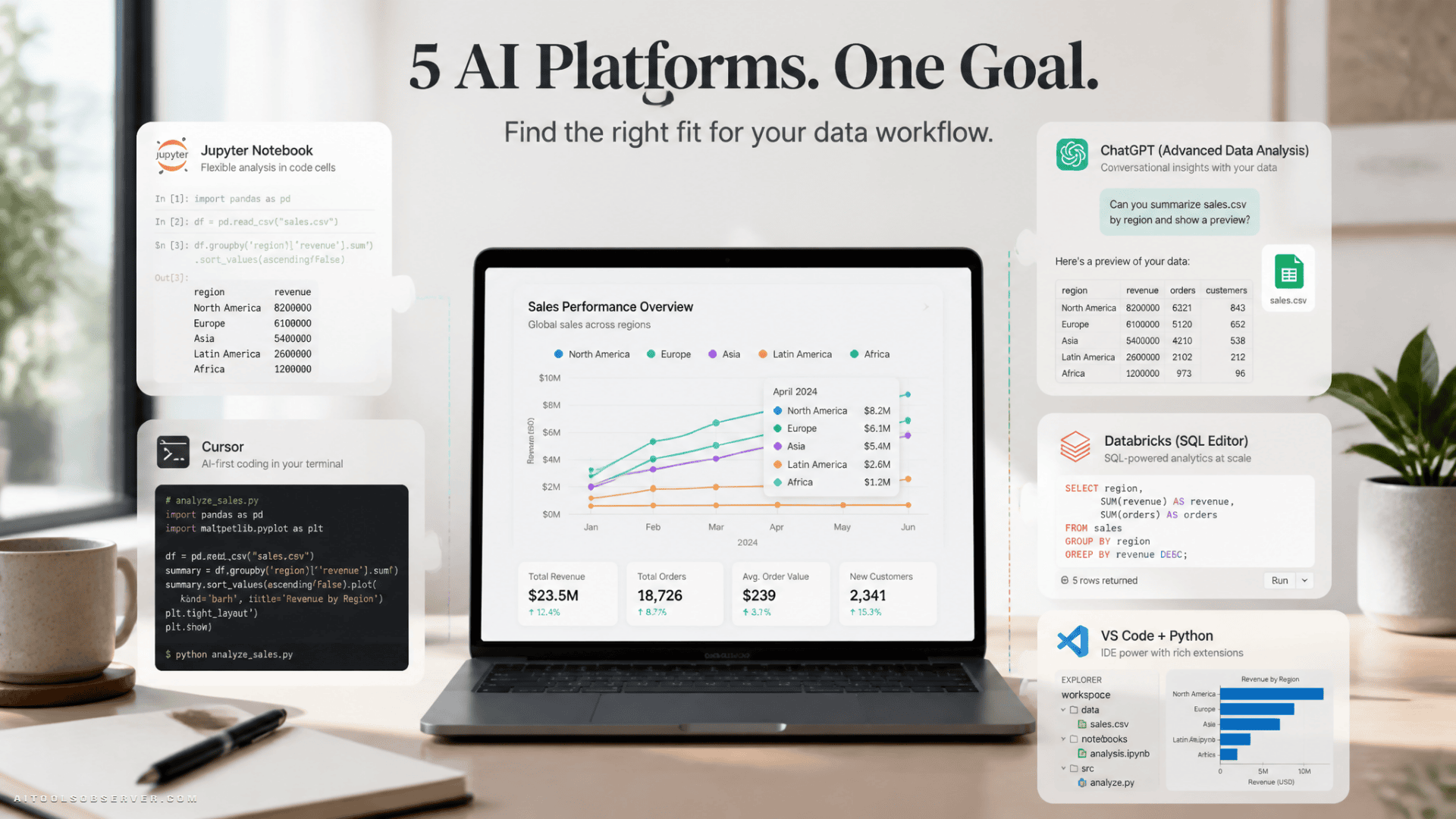
The Short Version
If you’re in a hurry:
- ChatGPT — fastest path from CSV to insight
- Deepnote — AI built into a collaborative notebook
- DataLab — similar to Deepnote, friendlier for learners
- Claude Code — surprisingly capable for scripted, automated workflows
- VS Code + Codex — best for analysts who live in their IDE
Now the longer version.
1. Deepnote
Deepnote is a collaborative notebook environment with an AI agent that actually understands your project—not just the current cell, but the whole thing. The Deepnote Agent can plan multi-step analyses, then add, edit, or remove Python, SQL, and text blocks to carry them out.
It also handles the usual AI notebook features: code completion, SQL generation, chart creation, error fixing, and plain-English explanations. You stay in the notebook the entire time, which keeps the feedback loop tight.
One notable detail: Deepnote supports custom OpenAI-compatible models for Enterprise workspaces and exposes a Deepnote MCP, so external tools like Claude, Codex, Cursor, and VS Code can interact with your projects directly.
Best for: Teams doing collaborative analysis in Python or SQL who want AI embedded in the workflow rather than bolted on the side.
2. ChatGPT
ChatGPT remains the lowest-friction entry point for data analysis. Upload a CSV or Excel file, describe what you want, and it will clean the data, spot outliers, run calculations, build charts, and summarize findings—without you writing a single line of code.
The newer Work experience extends this further. You can hand it a dataset and a goal, and it will produce a report, spreadsheet, or presentation as output. GPT-5.6 and its model variants (Sol, Terra, Luna) are now available depending on plan tier, with improvements aimed at professional analysis and structured outputs.
It’s not the right tool for reproducible pipelines or version-controlled projects. But for quick exploratory work or turning a messy file into a readable summary, it’s hard to beat.
Best for: Fast exploratory analysis, one-off visualizations, and anyone who wants answers without touching a code editor.
3. Claude Code
Claude Code wasn’t designed as a data analysis tool, but it handles the job well. The workflow is straightforward: drop a dataset into your project folder, open the terminal interface, and describe what you want. Claude Code will inspect the file, write Python scripts, run them, fix errors, generate charts, and produce a final report.
What makes this work is that Claude Code can read files, edit code, and execute terminal commands in sequence—it’s not just generating text, it’s completing tasks. In practice, this means you can go from raw CSV to a detailed Markdown report in a single session.
It’s now available across multiple surfaces: terminal, desktop app, VS Code extension, and web. The VS Code extension adds inline diffs and plan reviews; the desktop app supports parallel local and remote sessions.
Best for: Python-heavy workflows, automated analysis pipelines, and generating structured reports from datasets without manual assembly.
For more context, see this Claude Code review.
4. DataLab
DataLab by DataCamp is an AI-powered notebook with a conversational assistant built directly into the workspace. Connect a data source—including databases like Google BigQuery—describe your question in plain English, and the assistant generates Python, R, or SQL code, runs the analysis, and explains the result.
The AI goes beyond chat: inline code completion, error debugging, and prompt-based code editing are all available. Everything the AI generates stays visible and editable, so you’re not locked into accepting output you can’t inspect.
DataLab and Deepnote cover similar ground. The main practical difference is audience: DataLab feels more approachable for people who are still building their data skills, partly because of its DataCamp ecosystem roots.
Best for: Learners and practitioners who want a guided, conversational notebook experience with connected data sources.
5. VS Code with Codex
Codex is available in several forms—CLI, desktop app, cloud, and IDE extension—but for data analysis, the VS Code extension is where it earns its place. You can work across notebooks, Python scripts, CSV files, and reports in a single project, then ask Codex to inspect context, edit files, run analysis, and iterate based on follow-up prompts.
The key difference from a chat interface: you end up with actual files. Scripts, notebooks, charts, and reports live in your project directory, not in a conversation window you’ll lose track of later. The extension supports inline diffs and lets you review changes before accepting them.
For analysts who already live in VS Code, this is the most natural fit of the five.
Best for: Reproducible Python projects, notebook-based analysis, and anyone who wants AI assistance without leaving their existing development environment.
How to Choose
The honest answer is that the right tool depends on where you work, not which platform has the longest feature list.
| If you want… | Try… |
|---|---|
| Fastest path to insight | ChatGPT |
| AI inside a collaborative notebook | Deepnote or DataLab |
| Automated scripts and reports | Claude Code |
| Full IDE integration | VS Code + Codex |
One thing worth keeping in mind across all five: AI-generated analysis can be confidently wrong. The code runs, the chart looks clean, the summary sounds authoritative—and the calculation is still off. Checking the logic, not just the output, remains a non-negotiable step.
Use these tools to move faster. Just don’t skip the part where you actually look at the numbers.









Comments (0) No comments yet
Want to join this discussion? Login or Register.
No comments yet. Be the first to share your thoughts!