


What It Is
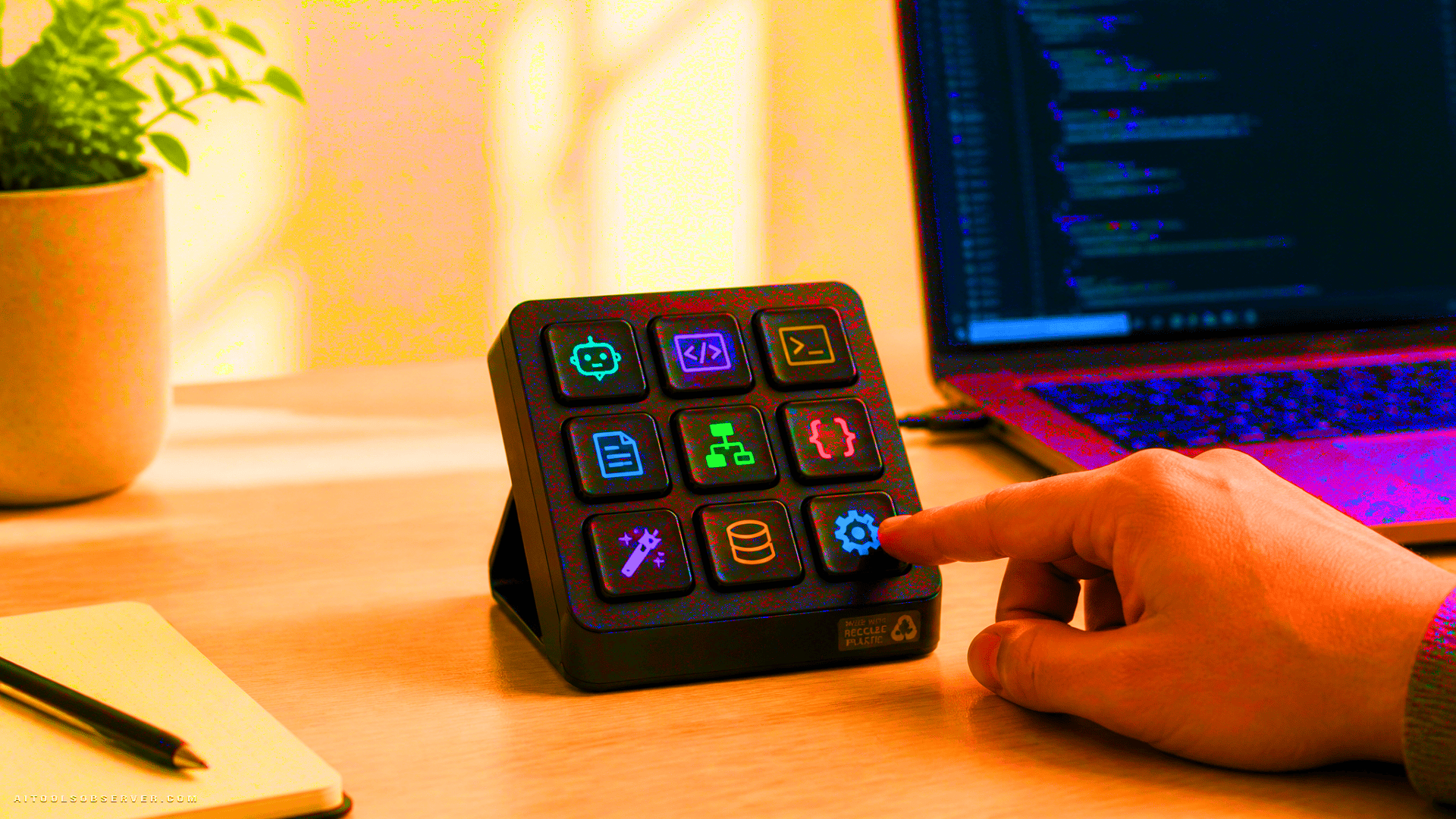
The MX Keypad is a compact 9-key control pad where each key has its own full-color LCD display. Instead of memorizing shortcut combinations or hunting through menus, you see the command icon directly on the key. Tap to refactor, trigger a macro, or hand off a task to an AI agent—without leaving your flow.
At $99.99, it sits in a clear category: it’s not a keyboard replacement, and it’s not an AI tool itself. It’s a physical interface layer that connects your hands more directly to the AI tools already in your workflow.
Platform Compatibility
The device is positioned to work across the tools that currently define AI-assisted coding:
- GitHub Copilot
- Claude Code
- VS Code
- IntelliJ IDEA
Profile switching is central to how this works in practice. A developer can maintain separate button configurations for each environment and toggle between them with a single tap—moving from a Python project in Copilot to a JavaScript refactor in Claude Code without reconfiguring anything manually.
Customization and Extensibility
Logitech ships the MX Keypad with prebuilt plugins tested against the supported platforms. For teams or developers with more specific needs, an SDK is available for custom integrations. A plugin marketplace is also part of the ecosystem, which suggests Logitech is treating this as a platform rather than a fixed-function device.
This extensibility matters. AI coding tools are evolving quickly, and a keypad that can only do what it shipped with would age poorly. The SDK-based approach gives it a longer useful life.
Build and Sustainability
The device is constructed from recycled plastics, consistent with Logitech’s stated sustainability commitments. It’s a detail worth noting for organizations with procurement policies around environmental standards, though it doesn’t affect the core functionality.
Who This Is Actually For
The MX Keypad makes the most sense for developers who:
- Regularly work across two or more AI coding environments
- Run repetitive prompt sequences or macro-heavy workflows
- Prefer tactile, glanceable controls over keyboard shortcut memorization
- Work in focused sessions where context switching carries a real cost
It’s less compelling for developers who work primarily in a single tool or who already have efficient shortcut habits they’re not looking to change.
The Practical Takeaway
At $99.99, the MX Keypad is a focused, honest piece of hardware. It doesn’t claim to make you a better developer—it claims to reduce the friction between your intent and your tools. For developers managing multiple AI agents across multiple environments, that friction is real, and a dedicated physical interface is a reasonable way to address it. The SDK and marketplace suggest it can grow alongside the AI tooling ecosystem rather than becoming obsolete when the next major platform shift arrives.







Comments (0) No comments yet
Want to join this discussion? Login or Register.
No comments yet. Be the first to share your thoughts!