


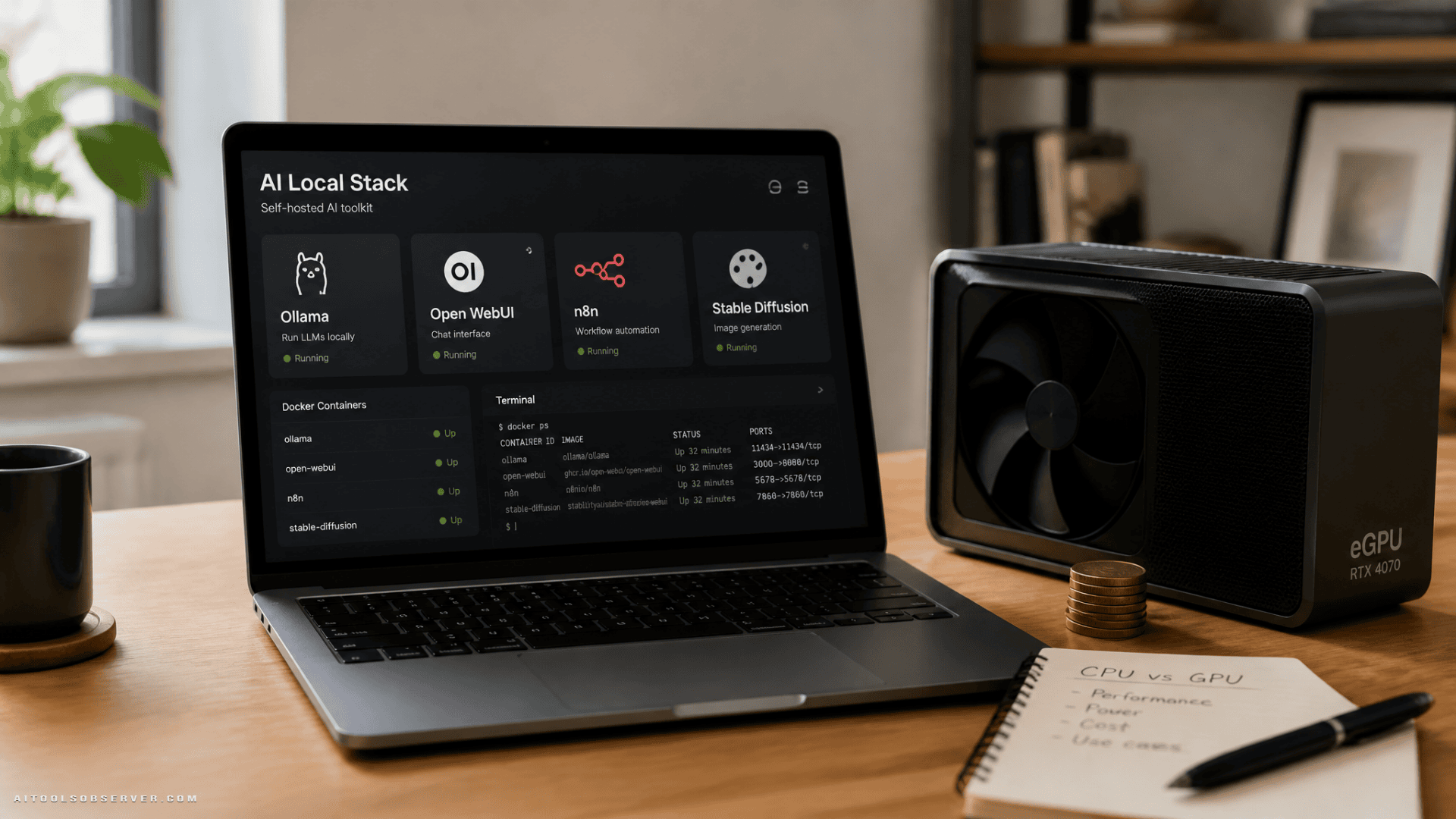
The quick list: 8 best VPS providers for self-hosted AI tools
- Hostinger — best overall for easy self-hosted AI deployment
- DigitalOcean — best for developers and optional GPU scaling
- Vultr — best for scalable cloud GPU infrastructure
- Hetzner — best value for experienced users
- Linode (Akamai Cloud) — best for high-memory and enterprise-style stacks
- Scaleway — best European option for private GPU workloads
- IONOS — best affordable entry point
- Contabo — best for budget high-RAM VPS setups
What self-hosted AI tools actually need from a server
This is where most comparisons get too vague. Different AI tools stress different parts of the server.
Lightweight CPU-friendly tools
These tools are usually fine on a standard VPS if they rely on external AI services or offload model work elsewhere:
- Open WebUI: very light, mainly a chat interface
- n8n: automation tool with AI steps, but not a model host by itself
- Flowise: visual builder that often connects to APIs or local backends
- Langflow: pipeline builder, more about orchestration than inference
- AnythingLLM: workspace and interface layer
- Qdrant: vector search database
- Dify: heavier than the others because of its multi-container setup, but still generally CPU-first unless paired with local model hosting
For these, your main concerns are usually:
- enough RAM
- stable storage
- Docker support
- backup options
- simple scaling as usage grows
Some of these setups overlap with Self-Hosted Assistants.
Tools that push you toward GPU hosting
These are the ones that change your budget and provider shortlist:
- Ollama: can run on CPU, but performs much better with stronger hardware and enough memory
- ComfyUI / Stable Diffusion: typically want an NVIDIA GPU and enough graphics memory
- larger local LLM deployments in general
If you plan to host models directly on the server, GPU availability matters more than a nice control panel.
Do you need a normal VPS or a GPU server?
For many self-hosted AI setups, a normal VPS is the right answer.
If your stack looks like this:
- Open WebUI
- n8n
- Flowise
- Langflow
- AnythingLLM
- Qdrant
- external OpenAI, Anthropic, or similar APIs
then a CPU VPS is usually the most cost-effective option. You’re mostly paying for orchestration, interfaces, workflows, and storage rather than inference.
A GPU server makes more sense when you want to run local LLMs or image generation directly on the machine. That includes setups where Ollama is doing serious work or where ComfyUI and Stable Diffusion are core parts of the workflow. CPU-only hosting can still work for small models, but it tends to feel slow once you care about responsiveness.
A practical rule:
- Use a normal VPS for interfaces, automations, vector databases, and API-connected AI apps
- Use a GPU server for local model inference and image generation
- Split the stack if needed: CPU VPS for UI and automation, GPU server for model workloads
Can you run multiple AI tools on one VPS?
Yes, and for small teams or solo builders, that’s often the smartest way to start.
A single server can host a compact stack like:
- Open WebUI
- n8n
- Ollama
- Qdrant
- Flowise or Langflow
That said, every service shares the same RAM, CPU, storage, and possibly GPU. A setup that feels fine in testing can become unstable once workflows, embeddings, chat sessions, and model calls all start competing for resources.
The usual pattern is simple:
- Start with one VPS for cost efficiency
- Watch RAM and storage usage closely
- Split services once one tool becomes the bottleneck
If Ollama or image generation starts eating resources, move that part to a separate machine.
How we compared these VPS hosts
For self-hosted AI tools, flashy marketing matters less than practical fit. The most useful evaluation points are:
- CPU and GPU options
- RAM headroom
- Docker deployment support
- storage and backup flexibility
- setup difficulty
- scaling path
- entry-level affordability
That’s also why the “best” provider depends on what you’re hosting. The right VPS for Open WebUI and n8n may be the wrong one for Stable Diffusion.
1. Hostinger
Best for: easy Docker and AI app deployment for beginners
Hostinger stands out if you want a smooth path to launching self-hosted AI tools without spending your first day in the terminal. It appears especially well positioned for users who want to deploy Docker-based apps quickly and keep management simple.
Its strongest fit is CPU-based AI tooling. If your stack is centered on Open WebUI, n8n, Flowise, or AnythingLLM, Hostinger is a very practical starting point.
Where Hostinger fits best
Hostinger makes sense for:
- Open WebUI
- n8n
- AnythingLLM
- Flowise
- light AI assistants
- workflow automation
- front ends for external model APIs
Its built-in Docker management is the main advantage here. That lowers friction for users who want deployment convenience more than deep infrastructure customization.
Tradeoffs
The main drawback is clear: no GPU VPS option in the standard lineup. So if your plan includes local image generation or heavier local model inference, you’ll outgrow it.
Hostinger is strongest when your AI tools are orchestration and interface layers, not heavy model hosts.
Why choose Hostinger
Choose it if you want:
- beginner-friendly setup
- built-in Docker workflows
- simple scaling for lightweight AI apps
- a strong all-around CPU VPS for self-hosted tools
2. DigitalOcean
Best for: developers and businesses that want flexible infrastructure with optional GPU growth
DigitalOcean is one of the safest picks if you want room to start small and scale into more serious AI workloads later. It works well for both standard self-hosted AI apps and more demanding GPU-backed use cases.
For developer-led teams, the appeal is straightforward: easy cloud deployment, broad ecosystem familiarity, and a path from simple Droplets to dedicated GPU instances.
Where DigitalOcean fits best
DigitalOcean is well suited for:
- Open WebUI
- n8n
- Qdrant
- Dify
- AnythingLLM
- local-model experiments that may later need GPU support
A regular Droplet can handle the CPU-friendly parts of a self-hosted AI stack. Once you want faster local inference or image generation, the GPU side becomes relevant.
Tradeoffs
The main limitation is cost structure. Backups are not always bundled, and GPU billing can become expensive for long-running workloads.
That doesn’t make DigitalOcean a bad choice. It just means it’s better for users who value flexibility and developer tooling enough to accept that tradeoff.
Why choose DigitalOcean
Choose it if you want:
- a developer-friendly platform
- simple CPU-to-GPU scaling
- broad support for mixed AI workloads
- a provider that can grow with your stack
3. Vultr
Best for: scalable cloud GPU infrastructure
Vultr is a strong option when GPU access is part of the plan from day one, or likely soon after. It covers both low-cost CPU instances and more advanced GPU-backed deployments, which gives it a wide range of use cases.
If you’re building toward local inference, image generation, or model-heavy experimentation, Vultr deserves a close look.
Where Vultr fits best
Vultr is a good fit for:
- Open WebUI
- Ollama
- n8n
- Langflow
- GPU-backed AI workloads
- teams that want flexible cloud scaling
Its 1-click Docker image helps, but the platform still leans more technical than beginner-first.
Tradeoffs
Vultr can be less approachable if you’re new to infrastructure. There are also bandwidth limits to think about, which may matter if your AI app serves lots of media-heavy output.
So while Vultr is powerful, it’s best for users who are comfortable managing cloud resources more actively.
Why choose Vultr
Choose it if you want:
- cloud GPUs with room to scale
- a broad infrastructure range
- support for both lightweight and heavier AI use cases
- low entry cost on CPU instances
4. Hetzner
Best for: value-focused, experienced users who are comfortable managing servers
Hetzner keeps showing up in serious self-hosting conversations for one reason: strong value. If you know your way around Linux and don’t need a hand-holding control panel, it can be one of the more cost-efficient ways to host a capable AI stack.
It’s especially attractive for CPU-based tools and smaller local model setups that don’t yet need a dedicated GPU server.
Where Hetzner fits best
Hetzner works well for:
- Open WebUI
- n8n
- Flowise
- Langflow
- Qdrant
- small-model Ollama use
- budget-conscious technical users
For many builders, Hetzner is the “do more with less” choice.
Tradeoffs
Its cloud VPS plans do not solve the GPU problem by default. If you need GPU acceleration, you’re looking at a different class of deployment. It’s also unmanaged, so setup and maintenance are on you.
That means Hetzner is not the easiest option. But if price-to-performance matters more than convenience, it’s a strong contender.
Why choose Hetzner
Choose it if you want:
- strong value for CPU VPS hosting
- full SSH control
- flexible self-managed deployment
- a technical platform without unnecessary extras
5. Linode (Akamai Cloud)
Best for: high-memory stacks and more enterprise-oriented deployments
Linode sits in a useful middle ground. It offers straightforward cloud infrastructure with enough flexibility for developers, while still feeling suitable for more serious production use.
For self-hosted AI tools, that makes it a good option when you need more than a hobby setup but don’t necessarily want to jump straight into a specialized GPU-first environment.
Where Linode fits best
Linode is a strong fit for:
- Open WebUI
- Ollama with smaller models
- n8n
- Qdrant
- Flowise
- Langflow
- memory-hungry app stacks
Its 1-click Docker approach and deployment scripting help balance convenience with control.
Tradeoffs
Like several providers here, Linode is easiest to recommend for CPU-first workloads unless you specifically move into its GPU-capable offerings. That means you need to think clearly about whether you’re hosting applications around AI or the models themselves.
For many teams, that distinction is the difference between a smooth rollout and an unexpectedly expensive one.
Why choose Linode
Choose it if you want:
- flexible infrastructure
- good fit for higher-memory app stacks
- developer control without going fully barebones
- a more production-friendly feel for self-hosted AI services
6. Scaleway
Best for: European hosting preferences and private GPU-oriented AI workloads
Scaleway is particularly interesting for teams and builders who prefer European infrastructure and want a cloud provider that can support private AI workloads more directly. In this category, that positioning matters.
If location preferences, privacy posture, or regional infrastructure are part of your decision, Scaleway can be a practical alternative to the more US-centric defaults.
Where Scaleway fits best
Scaleway makes sense for:
- GPU-based private AI workloads
- Ollama deployments that may need stronger hardware
- image generation setups
- users who want European infrastructure for their AI stack
It can also support standard CPU-based app layers, but its appeal is stronger when GPU use is part of the roadmap.
Tradeoffs
The main tradeoff is that it may not feel as universally familiar as providers like DigitalOcean or Linode, especially for users who already have workflows built elsewhere. That’s not a weakness by itself, but it does affect onboarding comfort.
Why choose Scaleway
Choose it if you want:
- a European VPS option
- private AI workload hosting
- GPU-oriented flexibility
- a regional alternative for self-hosted AI stacks
7. IONOS
Best for: affordable entry-level VPS hosting
IONOS is the kind of provider that makes sense when your first priority is getting a self-hosted AI stack online cheaply. For early experiments, internal tools, or low-traffic workflow systems, that can be enough.
It’s not the provider you pick because you expect large local model inference tomorrow. It’s the provider you pick because you want a low-friction starting point for CPU-based tools.
Where IONOS fits best
IONOS is best suited for:
- Open WebUI
- n8n
- Flowise
- lightweight prototypes
- small internal AI utility stacks
For simple orchestration and interface hosting, affordability can matter more than premium infrastructure options.
Tradeoffs
The tradeoff is headroom. Budget entry plans can be great for testing and modest workloads, but they may not be where you want to stay once your AI stack becomes more central to operations.
So IONOS is a smart first step, not always the ideal long-term home for heavier self-hosted AI workloads.
Why choose IONOS
Choose it if you want:
- low-cost entry hosting
- a simple place to start
- CPU-first AI app hosting
- a practical option for experiments and small deployments
8. Contabo
Best for: high-RAM budget VPS setups
Contabo tends to appeal to a specific kind of buyer: someone who needs lots of memory for the money and is willing to accept that “budget” usually involves tradeoffs elsewhere.
For self-hosted AI tools, that can be useful. Some stacks are more RAM-sensitive than CPU-intensive, especially when you’re running multiple services together.
Where Contabo fits best
Contabo works well for:
- multi-service self-hosted AI stacks
- RAM-heavy but not necessarily GPU-heavy deployments
- Open WebUI plus n8n plus vector DB combinations
- budget-conscious users who want more resources per dollar
If your issue is “I need more memory to keep several tools running,” Contabo can look attractive.
Tradeoffs
The usual caution with budget high-resource hosting is consistency and operational polish. A provider can look great on paper if you compare only raw specs, but day-to-day usability depends on more than RAM totals.
That means Contabo is often best for users who understand what they’re optimizing for: capacity on a budget, not necessarily premium simplicity.
Why choose Contabo
Choose it if you want:
- high RAM at lower cost
- one-box multi-tool hosting
- a budget-friendly self-hosted stack
- better resource density than many entry VPS plans
Which VPS is best for each self-hosted AI use case?
Here’s the faster decision lens.
Best for Open WebUI, n8n, Flowise, and API-based AI apps
Start with:
- Hostinger if you want simplicity
- DigitalOcean if you want developer flexibility
- IONOS if budget matters most
These tools usually do not need a GPU if they connect to external AI providers.
Best for Ollama and local LLM experiments
Start with:
- DigitalOcean
- Vultr
- Linode
- Hetzner for smaller or more technical setups
Ollama can run without a GPU, but hardware quality and RAM matter a lot. If responsiveness matters, plan ahead for stronger compute.
Best for Stable Diffusion and ComfyUI
Start with:
- Vultr
- DigitalOcean
- Scaleway
This is where GPU access becomes the deciding factor. A standard CPU VPS usually won’t deliver a good experience for regular image generation.
Best for budget self-hosters
Start with:
- Hetzner
- IONOS
- Contabo
Each one solves a different budget problem:
- Hetzner for value and technical control
- IONOS for entry-level affordability
- Contabo for more RAM on a tighter budget
Best for teams that expect to scale
Start with:
- DigitalOcean
- Vultr
- Linode
These providers are easier to recommend when your AI stack may evolve from a single Docker host into a more layered system.
What to check before choosing an AI VPS
Before you commit, ask these five questions:
- Am I hosting apps around AI, or the models themselves?
This decides whether you need a normal VPS or GPU infrastructure. - How much RAM will my stack really use?
Dify, Ollama, vector databases, and multiple containers can eat memory faster than expected. - Will I run several services on one machine?
If yes, leave room for growth instead of sizing only for day-one usage. - Do I need simple deployment or raw control?
Hostinger helps if you want ease. Hetzner helps if you want freedom and value. - Is this a prototype, an internal tool, or production infrastructure?
Your tolerance for setup friction and scaling limits changes with the use case.
The best VPS for self-hosted AI tools in 2026
If you want the most balanced option for lightweight self-hosted AI tools, Hostinger is the easiest overall pick. It’s especially good for Open WebUI, n8n, Flowise, and similar Docker-based apps that don’t require a GPU.
If you want the most flexible all-around platform, DigitalOcean is hard to ignore. It covers both standard VPS hosting and more advanced GPU paths, which makes it a good fit for teams that expect their AI workloads to expand.
If your focus is GPU-backed AI hosting, Vultr and Scaleway stand out more. If your focus is budget efficiency, Hetzner, IONOS, and Contabo each have a strong angle depending on whether you care most about control, entry cost, or RAM.
The simplest way to choose is this: match the server to the job. Don’t pay for GPU power if your stack only needs orchestration and interfaces. And don’t force local AI workloads onto a cheap CPU VPS if you already know performance will matter.











Comments (0) No comments yet
Want to join this discussion? Login or Register.
No comments yet. Be the first to share your thoughts!