



The Lure: AI Content as a Trojan Horse
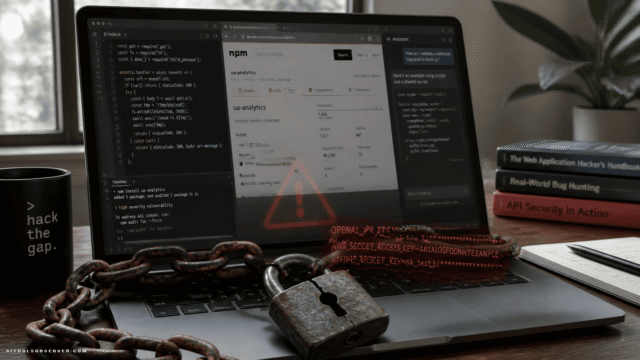
The attack starts with a believable premise. Files with names referencing AI guides and developer tools circulate as seemingly trustworthy learning content.
Diana Kelley, CISO at Noma Security, put it plainly: “Attackers are now packaging malware as trusted learning content.” She urged security teams to treat downloaded documents and training assets with the same scrutiny applied to software dependencies — because at this point, they are part of the supply chain.
The target audience isn’t random. Developers and AI professionals are exactly the people most likely to download an unfamiliar PDF or archive if it promises useful knowledge.
How the Attack Chain Actually Works

This isn’t a simple phishing link. It’s a carefully engineered multi-stage execution chain designed to stay invisible at every step.
Stage 1: The Archive and the LNK File
Inside the booby-trapped archive sits a shortcut (LNK) file alongside two hidden documents. Opening the LNK file kicks off the chain immediately.
Each subsequent stage is pulled from hidden offsets inside a single PDF-named data file. The stages decrypt and execute sequentially, meaning no single file looks obviously malicious in isolation.
Stage 2: The Decoy and the Scheduled Tasks
While the victim sees a clean, harmless-looking document open on screen, PowerShell stages are running silently in the background.
The malware plants scheduled tasks disguised as Realtek audio services — a clever choice, since Realtek components are present on most Windows machines and rarely raise flags.
Stage 3: AutoHotkey as the Execution Engine
Two files posing as Realtek components are actually copies of AutoHotkey, a legitimate Windows automation tool. By using a trusted, signed binary as the execution engine, the attackers move the malicious logic into scripts that are far harder to fingerprint than compiled binaries.
John Gallagher, VP at IoT cybersecurity firm Viakoo, noted this is “an existing attack vector, just performed more quickly and made more stealthy” with AI assistance. His practical fix: block or isolate unsanctioned scripting engines like AutoHotkey at the endpoint level.
Stage 4: Process Hollowing and the Final Payloads
One branch of the attack rebuilds a hidden program from numbers embedded in a fake manifest file, then uses process hollowing to execute it inside a legitimate .NET process.
That manifest delivers two .NET payloads. The first is clay_Client, a modular remote access trojan tracked by Fortinet. The second is AsyncRAT, which establishes a persistent beacon to its own command-and-control (C2) server — handing attackers full remote access to the compromised machine.
Signs of AI-Assisted Malware Development

The code itself tells a story. Windows functions are hidden behind aliases drawn from Chinese mythology, and unsanitized Chinese-language comments are scattered throughout the scripts — both indicators pointing toward AI-assisted development.
The pattern suggests generative AI handled the heavy lifting of code construction while a human operator defined the attack logic and targeting strategy. The result is malware that’s faster to build, harder to detect, and increasingly accessible to threat actors who lack deep coding expertise.
Ram Varadarajan, CEO of decryption technology firm Acalvio, describes this as part of a broader trend he calls “compositional opacity” — attacks deliberately split into steps that each appear harmless on their own, only becoming dangerous when the full chain executes.
Why This Matters for AI Tool Users Right Now
The timing is not accidental. Demand for AI learning resources has exploded, and professionals across every industry are downloading guides, tools, and frameworks from sources they haven’t fully vetted.
Attackers are exploiting exactly that behavior. The more urgently someone wants to learn about AI, the less likely they are to pause and scrutinize a file before opening it.
For anyone working in a team that actively evaluates or adopts AI tools — which describes most of the AiToolsObserver audience — this campaign is a direct threat vector.
Four Defenses That Actually Work
Fortinet and the security analysts quoted in this research converged on a clear set of countermeasures:
- Block or isolate unsanctioned scripting engines — AutoHotkey, in particular, has no business running in most enterprise environments without explicit approval.
- Tune endpoint tools to scan memory, not just files on disk — fileless and process-hollowing techniques specifically evade file-based detection.
- Audit scheduled tasks regularly — and flag anything masquerading as audio drivers or other low-profile system services.
- Retarget phishing training at developers — using fake AI-tool lures in simulations, because that’s the actual threat model now.
Kelley added one more practical recommendation: give staff a vetted internal library of AI resources. If people have a trusted, curated source to go to, they’re far less likely to grab a random archive from an unverified channel.
The Bigger Picture
This campaign is a signal, not an anomaly. As AI tools become central to how developers and knowledge workers operate, they become central to how attackers target them too.
The sophistication here — multi-stage execution, living-off-the-land binaries, AI-assisted code development, compositional opacity — reflects a threat landscape that’s evolving faster than most security awareness programs.
The smartest move right now is simple: apply the same critical evaluation you’d give any AI tool to every AI resource you download. Observe carefully. Choose smarter.













Comments (0) No comments yet
Want to join this discussion? Login or Register.
No comments yet. Be the first to share your thoughts!