


What Is Search Services History?

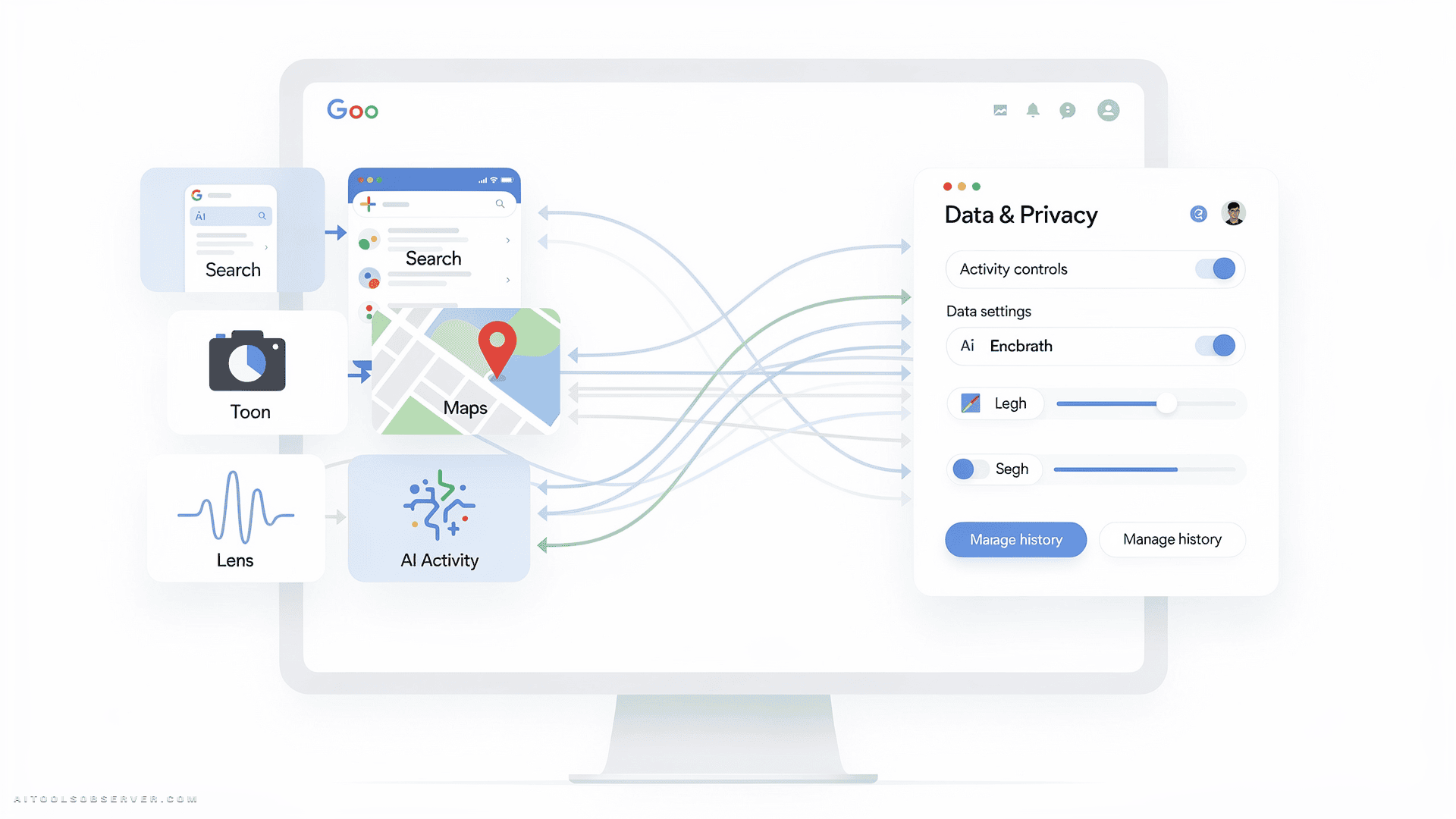
Search Services History is a new Google account setting that consolidates and saves a broad range of your search-related activity. Unlike the older Web & App Activity setting, which tracked general browsing and app interactions, this new layer is specifically designed to capture the richer, multimodal data that Google’s expanded AI tools now generate.
According to Google’s own communications to users, the setting can include:
- Standard Google Search results and queries
- Places you view or explore on Google Maps
- Generative AI answers produced in AI Mode
- Images and files uploaded via Google Lens
- Audio recordings and transcripts from Search Live, Google’s real-time voice and video search tool
The critical detail is in the language Google used in its user notification: saved media and history are used “to develop and improve Google services and technologies, including AI models.” That is not incidental data retention — it is explicit AI training material.
Why This Goes Beyond Ordinary Search History

Previous search history tracking was largely text-based. You typed a query; Google remembered it. The implications were significant but relatively contained.
Search Services History operates in a fundamentally different dimension. When you upload a photo of a rash to Google Lens, ask Search Live to identify a song by humming it, or record a live video to ask a question about your surroundings, you are contributing biometric-adjacent data — your voice, your face, images of your home, your children, your body.
Calli Schroeder, senior counsel at the Electronic Privacy Information Center (EPIC), frames the risk precisely: your voice and physical appearance are biometric identifiers with long-term value that extends well beyond a single search session. Once stored under a company’s privacy framework, that data is subject to legal requests, policy changes, and commercial uses that may not align with your original intent.
There is also the question of personalization asymmetry. Personalized recommendations sound convenient, but they can include differentiated pricing — where the price you see for a product differs from what another user sees, based on inferred attributes like location, income level, or browsing behavior. Google has denied that Search Services History is used for price differentiation, but the structural capability exists within personalization systems broadly.
The Relationship to Web & App Activity
One important clarification: Search Services History does not activate independently by default.
If you have already opted out of Web & App Activity, Google will automatically opt you out of Search Services History when the feature rolls out to your account. The two settings are linked — the new one inherits the status of the old one.
However, if you currently allow Web & App Activity tracking — which is the default for most signed-in Google users — Search Services History will be enabled for you automatically as the rollout progresses over the coming months. This makes it a passive opt-in for the majority of users who have never revisited their activity settings.
Step-by-Step: How to Check and Disable Search Services History
The process is straightforward, but it requires navigating Google’s account settings directly.
Step 1 — Access Your Activity Settings
Sign in to your Google account and go to:
https://myactivity.google.com/myactivity
This is Google’s central activity dashboard, where all tracking settings are managed.
Step 2 — Locate the Search Services History Setting
Look for the Search Services History option within your activity controls. If you do not see it yet, the feature has not rolled out to your account — it is being introduced gradually over the next several months.
Step 3 — Turn It Off
Select the “Turn off” option to disable the setting. This stops Google from saving new search activity, uploaded media, AI Mode responses, and Search Live recordings under this framework.
Step 4 — Delete Existing History
Disabling the setting stops future collection, but it does not automatically erase what has already been saved. Use the activity dashboard to review and delete individual entries or bulk-delete your Search Services History.
Step 5 — Review Web & App Activity
While you are in the settings, verify the status of Web & App Activity as well. Since the two settings are linked, ensuring both are configured to your preference gives you the most complete control over what Google retains.
What Google Says — and What Remains Uncertain
Google’s official position is measured: the company states that Search Services History helps users revisit past searches, receive relevant recommendations, and continue multimodal conversations across sessions. A Google spokesperson explicitly denied that the data is collected for biometric purposes or to alter prices shown in Search.
That denial addresses specific concerns, but it does not resolve the broader question of how long data is retained, under what conditions it could be shared with third parties or law enforcement, and how future policy changes might affect data already collected.
Privacy law in most jurisdictions has not yet caught up with multimodal AI data collection at this scale. That regulatory gap is precisely why privacy advocates recommend proactive opt-out rather than waiting for legal frameworks to define the boundaries.
Who Should Pay Closest Attention
Not every user faces the same level of exposure. The risk profile is higher if you:
- Regularly use Google Lens to search with personal or sensitive images
- Use Search Live for voice or video queries
- Have children whose images you might upload for identification purposes
- Ask Google questions about health, legal, or financial matters
- Are in a jurisdiction where search history could be subject to law enforcement requests
For casual text-based searchers who rarely use multimodal features, the immediate risk is lower — but the principle of data minimization still applies. Giving a platform less data is always the more defensible default.
The Broader Pattern Worth Recognizing
Search Services History is not an isolated product decision. It reflects a structural shift in how AI companies source training data: by embedding data collection directly into the tools people use daily, at the moment of highest engagement.
The more capable AI search becomes — understanding images, voices, and live video — the more valuable the data it generates. Users who engage with these features are, in effect, contributing to the training pipelines that make future versions of those same tools more powerful.
That is not inherently malicious. But it is a transaction that deserves explicit acknowledgment, not a buried setting that activates by default.

















Comments (0) No comments yet
Want to join this discussion? Login or Register.
No comments yet. Be the first to share your thoughts!