


What It Actually Does
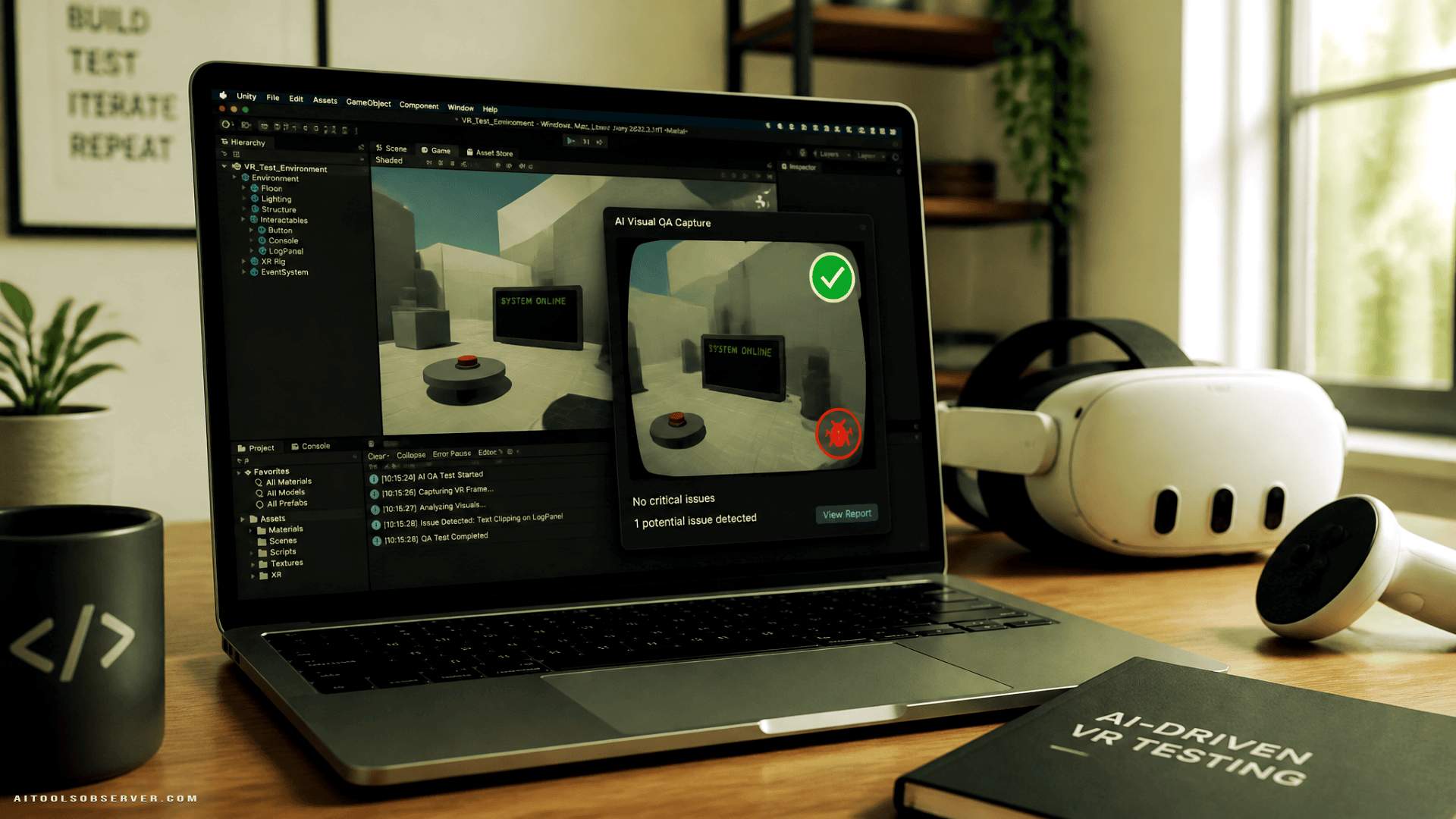
Meta XR Operator is an OpenXR API layer shipping as an experimental component in Meta XR SDK v205. It lets any Model Context Protocol (MCP)-compatible AI agent connect to Meta XR Simulator and do the full loop: build Unity scenes, launch the app, take screenshots, spot issues, fix them, and verify the fix visually.
That last step—visual verification—is the meaningful addition. AI coding agents have been useful for reading and writing code, but confirming that a VR interaction looks and behaves correctly required a human with a headset. Operator hands that job to the agent.
Natural-language testing is also part of the package. Describe a test scenario in plain language, and the agent executes it, returning pass/fail results with screenshot evidence. No test script required.
Early Tests and Real Limits
Meta ran early testing with Beat Games (the Beat Saber team) and other developers on the Meta XR SDK. One early demo had an agent build an interactive Tic-Tac-Toe VR app from scratch—writing game logic, aiming a virtual controller at cells, pressing A to place pieces, and playing through to a win/lose state.
That’s a useful proof of concept. But the current limitations are worth knowing upfront:
- No audio perception — the agent can’t hear anything
- No animation or motion evaluation — moving interactions are unreliable
- No individual finger tracking
- Struggles with subtle visual defects
- Works best with static, deterministic scenarios — real-time interaction is too fast for it
It’s also Unity-only for now via the Meta XR Core SDK, though a standalone package is available for OpenXR-backed engines like Godot and Unreal Engine if you’re willing to handle your own integration.
Who This Is Actually For
Right now, XR Operator is most useful for developers building structured, interaction-heavy VR apps in Unity who want to automate QA without writing exhaustive test scripts. Think menu flows, UI interactions, game state logic—anything that’s predictable and visual but tedious to verify manually.
It’s less useful if your app relies heavily on physics, animation timing, spatial audio, or nuanced hand tracking. Those gaps aren’t small, but they’re also clearly scoped in Meta’s own documentation, which is a reasonable sign of honest experimental tooling rather than overpromised beta software.
The Bigger Picture
Meta’s approach here is less about replacing developers and more about automating the mechanistic parts of VR development—the QA loops, the regression checks, the “did I break something?” moments that eat hours without producing anything new.
The practical upside for smaller studios and indie developers is real: faster iteration cycles, lower QA overhead, and a lower barrier to shipping something polished. Whether that translates into better content on the Horizon Store is a separate question, but the tooling direction is coherent.
If you’re building on Meta XR SDK v205 or later, XR Operator is available now as an experimental component. It’s worth a look for any Unity-based VR project where automated visual QA would save meaningful time—just go in knowing what it can’t do yet.







Comments (0) No comments yet
Want to join this discussion? Login or Register.
No comments yet. Be the first to share your thoughts!