



What Nvidia PAIR actually is
PAIR stands for Personal AI Router. Based on the available description, it acts like a local traffic controller for AI agent work.
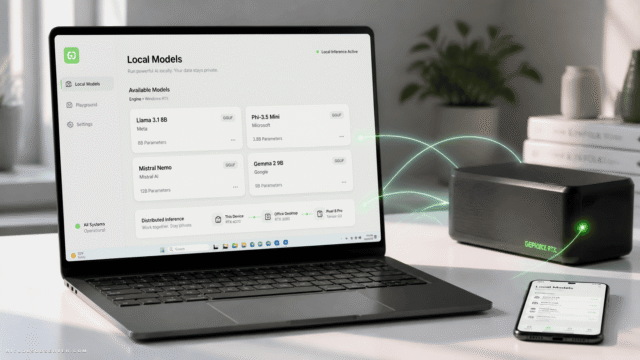
An agent runs on your main system, but some of its subagents can be sent to other PCs on your LAN. Those remote systems do the inference locally, then send results back. The main agent stays in charge the whole time.
So the split looks like this:
- Your primary machine runs the agent
- PAIR sits between the agent and the available machines
- Other PCs on the network run assigned subagent tasks
- Results come back to the main agent for the next step
It stays local, which is the point. No cloud detour, no shipping sensitive data out by default, no paying a remote GPU just because your spare laptop was sitting there scrolling screensavers.
The problem PAIR is trying to solve
Some AI agent workflows are not one long straight line. They are more like a small office full of interns, each handling a separate task at the same time.
If an agent can break work into independent pieces, those pieces can run in parallel. That matters because one busy GPU can quickly become the bottleneck, even if several other devices nearby have enough horsepower to help.
PAIR appears positioned for exactly that scenario:
- Multi-step agents
- Parallelizable tasks
- GPU-heavy local inference
- Households or workspaces with several capable machines
A good mental model is photo processing. If an agent needs to classify, tag, sort, or analyze a huge library, many of those jobs can happen separately. One machine coordinates. Other machines do chunks of the work.
How it works in practice
The flow is fairly simple, at least on paper.
You install the software on each system you want to participate. Then you connect them over your local network. Your main machine runs an agent app such as the examples mentioned in the description, and that agent sends subagent work to PAIR as if PAIR were the inference engine.
PAIR then decides where those subagents should run.
From there:
- The agent decides what tasks need to happen
- PAIR receives those task requests
- PAIR checks which systems are available
- It assigns subagents to suitable computers
- Those systems run the tasks locally
- Results return to the main agent
In short: the agent decides what, PAIR decides where.
That distinction matters. PAIR is not writing the plan. It is routing the work.
What makes a PC eligible for work
PAIR does not just fling tasks at random devices and hope for the best.
Based on the description, it considers things like:
- Whether a machine is accepting assignments
- Whether the right inference engine is installed
- Whether the required model is installed
- Current workload on that system
- Available GPU headroom
That means the system is trying to avoid obvious bad decisions, like sending a GPU-heavy task to a machine that is already busy or missing the needed model.
There is also a dashboard view for real-time status, which is useful because “distributed” gets annoying fast when you cannot see what is happening.
Where PAIR helps most
PAIR is not for every AI workflow. It is most useful when tasks can be split into separate jobs that do not depend on each other in real time.
Good-fit scenarios include:
- Large-scale classification or tagging
- Batch analysis across many files
- Multi-agent workflows with independent subagents
- Smart home or local automation tasks spread across devices
- Keeping your main workstation responsive while background agent work runs elsewhere
The practical appeal is less about raw speed bragging rights and more about resource sanity. If your desktop is orchestrating a workflow, it may be nicer to let the old gaming PC or underused laptop chew through pieces of the load.
Your LAN becomes a tiny inference fleet. Very suburban. Very efficient.
What PAIR does not do
This is the part worth reading twice.
PAIR does not combine multiple GPUs into one giant shared pool. It does not pool VRAM. It does not magically let weak machines run models they could not normally run.
So if a model is too large for a given system, PAIR does not fix that. It also does not split one subagent across several machines. Each subagent gets assigned to a single system.
That means PAIR helps with parallelism, not with model size limits.
In plain English:
- It can spread separate tasks across devices
- It cannot merge devices into one bigger device
- It can reduce crowding on one system
- It cannot create memory that does not exist
That is a useful distinction, because “distributed AI” often sounds like “free cluster computing.” This is more modest and more practical than that.
Current limits with Ollama and LM Studio
At the moment, PAIR is described as working only with the Ollama and LM Studio engines.
That matters because engine compatibility is the difference between “interesting idea” and “usable setup.” If your local stack depends on something else, PAIR may not fit yet.
It also means each remote system needs the necessary engine and model installed locally. So this is not a thin-client setup where one machine holds everything and others simply lend generic GPU cycles.
Every participating computer needs to be prepared to do real inference work.
For users already running local models through Ollama or LM Studio, that may feel straightforward. For everyone else, it adds setup overhead quickly.
Security and local-first appeal
PAIR is built on established standards including mDNS for discovery and mTLS for security, based on the available context.
That does not make setup friction disappear, but it does suggest Nvidia is not inventing a totally custom networking universe from scratch. For local-first AI users, that is a good sign.
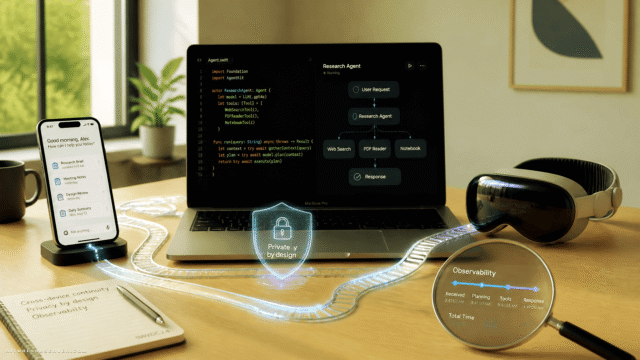
The bigger appeal is architectural: your data and inference can stay on your own network. If you are working with personal files, internal docs, or sensitive workflows, local routing is not just convenient. It may be the whole reason the product is interesting.
Who should care
PAIR is most relevant for a narrow but growing group:
- People running local AI agents regularly
- Users with multiple capable PCs on the same network
- Tinkerers already comfortable with Ollama or LM Studio
- Anyone whose agent workloads break cleanly into parallel tasks
If you only run occasional prompts on one machine, this is probably overkill. If you are orchestrating local agents and watching one GPU become the office bottleneck, PAIR starts to make sense fast.
Is this about speed, convenience, or control?
A bit of all three, but not equally.
Speed is the headline because parallel work can finish faster. Convenience is more conditional, because setup across multiple systems is rarely “plug and play” in the purest sense. Control may be the sleeper benefit, especially for users who want local orchestration without relying on cloud infrastructure.
So the real value is not “turn every home into an AI supercluster.” It is more like: stop wasting the machines you already own when your agent workflow can split work intelligently.
The practical takeaway
Nvidia PAIR is best understood as a local task router for AI agents, not a magic GPU combiner. If your agent workflow can spawn independent subagents, PAIR can offload those jobs to other PCs on your network and keep the main machine from doing all the sweating.
The catch is simple: every helper machine still needs the right engine, the right model, and enough resources to do the job on its own. If that fits your setup, PAIR looks like a smart way to turn idle household hardware into useful local AI capacity. If not, it is still a neat reminder that your LAN has been underachieving.











Comments (0) No comments yet
Want to join this discussion? Login or Register.
No comments yet. Be the first to share your thoughts!