



What’s Actually New With Siri AI?

This isn’t a minor patch. Apple has rebuilt Siri’s reasoning layer from the ground up, giving it the ability to understand context across your apps, emails, and calendar — not just respond to isolated commands.
The new Siri can hold a conversation. It can pull information from your inbox, cross-reference your schedule, and take action based on what it finds. That’s a meaningful leap from the Siri that used to respond to “set a timer” and then crash on anything more complex.
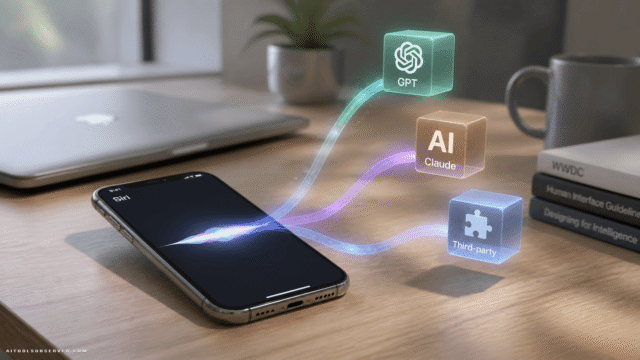
Apple is calling this broader initiative Apple Intelligence, and Siri is the front-facing product of that push.
Calendar Automation From Emails and Flyers

This is the use case that matters most to busy people — and Siri finally nails it.
Ask Siri to pull a list of soccer games or school spirit week events from an email and add them to your calendar. It works. Not sometimes. It works. For anyone managing a family schedule on an iPhone, this alone is a legitimate quality-of-life upgrade.
Previously, this kind of multi-step, cross-app task would have required a third-party automation tool like Zapier or Shortcuts. Now it’s a voice command.
Contextual Recommendations and Smart Answers
Ask Siri something like “When should I leave for the airport?” and it no longer gives you a generic answer. It checks your calendar for the flight, looks at current traffic, and gives you an actual time.
That’s the kind of contextual intelligence that Google Assistant has been doing reasonably well for a while — and it’s good to see Apple close that gap. The difference is that Siri does this natively within the Apple ecosystem, with tighter privacy controls and no third-party data handoff.
Conversational Task Chaining
You can now have a back-and-forth with Siri that builds toward a goal. Ask it what might be killing your roses. Get a diagnosis. Ask it to build a shopping list for the hardware store. Then set a reminder to apply compost next weekend.
That’s a three-step workflow handled in one conversation. It’s not perfect — more on that below — but it’s functional in a way that the old Siri never was.
Strengths Siri Has Over ChatGPT
ChatGPT is a powerful reasoning engine, but it lives in a browser or app. It doesn’t know your calendar. It can’t set your reminders. It has no access to your email unless you paste it in manually.
Siri’s edge is deep OS integration. It lives inside iOS, which means it can take action — not just generate text. For productivity tasks tied to Apple’s native apps, Siri is genuinely more useful than ChatGPT right now.
Where ChatGPT Still Wins
For complex reasoning, nuanced writing, research synthesis, and open-ended problem solving, ChatGPT is still in a different league. Siri’s conversational depth has improved, but it’s not designed to be a general-purpose AI brain. It’s designed to be a capable assistant for your iPhone.
If you need to draft a business proposal or analyze a dataset, open ChatGPT. If you need to manage your day, Siri is catching up fast.
Siri AI vs. Google Assistant: A Closer Comparison
Google Assistant has long been the benchmark for contextual, action-oriented AI on mobile. It reads your Gmail, knows your commute, and integrates with Google Calendar seamlessly.
Siri now does most of this — but within the Apple ecosystem. If you’re an iPhone user who lives in Apple Mail and Apple Calendar, Siri’s new capabilities are genuinely competitive with Google Assistant. The gap has narrowed significantly.
The key difference: Google Assistant benefits from Google’s broader data infrastructure. It’s smarter about search, better at surfacing web-based information, and more polished at proactive suggestions. Siri is catching up on the action-taking side, but Google still leads on the intelligence side.
Key Features at a Glance
- Cross-app context awareness — reads emails, checks calendars, takes action
- Conversational chaining — multi-step tasks in a single session
- Smart scheduling — contextual answers to time-sensitive questions
- Native iOS integration — no third-party apps required
- Privacy-first architecture — on-device processing where possible
Pricing and Availability
Siri AI is available as part of Apple Intelligence, which is rolling out free to iPhone 15 Pro and iPhone 16 users running iOS 18.1 or later. There’s no subscription fee for the core features.
Some advanced capabilities — particularly those powered by ChatGPT integration built into iOS — may prompt you to connect a ChatGPT account. But the core Siri AI upgrade is included with your device.
Who Should Use the New Siri?
Best for:
- iPhone users who want a smarter daily assistant without switching apps
- Parents and professionals managing complex schedules
- Anyone already embedded in the Apple ecosystem (Mail, Calendar, Reminders)
- Users who prioritize privacy in their AI interactions
Not ideal for:
- Power users who need deep research or long-form content generation
- Android users (obviously)
- Anyone who needs AI that works across platforms and devices
Pros
- Finally delivers on multi-step, cross-app task execution
- No extra cost for iPhone 15 Pro / iPhone 16 users
- Strong privacy model compared to cloud-heavy alternatives
- Genuinely useful for calendar and scheduling workflows
Cons
- Still behind ChatGPT on reasoning depth and creative tasks
- Google Assistant remains stronger on proactive, search-based intelligence
- Feature rollout is gradual — not everything is available at launch
- Limited to Apple’s ecosystem; no cross-platform utility
Alternatives Worth Considering
If Siri AI doesn’t fully meet your needs, here’s where to look:
- ChatGPT (OpenAI) — Best for deep reasoning, writing, and research
- Google Assistant — Best for Android users and Google Workspace integration
- Microsoft Copilot — Best for productivity within Microsoft 365
- Perplexity AI — Best for real-time, citation-backed research
Each of these tools has a different strength. The smartest move is to use Siri for device-level tasks and supplement with ChatGPT or Perplexity when you need heavier cognitive lifting.
The Verdict
Apple’s new Siri AI is not a ChatGPT killer. It’s not trying to be. What it is — finally — is a genuinely useful assistant for iPhone users who want their phone to actually help them manage their day.
The calendar automation works. The contextual scheduling works. The conversational task chaining works. For the first time in a long time, Siri is doing what it always promised to do.
If you’re an iPhone user, update your OS and give it a real test. The gap between Siri and its competitors is closing — and for everyday mobile productivity, it might already be closed enough.














Comments (0) No comments yet
Want to join this discussion? Login or Register.
No comments yet. Be the first to share your thoughts!