


What It Is
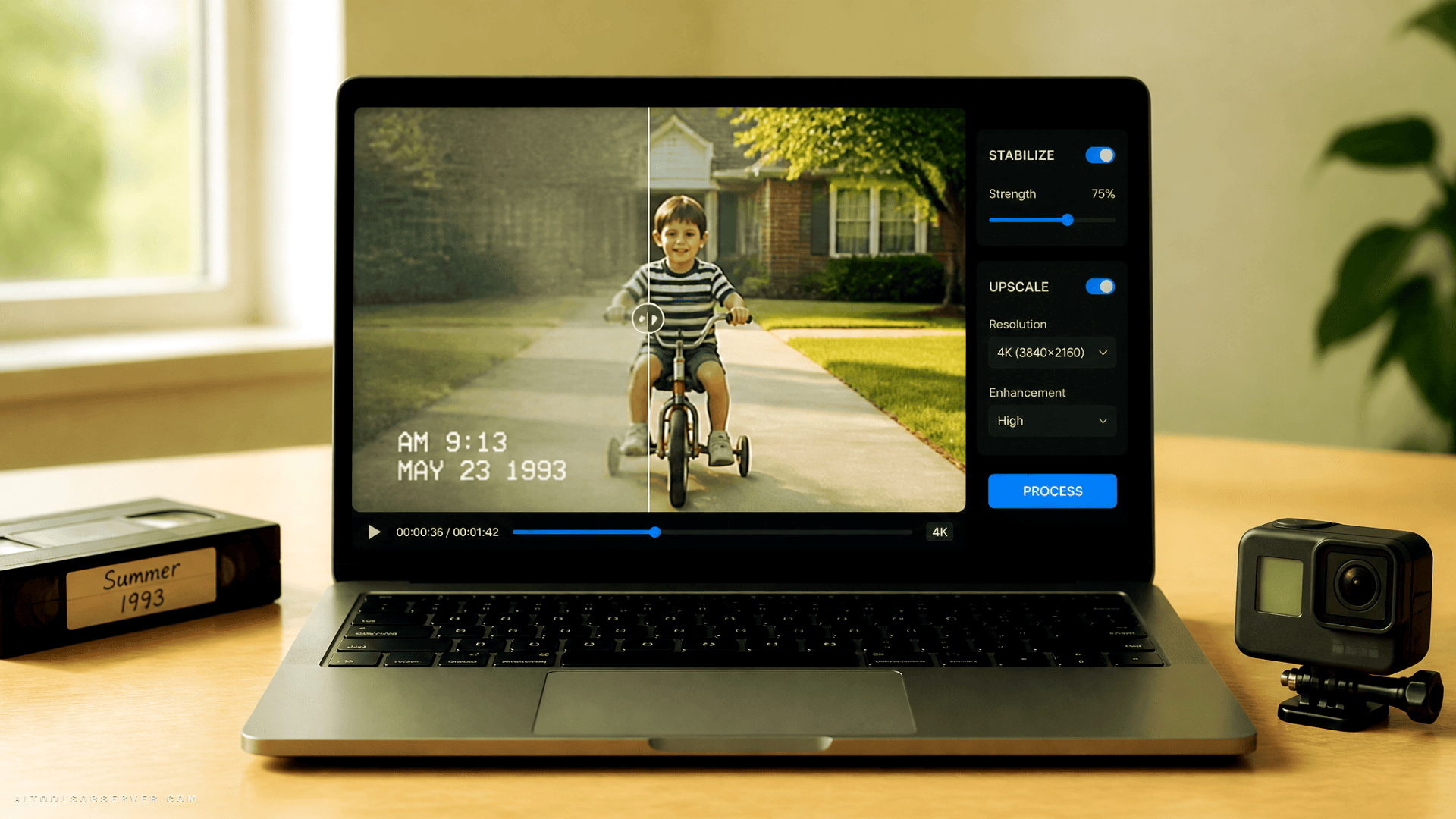
VideoProc Converter AI is a Windows desktop tool that uses AI to restore, upscale, and stabilize video footage. It’s positioned as an all-in-one video quality enhancer aimed at people who don’t want to spend hours in a professional editing suite just to make an old clip watchable.
The current deal puts a lifetime family license at $29.97 (down from an MSRP of $119.90), which makes the barrier to trying it pretty low.
What It Actually Does
The core feature set covers three main problems:
- Blurry or degraded footage — AI deblurring and denoising to recover detail from compressed or aged video
- Shaky footage — Stabilization for GoPro, drone, and handheld camera clips
- Low resolution — Upscaling to 1080p, 2K, or 4K with added detail
Beyond video, it also handles image upscaling up to 8K and 10K, GIF creation, fisheye distortion removal, and large file compression. It’s not trying to be a full NLE—it’s a focused repair and enhancement toolkit, closer to a video quality enhancer.
Two Modes, 420+ Output Profiles
VideoProc offers a Fast mode and a High-Quality mode, which is a sensible tradeoff dial for anyone who needs quick results versus maximum output. With over 420 output profiles—including 4K, MP4, MKV, MOV, ProRes, and HD—it covers most practical export needs without requiring format gymnastics.
Who It’s For
This tool makes the most sense for:
- Casual users and families restoring old home videos
- Content creators cleaning up drone or action camera footage
- Anyone on a budget who needs upscaling results without paying for enterprise software
It’s not aimed at professional colorists or editors working in high-end pipelines. But that’s fine—it’s not pretending to be.
The User Verdict
VideoProc holds a 4.5-star rating on Trustpilot. One user noted they’d used upscaling software costing hundreds of dollars and got comparable results from VideoProc AI. That’s not a universal guarantee, but it’s a meaningful data point for a $30 tool.
Tradeoffs Worth Knowing
It’s Windows-only, which immediately rules out Mac users. And while the feature list is broad, depth in any single area is limited compared to dedicated professional tools. If you need frame-by-frame control or complex color work, this isn’t your tool.
The “family license” framing also suggests it’s optimized for household use cases—multiple machines, multiple users, personal projects—rather than commercial production workflows.
The Bottom Line
For $30, VideoProc Converter AI offers a genuinely useful set of AI-powered fixes for the most common video quality problems most people actually face. It won’t replace professional restoration software, but it doesn’t need to. If your goal is turning shaky, blurry, or low-res footage into something you’d actually want to watch again, it appears to deliver that without much friction.
The lifetime license structure makes the value case straightforward: pay once, fix videos indefinitely. That’s a reasonable deal for anyone sitting on a hard drive full of footage that deserves better.













Comments (0) No comments yet
Want to join this discussion? Login or Register.
No comments yet. Be the first to share your thoughts!