


What the Workflow Actually Did
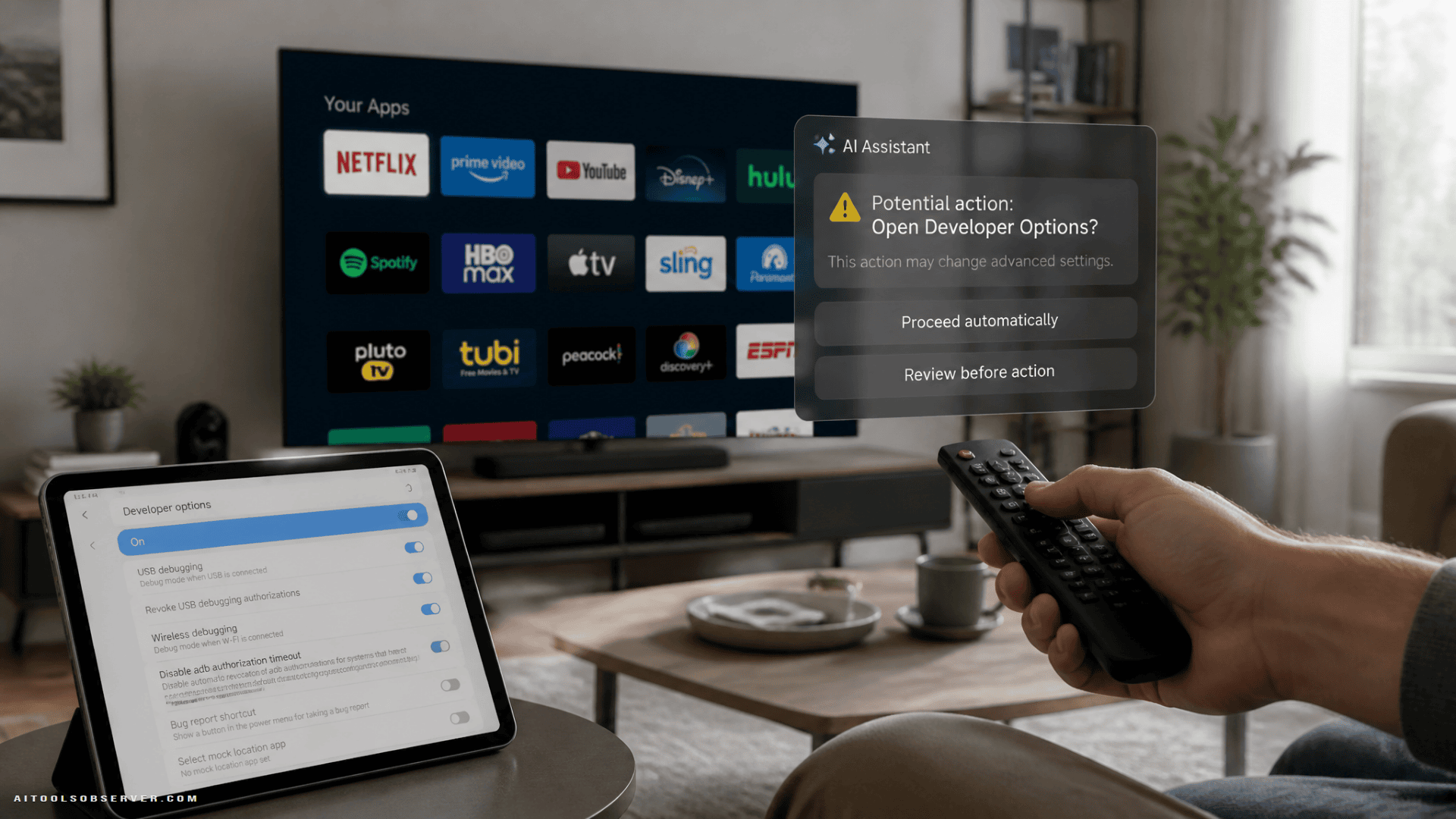
The developer, Mert Cobanov, gave Claude access through Android TV’s developer options — no root required. His prompt instructed the agent to disable unused applications rather than uninstall them, shorten animation durations, and log every action taken.
He also replaced Google TV’s default home screen — which surfaces ads and algorithmically recommended content — with FLauncher, a free, open-source launcher available on the Play Store that simply displays a grid of installed apps.
The results were real. The guardrails were also real: Cobanov explicitly told Claude not to remove anything critical. That distinction matters more than it might appear.
Where the Risk Actually Lives
Giving an AI agent full debugging access to a system it does not fully understand introduces a specific class of failure: confident, silent mistakes.
AI agents are prone to hallucination. When Claude encounters an unfamiliar package name or an ambiguous system dependency, it may make a plausible-sounding decision that is factually wrong. Unlike a human working through a manual checklist, the agent is unlikely to pause and flag uncertainty.
The consequences here are not trivial:
- Disabling the wrong system package can render the TV unstable or unbootable.
- Removing update-related components may permanently block future firmware updates.
- Granting broad system access also creates an attack surface — AI prompts can be manipulated by malicious actors if the environment is compromised.
Cobanov’s workflow worked. But it worked in part because he understood what he was asking Claude to do, and he constrained it accordingly. A user following the same steps without that background is operating with less margin for error.
The Bloatware Problem Is Real — The AI Shortcut Is Optional
Smart TV bloatware is a legitimate issue. Automatic Content Recognition software, in particular, has been described by digital rights researchers as a significant privacy concern — it regularly captures screenshots of on-screen content to build advertising profiles. Samsung TVs, to cite one example, ship with roughly 20 percent of storage already consumed by the operating system alone.
The frustration driving users toward Claude-assisted debloating is understandable. But most of what Claude did in this workflow is achievable manually, with more control and less risk.
Clear the cache first
Before disabling anything, clearing the system cache can recover meaningful performance. No app removal, no system access required.
Replace the launcher manually
FLauncher — the same app Cobanov used — is available directly from the Google Play Store. You do not need to give Claude system access to install it. It replaces the ad-heavy Google TV home screen with a clean app grid.
Adjust developer options yourself
Android TV’s Developer Options section exposes several performance-relevant controls:
- Reduce window, transition, and animator scale from 1x to 0.5x to noticeably improve responsiveness.
- Disable autoplay videos on the home screen.
- Turn off usage diagnostics and data collection.
- Enable “apps only” mode to bypass the recommendation-heavy interface.
These changes take minutes and carry no risk of disabling a critical system component.
Selectively disable apps
Most bloatware apps can be disabled individually through the TV’s app settings without uninstalling them. This is reversible, auditable, and does not require any external tool or agent access.
The Broader Pattern Worth Noting
This story fits a recurring pattern in AI tool adoption: a capable user demonstrates something impressive, publishes the workflow, and a wider audience attempts to replicate it without the same context or safeguards.
Claude is a capable reasoning tool. It is not a system administrator with deep knowledge of Android TV’s package dependencies. The gap between those two things is where things go wrong.
The smarter approach is to use AI to understand what to do — ask Claude to explain which developer settings affect performance, or what a specific package does — and then execute the changes yourself. That keeps the judgment in human hands and the risk where it belongs.
If your TV is sluggish and full of software you never wanted, the manual path is slower by perhaps thirty minutes. It is also the one that does not risk turning your television into an expensive black rectangle.












Comments (0) No comments yet
Want to join this discussion? Login or Register.
No comments yet. Be the first to share your thoughts!