
What Is Mosaic?
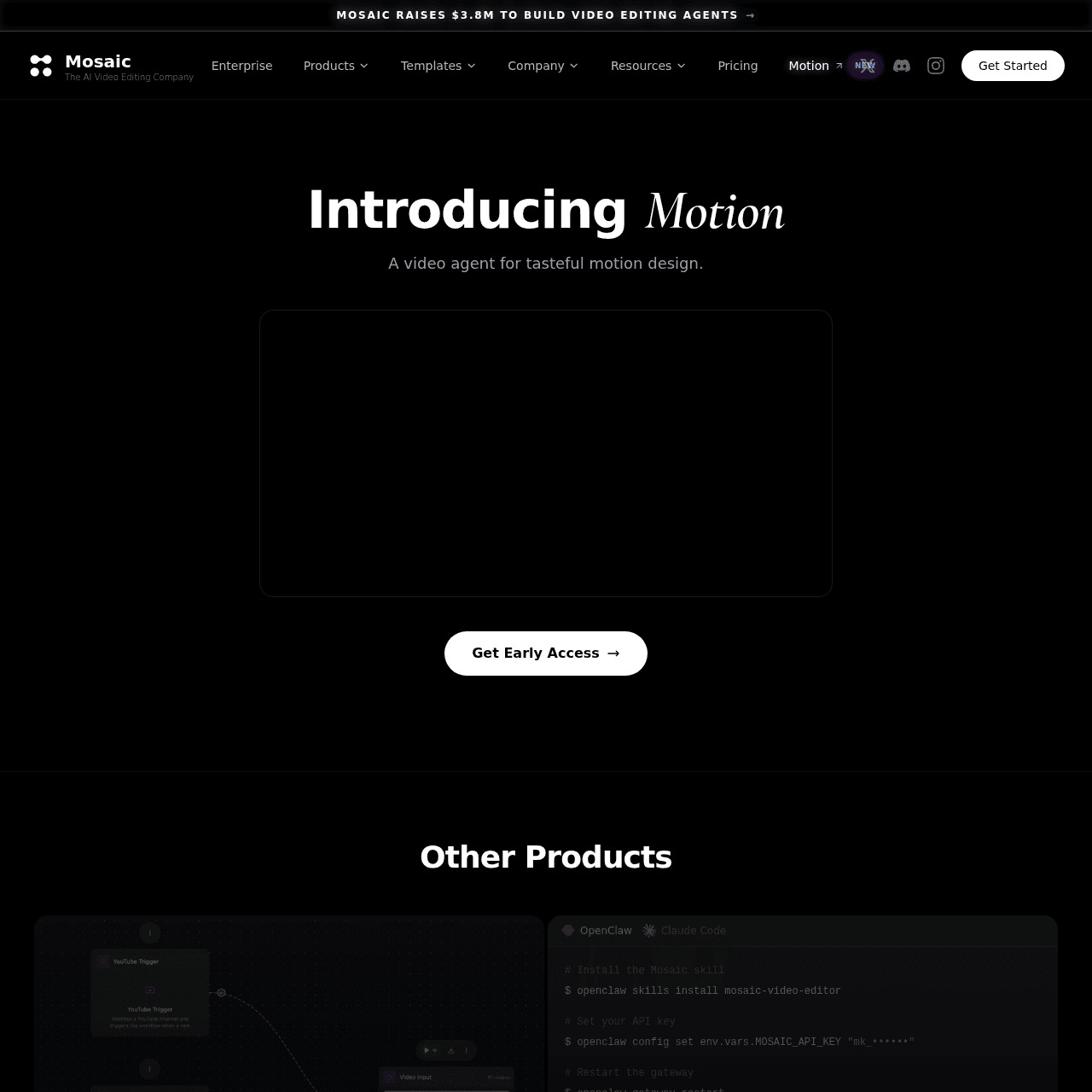
Mosaic is an agentic AI video editing platform built to automate and accelerate video production for creators, media companies, and agencies. Users can put edits on autopilot, generate multiple variants from the same footage for A/B testing, and then refine results in a familiar timeline interface. The platform includes Canvas for visual editing and automations, Motion for factual motion design, and an API with programmable agent skills to plug video workflows into existing apps. Multimodal AI and enterprise-grade automation features help large teams scale clips, social ads, and complex motion graphics without constantly adding headcount. Mosaic is trusted by leading media brands that need consistent, on-brand video content at high volume.
Quick Snapshot
Mosaic automates professional-grade video editing with AI agents, templates, and APIs so teams can ship more on-brand content in less time. It lets you scale consistent video production while staying focused on strategy and storytelling instead of manual timelines.
- Works on
-
- Web
- API
- Pricing Model
- Subscription
Starting at $40/month — Mosaic uses a subscription model with Creator, Pro, and Enterprise plans. Pricing starts at $40/month for individual creators and $125/month for Pro users, with custom pricing available for enterprise teams based on capacity and collaboration needs. - Fits on
- Affiliate Program
- 20% recurring
- API Availability
- Mosaic has an API available.
- Key Features
-
- Automate professional-grade video edits with AI agents
- Scale A/B tested video variants from one footage
- Integrate editing workflows via programmable API
- Audience
-
- creators
- marketers
- media companies
- agencies
- startups
- enterprise teams
- developers
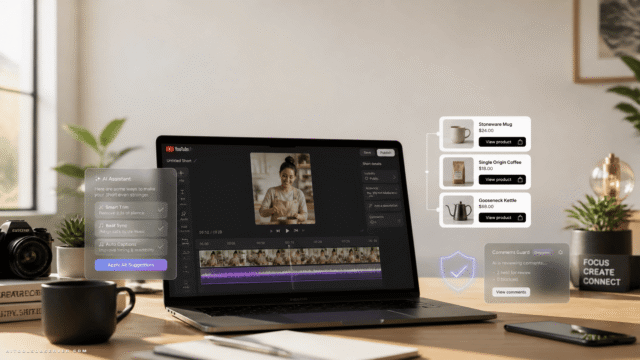
Screenshot

Key Features of Mosaic
Agentic AI editing
Uses intelligent AI agents to automate professional-grade video editing tasks, from cutting and sequencing to generating variants for different channels.
Canvas visual editor
Provides a familiar, timeline-based visual editor where users can fine-tune AI-generated edits and build custom automations.
Motion design automation
Includes Motion for factual motion design, enabling automated creation of data-driven motion graphics and visual elements.
Video A/B testing
Lets users create and compare multiple video variants from the same footage, helping teams learn what performs best across audiences and platforms.
Programmable API
Offers an API with programmable agent skills so developers can integrate Mosaic’s editing capabilities directly into existing products and workflows.
Enterprise workflows
Supports large teams with automation tools and multimodal AI designed to scale video production without proportional increases in headcount.
Use Cases for Mosaic
Social video production
Rapidly turn raw footage into multiple social-ready video variants using AI automations and templates, then A/B test to find top-performing creatives.
Performance marketing ads
Generate, iterate, and test multiple ad versions from the same footage, helping marketing teams optimize performance without manual re-editing.
Media and news clips
Automate the creation of short clips and motion graphics packages so media companies can publish timely, on-brand video content at scale.
Enterprise content at scale
Use Mosaic’s multimodal AI, automations, and API to standardize video workflows across teams and regions while maintaining brand consistency.
Product and explainer videos
Quickly assemble factual motion design and branded explainers with Motion and Canvas, reducing the need for fully manual motion graphics work.
Frequently Asked Questions
What is Mosaic and who is it for?
Mosaic is an agentic AI video editing platform designed for creators, marketers, media companies, agencies, startups, enterprise teams, and developers who need to produce high-quality video content at scale.
How does Mosaic automate video editing?
Mosaic uses AI agents, templates, and automation flows to handle core editing tasks, generate multiple variants from the same footage, and streamline workflows that previously required manual timeline work.
Can I still manually edit videos in Mosaic?
Yes. After AI agents generate initial edits and variants, you can review and fine-tune them using Mosaic’s Canvas timeline editor for full creative control.
Does Mosaic offer an API for developers?
Yes. Mosaic provides an API with programmable agent skills, allowing developers to embed AI-driven video editing workflows into their own apps and systems.
What types of videos can I create with Mosaic?
Mosaic is built to support a wide range of formats, including clips, social ads, performance marketing creatives, and more complex motion graphics and motion design projects.
How much does Mosaic cost?
Mosaic offers subscription plans starting at $40/month for creators and $125/month for Pro users, with custom pricing available for enterprise teams based on their scale and requirements.
Mosaic · Our Verdict
Mosaic stands out by combining agentic AI, a familiar timeline editor, and a programmable API, which makes it attractive for both individual creators and larger teams. Its focus on automation, A/B testing, and enterprise workflows positions it as a strong option for organizations that need to scale video output while maintaining brand consistency.
Mosaic ·
-
 Subscription
 Outcast
Record once and repurpose content everywhere.
Podcast Editing Assistants -
DryVocal
AI-powered clean vocals from any audio
Audio Cleanup & Enhancement Tools - Subscription
Viddyoze
Create stunning business videos in minutes
AI Video Generation - Credit-Based
JoyFun AI
Instant AI video creation without subscriptions
AI Video Generation - Freemium
quso.ai
Turn long videos into viral short-form clips.
Social Media Content Creation - Your Ad Here
- Freemium
UnWatermark AI
AI watermark remover for clean, pro visuals
AI Photo Editors -
Codiga
Customizable static code analysis that follows you everywhere.
AI Developer Tools