What Is SpeechPulse?
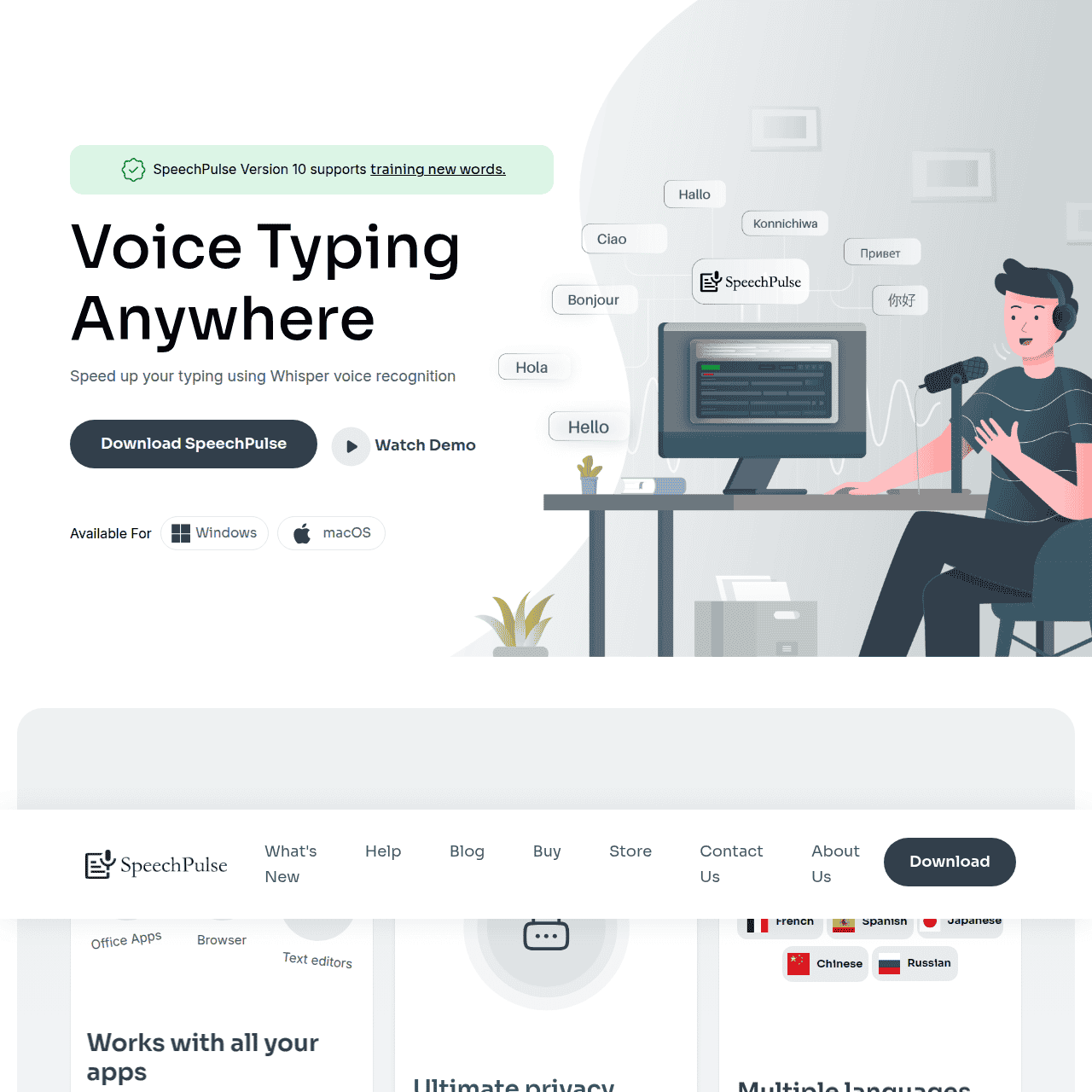
SpeechPulse is a desktop speech-to-text and translation tool built on Whisper voice recognition, designed for accurate, real-time dictation on Windows and macOS. It works with virtually any text input field, from browsers and office suites to note‑taking and coding tools, enabling voice typing wherever you write.
All processing happens locally on your machine, so sensitive audio and transcripts never leave your device. SpeechPulse supports transcription in 99 languages and offers automatic or manual punctuation for English, along with auto speech detection and push‑to‑talk modes.
This makes it a flexible solution for writers, professionals, students, and multilingual users who need reliable transcription and translation without a constant internet connection.
Quick Snapshot
SpeechPulse brings accurate, offline speech recognition to your desktop so you can dictate faster while keeping all audio and text on your own device. It’s ideal for secure, multilingual transcription and translation without relying on the cloud.
- Works on
-
- Web
- Mac
- Pricing Model
- One-Time — SpeechPulse is offered as a one-time purchase desktop application, with a free Windows program noted in third‑party listings. Exact pricing for the full version is not publicly specified.
- Fits on
- Affiliate Program
- 25% per sale
- API Availability
- We could not identify whether an API is available.
- Key Features
-
- Accurate offline speech-to-text on your desktop
- Voice typing in virtually any desktop app
- Private multilingual transcription and translation on-device
- Audience
-
- writers
- students
- legal professionals
- medical professionals
- content creators
- transcribers
- multilingual users
- remote workers
Screenshot

Key Features of SpeechPulse
Offline speech recognition
Processes all speech-to-text conversions locally on your Windows or macOS device, keeping audio and transcripts private and available without an internet connection.
Works in any app
Enables voice typing in virtually any desktop text field, including browsers, office suites, code editors, and note‑taking tools.
Whisper-based accuracy
Built on Whisper voice recognition technology to deliver high-quality, real-time transcription and translation across supported languages.
Multilingual support
Supports transcription in 99 languages, making it suitable for multilingual users and international workflows.
Smart punctuation options
Recognizes English punctuation automatically or allows manual punctuation modes, giving you control over how your dictated text is formatted.
Auto speech detection
Detects when you start and stop speaking to streamline dictation sessions and reduce the need for manual control.
Push‑to‑talk mode
Lets you hold a key or trigger to speak only when needed, offering precise control during meetings, calls, or focused writing.
Use Cases for SpeechPulse
Long-form writing
Authors, bloggers, and journalists can dictate articles, reports, or manuscripts directly into their favorite writing apps, speeding up drafting while reducing typing fatigue.
Academic note-taking
Students can transcribe lectures or spoken notes into documents and study apps, keeping everything offline for privacy and working even without stable internet.
Legal and medical dictation
Legal and medical professionals can securely dictate case notes, reports, and documentation on their own machines, keeping sensitive client and patient data on-device.
Content creation workflows
Creators can draft scripts, captions, and ideas hands-free in any desktop tool, using multilingual transcription and translation to reach global audiences.
Remote work communication
Remote workers can quickly turn spoken updates, meeting summaries, and brainstorms into text for email, chat, and project management tools without relying on cloud services.
Frequently Asked Questions
What is SpeechPulse and how does it work?
SpeechPulse is an offline speech recognition and translation app for Windows and macOS that converts your voice to text in real time. It runs locally on your device and lets you dictate into virtually any desktop application.
Does SpeechPulse require an internet connection?
No. SpeechPulse performs speech recognition and translation locally on your machine, so it can work without a constant internet connection.
Is my audio data private when using SpeechPulse?
Yes. SpeechPulse processes audio and text on your own device, so recordings and transcripts are not sent to cloud servers, helping keep sensitive information private.
Which platforms does SpeechPulse support?
SpeechPulse is available as a desktop application for Windows and macOS and works with most applications that accept text input.
How many languages does SpeechPulse support?
SpeechPulse supports transcription in 99 languages and can translate speech between multiple languages using its Whisper-based engine.
Can I use SpeechPulse with any text editor or office app?
Yes. SpeechPulse is designed to work with virtually any desktop text input area, including text editors, web browsers, office applications, and more.
Does SpeechPulse offer a free version?
According to third‑party listings, a free Windows program is available, but detailed limitations and full pricing are not publicly specified.
Does SpeechPulse have an API for developers?
No. SpeechPulse does not currently offer an API; it is provided as a desktop application for end users.
SpeechPulse · Our Verdict
SpeechPulse stands out by combining Whisper-level accuracy with true offline processing, which is increasingly important for privacy-conscious professionals. Its ability to work inside any desktop application and support 99 languages makes it a practical daily driver for dictation and transcription across a wide range of workflows.
SpeechPulse ·
-
 Freemium
 Auro – AI Voice Memo Summary
Speak your mind, get instant AI notes
Meeting Summarizers & Note-Takers - Subscription
Castmagic
Turn every recording into publish-ready content
Productivity & Automation AI - Freemium
UniDub
Create or dub videos in 40+ languages
Audio & Voice AI -
Heynds
Instant pocket AI for your Mac, anywhere
Personal Productivity Assistants - Subscription
Podwise
Turn every podcast into lasting, searchable knowledge
Knowledge Management - Your Ad Here
- Subscription
Aleah AI
Ultimate AI chatbot and content studio
Productivity & Automation AI - Freemium
SendStock AI
AI metadata and upload workflow for stock pros
AI Image Search & Tagging