
What Is Vibe Backup?
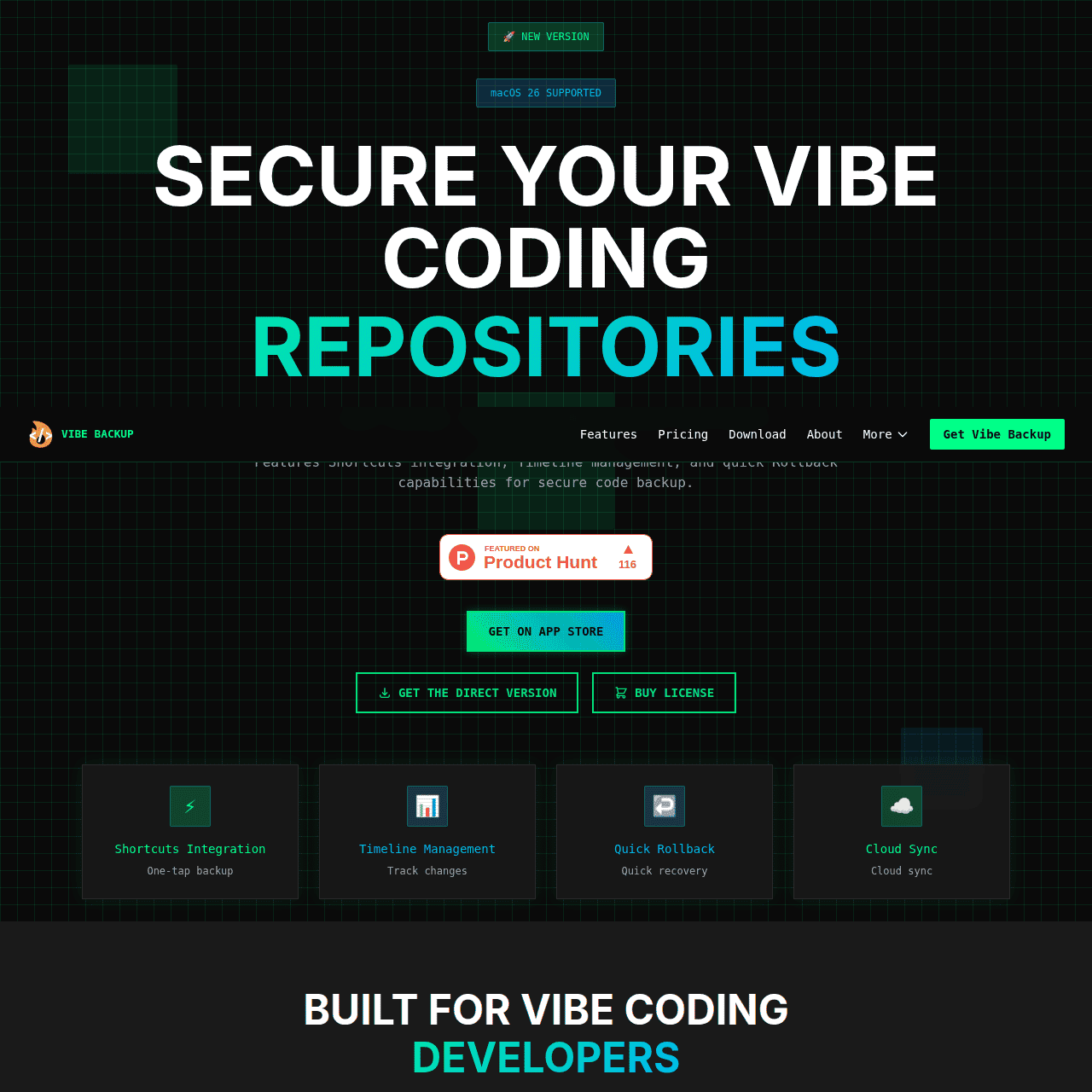
Vibe Backup is a backup tool built specifically for Vibe Coding developers who want reliable protection for their local code projects. Running locally on your Mac, it creates timeline snapshots of your repositories and lets you trigger backups instantly with keyboard shortcuts.
You can roll back to previous versions quickly, monitor activity through a dedicated dashboard, and choose between local-only storage or secure cloud sync with optional AES-256 encryption. The workflows are designed for developers, minimizing setup and maintenance while still providing strong safeguards against accidental deletions, crashes, and hardware failures.
Built by developers for developers, Vibe Backup combines an intuitive interface with enterprise-grade security tailored to Vibe Coding environments.
Quick Snapshot
Vibe Backup protects your Vibe Coding projects with automatic, secure backups and fast rollbacks tailored to your development workflow. You get enterprise-grade protection without complex setup, so you can keep shipping code with confidence.
- Works on
-
- Mac
- Web
- API
- Other
- Pricing Model
- Freemium
Starting at $9.99 lifetime — Vibe Backup offers a free version for basic backups and a Pro version as a one-time lifetime license around $9.99. The Pro plan unlocks advanced features and priority support. - Fits on
- Affiliate Program
- We could not identify an affiliate program.
- API Availability
- Vibe Backup has an API available.
- Key Features
-
- Automatic timeline backups for Vibe Coding
- One-key snapshots and fast code rollbacks
- Optional AES-256 encrypted cloud sync
- Audience
-
- Vibe Coding developers
- indie developers
- software engineers
- startup teams
- freelance developers
- engineering managers
Screenshot

Key Features of Vibe Backup
Timeline snapshots
Automatically captures snapshots of your Vibe Coding repositories over time, making it easy to browse history and restore previous versions.
Keyboard shortcut backups
Trigger instant backups from your keyboard so you can save important states without leaving your development flow.
Quick rollback
Restore projects to earlier snapshots quickly to recover from bad commits, accidental deletions, or broken experiments.
Local-first storage
Run backups locally on your Mac with the option to keep everything on-device for maximum control and privacy.
Encrypted cloud sync
Optionally sync backups to the cloud with AES-256 encryption for secure off-site protection of your code.
Activity dashboard
Monitor backup activity and status from a dedicated dashboard so you always know your projects are protected.
Use Cases for Vibe Backup
Protect Vibe projects
Automatically back up Vibe Coding repositories so you never lose work to crashes, accidental deletions, or hardware failures.
Fast code rollback
Use timeline snapshots to quickly restore your project to a previous state when a change breaks the build or introduces bugs.
Secure cloud sync
Enable optional AES-256 encrypted cloud sync to keep an off-site copy of your code while maintaining control over where it’s stored.
Team backup hygiene
Startup teams and engineering managers can standardize simple, reliable backups across Vibe Coding workflows without complex infrastructure.
Frequently Asked Questions
What is Vibe Backup and who is it for?
Vibe Backup is a Mac-based code backup tool built specifically for Vibe Coding developers, including indie developers, software engineers, startup teams, and freelancers who want reliable protection for their projects.
Does Vibe Backup store my code locally or in the cloud?
Vibe Backup runs locally on your Mac and can store backups purely on your device, with an option to enable secure cloud synchronization if you want off-site protection.
How does Vibe Backup protect my projects?
It creates timeline snapshots of your repositories, lets you trigger backups via keyboard shortcuts, and supports quick rollbacks so you can recover from crashes, deletions, or hardware failures.
Is my code encrypted when using cloud sync with Vibe Backup?
Yes, Vibe Backup offers optional AES-256 encrypted cloud sync, giving you a secure way to keep off-site copies of your code.
Is there a free version of Vibe Backup?
Yes, Vibe Backup provides a free version for basic backups, with a Pro plan available as a one-time lifetime license for more advanced features and priority support.
Does Vibe Backup offer an API?
Yes, Vibe Backup includes an API, allowing developers to integrate backup functionality into their broader workflows and tooling.
Vibe Backup · Our Verdict
Vibe Backup focuses tightly on a clear problem: protecting Vibe Coding projects without adding workflow friction. Its mix of local-first backups, timeline snapshots, and optional AES-256 encrypted cloud sync offers a sensible balance between control and convenience for developers who care about both speed and safety.
Vibe Backup ·
-
 Subscription
 Hermit
Turn your ChatGPT history into portable AI memory.
Knowledge Management -
QualGent
The closed-loop AI QA agent for mobile.
AI Developer Tools - Subscription
Comfy
The open standard for production-grade visual AI
AI Workflow Builders - Custom
Polymath Robotics
Modular autonomy for real-world off-highway robots
Productivity & Automation AI - Freemium
Replit
AI platform to build, launch, and scale apps fast
No-Code AI App Builders - Your Ad Here
- Free Featured
Redesign by Nodewave
Turn your codebase into on‑brand social posts
Social Media Content Creation - Free
ONEIMG
All-in-one free AI photo editor online
AI Photo Editors