



TL;DR
- Lovable is the top overall pick: full-stack web apps from a prompt, GitHub sync on every plan, Pro from $25/month.
- Retool is best for governed internal tools: $10 per builder + $5 per internal user per month (billed annually).
- Base44 (now owned by Wix) starts at $16/month and added App Store and Google Play file generation in November 2026.
- Only 4 of 12 builders offer SSO below the enterprise tier—check security plans before purchasing.
- Firebase Studio stopped new sign-ups in June 2026 and shuts down on 22 March 2027. If you’re on it, start migrating now.
—
How We Chose These 12 Builders
We evaluated each tool against five criteria relevant to US business buyers:
- What it builds: web apps, internal tools, or native mobile apps
- Code ownership: export or GitHub sync availability
- Security: SSO, SOC 2, audit logs, private deployment
- Real cost: how far entry-plan credits actually go in practice
- Momentum: meaningful product releases during 2026
Pricing was verified against official pages on 17 November 2026. No company paid for placement.
—
The Landscape in One Sentence
Lovable, Replit, and Bolt.new lead for prompt-to-app work. Retool, Superblocks, and Power Apps lead for internal tools. Everything else fits somewhere in between.
—
Best AI App Builders for Prompt-to-App Development
These tools take a plain-English description and return a working, deployable app. They suit founders, product managers, and small teams that need to ship something real without a full engineering sprint. If you are exploring broader no-code AI builders or specifically comparing No-Code AI App Builders, this is the segment most aligned with prompt-to-app workflows.
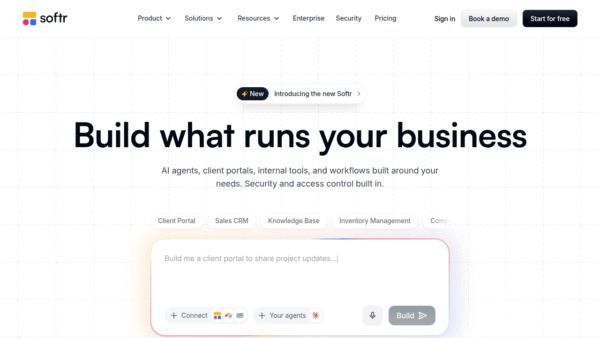
1. Lovable — Best AI App Builder Overall
Best for: Founders, product teams, and agencies building web apps
Lovable turns a prompt into a full-stack web app—database, user accounts, file storage, and hosting included. What makes it stand out is that GitHub, GitLab, and Bitbucket sync are available on the free plan, not locked behind a paywall.
Plan mode lets you scope a feature before spending any credits, which is a small but genuinely useful detail. The GPT-6.1 Terra model landed on 5 November 2026, and SSO session controls were added on 16 November 2026. Since 29 October 2026, Lovable can also import projects from Replit, Bolt, Base44, and v0—handy if you’re migrating.
Pricing: Free (5 daily credits, up to 30/month) → Pro $25/month (100 credits) → Business from $50/month → Enterprise custom
Pros:
- GitHub/GitLab/Bitbucket sync on the free plan
- Built-in database, auth, file storage, and hosting
- Plan mode scopes features before spending credits
- 4.6 rating on G2
Cons:
- Web apps only—no native iOS or Android builds
- Monthly credits expire two months after issuance
- SSO requires Business; SCIM and audit logs require Enterprise
—
2. Replit — Best for Building and Hosting in One Place
Best for: Startups and business teams that want a single workspace for building, running, and hosting
Replit Agent writes, tests, and fixes its own code before asking for your review—a meaningful step up from tools that just generate and hope for the best. The October 2026 launch of Replit for Business and Cloud Agents signals a clear push toward team and enterprise buyers.
One notable November 2026 addition: Replit Agent can now make purchases on behalf of a business through Link. That’s either very convenient or slightly alarming, depending on your risk tolerance.
Pricing: Core $20/month ($18 annually, includes $20 in model credits) → Pro $100/month → Enterprise custom
Pros:
- Agent tests and fixes its own code before review
- Build and host in one workspace, including database and auth
- Databricks integration available
Cons:
- Usage-based credits make monthly costs hard to forecast at scale
- SSO, SCIM, and audit logs only on Enterprise
- Code export and new business features aren’t clearly documented on the pricing page
—
3. Bolt.new — Best for Fast Prototypes
Best for: Product managers and designers testing ideas quickly
Bolt.new’s free tier is genuinely generous: 1 million tokens per month, up to three collaborators, and unlimited databases. The catch is that token consumption scales with prompt length and project complexity, so large builds can drain the allowance faster than expected.
Unused Pro tokens now roll over for up to two months, which helps smooth out uneven usage. The free plan shows Bolt branding on published apps; Pro removes it and adds a custom domain.
Pricing: Free (1M tokens/month, 300K/day) → Pro $25/month (10M tokens) → Teams $30/member/month → Enterprise custom
Pros:
- 1M free tokens per month
- Unused Pro tokens roll over for up to two months
- Unlimited databases on the free plan
Cons:
- Large projects burn through tokens quickly
- Free-plan apps carry Bolt branding
- SSO and audit logs only on Enterprise
—
4. Base44 — Best for Non-Technical Business Users
Best for: Operations, marketing, and small business teams without developers
Base44 has the lowest paid entry price of any tool in this list at $16/month (billed yearly), and it covers a surprising amount of ground: web apps with backend, user management, payments via Stripe or PayPal, and—as of November 2026—App Store and Google Play file generation.
Wix now owns Base44, which adds some enterprise credibility but also raises the usual questions about roadmap independence. Data residency options expanded to include Australia on 2 November 2026.
Pricing: Free (25 message credits, up to 5 apps) → Starter $16/month (yearly) → Builder $40/month → Pro $80/month → Elite $160/month → Enterprise custom
Pros:
- Lowest paid entry price at $16/month billed yearly
- Payments built in (Stripe and PayPal)
- App Store and Google Play file generation since November 2026
Cons:
- GitHub sync only at the $40/month Builder plan—not Starter
- Workspace SSO requires Business or Enterprise
- Free plan includes just 25 message credits per month
—
5. v0 by Vercel — Best for React and Next.js Teams
Best for: Front-end teams and agencies already on the Vercel platform
v0 generates clean Next.js, React, TypeScript, Tailwind, and shadcn/ui code—the kind engineers can actually continue working on without a rewrite. The February 2026 “New v0” update added GitHub branch integration, Projects, and a full code editor, making it feel less like a prototype tool and more like a development accelerator.
Vercel holds a SOC 2 Type 2 attestation covering v0, and enterprise data is not used for model training per Vercel’s documentation. That matters if you’re building anything sensitive.
Pricing: Free (7 messages/day) → Plus $30/user/month → Business $100/user/month → Enterprise custom
Pros:
- Clean, engineer-ready Next.js and React output
- SOC 2 Type 2 coverage through Vercel
- Enterprise data not used for training
Cons:
- Works best if you’re already hosting on Vercel
- Per-user pricing adds up for larger teams
- Web apps only—no native mobile
—
6. Emergent — Best for Web and Mobile Apps with a VPC Option
Best for: Startups that need to move fast now but may need enterprise controls later
Emergent builds both web and mobile apps and includes GitHub integration and private project hosting. The Pro plan now includes a 1 million-token context window and custom AI agents as of November 2026—useful for complex, multi-step app logic.
The VPC option makes it worth a look for teams that anticipate stricter compliance requirements down the road.
Pricing: Free (10 monthly credits) → Standard $20/month ($17 annually, 100 credits) → Pro $200/month ($167 yearly) → Business and Enterprise custom
—
Best AI App Builders for Internal Tools
These tools are built for apps that live inside a company—dashboards, admin panels, approval workflows, and data tools. They prioritize governance, access controls, and integration with existing systems over speed-to-prototype. For buyers focused specifically on internal tools, this group is the closest fit.
7. Retool — Best for Internal Tools (Engineering-Led Teams)
Best for: Engineering teams building governed internal tools
Retool is the established choice for internal tooling. It connects to databases, APIs, and third-party services, and it gives IT teams the controls they need: self-hosted deployment, air-gapped options, SSO, and audit logs.
The pricing model charges per builder (the people creating tools) and per internal user (the people using them), which keeps costs predictable for teams with a clear builder-to-user ratio.
Pricing: Free → Team $10/builder/month + $5/internal user/month (billed annually) → Enterprise custom
Notable: Self-hosted and air-gapped deployment options available—rare at this price point.
—
8. Superblocks — Best for Governed Internal Apps (IT-Led Teams)
Best for: IT and platform teams that need compliance documentation alongside their tools
Superblocks is positioned as a more governance-forward alternative to Retool, with SOC 2 Type II certification and a focus on enterprise security from the start rather than as an add-on.
Pricing: Starts around $100/month with annual billing (verify current pricing on the official page).
—
9. Microsoft Power Apps — Best for Microsoft 365 Organizations
Best for: Organizations already deep in the Microsoft ecosystem
If your team lives in Teams, SharePoint, and Azure, Power Apps is the path of least resistance. Copilot is built into the Microsoft stack, and HIPAA considerations are addressed through Microsoft’s compliance framework.
The per-user pricing can add up quickly for broad internal deployments, so model the full cost before committing.
Pricing: Premium approximately $20/user/month with annual billing (verify current pricing).
—
10. Bubble — Visual No-Code for Web and Mobile
Best for: Non-technical founders building web or mobile apps with complex logic
Bubble’s visual editor gives you fine-grained control over workflows and data without writing code. It has a steeper learning curve than prompt-first tools, but more flexibility for custom logic.
Pricing: Free → Starter approximately $32/month
—
11. FlutterFlow — Best for Native Mobile Apps with Code Export
Best for: Teams that need real iOS and Android apps they can hand off to developers
FlutterFlow produces actual Flutter code you can download and continue developing. That’s a meaningful differentiator if native mobile is the requirement and you don’t want to be locked into a platform forever.
Pricing: Free → Basic approximately $39/month ($29 with annual billing)
—
12. Rocket — Best for Mobile and Web on a Credit Budget
Best for: Small teams that need mobile and web apps without per-seat pricing pressure
Rocket builds both mobile and web apps and includes unlimited team members on every plan—a useful detail for teams that would otherwise pay per seat.
Pricing: Free → Pro $25/month
—
Security Comparison: The Detail Most Buyers Skip
SSO availability is the clearest dividing line between tools built for individuals and tools built for businesses.
| Tool | SSO Available | Tier Required | SOC 2 |
|---|---|---|---|
| Lovable | Yes | Business | Not publicly stated |
| Replit | Yes | Enterprise | Not publicly stated |
| Bolt.new | Yes | Enterprise | Not publicly stated |
| Base44 | Yes | Business/Enterprise | Not publicly stated |
| v0 by Vercel | Yes | Enterprise | SOC 2 Type 2 (Vercel) |
| Retool | Yes | Team and above | Available |
| Superblocks | Yes | Available | SOC 2 Type II |
| Power Apps | Yes | Via Microsoft | Via Microsoft |
If SSO is a hard requirement for your IT team, Retool, Superblocks, and Power Apps are the clearest options below the enterprise tier. For prompt-to-app tools, you’re mostly looking at enterprise plans or Business tiers.
—
Pricing Comparison at a Glance
| Tool | Entry Paid Plan | Notes |
|---|---|---|
| Lovable | $25/month | 100 credits |
| Replit | $20/month | $20 in model credits included |
| Bolt.new | $25/month | 10M tokens |
| Base44 | $16/month (yearly) | Lowest entry price |
| v0 by Vercel | $30/user/month | Plus plan |
| Emergent | $20/month ($17 yearly) | 100 credits |
| Retool | $10/builder + $5/user/month | Annual billing |
| Superblocks | ~$100/month | Annual billing |
| Power Apps | ~$20/user/month | Annual billing |
| Bubble | ~$32/month | Starter |
| FlutterFlow | ~$39/month ($29 yearly) | Basic |
| Rocket | $25/month | Unlimited team members |
—
Which Builder Should You Choose?
The honest answer is that the right tool depends on what you’re building and who’s governing it.
Choose Lovable if you need a full-stack web app fast, want to keep the code in GitHub from day one, and don’t need native mobile.
Choose Replit if you want to build and host in one place and your team is comfortable with usage-based pricing.
Choose Bolt.new if you’re prototyping and want the most generous free tier in the category.
Choose Base44 if you’re non-technical, need payments built in, and want the lowest entry price.
Choose v0 if your team writes React and Next.js and you’re already on Vercel.
Choose Retool or Superblocks if you’re building internal tools and IT needs audit logs, SSO, and deployment control.
Choose FlutterFlow if native iOS and Android with exportable code is the actual requirement.
Avoid Firebase Studio entirely—it stops accepting new users and shuts down in March 2027.
—
One Thing Worth Watching
The gap between “prompt-to-app” tools and “governed internal tool” platforms is narrowing. Replit’s October 2026 business launch, Lovable’s SSO session controls, and Emergent’s VPC option all point in the same direction: the fast-moving consumer tools are adding enterprise features, and the enterprise tools are adding AI generation. By late 2026, the category lines are blurring.
That’s useful context when evaluating roadmaps. A tool that doesn’t have SSO today might have it in six months. A tool that’s enterprise-only today might launch a self-serve tier. Check changelogs, not just pricing pages.
Prices verified against official pricing pages on 17 November 2026. Pricing and features change frequently—confirm details directly with each vendor before purchasing.











Comments (0) No comments yet
Want to join this discussion? Login or Register.
No comments yet. Be the first to share your thoughts!